
1. Uvod
This manual provides essential information for setting up, operating, and maintaining your OnePlus Nord 5 smartphone. Please read this guide thoroughly to ensure optimal performance and longevity of your device.

Slika 1: Spredaj in zadaj view of the OnePlus Nord 5 smartphone.
2. Vsebina polja
Upon unboxing your OnePlus Nord 5, verify that all the following items are included:
- OnePlus Nord 5 Smartphone
- Napajalnik (80 W)
- Kabel USB (vrsta C)
- Izmetalo pladnja SIM
- Zaščitna folija za zaslon (vnaprej nameščena ali v škatli)
- Ovitek za telefon
- Vodnik za hiter začetek
- Garancijska kartica
Video 1: Unboxing the OnePlus Nord 5 and reviewing its contents.

Slika 2: Spredaj view of the OnePlus Nord 5.

Slika 3: Zadaj view of the OnePlus Nord 5.
3. Nastavitev
3.1 Namestitev kartice SIM
- Poiščite pladenj za kartico SIM na strani naprave.
- Vstavite orodje za izmet SIM kartice v majhno luknjo poleg pladnja in močno pritisnite, dokler pladenj ne izskoči.
- Vstavite kartico(-e) Nano-SIM v predvidene reže na pladnju. Prepričajte se, da so zlati kontakti obrnjeni navzdol.
- Previdno vstavite pladenj za SIM kartico nazaj v telefon, dokler se ne zaskoči.
3.2 Začetni vklop
Press and hold the Power button on the side of the device until the OnePlus logo appears. Follow the on-screen instructions to complete the initial setup, including language selection, Wi-Fi connection, and Google account setup.
4. Upravljanje vaše naprave
4.1 Zmogljivost
The OnePlus Nord 5 is equipped with the Snapdragon 8s Gen 3 processor and LPDDR5X RAM, designed for demanding applications and gaming. The device features a 7300mm² VC cooling system to maintain optimal temperatures during extended use.
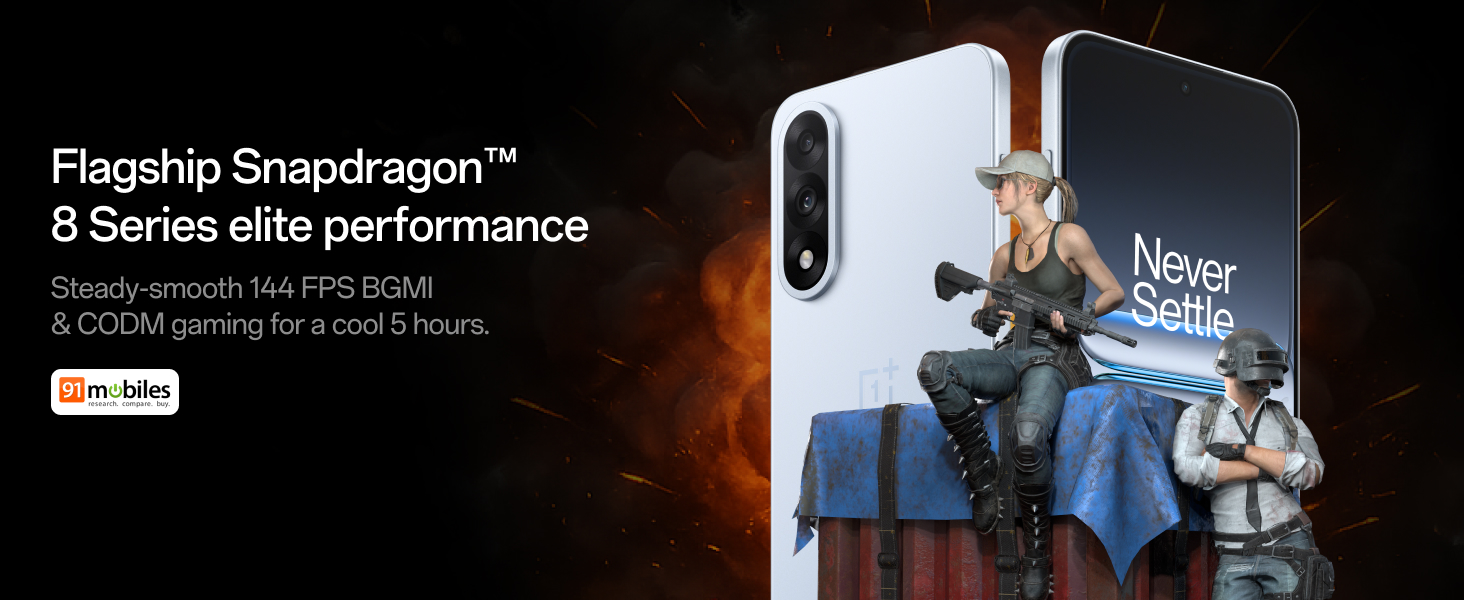
Figure 4: Snapdragon 8s Gen 3 processor for elite performance.
Video 2: Demonstration of gaming performance on the OnePlus Nord 5.
4.2 Funkcije kamere
The device features a dual 50MP camera system, including a 50MP front camera (ISOCELL JN5 with hardware autofocus) and a 50MP Sony LYT-700 back camera with Optical Image Stabilization (OIS). It supports 4K 60 FPS video capture.
AI Camera Enhancements:
- Radirka z umetno inteligenco: Removes unwanted objects or people from photos.
- AI Detail Boost: Izboljša jasnost in podrobnosti slike.
- AI Unblur: Corrects blurry images.
- AI Reframe: Suggests improved compositions for photos.
- AI Perfect Shot: Adjusts facial expressions and corrects blinked eyes in group photos.

Figure 5: Dual 50MP camera system overview.

Figure 6: AI features for photo enhancement.
4.3 Baterija in polnjenje
The OnePlus Nord 5 features a 6800 mAh battery and supports 80W ultra-fast charging. It also includes an all-new Bypass Charging feature, which powers the phone directly from the charger during gaming to reduce heat and maintain performance.

Figure 7: Illustration of Bypass Charging technology.
4.4 Zaslon
Experience visuals on a 144Hz 1.5K AMOLED display with Aqua Touch 2.0 technology, offering a resolution of 2800 x 1272 pixels and up to 1400 nits brightness. Aqua Touch 2.0 improves touch responsiveness, even with wet or oily fingers.

Figure 8: Details of the 144Hz AMOLED display.
4.5 Funkcije umetne inteligence
The OnePlus Nord 5 integrates various AI functionalities to enhance user experience:
- Glasovno pisanje z umetno inteligenco: Transcribe, translate, and summarize meetings or content.
- Obkroži za iskanje: Quickly search for information by circling content on your screen.
- Dvojčki v živo: An AI assistant for queries and information.
- Iskanje AI: Intuitively understands natural language prompts for searching device content.

Figure 9: AI VoiceScribe interface.
4.6 Multitasking with Open Canvas
The Open Canvas feature allows for enhanced split-screen multitasking, enabling flexible resizing of applications and drag-and-drop functionality between apps. This improves productivity by extending split-screen capabilities beyond physical display limits.
Video 3: Demonstration of multitasking features on the OnePlus Nord 5.

Figure 10: Open Canvas for advanced multitasking.
4.7 Povezljivost
The Nord 5 supports 5G-Advanced networking, offering faster internet speeds and improved signal stability, particularly in congested areas.

Figure 11: 5G-Advanced network features.
Programska oprema 4.8
The device runs on OxygenOS 15, based on Android 15. It is guaranteed to receive 4 Android version upgrades and 6 years of security updates, ensuring long-term software support and system smoothness.
5. Vzdrževanje
- Posodobitve programske opreme: Regularly install system updates to ensure optimal performance, security, and access to new features.
- Vzdrževanje baterije: To prolong battery life, avoid extreme temperatures and frequent full discharges. The device includes a 4-year healthy battery promise.
- Čiščenje: Za čiščenje zaslona in ohišja uporabljajte mehko krpo, ki ne pušča vlaken. Izogibajte se abrazivnim materialom ali močnim kemikalijam.
- Upravljanje shranjevanja: Občasno očistite nepotrebne filein aplikacije za ohranjanje hitrosti naprave in sproščanje prostora za shranjevanje.
6. Odpravljanje težav
If you encounter issues with your OnePlus Nord 5, consider the following general troubleshooting steps:
- Znova zaženite napravo: Preprost ponovni zagon lahko odpravi številne manjše programske napake.
- Preverite posodobitve: Prepričajte se, da je programska oprema vaše naprave posodobljena.
- Počisti predpomnilnik: Za težave, specifične za aplikacijo, poskusite počistiti predpomnilnik aplikacije v nastavitvah.
- Tovarniška ponastavitev: Kot zadnja možnost lahko ponastavitev na tovarniške nastavitve reši trajne težave s programsko opremo. Opozorilo: S tem boste izbrisali vse podatke v vaši napravi. Pred nadaljevanjem varnostno kopirajte pomembne podatke.
- Obrnite se na podporo: If the issue persists, refer to the support section for contact information.
7. Specifikacije
| Funkcija | Podrobnost |
|---|---|
| Operacijski sistem | Android 15, OxygenOS 15 |
| Procesor | Snapdragon 8s Gen 3 (CPU Speed: 2, 2.8, 3 GHz) |
| RAM | 12 GB (kot pri trenutnem modelu) |
| Zaslon | 144Hz 1.5K AMOLED, 2800 x 1272 Resolution |
| Zadnja kamera | 50MP Sony LYT-700 with OIS |
| Sprednja kamera | 50MP ISOCELL JN5 with Autofocus |
| Baterija | 6800 mAh, hitro polnjenje 80 W |
| Povezljivost | 5G-Advanced, Bluetooth, NFC, USB, Wi-Fi |
| Dimenzije | 16.41 x 7.7 x 0.81 cm |
| Teža | 211 g |
| Številka modela | CPH2707 |
| Proizvajalec | Oppo Mobiles India Private Limited |
8. Garancija in podpora
The OnePlus Nord 5 comes with a Lifetime Display Warranty, covering green line issues. For detailed terms and conditions, please refer to the official OnePlus website or the warranty card included in the box.

Figure 12: Lifetime Display Warranty information.
For customer service and technical support, you can contact OnePlus using the following information:
- Kontaktna številka za pomoč strankam: 1800 102 8411
- Podpora WhatsApp: +91-9289606888
- Naslov proizvajalca: PARCELA ŠT. 1, SEKTOR ECOTECH-VII, VELIKO OBMOČJE, NOIDA, UTTAR PRADESH, Indija-201306