
PAXA Clipbuds 7
PAXA Clipbuds7 Open Ear Earbuds User Manual
Model: Clipbuds 7
1. Uvod
Thank you for choosing the PAXA Clipbuds7 Open Ear Earbuds. This manual provides essential information for setting up, operating, and maintaining your new earbuds. Please read it thoroughly before use to ensure optimal performance and longevity of your device.

Image 1: PAXA Clipbuds7 Open Ear Earbuds and their charging case. The earbuds are purple and feature a unique clip-on design. The charging case has an LED display showing battery levels.
2. Vsebina paketa
Preverite, ali so v paketu vsi elementi:
- PAXA Clipbuds7 Open Ear Earbuds (1 pair)
- Brezžični polnilni etui (1)
- Polnilni kabel (1)
- Uporabniški priročnik (1)
3. Nastavitev
3.1 Začetno polnjenje
Before first use, fully charge the earbuds and charging case. Connect the provided charging cable to the Type-C port on the charging case and a power source. The LED display on the case will indicate the charging status.
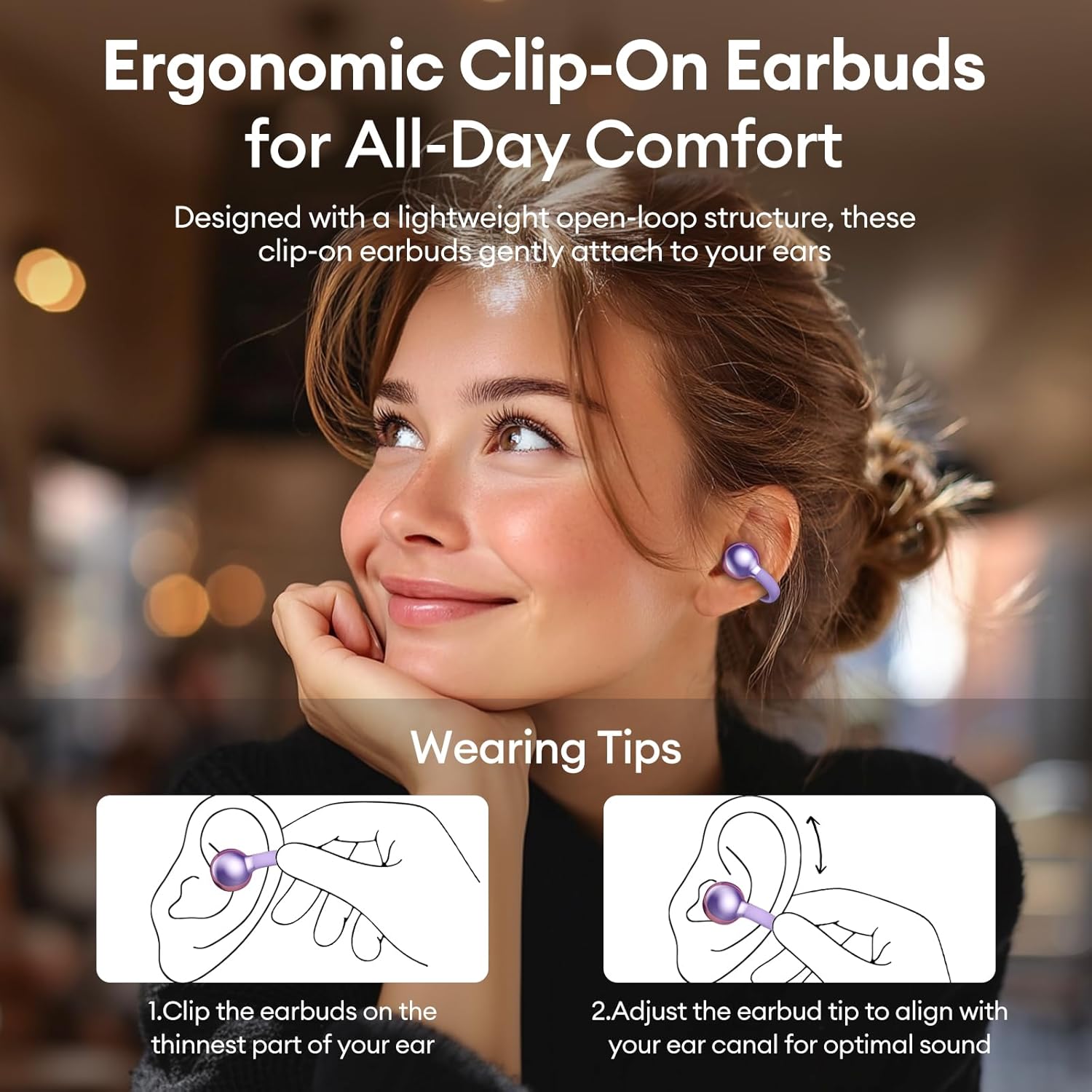
Image 2: The PAXA Clipbuds7 charging case connected to a charging cable, displaying the battery percentage na svojem LED-zaslonu.
3.2 Nošenje slušalk
The Clipbuds7 are designed for open-ear comfort. Follow these steps for proper fit:
- Slušalke pritrdite na najtanjši del ušesa.
- Adjust the earbud tip to align with your ear canal for optimal sound delivery.
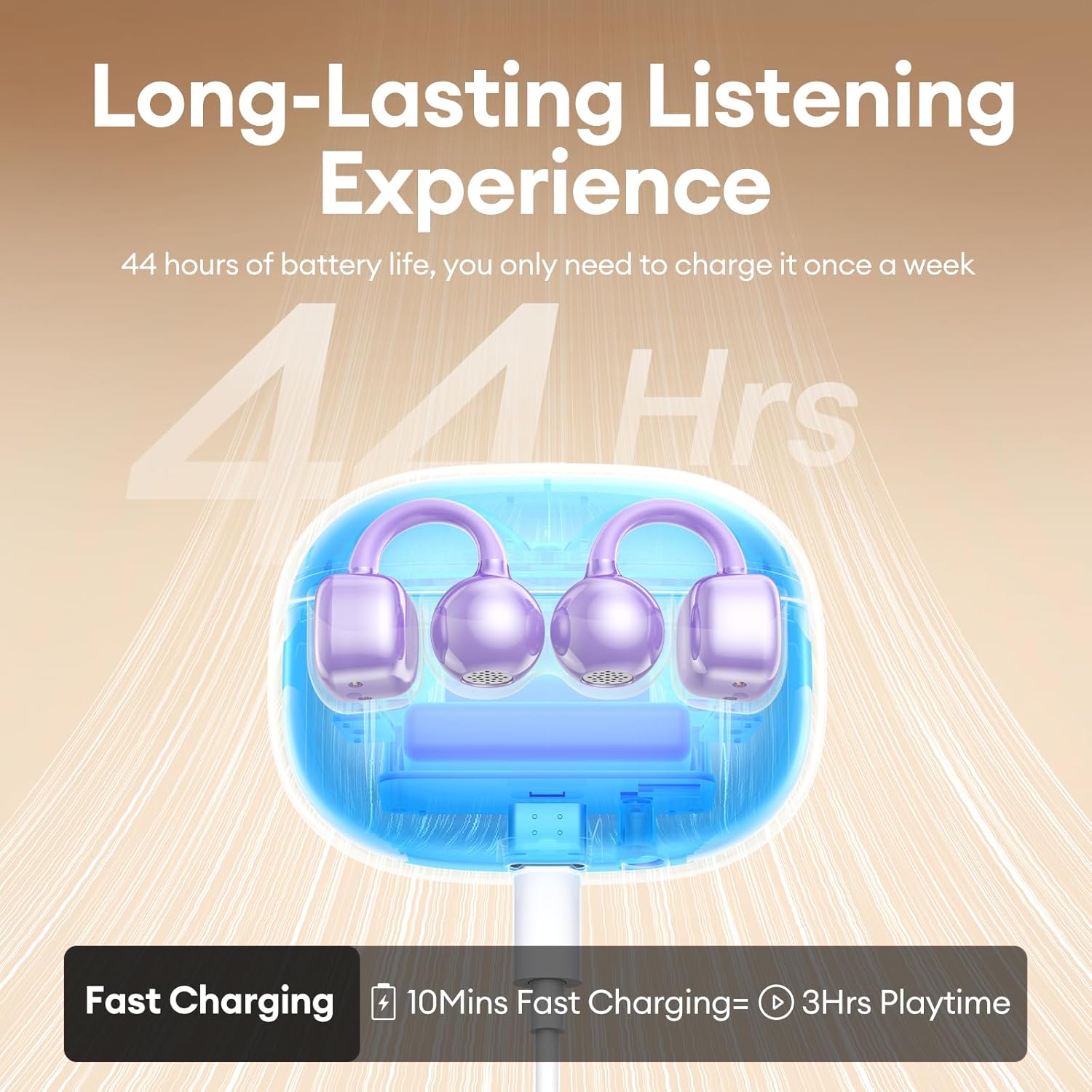
Image 3: A visual guide demonstrating the correct method for clipping the earbuds onto the ear and adjusting them for the best fit.
Video 1: This video demonstrates the unboxing and proper wearing technique for the PAXA Clipbuds7 earbuds, highlighting their comfortable and secure fit.
3.3 Bluetooth seznanjanje
The earbuds utilize Bluetooth 5.4 for stable connections.
- Odprite polnilno ohišje. Slušalke bodo samodejno prešle v način seznanjanja.
- On your device (smartphone, tablet, laptop), enable Bluetooth and search for "PAXA Clipbuds7".
- Select "PAXA Clipbuds7" to connect. A voice prompt will confirm successful pairing.
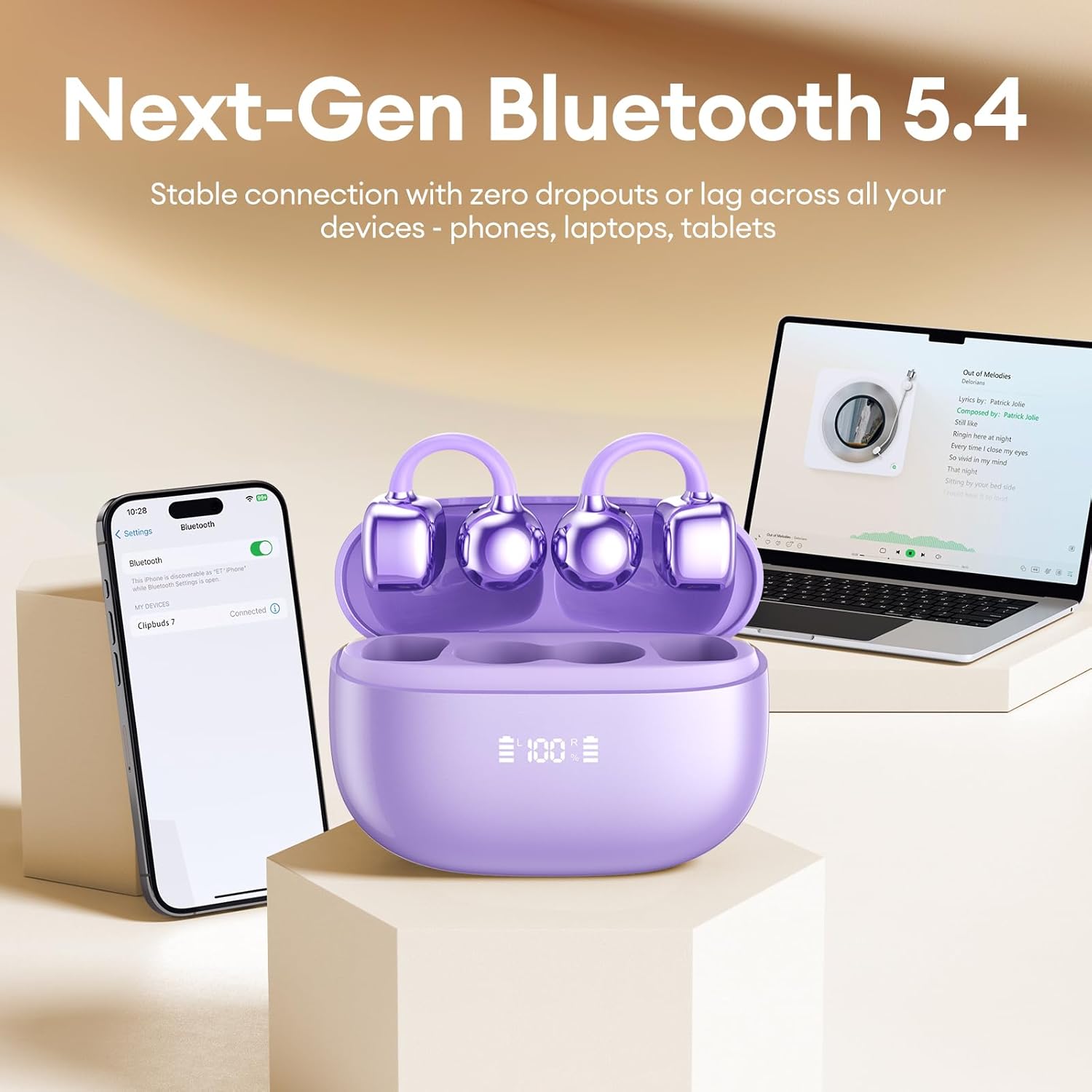
Image 4: A smartphone screen showing the PAXA Clipbuds7 successfully connected via Bluetooth, alongside the earbuds in their charging case.
4. Navodila za uporabo
4.1 Kontrole na dotik
The PAXA Clipbuds7 feature intuitive touch controls:
| Akcija | funkcija |
|---|---|
| Double-click either earbud | Sprejmi/končaj klic, predvajaj/začasno ustavi glasbo |
| Pritisnite eno od slušalk in jo držite 2 sekundi | Zavrni klic |
| Triple-click the left (L) earbud | Previous song, Volume - |
| Triple-click the right (R) earbud | Next song, Volume + |
| Hold both earbuds | Aktivirajte glasovnega pomočnika (Siri, Google Assistant itd.) |

Image 5: A detailed graphic illustrating the various touch control functions for the PAXA Clipbuds7 earbuds, including call management and music playback.
4.2 Vklop/izklop
- Vklop: Odprite polnilno ohišje in slušalke se bodo samodejno vklopile.
- Ugasniti: Slušalke postavite nazaj v polnilno ohišje in zaprite pokrov. Samodejno se bodo izklopile in začele polniti.
4.3 Upravljanje klicev
The earbuds feature ENC noise cancellation for clear calls. Use the touch controls as described above to manage calls.
4.4 Zvočne funkcije
Experience immersive stereo sound with directional audio technology, minimizing sound leakage while maintaining environmental awareness.
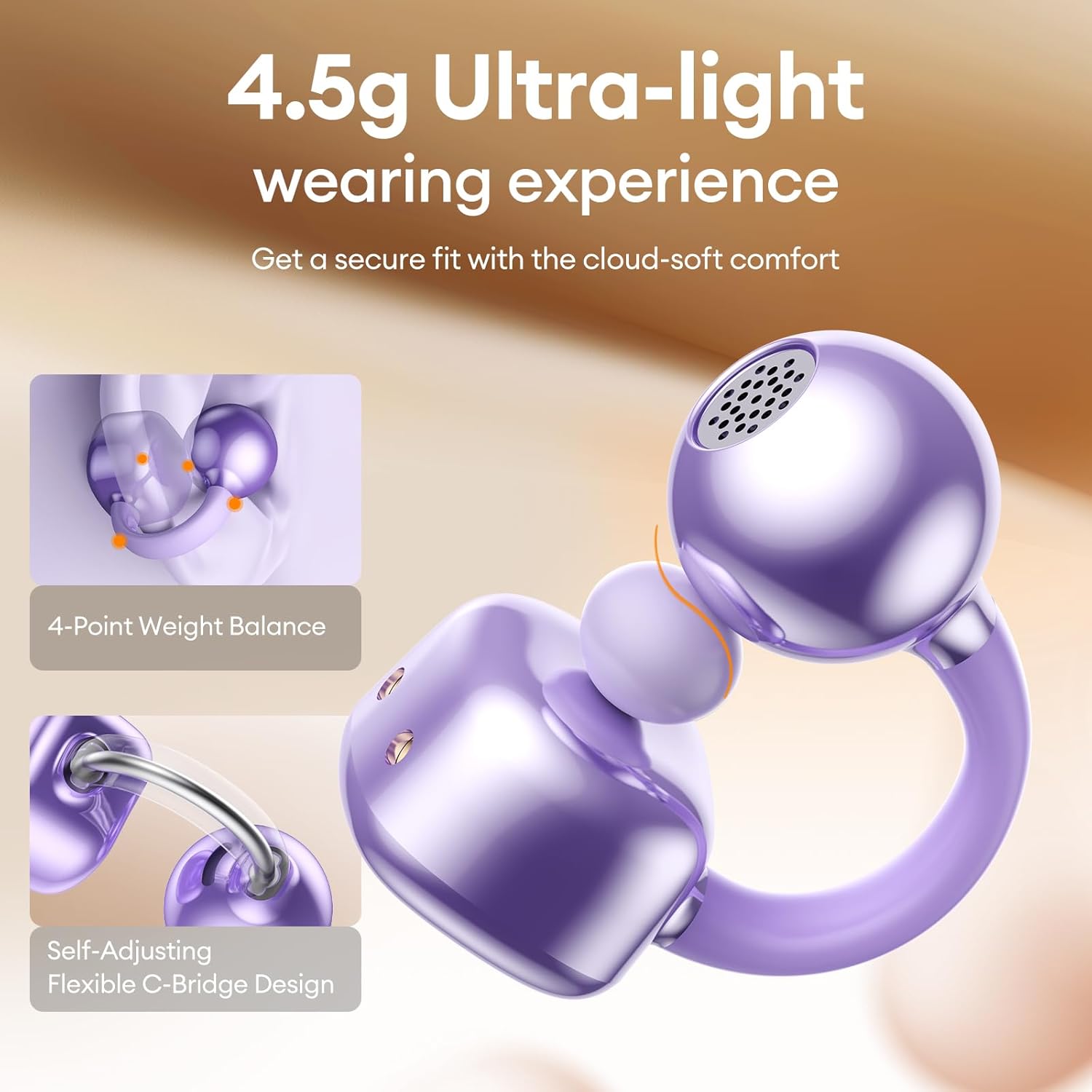
Image 6: A visual representation of the directional audio technology, showing how sound is delivered to the ear while minimizing leakage to the surroundings.
5. Vzdrževanje
5.1 Čiščenje
Regularly clean your earbuds and charging case with a soft, dry cloth. Avoid using abrasive materials or harsh chemicals. Ensure charging contacts are free of dust and debris.
5.2 Shranjevanje
When not in use, store the earbuds in their charging case to protect them and maintain battery life. Store in a cool, dry place away from direct sunlight and extreme temperatures.
5.3 Odpornost na vodo in prah
The earbuds are IP45 rated for dust and water resistance, meaning they can withstand splashes of water and sweat. They are not designed for submersion in water.
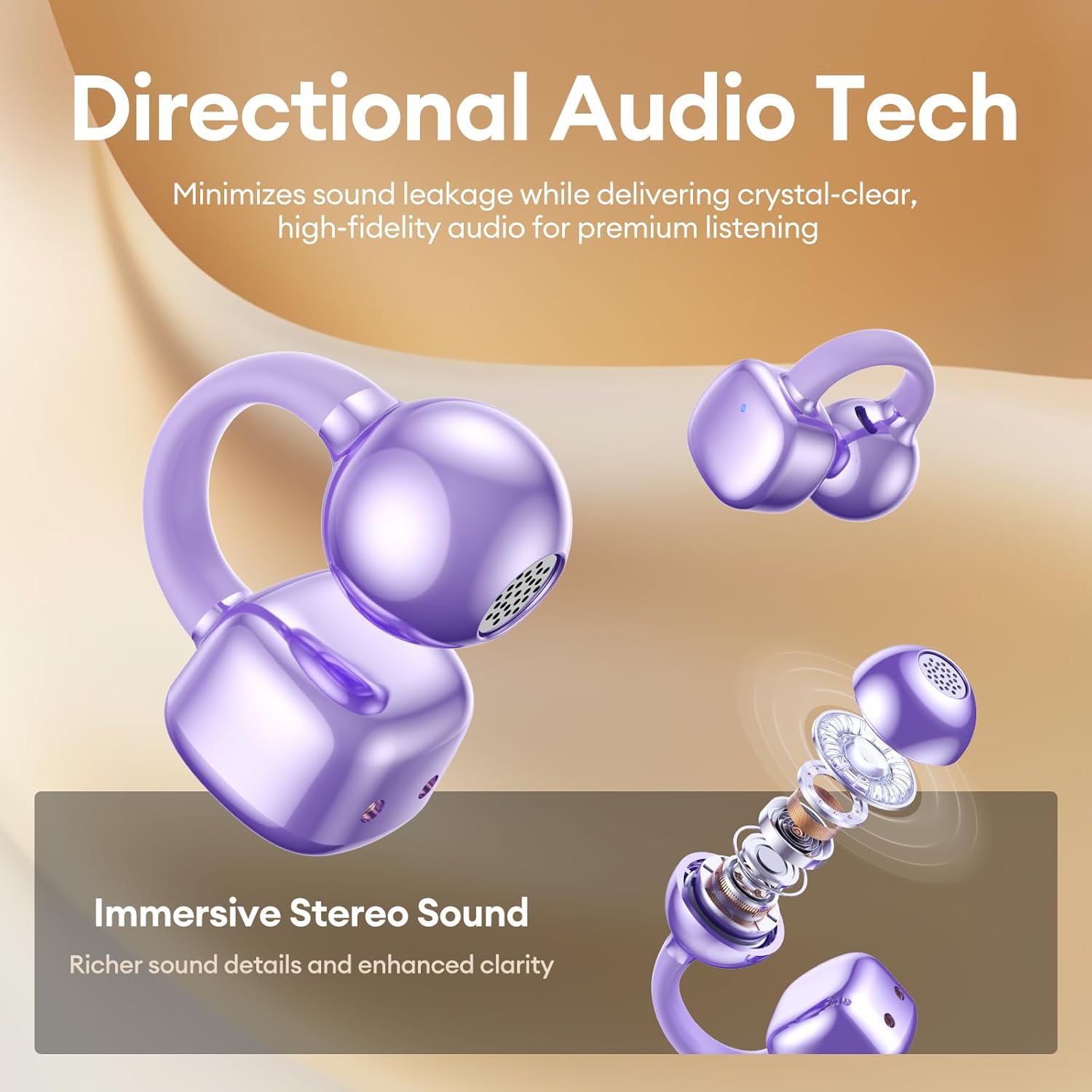
Image 7: A person wearing the PAXA Clipbuds7 earbuds while being exposed to light rain, demonstrating their IP45 water and dust resistance.
6. Odpravljanje težav
| Težava | Možna rešitev |
|---|---|
| Slušalke se ne seznanijo | Ensure earbuds are charged. Place them back in the case, close, then reopen to re-enter pairing mode. Check your device's Bluetooth settings and try reconnecting. |
| Brez zvoka iz ene slušalke | Preverite napolnjenost baterije obeh slušalk. Poskusite ponastaviti slušalke (glejte navodila proizvajalca) website for specific reset instructions if not in manual). Re-pair with your device. |
| Polnilna torbica se ne polni | Verify the charging cable and power adapter are working. Ensure the Type-C cable is securely connected to both the case and the power source. |
| Slaba kakovost zvoka | Ensure earbuds are properly seated in your ears. Check for debris blocking the speaker grilles. Move closer to your connected device to avoid interference. |
7. Specifikacije
| Funkcija | Podrobnost |
|---|---|
| Ime modela | Clipbuds 7 |
| Različica Bluetooth | 5.4 |
| Teža ušesne slušalke | 4.5 g (vsak) |
| Življenjska doba baterije (z enim polnjenjem) | Do 8 ur |
| Skupna življenjska doba baterije (z ohišjem) | Do 44 ur |
| Vrata za polnjenje | Tip-C |
| Ocena vodoodpornosti | IP45 |
| Nadzor hrupa | Hybrid Noise Cancellation (ENC for calls) |
| Vrsta nadzora | Nadzor na dotik |
| Material | Silicone Rubber + Plastic |
8. Garancija in podpora
PAXA products come with a standard manufacturer's warranty. For detailed warranty information, product support, or to contact customer service, please visit the official PAXA webspletno mesto ali glejte garancijski list, ki je priložen paketu.
Spletna podpora: Visit the PAXA Store on Amazon
Ask a question about this manual
Ask about setup, troubleshooting, compatibility, parts, safety, or missing instructions. Manuals+ will review the question and use this page’s manual context to help answer it.