
1. Uvod
This manual provides essential information for setting up, operating, maintaining, and troubleshooting your OnePlus Nord CE5 smartphone. Please read this guide thoroughly to ensure optimal performance and longevity of your device.
2. Kaj je v škatli
Upon unboxing your OnePlus Nord CE5, verify that all the following items are included:
- Pametni telefon OnePlus Nord CE5
- Ovitek za telefon
- Napajalni adapter
- Izmetalo pladnja SIM
- Zaščitna folija za zaslon (vnaprej nameščena ali v škatli)
- Kabel USB (vrsta C)

Image: Contents of the OnePlus Nord CE5 retail box.
3. Naprava je končanaview
Familiarize yourself with the physical components of your OnePlus Nord CE5.
3.1 Spredaj View

Slika: spredaj view of the OnePlus Nord CE5, highlighting the display and front camera.
The front of the device features the 6.77-inch AMOLED display and the 16 MP front-facing camera.
3.2 zadaj View

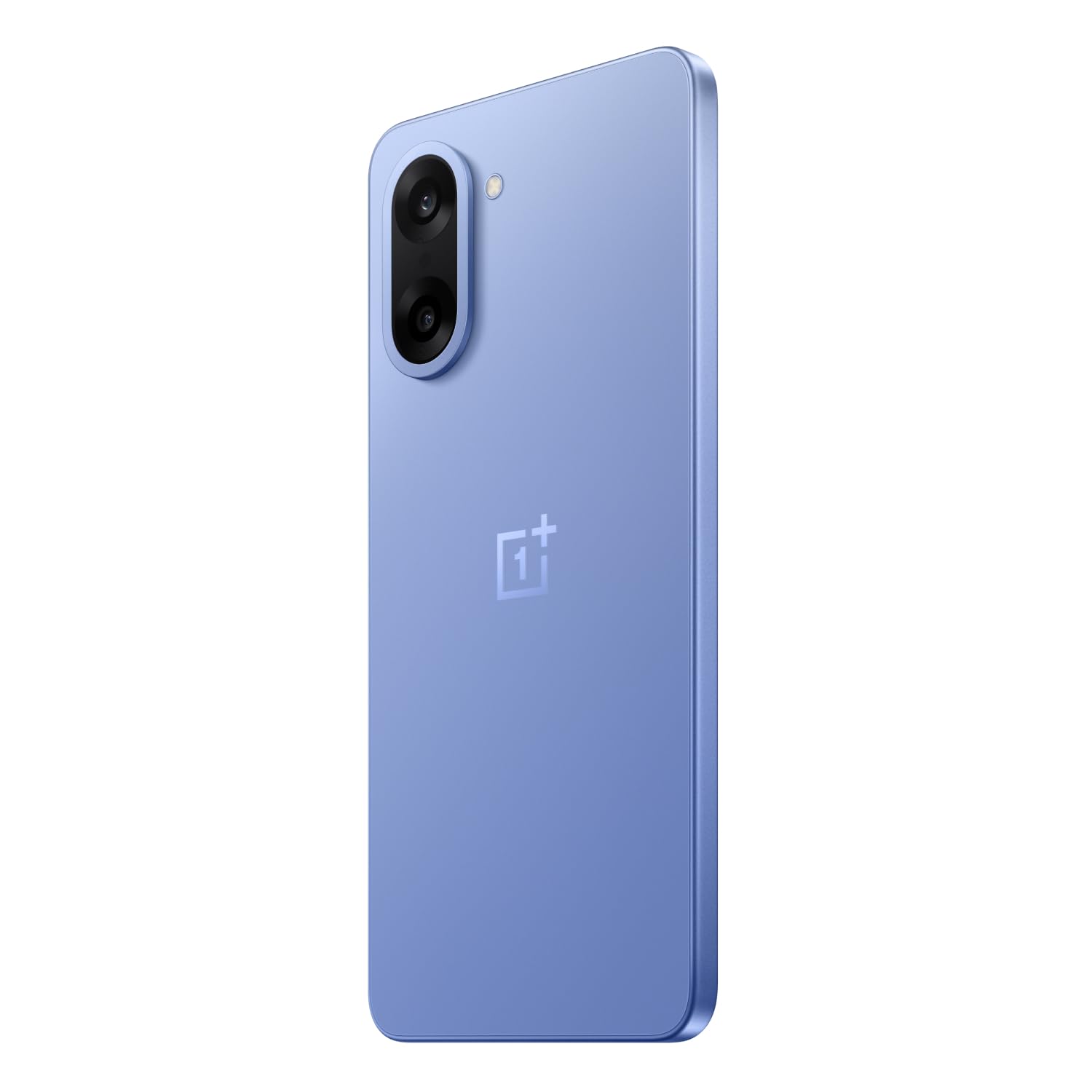
Slika: Zadaj view of the OnePlus Nord CE5 in Nexus Blue, featuring the dual camera system and OnePlus branding.
The rear panel houses the 50 MP main camera with OIS and an 8 MP ultra-wide angle lens, along with the LED flash.
3.3 Stran View
Slika: Stran view of the OnePlus Nord CE5, illustrating the placement of the power button and volume controls.
The side of the device includes the power button and volume control buttons. The SIM card tray is also located on one of the sides.
4. Nastavitev
4.1 Vstavljanje SIM kartic
- Poiščite pladenj za kartico SIM na strani naprave.
- Vstavite orodje za izmet pladnja za SIM kartico v majhno luknjo poleg pladnja in močno pritisnite, dokler pladenj ne izskoči.
- Place your Nano SIM cards into the designated slots on the tray. Ensure the gold contacts face downwards.
- Previdno vstavite pladenj za SIM kartico nazaj v napravo, dokler se ne zaskoči.
4.2 Začetni vklop
Press and hold the power button located on the side of the device until the OnePlus logo appears. Follow the on-screen instructions to complete the initial setup, including language selection, Wi-Fi connection, and Google account setup.
4.3 Polnjenje naprave
Connect the USB Type-C cable to the charging port at the bottom of the phone and the other end to the provided power adapter. Plug the adapter into a power outlet. The device supports 80W SUPERVOOC fast charging.
5. Upravljanje vaše naprave
5.1 Prikaz in navigacija
The OnePlus Nord CE5 features a 6.77-inch 120Hz AMOLED display with Ultra HDR. Navigate the OxygenOS 15 interface using touch gestures. The Aqua Touch feature allows for confident swiping even with wet or oily fingers.
5.2 Upravljanje baterije
Your device is equipped with a massive 7100mAh battery. To optimize battery life:
- Utilize the 80W SUPERVOOC charger for rapid charging.
- Enable Bypass Charging during extended gaming sessions to reduce battery stress and heat.
- Adjust screen brightness and refresh rate as needed.
- Zaprite neuporabljene aplikacije v ozadju.

Image: Illustration of the 7100mAh battery and 80W SUPERVOOC charging capability.

Image: Explanation of Bypass Charging, which directs power to the phone's system instead of the battery during use.
5.3 Uporaba kamere
Naprava ima vsestranski sistem kamer:
- Zadnja kamera: 50 MP Sony main sensor with Optical Image Stabilization (OIS) and an 8 MP ultra-wide angle lens. Supports 4K video recording at 60 FPS.
- Sprednja kamera: 16 MP sensor for selfies and video calls.
Open the Camera app to access various modes, including Photo, Video, Portrait, Night, and more. Tap on the screen to focus and use the zoom controls for magnification.

Slika: Podrobna view of the OnePlus Nord CE5's dual rear camera setup.

Image: The device's capability to record 4K video at 60 frames per second.
5.4 Zmogljivost in igranje iger
The OnePlus Nord CE5 is powered by the MediaTek Dimensity 8350 Apex processor, offering high performance for demanding applications and gaming. The device supports gaming at up to 120 FPS for a smooth experience.

Image: The MediaTek Dimensity 8350 Apex processor, emphasizing its performance capabilities.

Image: Gaming experience on the OnePlus Nord CE5 at 120 frames per second.
5.5 Funkcije umetne inteligence
The OnePlus Nord CE5 integrates various AI-powered features to enhance user experience:
- AI kamera: Includes AI Eraser for removing unwanted objects, AI Perfect Shot for optimal photo capture, AI Reflection Remover, and AI Reframe for improved composition.
- AI Productivity: Features AI VoiceScribe for in-app call summaries and real-time translation, AI Translation for global communication, and AI Call Assistant for in-call translation and summaries.
- Google Gemini: A personal AI assistant for writing, planning, learning, and more.

Image: Demonstration of AI Camera features, showing an object removed from a photo.
Image: AI VoiceScribe interface for call summaries and translation.
5.6 Multitasking with Open Canvas
The Open Canvas feature allows for enhanced split-screen multitasking, extending apps beyond the physical display. This includes flexible resizing, screencap for split-screen, drag-and-drop sharing, and refreshed floating windows.

Image: Open Canvas feature showing two applications running side-by-side on the display.
6. Vzdrževanje
6.1 Posodobitve programske opreme
Redno preverjajte in nameščajte posodobitve programske opreme, da zagotovite, da ima vaša naprava najnovejše funkcije, varnostne popravke in izboljšave delovanja. Pojdite na Settings > About device > OxygenOS za preverjanje posodobitev.
6.2 Čiščenje naprave
Use a soft, lint-free cloth to clean the screen and body of your phone. Avoid using harsh chemicals or abrasive materials. For the charging port and speaker grilles, use a soft brush to gently remove dust.
6.3 Upravljanje shranjevanja
Občasno ponovnoview pomnilnik naprave, da sprostite prostor. Izbrišite nepotrebne files, uninstall unused apps, and clear cache data. You can check storage usage in Nastavitve > Shramba.
6.4 Hladilni sistem
The device features a 7041mm² VC cooling system to manage heat during intensive use. To ensure optimal cooling, avoid blocking the phone's vents (if any) and do not use the device in direct sunlight for extended periods.

Slika: Notranja view razstavaasing the 7041mm² VC cooling system for heat dissipation.
7. Odpravljanje težav
This section addresses common issues you might encounter with your OnePlus Nord CE5.
7.1 Naprava se ne vklopi
- Prepričajte se, da je baterija napolnjena. Napravo priključite na polnilnik in počakajte nekaj minut, preden jo poskusite ponovno vklopiti.
- Pritisnite in držite gumb za vklop vsaj 10-15 sekund, da prisilite ponovni zagon.
7.2 Zrušitve ali zamrznitev aplikacij
- Počistite predpomnilnik in podatke problematične aplikacije prek Nastavitve > Aplikacije > [Ime aplikacije] > Pomnilnik > Počisti predpomnilnik/Počisti podatke.
- Posodobite aplikacijo na najnovejšo različico iz trgovine Google Play.
- Znova zaženite napravo.
7.3 Slaba življenjska doba baterije
- Preverite porabo baterije v Nastavitve > Baterija za prepoznavanje aplikacij, ki porabijo veliko energije.
- Zmanjšajte svetlost zaslona in nastavite krajši čas izklopa zaslona.
- Onemogočite Wi-Fi, Bluetooth in GPS, ko jih ne uporabljate.
- Ensure background app refresh is limited for non-essential apps.
7.4 Težave z omrežno povezljivostjo
- Vklop in izklop letalskega načina.
- Znova zaženite napravo.
- Preverite, ali je vaša SIM-kartica pravilno vstavljena.
- Ponastavitev omrežnih nastavitev prek Settings > System settings > Reset phone > Reset Wi-Fi, mobile & Bluetooth.
8. Specifikacije
Key technical specifications for the OnePlus Nord CE5:
| Funkcija | Specifikacija |
|---|---|
| Znamka | OnePlus |
| Model | Nord CE5 |
| Operacijski sistem | Android 15, OxygenOS 15 |
| Procesor | MediaTek Dimensity 8350 Apex (3.35 GHz) |
| RAM | 8 GB |
| Notranji pomnilnik | 128 GB |
| Zaslon | 6.77 Inches AMOLED, 2392 x 1080 Pixels, 120Hz Refresh Rate |
| Zadnja kamera | 50 MP (Main) + 8 MP (Ultra-wide), OIS, 4K 60 FPS Video |
| Sprednja kamera | 16 MP |
| Kapaciteta baterije | 7100 mAh |
| Polnjenje | 80W SUPERVOOC |
| Vrsta kartice SIM | Dvojna nano SIM kartica |
| Povezljivost | 5G, Bluetooth, USB Type-C, Wi-Fi |
| Biometrična varnost | Prepoznavanje prstnih odtisov |
| Dimenzije | 16.4 x 7.6 x 0.8 centimetrov |
| Teža | 199 gramov |
| Vodoodpornost | Vodoodporen |
9. Garancija in podpora
9.1 Informacije o garanciji
Your OnePlus Nord CE5 comes with a 1-letna garancija proizvajalca from the date of purchase. This warranty covers manufacturing defects. Additionally, OnePlus offers a Lifetime Display Warranty for industry-wide green line issues. Please retain your proof of purchase for warranty claims.

Image: Lifetime Display Warranty information.
9.2 Podpora strankam
For technical assistance, service, or warranty inquiries, please contact OnePlus Customer Service:
- Kontaktna številka: 1800 102 8411
- WhatsApp: +91-9289606888
- Proizvajalec: OPPO Mobiles India Private Limited, PLOT-NO.1, SECTOR ECOTECH-VII, GREATER, NOIDA, UTTAR PRADESH, India-201306


