
1. Uvod
The Cudy AX1500 WiFi 6 Mesh Wi-Fi System (M1500) is designed to provide seamless, high-speed wireless internet coverage throughout your home or office. This system utilizes Wi-Fi 6 technology to deliver fast and reliable connections, effectively eliminating Wi-Fi dead zones. The M1500 system replaces traditional routers and extenders, creating a unified network under a single name for optimal performance and convenience.
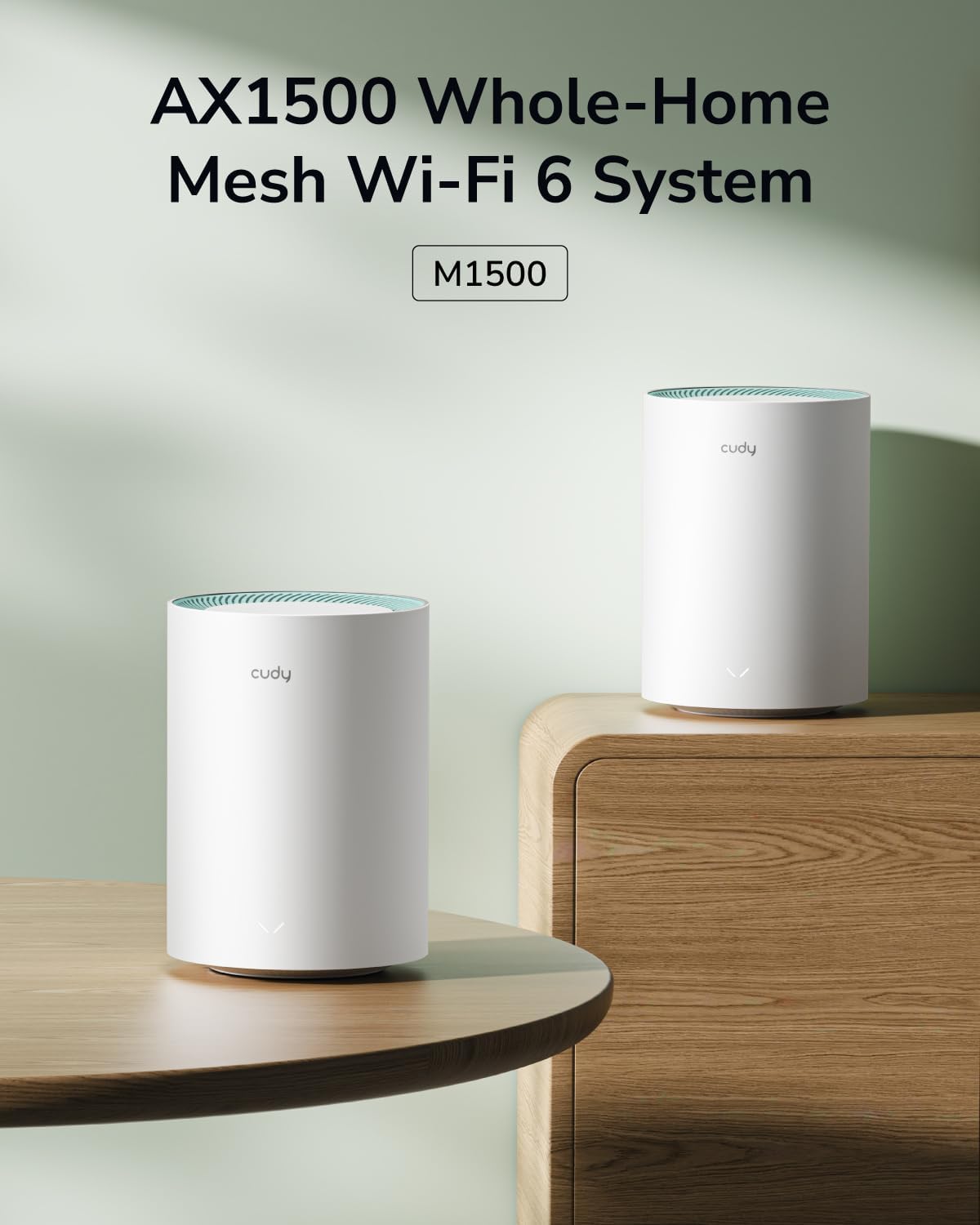
Figure 1: Cudy AX1500 WiFi 6 Mesh System M1500 Units
2. Vsebina paketa
Preverite, ali vaš paket vsebuje naslednje elemente:
- Cudy M1500 Mesh Wi-Fi Units (2-Pack)
- Power Adapters (one for each unit)
- Ethernet kabel
- Navodila za hitro namestitev
If any item is missing or damaged, please contact Cudy support.
3. Navodila za nastavitev
Follow these steps to set up your Cudy AX1500 Mesh Wi-Fi System:
3.1 Initial Unit Placement
Place the first M1500 unit (main unit) near your modem or internet service provider's connection point. For optimal coverage, Cudy recommends placing the main unit at a central location in your home, minimizing obstructions like thick walls between units.
3.2 Connect the Main Unit
- Ugasniti: Disconnect power from your modem.
- Povežite se z ethernetom: Use the provided Ethernet cable to connect one of the Gigabit ports on the M1500 unit to your modem's LAN port. Any of the three Gigabit ports on the M1500 can function as a WAN port during initial setup.
- Vklop modema: Reconnect power to your modem and wait for it to fully boot up.
- Power On M1500: Connect the power adapter to the M1500 unit and plug it into a power outlet. The LED indicator on the unit will light up.

Figure 2: M1500 Unit Ports (LAN/WAN, Power)
3.3 Configure via Cudy App
The Cudy App provides a guided setup process:
- Prenesite aplikacijo: Download the Cudy App from your mobile device's app store (iOS or Android).
- Povežite se z Wi-Fi: Connect your mobile device to the default Wi-Fi network broadcast by the main M1500 unit. The default Wi-Fi name (SSID) and password are typically found on a label on the bottom of the unit.
- Zaženi aplikacijo: Open the Cudy App and follow the on-screen instructions to configure your mesh network, including setting a new Wi-Fi name and password.
3.4 Add Satellite Units
After setting up the main unit, you can add the second M1500 unit to expand your Wi-Fi coverage:
- Umestitev: Place the satellite unit in an area that requires extended Wi-Fi coverage, ensuring it is within range of the main unit or another satellite unit. Avoid placing it behind large metal objects or in enclosed spaces.
- Vklop: Connect the power adapter to the satellite M1500 unit and plug it into a power outlet. Wait for the LED indicator to stabilize.
- Seznanjanje: The units should automatically connect and form a mesh network. If automatic pairing does not occur, use the Cudy App to add the new unit, or press the "Pair (WPS)" button on both the main unit and the satellite unit within two minutes.
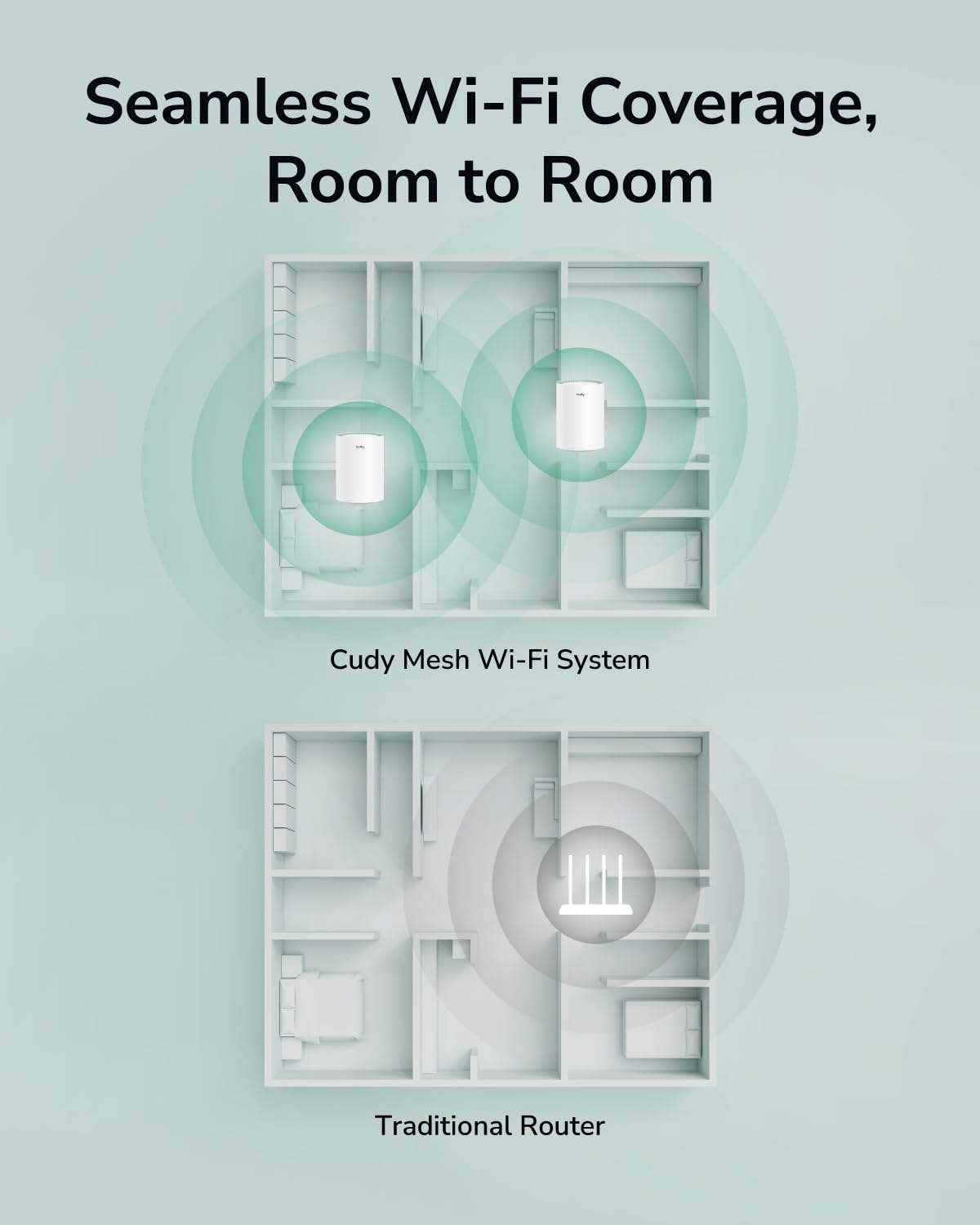
Figure 3: Seamless Wi-Fi Coverage with Cudy Mesh System
4. Navodila za uporabo
Once your Cudy M1500 Mesh Wi-Fi System is set up, it provides a unified and high-performance wireless network.
4.1 Povezljivost Wi-Fi
- Single Network Name: All M1500 units operate under a single Wi-Fi network name (SSID), allowing your devices to seamlessly roam and connect to the strongest signal as you move around your home.
- Dvopasovni AX1500: The system supports Wi-Fi 6 (802.11ax) with dual-band capabilities, offering speeds up to 1201 Mbps on the 5 GHz band and 300 Mbps on the 2.4 GHz band.
- Zmogljivost naprave: Designed to connect over 90 devices simultaneously, ensuring stable performance for all your smart home devices, streaming, and gaming needs.

Figure 4: AX1500 Wi-Fi 6 Speed Capabilities
4.2 Žične povezave
Each M1500 unit is equipped with three Gigabit Ethernet ports. These ports can be used for:
- Ethernet povratni vod: Connect mesh units to each other via Ethernet for a more stable and faster backhaul connection, improving overall network performance.
- Žične naprave: Connect devices such as smart TVs, gaming consoles, or desktop computers directly to any M1500 unit for a stable wired connection.
4.3 Cudy App Control
The Cudy App allows for comprehensive management of your mesh network:
- Nadzor omrežja: View connected devices, network status, and internet speed.
- Starševski nadzor: Manage internet access for specific devices, set time limits, and block webstrani.
- Mreža gostov: Create a separate Wi-Fi network for guests to enhance security.
- Posodobitve vdelane programske opreme: Easily update your M1500 units to the latest firmware for improved performance and security.

Figure 5: Cudy App Interface for Network Management
4.4 VPN Client Support
The M1500 supports multiple VPN client protocols, including PPTP, L2TP, and WireGuard. This feature allows for secure remote access and encrypted data transmission across your network.

Figure 6: VPN Client for Secure Remote Access
5. Vzdrževanje
Regular maintenance ensures optimal performance and longevity of your Cudy M1500 Mesh Wi-Fi System:
- Posodobitve vdelane programske opreme: Periodically check for and install firmware updates via the Cudy App or web vmesnik. Posodobitve pogosto vključujejo izboljšave delovanja, varnostne popravke in nove funkcije.
- Optimalna postavitev: Ensure units are placed in central locations, away from large metal objects, thick walls (more than two wooden/brick or one concrete wall), and interference sources like microwaves or cordless phones.
- Periodični ponovni zagon: Rebooting your mesh units every few weeks can help clear temporary issues and maintain network stability. Simply unplug the power adapter for 10 seconds and then plug it back in.
- Čiščenje: Keep the units clean and free from dust accumulation, especially around ventilation areas, to prevent overheating. Use a soft, dry cloth.
6. Odpravljanje težav
If you encounter issues with your Cudy M1500 Mesh Wi-Fi System, refer to the following common solutions:
6.1 Ni internetne povezave
- Preverite modem: Ensure your modem is powered on and has an active internet connection.
- Kabelske povezave: Verify that the Ethernet cable connecting the main M1500 unit to your modem is securely plugged in.
- Ponovni zagon sistema: Power cycle both your modem and the main M1500 unit. Wait for each device to fully boot before checking the connection.
- Stanje ponudnika internetnih storitev: Za potrditev, da ni nobene povezave, se obrnite na svojega ponudnika internetnih storitev (ISP).tagna vašem območju.
6.2 Šibek ali občasen signal Wi-Fi
- Postavitev enote: Adjust the placement of your satellite M1500 units to ensure they are within optimal range of each other and the main unit. Avoid excessive physical obstructions.
- Motnje: Move units away from potential sources of interference such as microwaves, cordless phones, or large electronic appliances.
- Vdelana programska oprema: Ensure all M1500 units are running the latest firmware version.
6.3 Difficulty Adding Satellite Unit
Some users may experience difficulty pairing additional units. If a satellite unit does not connect automatically:
- Bližina: Temporarily move the satellite unit closer to the main unit during the pairing process.
- Seznani gumb: Press the "Pair (WPS)" button on both the main unit and the satellite unit within two minutes.
- Tovarniška ponastavitev: If pairing repeatedly fails, perform a factory reset on the satellite unit. This typically involves pressing and holding a reset button (often recessed) for several seconds until the LED behavior changes. Refer to the Quick Installation Guide for specific reset instructions. After resetting, attempt the pairing process again.
- Aplikacija Cudy: Utilize the Cudy App's guided process for adding new mesh units, which can often simplify the procedure.
6.4 Device Cannot Connect to Wi-Fi
- Pravilno geslo: Preverite, ali vnašate pravilno geslo za Wi-Fi.
- Vidnost omrežja: Ensure the Wi-Fi network (SSID) is visible. If you have hidden the SSID, manually connect your device.
- Združljivost naprave: Confirm your device supports Wi-Fi 6 (802.11ax) or earlier standards (802.11ac/n/g/b/a).
- Ponovni zagon naprave: Znova zaženite napravo, ki poskuša vzpostaviti povezavo.
7. Specifikacije
| Znamka | Cudy |
| Ime modela | M1500 2-paket |
| Generacija Wi-Fi | Wi-Fi 6 (802.11ax) |
| Razred frekvenčnega pasu | Dvopasovni (2.4 GHz in 5 GHz) |
| Hitrost prenosa podatkov | Do 1500 Mbps (1201 Mbps na 5 GHz, 300 Mbps na 2.4 GHz) |
| Pokritost | Up to 1800 sq.ft. (for 2-Pack) |
| Number of Gigabit Ports | 3 na enoto |
| Varnostni protokol | WPA3 |
| Nameščen RAM pomnilnik | 128 MB |
| Nadzorna metoda | Cudy App, Web Vmesnik |
| Posebne lastnosti | Access Point Mode, LED Indicator, Parental Control, QoS, Remote Access, Multi-VPN Support (PPTP/L2TP/WireGuard) |
| Dimenzije (D x Š x V) | 4.33 cm D x 4.33 cm Š x 6.08 cm V |
| Teža predmeta | 400 gramov |
8. Garancija in podpora
8.1 Garancija izdelka
The Cudy AX1500 WiFi 6 Mesh System M1500 comes with a 2-letna garancija od datuma nakupa. Ta garancija krije proizvodne napake in okvare pri normalni uporabi. Za uveljavljanje garancije shranite dokazilo o nakupu.
8.2 Tehnična podpora
For technical assistance, troubleshooting, or further inquiries, please visit the official Cudy website or contact their customer support. You can often find FAQs, updated manuals, and support contact information on their webmesto.
Cudy Webspletno mesto: www.cudy.com