
LD Systems LDS-DAVE15G4X
LD Systems DAVE 15 G4X PA System User Manual
Model: LDS-DAVE15G4X
1. Uvod
The LD Systems DAVE 15 G4X is a powered compact PA system designed for various live sound applications, including DJs, live bands, and solo entertainers. This system comprises a 15-inch subwoofer and two 8-inch satellites, delivering a total peak power of 2060 Watts. It features an integrated 6-channel mixer, versatile input options, Bluetooth connectivity, and advanced DSP technology for clear and powerful sound reproduction.
This manual provides essential information for the safe and efficient setup, operation, and maintenance of your DAVE 15 G4X PA system. Please read it thoroughly before initial use and keep it for future reference.
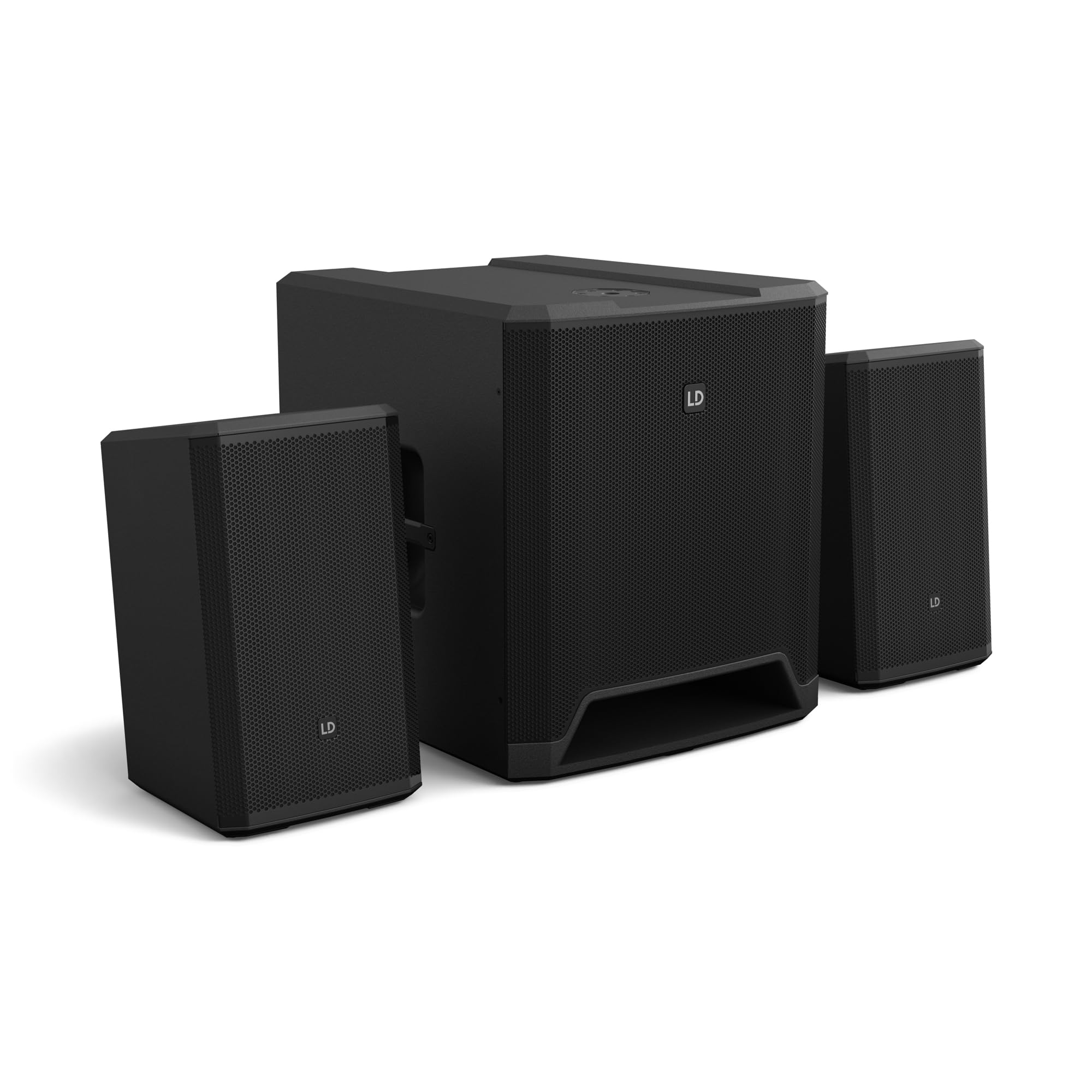
Slika 1: Konecview of the LD Systems DAVE 15 G4X PA System components.
2. Varnostna navodila
Vedno upoštevajte naslednje varnostne ukrepe, da preprečite električni udar, požar ali poškodbe:
- Prepričajte se, da je napajalnik voltage se ujema z nazivno vrednostjo na enoti.
- Enote ne izpostavljajte dežju ali vlagi.
- Ne odpirajte casing; vsa servisna dela prepustite usposobljenemu osebju.
- Enoto postavite na stabilno, ravno površino.
- Zagotovite zadostno prezračevanje okoli enote.
- Izogibajte se postavljanju predmetov na vrh enote.
- Pred čiščenjem ali premikanjem enote izklopite napajanje.
3. Nastavitev
Proper setup is crucial for optimal performance and safety. Follow these steps to assemble your DAVE 15 G4X system:
3.1 Razpakiranje in namestitev
- Carefully unpack all components: one 15-inch subwoofer and two 8-inch satellite speakers.
- Place the subwoofer on a stable, flat surface.
- Position the satellite speakers. They can be placed on speaker stands (not included) or mounted on a T-stand above the subwoofer (accessories sold separately).

Slika 2: Nprample of a stereo setup with one satellite speaker mounted on a pole above the subwoofer. Speaker pole not included.

Slika 3: Nprample of a stereo setup with both satellite speakers on separate poles. Speaker poles not included.

Slika 4: Nprample of a cluster mode setup with both satellite speakers mounted on a T-stand above the subwoofer. Speaker pole not included.
3.2 Priključitev zvočnikov
- Connect the two satellite speakers to the "SAT LEFT" and "SAT RIGHT" outputs on the rear panel of the subwoofer using appropriate speaker cables.
- Ensure secure connections.

Figure 5: Rear panel connections of the DAVE 15 G4X subwoofer, including power input, satellite outputs, and various audio inputs.
3.3 Napajalni priključek
- Connect the supplied power cable to the "POWER INPUT" on the subwoofer's rear panel.
- Plug the other end into a suitable AC power outlet.
- Ensure the power switch is in the "OFF" position before connecting to power.
4. Upravljanje mešalnika
The DAVE 15 G4X features an integrated 6-channel mixer for connecting various audio sources. Familiarize yourself with the control panel:

Slika 6: Podrobno view of the DAVE 15 G4X mixer control panel, showing input controls, EQ, reverb, and mode selection.
4.1 Input Channels 1 & 2 (Mono)
- Input Type Selection: Use the "SELECT" button to toggle between Microphone (MIC), High-Impedance Instrument (HI-Z), or Line-level (LINE) input.
- Gain Control: Adjust the "HIGH" knob for input sensitivity.
- 2-pasovni EQ: Use the "LOW" and "HIGH" knobs to adjust bass and treble frequencies for each channel.
- Odmev: Select one of three reverb presets (SMALL, LARGE, PLATE) and adjust the "REVERB" knob for the desired effect level.
4.2 Input Channels 3 & 4 (Stereo Line)
- These inputs are designed for stereo line-level sources such as keyboards, synthesizers, or drum machines.
- Adjust the "INPUT 3/4" knob for the overall volume of these channels.
4.3 Input Channels 5 & 6 (Digital/Bluetooth)
- Vhod SPDIF: Connect a digital audio source via the SPDIF TOSLINK input on the rear panel.
- Bluetooth seznanjanje: Press and hold the "HOLD TO LINK" button to activate Bluetooth pairing mode. Iskanje "LD Systems DAVE 15 G4X" on your device and connect.
- Izbira vira: Use the "SOURCE" button to switch between SPDIF and Bluetooth inputs.
- Adjust the "INPUT 5/6" knob for the overall volume of these channels.
4.4 Master Controls
- GLAVNI ZVEZEK: The large "MAIN" knob controls the overall output volume of the system.
- SUB Volume: Adjust the "SUB" knob to control the volume level of the subwoofer.
- VISOKA glasnost: Adjust the "HIGH" knob to control the volume level of the satellite speakers.
- Prednastavitve načina: Use the "SELECT" button under "MODE" to choose between different setup presets (e.g., Stereo, Cluster Mode) for optimized sound dispersion.
5. Vzdrževanje
Regular maintenance ensures the longevity and optimal performance of your DAVE 15 G4X PA system.
- Čiščenje: Use a soft, dry cloth to wipe down the surfaces. For stubborn dirt, a slightly damp cloth can be used, followed by a dry cloth. Avoid abrasive cleaners or solvents, as they may damage the polyurea coating.
- Prezračevanje: Ensure that all ventilation openings remain clear of dust and debris to prevent overheating.
- Shranjevanje: When not in use for extended periods, store the system in a dry, dust-free environment. Consider using protective covers or bags (accessories sold separately) to prevent damage.
- Upravljanje kablov: Redno preverjajte vse kable glede znakov obrabe ali poškodb. Poškodovane kable takoj zamenjajte.
6. Odpravljanje težav
If you encounter issues with your DAVE 15 G4X system, refer to the following common problems and solutions:
6.1 Brez zvočnega izhoda
- Preverite moč: Ensure the system is powered on and the power cable is securely connected. Verify the "POWER" indicator light is illuminated.
- Stopnje glasnosti: Confirm that the "MAIN," "SUB," and "HIGH" volume knobs are turned up. Check individual channel gain controls.
- Izbira vnosa: Ensure the correct input source is selected for the active channel (e.g., MIC, HI-Z, LINE, SPDIF, Bluetooth).
- Kabelske povezave: Verify all audio cables (input sources, satellite speakers) are correctly and securely connected.
- Izvorna naprava: Check if your audio source device (microphone, instrument, media player) is functioning correctly and outputting sound.
6.2 Popačen ali nejasen zvok
- Vhodni dobiček: Reduce the input gain for the affected channel if the "SIGNAL" or "LIMIT" indicator lights are constantly red.
- Glavni obseg: Lower the "MAIN" volume if the overall sound is distorted.
- Nastavitve EQ: Adjust the EQ (LOW, HIGH) settings on individual channels to improve clarity.
- Kakovost kabla: Ensure you are using high-quality, shielded audio cables.
6.3 Težave s povezavo Bluetooth
- Način seznanjanja: Ensure the DAVE 15 G4X is in Bluetooth pairing mode (press and hold "HOLD TO LINK").
- Vidnost naprave: Prepričajte se, da je Bluetooth omogočen na vaši izvorni napravi in da jo je mogoče odkriti.
- Razdalja: Keep your Bluetooth device within the effective range of the PA system.
- Motnje: Odmaknite se od drugih brezžičnih naprav, ki bi lahko povzročale motnje.
- Pozabi na napravo: If previously paired, try "forgetting" the DAVE 15 G4X on your device and re-pairing.
7. Specifikacije
Detailed technical specifications for the LD Systems DAVE 15 G4X PA System:
| Funkcija | Specifikacija |
|---|---|
| Ime modela | LDS-DAVE15G4X |
| Vrsta zvočnika | Powered 2.1 PA System |
| Velikost globokotonca | 15 palcev |
| Velikost satelitskega zvočnika | 2 x 8 palcev |
| Največja izhodna moč | 2060 vatov |
| Mešalni kanali | 6-Channel Integrated Mixer |
| Tehnologija povezljivosti | Bluetooth, SPDIF TOSLINK, XLR, 1/4" Jack, RCA |
| Vrsta namestitve | Floor Standing (Subwoofer), Pole Mount (Satellites) |
| Dimenzije izdelka (nizkotonec) | 20 cm G x 19 cm Š x 21 cm V (približno) |
| Teža predmeta | 119 pounds (total system approximate) |
| Vključene komponente | LDDAVE15G4X (Subwoofer, 2 Satellites, Power Cable) |
| DSP tehnologija | DynX DSP (Gen.2), FIR Filters |
| Material omarice | Durable Polyurea Coating |
8. Informacije o garanciji
Warranty terms and conditions for the LD Systems DAVE 15 G4X PA System are typically provided with your purchase documentation or can be found on the official LD Systems webspletnega mesta. Prosimo, shranite dokazilo o nakupu za morebitne garancijske zahtevke.
Za podrobne informacije o garanciji obiščite LD Systems official webmesto or contact your authorized dealer.
9. Podpora strankam
Should you require technical assistance, service, or have questions regarding your LD Systems DAVE 15 G4X PA System, please contact LD Systems customer support or your local authorized dealer.
For further support and resources, please visit the LD Systems official webmesto.
Ask a question about this manual
Ask about setup, troubleshooting, compatibility, parts, safety, or missing instructions. Manuals+ will review the question and use this page’s manual context to help answer it.