
1. Uvod
The iDiskk Security Lock Box Shoulder Bag is designed to protect your valuables with advanced security features. This bag incorporates fingerprint and password unlocking mechanisms, along with Apple MFi certification for seamless integration with the Find My app on iOS devices. It also features RFID blocking technology to safeguard your personal information.
This manual provides detailed instructions for the proper setup, operation, and maintenance of your iDiskk Security Lock Box Shoulder Bag. Please read this manual thoroughly before using the product.
Video 1: Uradni izdelek je končanview of the iDiskk Security Lock Box Shoulder Bag, highlighting its design and key features.
2. Varnostne informacije
- Do not expose the bag to extreme temperatures or direct sunlight for prolonged periods.
- Avoid submerging the bag in water or exposing it to heavy rain.
- Keep the fingerprint sensor and keypad clean and dry to ensure optimal performance.
- Do not attempt to force open the bag if it is locked. Refer to the troubleshooting section for assistance.
- Use only the provided charging cable for the internal battery.
- Keep out of reach of children to prevent accidental locking or damage.
3. Vsebina paketa
Preverite, ali so v paketu prisotni vsi elementi:
- iDiskk Security Lock Box Shoulder Bag
- Shoulder Strap (chain and leatherette)
- USB polnilni kabel
- Uporabniški priročnik
4. Izdelek je končanview
The iDiskk Security Lock Box Shoulder Bag features a durable metallic construction with integrated electronic locking mechanisms. Key components include:
- Senzor prstnih odtisov: Located on the top surface for quick biometric unlocking.
- Numerična tipkovnica: For password entry, located alongside the fingerprint sensor.
- Lučka indikatorja stanja: Provides visual feedback on lock status (e.g., green for unlocked, red for locked/error).
- Vrata za polnjenje: Za polnjenje notranje baterije.
- Pritrdilne točke za ramenski trak: For securing the detachable shoulder strap.

Slika 1: Podrobno view of the iDiskk Security Lock Box Shoulder Bag, highlighting the intelligent unlocking method (fingerprint sensor), secure code keypad, and shoulder straps.

Figure 2: Close-up of the bag's top panel, illustrating the fingerprint and password unlocking areas.
5. Nastavitev
5.1 Začetno polnjenje
Before first use, fully charge the bag's internal battery using the provided USB cable. Connect the cable to the charging port on the bag and a compatible USB power source. The status indicator light will show charging status (e.g., red for charging, green for fully charged).
5.2 Setting Up Fingerprint and Password
The bag comes with a default password (e.g., 12345#) and allows any fingerprint to unlock initially. It is crucial to set your personal fingerprint(s) and password for security.
- Spremeni privzeto geslo:
- Pritisnite tipko '#'.
- Enter the default password (e.g., 12345#).
- Press the '*' key.
- Enter your new 6-digit password followed by '#'.
- Re-enter your new 6-digit password followed by '#' to confirm.
- The status indicator will confirm successful password change.
- Register Fingerprint(s): (Up to 3 fingerprints can be registered)
- With the bag unlocked, press and hold the fingerprint sensor until the indicator light flashes.
- Place your finger on the sensor, lift, and repeat several times from different angles until the indicator light confirms successful registration (e.g., solid green light).
- Po želji ponovite za dodatne prstne odtise.
5.3 Connecting to Apple Find My App (iOS Only)
The iDiskk bag is MFi certified and can be tracked using the Apple Find My app on your iOS device. No additional app download is required.
- Ensure Bluetooth is enabled on your iPhone or iPad.
- Odprite aplikacijo »Najdi mojo«.
- Navigate to the "Items" tab and tap "Add Item".
- Select "Other Supported Item".
- The app will search for nearby compatible devices. Select "safeBag" (or similar name) and tap "Connect".
- You can rename your bag and choose an emoji for it. Tap "Continue" and then "Agree" to the terms.
- Ko sta seznanjena, lahko view its location on the map, play a sound, or get directions to your bag.

Figure 3: Step-by-step guide for connecting your iDiskk bag to the Apple Find My app.

Figure 4: The Find My app interface displaying the bag's location and options like "Play Sound" and "Directions".
6. Navodila za uporabo
6.1 Odklepanje s prstnim odtisom
To unlock the bag using your registered fingerprint:
- Registriran prst trdno položite na senzor prstnih odtisov.
- The status indicator light will turn green, and you will hear an audible click as the lock disengages.
- Gently lift the lid to open the bag.
6.2 Odklepanje z geslom
To unlock the bag using your set password:
- Press the '#' key to activate the keypad.
- Enter your 6-digit password followed by the '#' key.
- The status indicator light will turn green, and you will hear an audible click as the lock disengages.
- Gently lift the lid to open the bag.
Video 2: Official product video demonstrating the fingerprint and password unlocking features of the iDiskk Security Lock Box Shoulder Bag.
6.3 Using Find My Features
Once paired with the Apple Find My app, you can utilize its features:
- Najdi: View the bag's current or last known location on a map.
- Predvajaj zvok: If the bag is nearby but out of sight, tap "Play Sound" in the app to make the bag emit an audible alert.
- Izgubljeni način: Mark your bag as lost to receive notifications if it's found by another Apple device user. You can also display contact information for the finder.
6.4 RFID Blocking Protection
The iDiskk Security Lock Box Shoulder Bag is equipped with RFID blocking material to protect your credit cards, passports, and other RFID-enabled items from unauthorized scanning and electronic theft.
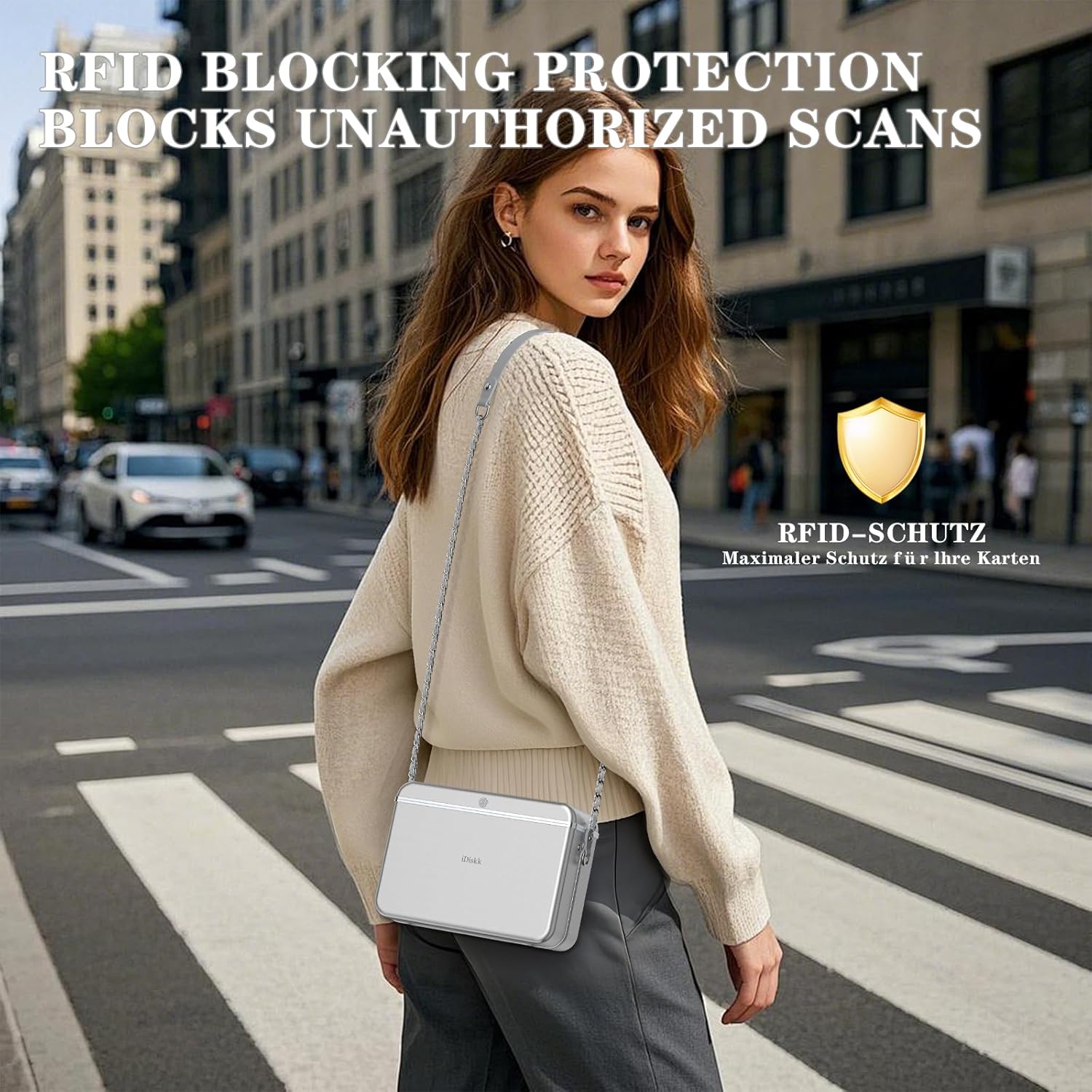
Figure 5: Illustration of the bag's RFID blocking capability, preventing unauthorized data scans.
7. Vzdrževanje
- Čiščenje: Obrišite zunanjost z mehko damp cloth. Do not use harsh chemicals or abrasive cleaners. Ensure the fingerprint sensor and keypad are free of dust and debris.
- Vzdrževanje baterije: Recharge the battery regularly, even if the bag is not in frequent use, to maintain battery health. Avoid completely draining the battery.
- Shranjevanje: Vrečko shranjujte na hladnem in suhem mestu, ko je ne uporabljate.
8. Odpravljanje težav
8.1 Bag Does Not Open
- Preverite baterijo: Ensure the bag is sufficiently charged. A low battery might prevent the locking mechanism from operating. Charge the bag for at least 30 minutes and try again.
- Incorrect Fingerprint/Password: Verify you are using a registered fingerprint or the correct password. The status indicator will typically flash red for incorrect attempts.
- Sensor/Keypad Cleanliness: Ensure the fingerprint sensor and keypad are clean and dry. Moisture or dirt can interfere with recognition.
- Mechanical Jam: If the lock mechanism sounds like it's engaging but the lid doesn't open, gently press down on the lid while attempting to unlock. If the issue persists, contact customer support.
8.2 Find My App Not Locating Bag
- Povezava Bluetooth: Ensure Bluetooth is active on your iOS device and the bag is within range.
- Bag Battery: The bag needs to have sufficient battery power to transmit its location.
- Ponovna povezava naprave: If connection issues persist, try removing the bag from the Find My app and re-pairing it.
9. Specifikacije
| Dimenzije izdelka | 7.3 x 2.56 x 3.4 inches (L*W*H) |
| Notranje mere | 7.3 x 2.2 x 3.4 inches (L*W*H) |
| Teža predmeta | 2 funtov |
| Dolžina naramnega traku | 47.2 palcev |
| Baterija | Potrebna je 1 litij-ionska baterija |
| Metode odklepanja | Prstni odtis, geslo |
| Sledenje | Apple Find My App (iOS Only) |
| Varnostne funkcije | Blokiranje RFID |

Figure 6: Visual representation of the bag's dimensions and internal capacity.
10. Garancija in podpora
The iDiskk Security Lock Box Shoulder Bag comes with a standard manufacturer's warranty. For warranty details, product support, or to report any issues, please contact iDiskk customer service through their official webspletno mesto ali prodajalec, kjer je bil izdelek kupljen. Prosimo, shranite dokazilo o nakupu za uveljavljanje garancije.

Figure 7: iDiskk customer support is available to assist with product inquiries and issues.