
Ortur OLM2S2
Uporabniški priročnik za infrardeči laserski graver Ortur Laser Master 2 S2 1064nm
Model: OLM2S2
1. Uvod
This manual provides essential information for the safe and effective operation of your Ortur Laser Master 2 S2 1064nm Infrared Laser Engraver. Please read this manual thoroughly before assembly and operation to ensure proper usage and to prevent damage or injury. This device is designed for precise engraving on various materials, including metals, plastics, and acrylics.

Image 1.1: The Ortur Laser Master 2 S2 1064nm Infrared Laser Engraver, showcasinnjegovo zasnovo inamples of engraved items like cutlery, a flask, and a mug.
2. Varnostne informacije
The Ortur Laser Master 2 S2 is a Class 4 laser product. Improper use can result in serious injury, including eye damage, skin burns, and fire. Always adhere to the following safety guidelines:
- Zaščita oči: Always wear appropriate laser safety goggles designed for the 1064nm wavelength during operation. Never look directly at the laser beam or its reflection.
- Delovno območje: Operate the engraver in a well-ventilated area. Ensure the work area is free of flammable materials.
- Nadzor: Stroja med delovanjem nikoli ne puščajte brez nadzora.
- Varnost materiala: Engrave only approved materials. Some materials can produce hazardous fumes when engraved.
- Ustavitev v sili: Seznanite se z lokacijo in funkcijo gumba za zaustavitev v sili.
- Otroci in hišni ljubljenčki: Otroke in hišne ljubljenčke držite stran od delovnega območja.
- Napajanje: Uporabljajte samo priloženi napajalnik.

Slika 2.1: Konecview of the four main safety features integrated into the Ortur Laser Master 2 S2 design.
3. Izdelek je končanview
3.1 Komponente
The Ortur Laser Master 2 S2 consists of a robust frame, a 1064nm infrared laser module, and control electronics. Key components include:
- Laserski modul: 1000mW (1W) 1064nm Infrared Laser.
- Okvir: Industrial-grade full metal structure for stability and precision.
- Nadzorni odbor: Manages laser operations and communication.
- Koračni motorji: Drive the X and Y axes for precise movement.
- Mejna stikala: Define the engraving area boundaries.
3.2 Ključne lastnosti
- Multi-Material Compatibility: Capable of engraving various metals (gold, silver, platinum, copper, aluminum, stainless steel), leathers, plastics, acrylics, glass, and stones.
- Visoka natančnost: Motion accuracy up to 0.03mm for detailed engravings.
- Veliko območje graviranja: 390 x 410 mm (approximately 15.35" x 16.14").
- Visoka hitrost: Engraving speeds up to 10000mm/min.
- Združljivost programske opreme: Supports LaserGRBL and LightBurn.
- Podpora za operacijski sistem: Compatible with Windows 7/8/XP/10/11 and Mac systems (via LightBurn).
- File Podpora za format: SVG, DXF, JPG, JPEG, PNG, BMP, TIF, CR2, etc.
- Modularna zasnova: Facilitates easy assembly, repair, and upgrades.

Image 3.1: The powerful 1064nm 1W infrared laser module with dual fan cooling, designed for long operational life.

Image 3.2: The generous 390 x 410 mm (15.35" x 16.14") engraving area of the OLM2S2.
4. Nastavitev
4.1 Razpakiranje in pregled
Carefully unpack all components. Verify that all parts listed in the packing list are present and undamaged. If any parts are missing or damaged, contact customer support immediately.
4.2 Montaža
The Ortur Laser Master 2 S2 features a modular design for straightforward assembly. Typical assembly time is 10-15 minutes. Follow the detailed assembly instructions provided in the separate assembly guide or refer to official Ortur assembly videos. Ensure all connections are secure and the frame is rigid.
- Assemble the frame components according to the diagrams.
- Namestite laserski modul na portal.
- Connect all cables (power, USB, motor cables) securely.
- Ensure the timing belts are properly tensioned.
4.3 Namestitev programske opreme
Download the latest version of your preferred engraving software (LaserGRBL or LightBurn) from their official websites. Install the software on your computer and follow the on-screen instructions for driver installation and initial setup.
5. Navodila za uporabo
5.1 Priprava na graviranje
- Material mesta: Position the material to be engraved on the work surface.
- Fokusirajte laser: Adjust the laser module height to achieve the optimal focal point on the material surface. Refer to the laser module's specific focusing instructions.
- Povežite se z računalnikom: Graver priključite na računalnik prek USB-ja.
- Zagon programske opreme: Open LaserGRBL or LightBurn.
- Načrt obremenitve: Import your desired engraving design (SVG, DXF, JPG, etc.).
- Nastavite parametre: Configure engraving parameters such as speed, power, and number of passes based on the material type and desired effect.
5.2 Postopek graviranja
- Nosite zaščitna očala: Ensure all individuals in the vicinity are wearing appropriate laser safety goggles.
- Začetek graviranja: Initiate the engraving process through the software.
- Delovanje monitorja: Continuously monitor the engraving process. Be prepared to use the emergency stop if any issues arise.
- Dokončanje: Once engraving is complete, the laser will stop. Wait for any fumes to clear before removing the engraved item.
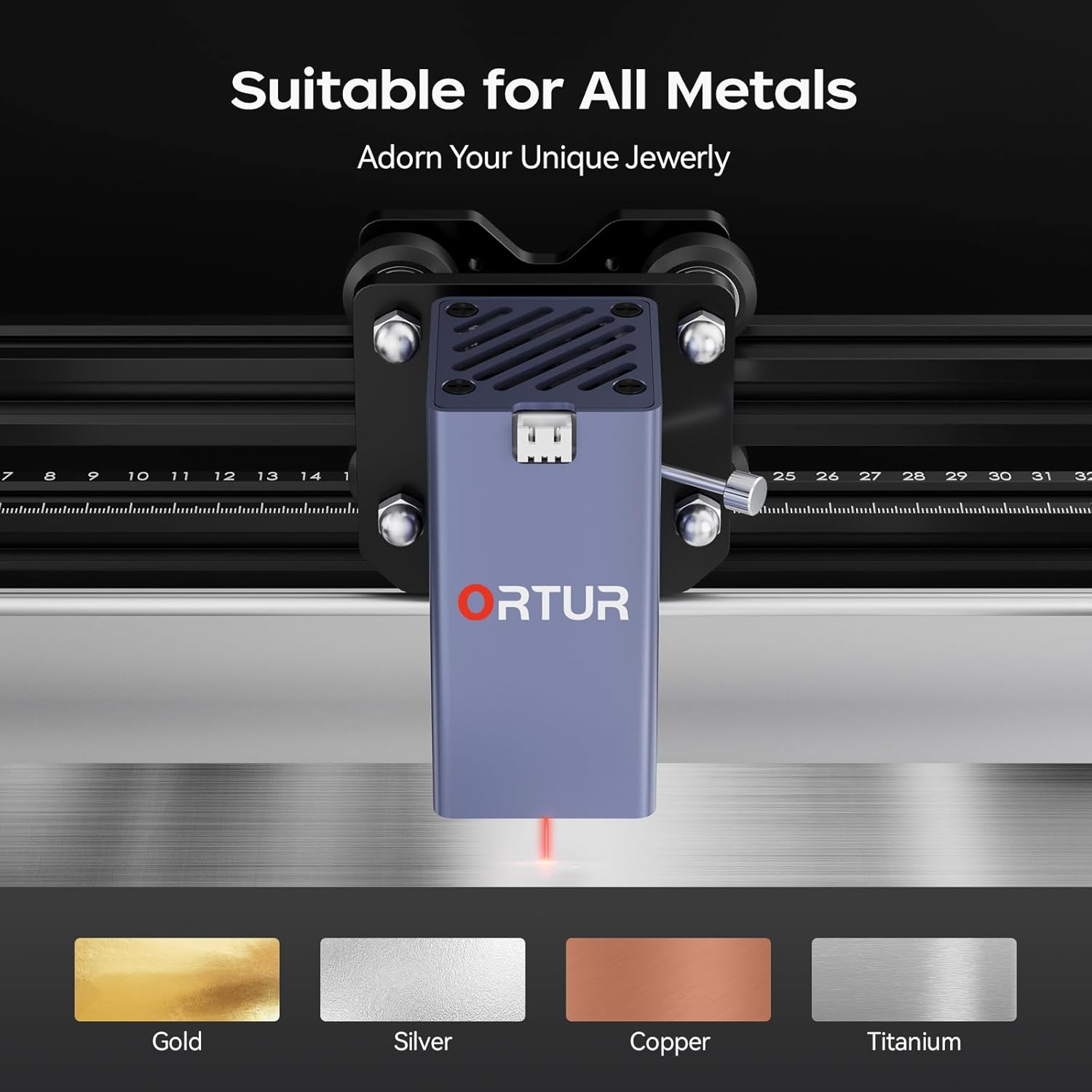
Image 5.1: The Ortur Laser Master 2 S2 is suitable for engraving on various metals, including gold, silver, copper, and titanium.

Slika 5.2: Primeramples of materials that can be engraved, such as various metals, plastics, and acrylics.
6. Združljivost programske opreme
The Ortur Laser Master 2 S2 is compatible with widely used laser engraving software:
- LaserGRBL: A free, open-source software primarily for Windows users. It is suitable for basic engraving tasks and image processing.
- LightBurn: A powerful, paid software compatible with Windows, Mac, and Linux. It offers advanced features for design, layout, and control, making it suitable for more complex projects.
Ensure your software is updated to the latest version for optimal performance and compatibility.

Image 6.1: The laser engraver adapts to common software like LightBurn and LaserGRBL.
7. Vzdrževanje
Redno vzdrževanje zagotavlja dolgo življenjsko dobo in optimalno delovanje vašega laserskega graverja.
- Čiščenje: Regularly clean the lens of the laser module with a lint-free cloth and isopropyl alcohol. Keep the rails and belts free of dust and debris.
- Mazanje: Periodically apply a small amount of lubricant to the linear rails to ensure smooth movement.
- Napetost jermena: Check and adjust the tension of the timing belts as needed to prevent skipping or inaccurate engraving.
- Posodobitve vdelane programske opreme: Preverite uradni Ortur website for any firmware updates for your machine.
8. Odpravljanje težav
Ta razdelek obravnava pogoste težave, na katere lahko naletite.
| Težava | Možen vzrok | rešitev |
|---|---|---|
| Laser ne deluje ali pa je izhodna moč slaba. | Incorrect focus, dirty lens, low power setting, faulty laser module. | Adjust focus, clean lens, increase power in software, contact support if module is faulty. |
| Engraving is inaccurate or distorted. | Loose belts, loose frame components, incorrect software settings, material movement. | Check and tighten belts, ensure frame is rigid, verify software settings, secure material. |
| Stroj se ne poveže z računalnikom. | USB cable issue, driver not installed, incorrect COM port selected. | Try a different USB port/cable, reinstall drivers, select correct COM port in software. |
| Machine powers on but does not move. | Motor cables disconnected, emergency stop engaged, software error. | Check motor connections, disengage emergency stop, restart software and machine. |
9. Specifikacije
| Funkcija | Podrobnost |
|---|---|
| Znamka | Ortur |
| Model | OLM2S2 |
| Laserski modul | 1000mW (1W) 1064nm Infrared Laser |
| Območje graviranja | 390 x 410 mm (15.35" x 16.14") |
| Hitrost graviranja | Do 10000 mm/min |
| Natančnost gibanja | 0.03 mm |
| Podprta programska oprema | LaserGRBL, LightBurn |
| Podprt OS | Windows 7/8/XP/10/11, Mac (LightBurn) |
| Podprto File Formati | SVG, DXF, JPG, JPEG, PNG, BMP, TIF, CR2, etc. |
| Dimenzije izdelka | 22.4 x 9 x 5.1 palcev |
| Teža predmeta | 8.67 funtov |

Image 9.1: The motion accuracy of 0.03mm ensures clear and detailed engraving patterns.
10. Garancija in podpora
Ortur is committed to providing high-quality after-sales service. If you encounter any problems with your product, please contact our customer support team.
- Storitev za stranke: Professional technicians are available to provide solutions and assistance.
- Kontaktni podatki: Glejte uradni Ortur website or product packaging for current contact methods (email, live chat, Facebook support).

Image 10.1: Ortur offers round-the-clock support via email, live chat, and Facebook.
Ask a question about this manual
Ask about setup, troubleshooting, compatibility, parts, safety, or missing instructions. Manuals+ will review the question and use this page’s manual context to help answer it.