
1. Uvod
This manual provides comprehensive instructions for operating your VJIANGER 4K Digital Camera. Please read this manual thoroughly before use to ensure proper operation and to maximize the camera's capabilities. This camera is designed for photography and vlogging, offering high-resolution imaging and versatile features for beginners and content creators.
2. Izdelek je končanview
The VJIANGER 4K Digital Camera (Model W08) is a compact and feature-rich device. Key components include:
- 64MP Photo Sensor: For high-resolution still images.
- 4K video snemanje: Capable of recording smooth 4K UHD 2160p videos.
- 3-inch 180° Flip Screen: Ideal for vlogging and self-portraits.
- 18-kratni digitalni zoom: Allows for magnification of subjects.
- Built-in Fill Light/Flash: For improved low-light performance.
- Internal Microphone and Speaker: Za snemanje in predvajanje zvoka.
- Povezljivost Wi-Fi: For easy transfer of photos and videos to smart devices.
- WebFunkcionalnost kamere: Can be used as a PC camera.

Figure 2.1: VJIANGER 4K Digital Camera (Light Pink) and included accessories.
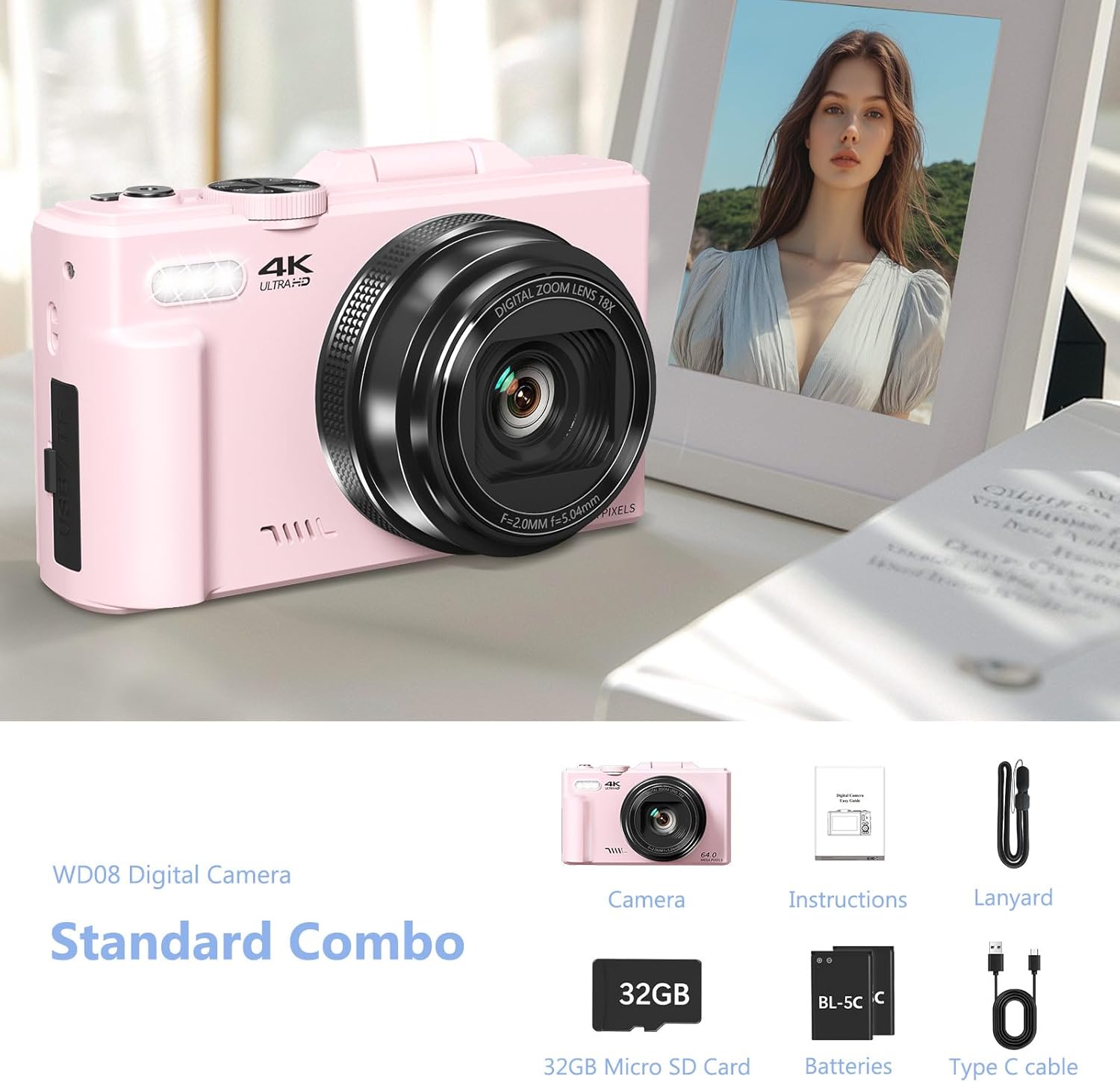
Figure 2.2: Standard Combo contents: Camera, Instructions, Lanyard, 32GB Micro SD Card, Batteries, Type-C Cable.
3. Nastavitev
3.1 Namestitev baterije
The camera requires 1 Lithium Ion battery (included). Ensure correct polarity when inserting the battery.
- Odprite pokrov predalčka za baterije, ki se nahaja na strani fotoaparata.
- Insert the battery according to the polarity indicators (+/-) inside the compartment.
- Trdno zaprite pokrov prostora za baterije.

Figure 3.1: Location of memory card slot, data cable socket, and battery compartment.
3.2 Namestitev kartice Micro SD
A 32GB Micro SD card is included. The camera supports Micro SD cards for storage.
- Poiščite režo za pomnilniško kartico poleg predala za baterijo.
- Insert the Micro SD card into the slot until it clicks into place.
- Za odstranitev kartico nežno pritisnite, dokler ne izskoči.
3.3 Začetno polnjenje
Before first use, fully charge the camera battery using the provided Type-C USB cable.
- Connect the Type-C cable to the camera's data cable socket.
- Drugi konec kabla priključite na napajalnik USB (ni priložen) ali vrata USB računalnika.
- The charging indicator will illuminate. It will turn off or change color when fully charged.
4. Navodila za uporabo
4.1 Vklop/izklop
Pritisnite in držite gumb za vklop, da vklopite ali izklopite kamero.
4.2 Focus Mode Adjustment
If images appear blurry, adjust the focus mode from "Fixed focus" to "Auto focus" in the camera settings.
Video 4.1: Demonstrates how to change the focus mode from fixed to auto focus for clearer images. This video is provided by the seller.
4.3 Photo and Video Modes
The camera offers various modes for capturing content:
- Foto način: Standardno zajemanje fotografij.
- Neprekinjeno fotografiranje: Zajame več fotografij v hitrem zaporedju.
- Časovno omejeno streljanje: Nastavi zakasnitev pred fotografiranjem.
- Auto Shooting: Automatic settings for ease of use.
- Video način: Records standard video.
- Snemanje s časovnim zamikom: Captures frames at intervals to create a sped-up video.
- Slow-motion Recording: Snema z višjo hitrostjo sličic za počasno predvajanje.
- Snemanje v zanki: Continuously records, overwriting older footage, ko je shramba polna.
Slika 4.1: Konecview of the camera's 9 multi-function modes, including Photo, Video, Continuous Shooting, Slow Motion Video, Timer, Auto, Time Lapse Video, Loop Video, and Video + Photo.

Slika 4.2: Podrobno view of the four photography modes available.

Slika 4.3: Podrobno view of the four video modes available.
4.4 Digital Zoom and Flash
Use the W/T buttons to control the 18X digital zoom. The built-in flash can be activated for low-light conditions.

Figure 4.4: The camera features 18X digital zoom with autofocus capabilities.
4.5 Wi-Fi Connectivity and File Prenos
Connect the camera to your smartphone or tablet via Wi-Fi for easy photo and video transfer and remote control.
- Enable Wi-Fi on the camera through the menu settings.
- Download the companion app to your smart device.
- Povežite svojo napravo z omrežjem Wi-Fi kamere.
- Use the app to download files, control the camera remotely, or view predvajanje.

Figure 4.5: Built-in Wi-Fi allows for quick and seamless content uploading and sharing.
Lahko pa tudi prenesete files via USB connection or by using a card reader:
- USB povezava: Connect the camera to a PC using the Type-C cable. Select "Mass Storage Mode" on the camera.
- Čitalec kartic: Remove the Micro SD card and insert it into a card reader connected to your computer.

Figure 4.6: Various methods for downloading photos, including Wi-Fi, USB connection, and using an OTG adapter/card reader.
4.6 WebFunkcionalnost cam
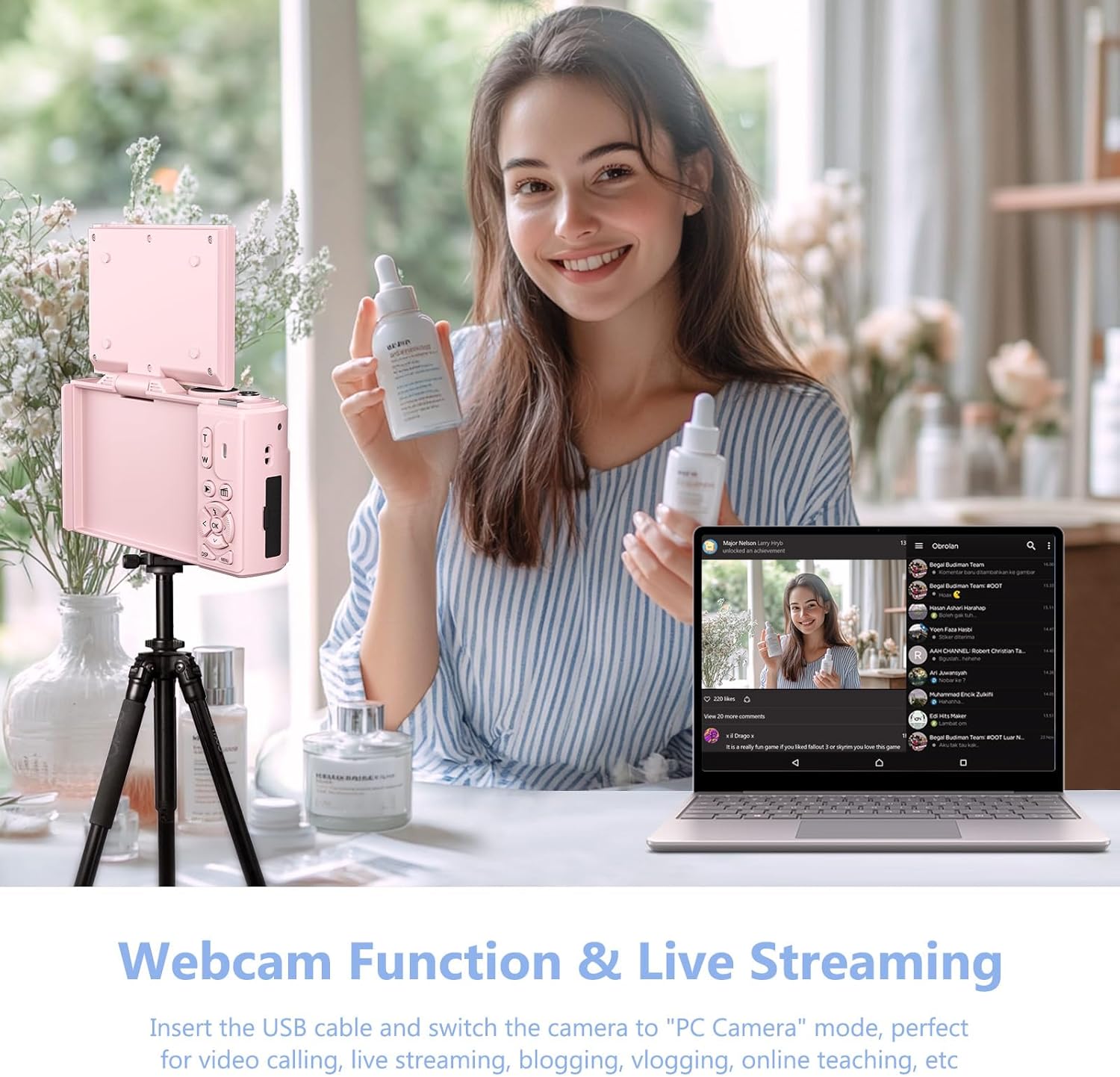
Kamera lahko deluje kot webkamera za prenos v živo in video klice.
- Connect the camera to your PC using the Type-C USB cable.
- On the camera screen, select "PC Camera" mode.
- Vaš računalnik bi moral prepoznati kamero kot weboranžna.

Figure 4.7: The camera can be used as a webcam for video calls and live streaming by connecting it to a PC.
Video 4.2: Demonstration of connecting the camera to a PC and selecting "PC Camera" mode to use it as a webcam. This video is provided by the seller.
5. Vzdrževanje
- Čiščenje: Use a soft, dry cloth to clean the camera body. For the lens, use a specialized lens cleaning cloth and solution. Avoid abrasive materials.
- Shranjevanje: Fotoaparat shranjujte na hladnem in suhem mestu, stran od neposredne sončne svetlobe in ekstremnih temperatur. Če ga shranjujete dlje časa, odstranite baterijo.
- Vzdrževanje baterije: To prolong battery life, avoid fully discharging the battery frequently. Charge it regularly.
6. Odpravljanje težav
| Težava | Možen vzrok | rešitev |
|---|---|---|
| Blurry images/videos | Incorrect focus mode (Fixed Focus) | Change Focus Mode to "Auto focus" in settings. (Refer to Section 4.2) |
| Kamera se ne vklopi | Low or uncharged battery; incorrectly inserted battery. | Napolnite baterijo. Prepričajte se, da je baterija vstavljena s pravilno polarnostjo. |
| Prenos ni mogoč files | Incorrect USB mode selected; Wi-Fi not connected. | Ensure "Mass Storage Mode" is selected when connecting via USB. Verify Wi-Fi connection and app settings. |
| Poor sound quality in recorded videos | Environmental noise; microphone obstruction. | Record in quieter environments. Ensure microphone is not covered. |
7. Specifikacije
| Funkcija | Podrobnost |
|---|---|
| Znamka | VJIANGER |
| Ime modela | W08 |
| Učinkovita še vedno ločljivost | 64 MP |
| Video ločljivost | 1080p, 4K UHD 2160p |
| Digitalni zoom | 18 x |
| Velikost zaslona | 3 palcev |
| Vrsta zaslona | LCD |
| Tehnologija povezljivosti | Wi-Fi |
| Tehnologija foto senzorja | CMOS |
| Stabilizacija slike | Digitalno |
| Velikost zunanjega pomnilnika | 32 GB (mikro SD) |
| Vrsta baterije | Litij ion |
| Povprečna življenjska doba baterije | 2 ur |
| Faktor oblike | Kompakten |
| Material | Kovina, plastika |
8. Garancija in podpora
For product support, warranty information, or to ask a question, please visit the VJIANGER store on Amazon or contact the seller directly through the Amazon platform.

Figure 8.1: Guide on contacting the seller for support via Amazon.