
VETEK NPX108-2
VETEK 4K 64MP Camcorder User Manual
Model: NPX108-2
1. Uvod
This manual provides instructions for the VETEK 4K 64MP Camcorder, model NPX108-2. This device is designed for high-quality video recording and photography, featuring 4K Ultra HD video resolution at 60 frames per second (FPS) and 64-megapixel image resolution. It includes an 18X digital zoom, a 4.0-inch 270-degree rotating touchscreen, and WiFi connectivity. The camcorder is equipped with an external microphone, a handheld stabilizer, and a 2.4G wireless remote control to enhance your recording experience.
Vsebina paketa:
- VETEK 4K 64MP Camcorder
- DV-108 Battery (4500mAh)
- 64 GB SD kartica
- USB kabel
- Brezžični daljinski upravljalnik 2.4G
- Ročni stabilizator
- Senčilo za objektiv
- Zunanji mikrofon
- LED lučka za polnjenje
- Uporabniški priročnik
- Torba za fotoaparat

2. Komponenta Konecview
Familiarize yourself with the various parts and controls of your camcorder.

Vrata in vmesniki:

Kontrole:

3. Začetna nastavitev
3.1 Polnjenje baterije
Insert the provided DV-108 battery into the camcorder. Connect the camcorder to a power source using the USB cable. The battery takes approximately 4-5 hours to fully charge and provides about 3 hours of continuous use.

3.2 Vstavljanje SD-kartice
Locate the SD card slot on the camcorder. Insert the provided 64GB SD card into the slot until it clicks into place. Ensure the card is inserted correctly to avoid damage.
3.3 Pritrjevanje dodatkov
- Zunanji mikrofon: Attach the external microphone to the hot shoe mount on top of the camcorder and connect its cable to the MIC port.
- Handheld Stabilizer: Secure the handheld stabilizer to the bottom tripod mount of the camcorder for improved stability during recording.
- Senčilo za objektiv: Attach the lens hood to the front of the lens to protect it and reduce glare.
4. Navodila za uporabo
4.1 Vklop/izklop
Press and hold the Power button to turn the camcorder on or off.
4.2 Snemanje videoposnetkov in fotografiranje
Use the Mode button to switch between video recording and photo capture modes. Press the Quick Video button to start/stop video recording or the Quick Photo button to take a picture.


4.3 Digitalni zoom
The camcorder features an 18X digital zoom. Use the zoom controls (W/T buttons) on the camcorder or the handheld stabilizer to adjust the zoom level.

4.4 Delovanje zaslona na dotik
The 4.0-inch 270-degree rotating touchscreen allows for easy navigation of menus, settings, and playback of recordings.
4.5 Povezljivost Wi-Fi
Connect the camcorder to your smartphone via WiFi using the XDV PRO app. This allows you to view recordings, control the camera remotely, and transfer files.


4.6 WebFunkcionalnost cam
Connect the camcorder to a computer using the USB cable and select "PC CAM" mode to use it as a webkamera za video klice in pretakanje.


4.7 2.4G Remote Control
The included 2.4G wireless remote control allows you to operate the camcorder from up to 65 feet away in any direction.

4.8 External Microphone
The external microphone utilizes X-Y Stereo Pickup Technology to effectively reduce background noise and improve audio quality. Adjust the sound sensitivity from -10dB to +20dB for optimal audio capture.

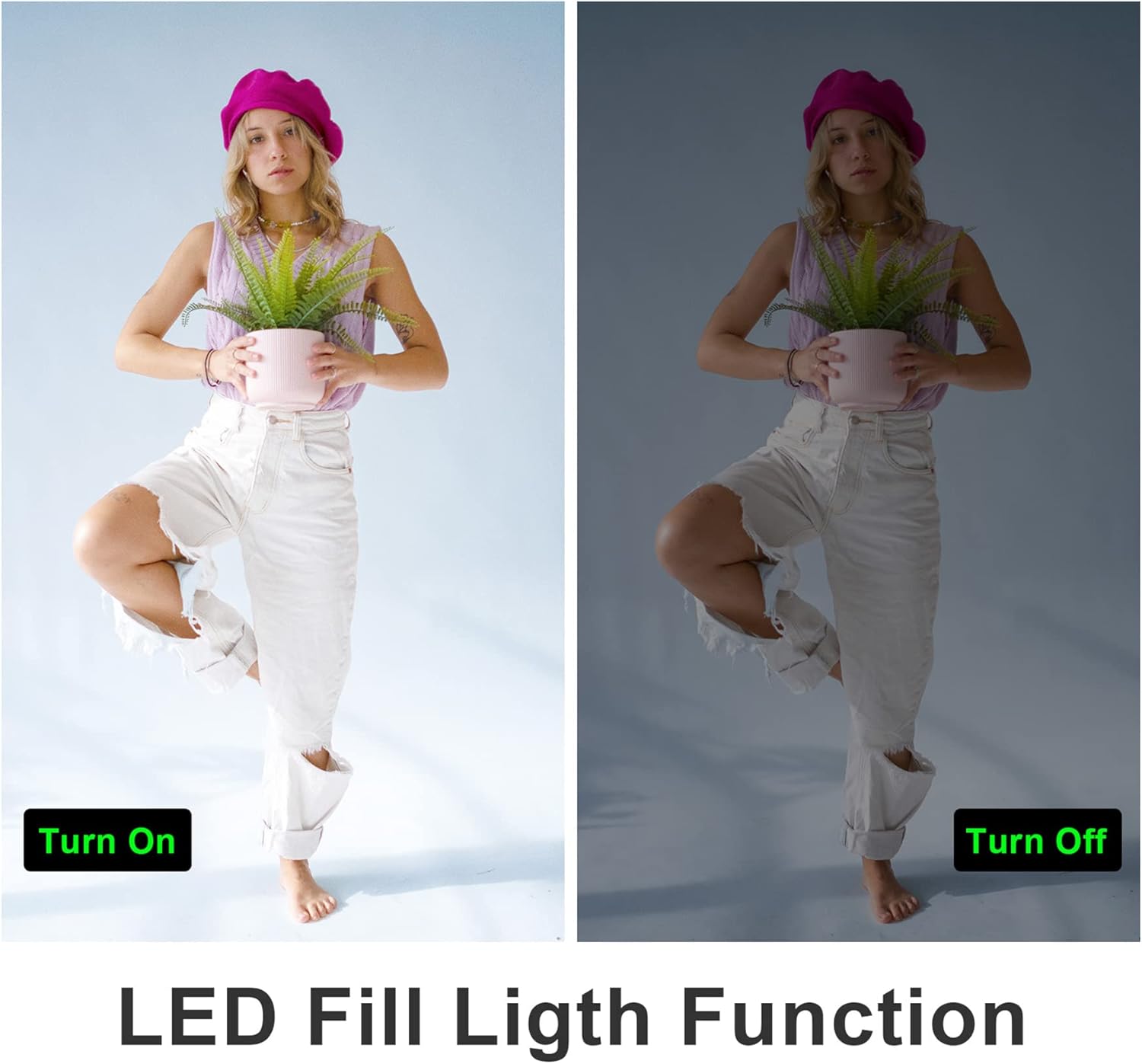
4.9 LED Fill Light
Activate the built-in LED fill light for improved illumination in low-light conditions.
4.10 Slow Motion and Time-Lapse
The camcorder supports slow-motion recording for capturing fast-moving objects and time-lapse recording for condensing long events into short videos.

4.11 Izhod HDMI
Connect the camcorder to a TV or monitor using an HDMI cable (not included) to view svoje posnetke na večjem zaslonu.

5. Vzdrževanje
5.1 Skrb za baterije
- Pred prvo uporabo popolnoma napolnite baterijo.
- Izogibajte se izpostavljanju baterije ekstremnim temperaturam.
- If not using the camcorder for an extended period, remove the battery.
5.2 Čiščenje
- Za čiščenje ohišja videokamere uporabite mehko, suho krpo.
- For the lens and touchscreen, use a specialized lens cleaning cloth and solution.
- Ne uporabljajte abrazivnih čistil ali topil.
5.3 Shranjevanje
Store the camcorder in a cool, dry place away from direct sunlight and dust. Use the provided camera bag for protection during transport.
6. Odpravljanje težav
Refer to the following tips for common issues:
- Fixed Focal Length: This camera has a fixed focal length and does not support optical zoom. Zooming is digital.
- Autofocus Delay: Autofocus may require a 2-3 second delay buffer time to adjust.
- Kakovost videa: The quality of recorded video may not be as high as still photos, especially in challenging lighting conditions.
- Microphone Range: The built-in microphone has a pickup distance of approximately 6.5 feet. The external microphone can extend this range to about 16.4 feet.
- Kamera se ne vklopi: Prepričajte se, da je baterija popolnoma napolnjena in pravilno vstavljena.
- Napaka SD kartice: Prepričajte se, da je kartica SD pravilno vstavljena in da ni polna ali poškodovana. Poskusite kartico ponovno formatirati (s tem boste izbrisali vse podatke).
- Težave z WiFi povezavo: Ensure the XDV PRO app is installed and the camcorder's WiFi is enabled. Check your smartphone's WiFi settings.

7. Specifikacije
| Funkcija | Specifikacija |
|---|---|
| Številka modela | NPX108-2 |
| Video ločljivost | 4K Ultra HD (3840x2160) @ 60FPS |
| Ločljivost slike | 64 milijonov slikovnih pik |
| Digitalni zoom | 18X |
| Velikost zaslona | 4.0-inch Touch Screen (270-degree rotation) |
| Povezljivost | WiFi, USB, HDMI |
| Kapaciteta baterije | 4500 mAh litij polimer |
| Življenjska doba baterije | Approx. 3 hours recording |
| Shranjevanje | SD Card (up to 64GB included) |
| Posebne lastnosti | Anti-shake, Face Detection, Night Vision, Webcam Mode, Slow Motion, Time-Lapse, External MIC Support, LED Fill Light |
| Dimenzije | 6.8 x 3.2 x 3.8 palcev |
| Teža | 3.61 funtov |
8. Informacije o garanciji
VETEK products typically come with a standard manufacturer's warranty. Please refer to the warranty card included in your package or contact customer support for specific details regarding warranty coverage and duration.
9. Podpora strankam
For further assistance, technical support, or inquiries regarding your VETEK 4K 64MP Camcorder, please visit the official VETEK website or contact their customer service department. Contact information can usually be found on the product packaging or the brand's online store.
Ask a question about this manual
Ask about setup, troubleshooting, compatibility, parts, safety, or missing instructions. Manuals+ will review the question and use this page’s manual context to help answer it.