
ClokoWe HY300PRO+
CLOKOWE Mini Projector User Manual
Model: HY300PRO+
Uvod
This manual provides detailed instructions for the safe and efficient operation of your CLOKOWE Mini Projector. Please read this manual thoroughly before using the product and retain it for future reference. The CLOKOWE Mini Projector is a portable device designed for versatile projection, featuring built-in streaming apps, Wi-Fi 6, Bluetooth 5.2, 180° rotation, and automatic keystone correction.

Image: The CLOKOWE Mini Projector, a compact white cylindrical device with a lens, shown projecting content onto a curved screen displaying various streaming app logos and a movie scene.
Kaj je v škatli
Ob razpakiranju preverite, ali so vsi predmeti prisotni:
- CLOKOWE Mini Projector (Model: HY300PRO+)
- Napajalni kabel
- HDMI kabel
- Daljinski upravljalnik
- Uporabniški priročnik (ta dokument)
Lastnosti izdelka
The CLOKOWE Mini Projector offers a range of features for enhanced viewing experiences:
- Vgrajene aplikacije za pretakanje: Access platforms like YouTube, Disney+, and more directly via Wi-Fi.
- Vsestranska povezljivost: Supports wireless mirroring (iPhone, Android, tablet, laptop) and wired connections (HDMI, USB).
- 180° Rotatable Projection: The projector body can rotate 180° for flexible projection angles, including ceiling projection.
- Samodejna korekcija Keystone: Ensures aligned visuals automatically.
- Ročno ostrenje: Allows for fine-tuning image clarity.
- Wi-Fi 6 in Bluetooth 5.2: Provides fast, stable wireless streaming and audio pairing with external speakers.
- Ultra-prenosna zasnova: Compact size (3.73 × 3.73 × 6.17 inches) and lightweight (0.77 lb).
- High Clarity Display: 8000 Lux brightness, supports 1080P display, with a 0.9:1 short throw ratio.
- Customizable Wallpapers: Upload personal background images via USB.
- Časovnik samodejnega izklopa: Set a timer for controlled usage.

Image: A visual representation of the projector's built-in app store, showing various streaming service icons like Netflix, YouTube, Spotify, and Prime Video on a projected screen.

Image: A family watching a movie projected onto the ceiling of a bedroom, demonstrating the 180° rotation feature for ceiling projection.
Vodnik za namestitev
1. Initial Placement and Power
- Projektor postavite na stabilno, ravno površino.
- Connect the power cord to the projector and then to a power outlet.
- Pritisnite gumb za vklop na projektorju ali daljinskem upravljalniku, da ga vklopite.
2. Adjusting Projection Angle (180° Rotation)
The projector features a 180° rotatable body, allowing projection onto walls, screens, or ceilings without needing a tripod.
- Gently rotate the projector body to achieve the desired projection angle.
- Ensure the lens is facing the intended projection surface.
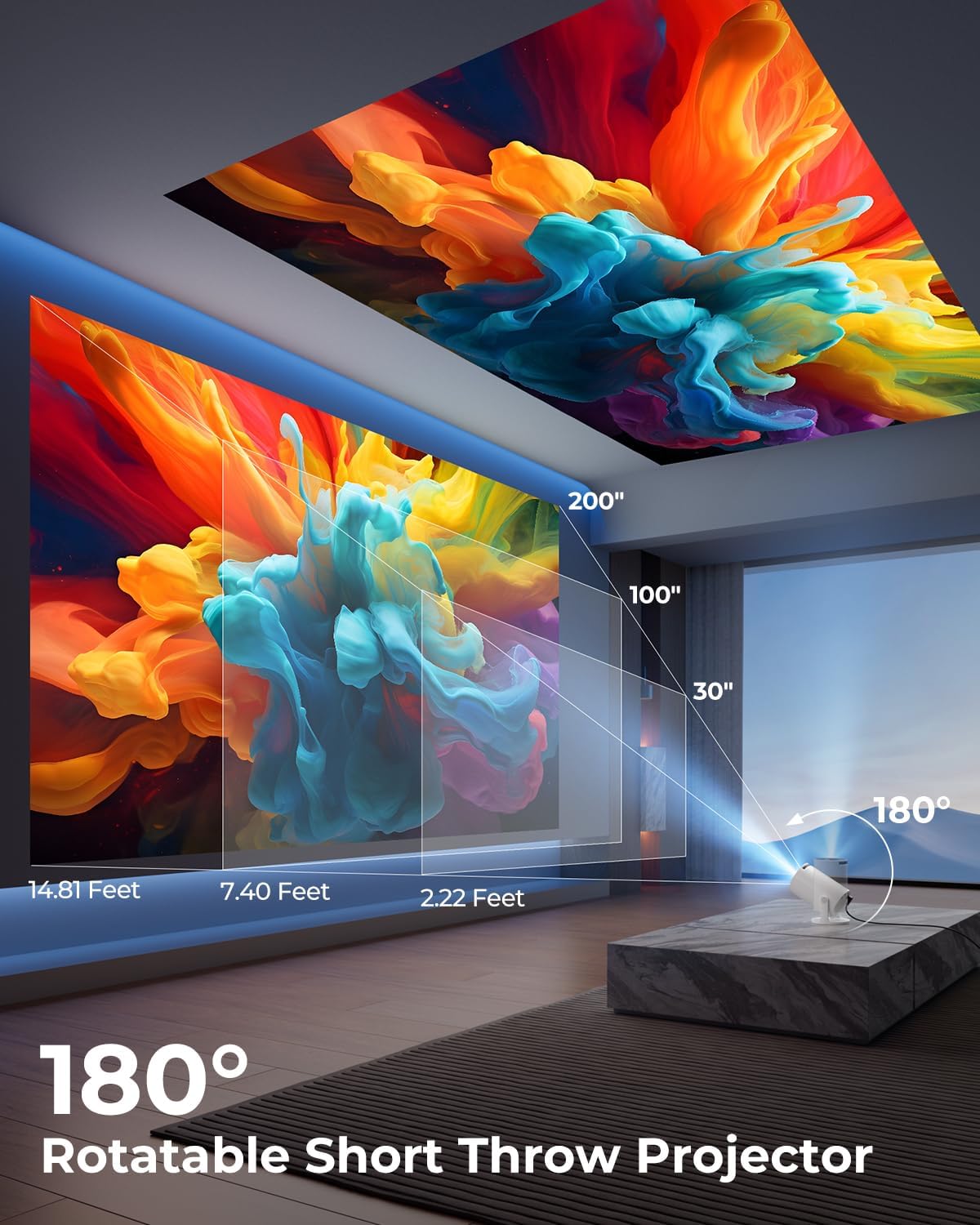
Image: A diagram illustrating the 180° rotation capability of the projector and various projection distances (30", 100", 200") with corresponding throw distances in feet.
3. Ostrenje in korekcija trapezne slike
- Samodejna korekcija Keystone: The projector will automatically adjust the image to be rectangular. If further adjustment is needed, navigate to the settings menu.
- Ročno ostrenje: Obrnite obroč za ostrenje okoli objektiva, dokler slika ni ostra in jasna.

Image: A projected image on a wall demonstrating automatic keystone correction and manual focus adjustments, with icons for ±45° Auto Keystone, Manual Focus, and 50%-100% Zoom.
4. Network and Bluetooth Connection
- Povezava Wi-Fi:
- Pojdite v meni »Nastavitve« na projektorju.
- Izberite »Omrežje« ali »Nastavitve Wi-Fi«.
- Choose your Wi-Fi network from the list and enter the password. The projector supports Wi-Fi 6 (2.4G and 5G).
- Povezava Bluetooth:
- Pojdite v »Nastavitve« in izberite »Bluetooth«.
- Omogočite Bluetooth in poiščite razpoložljive naprave.
- Na seznamu izberite Bluetooth zvočnik ali slušalke za seznanitev.

Image: A projected image showing Wi-Fi 6 and Bluetooth 5.2 connectivity, with a smartphone mirroring content to the projector and a soundbar connected via Bluetooth.
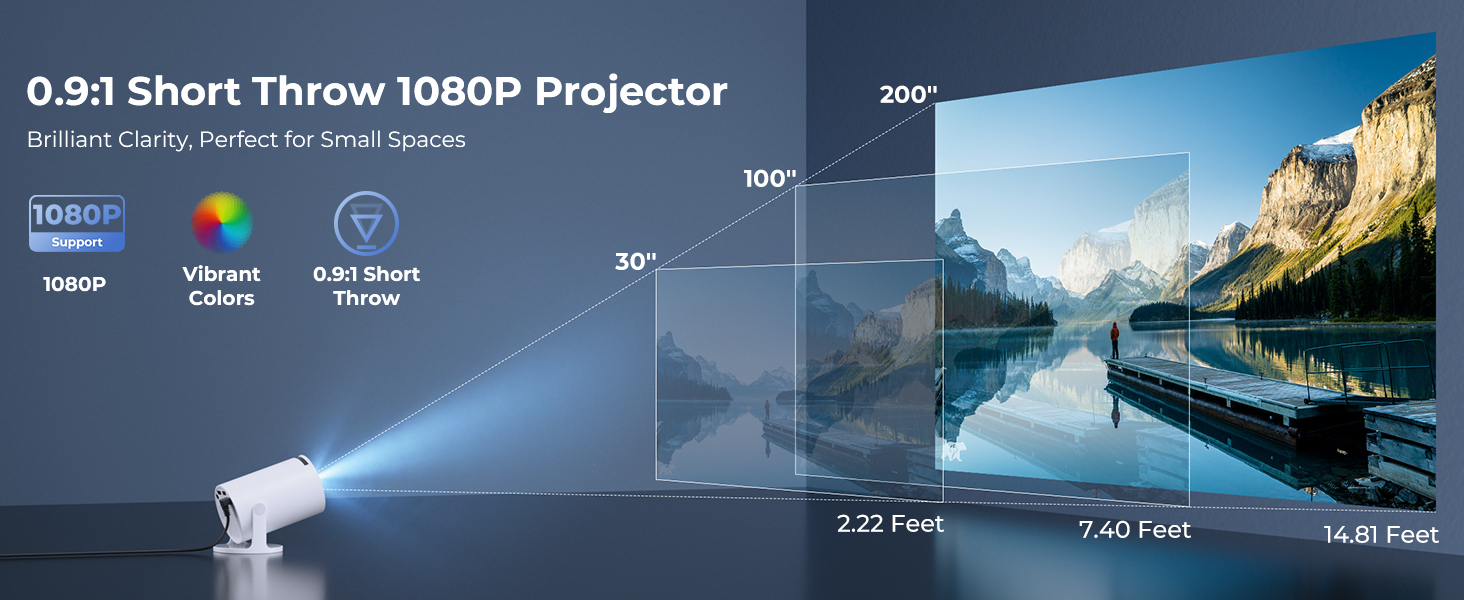
Image: A visual demonstrating Bluetooth 5.2 audio connection, showing the projector wirelessly paired with headphones and a portable speaker.
Navodila za uporabo
1. Krmarjenje po vmesniku
- Use the provided remote control to navigate through menus and select options.
- Basic navigation buttons are also available on the projector unit.
2. Using Built-in Apps
- Once connected to Wi-Fi, access the main interface to find pre-installed streaming applications.
- Select an app (e.g., YouTube, Disney+) and log in with your credentials to start streaming.
3. Zrcaljenje zaslona
The projector supports wireless mirroring from compatible smartphones, tablets, and laptops.
- Prepričajte se, da sta vaša naprava in projektor povezana z istim omrežjem Wi-Fi.
- Select the "Screen Mirroring" or "Wireless Display" option on the projector's menu.
- On your mobile device, activate its screen mirroring feature (e.g., AirPlay for iOS, Smart View for Android) and select the projector from the list of available devices.
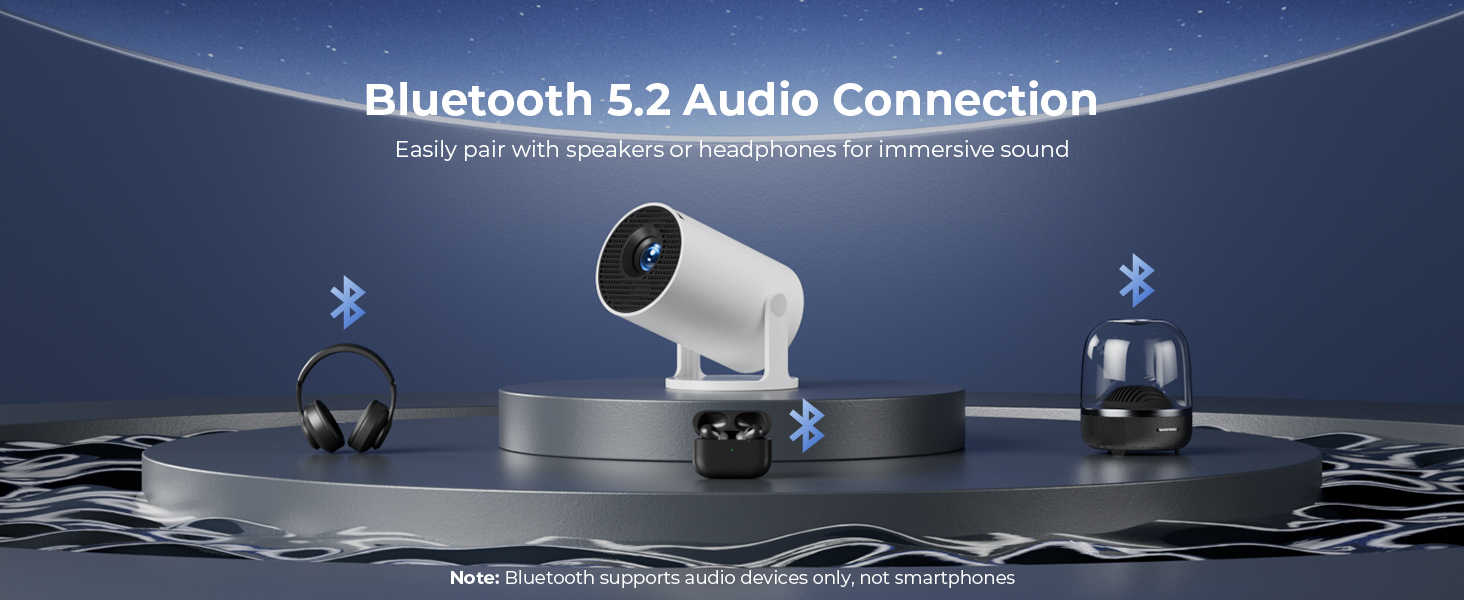
Image: A diagram illustrating Dual-Band Wi-Fi 6 connection for faster, smoother screen mirroring from various devices like smartphones, tablets, and laptops to the projector.
4. Wired Connections (HDMI/USB)
- Connect devices like game consoles, TV sticks, or computers using the HDMI port.
- Uporabite vrata USB za predvajanje medijev files directly from a USB drive or to upload custom wallpapers.
- To select the input source, press the "Source" button on the remote control and choose HDMI or USB.
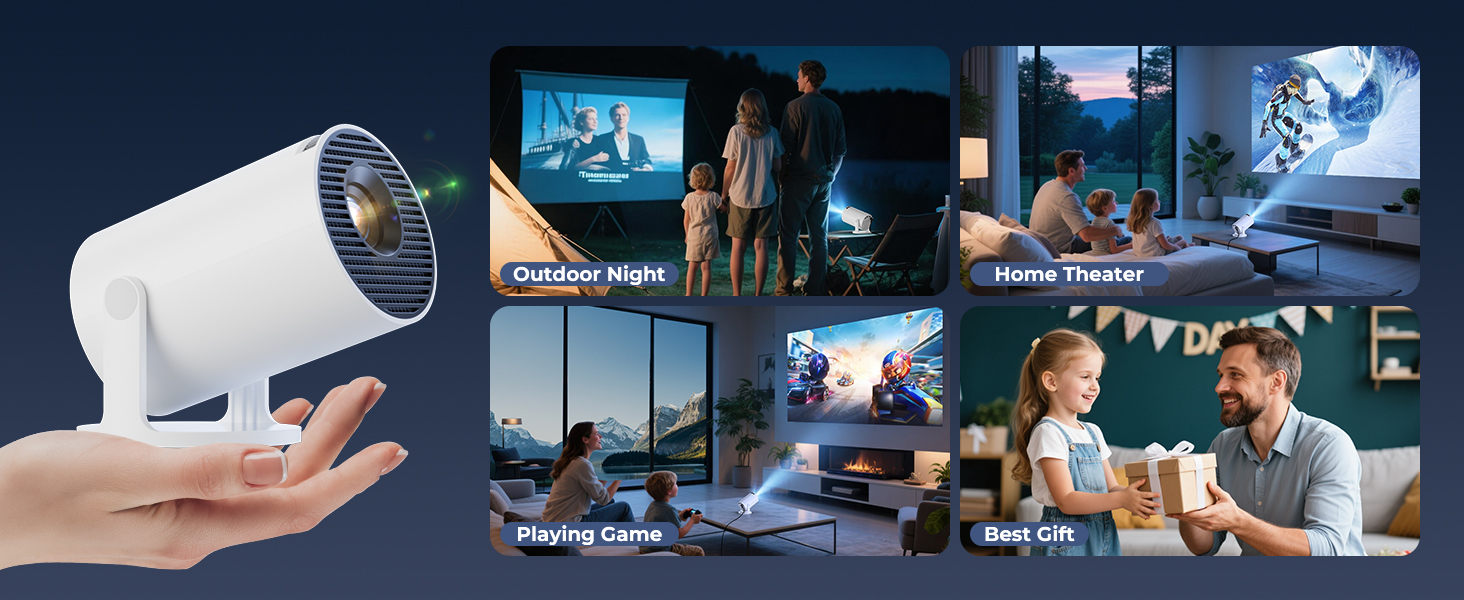
Slika: Bližnji posnetek view of the projector's rear panel, highlighting the HDMI, USB, and power ports, along with an ON/OFF switch and manual focus ring.
5. Custom Wallpapers and Timer
- Custom Wallpapers: Insert a USB drive containing your desired background images. Navigate to the settings to select and apply them.
- Časovnik samodejnega izklopa: Access the system settings to set a timer for the projector to automatically power off after a specified duration.
Vzdrževanje
- Čiščenje leče: Uporabite mehko krpo, ki ne pušča vlaken in je posebej zasnovana za optične leče. Ne uporabljajte abrazivnih čistil ali topil.
- Čiščenje zunanjosti: Zunanjost projektorja obrišite z mehko, suho krpo. Za trdovratne madeže rahloampen krpo z vodo.
- Prezračevanje: Prepričajte se, da prezračevalne odprtine projektorja niso blokirane, da preprečite pregrevanje.
- Shranjevanje: Ko projektorja dalj časa ne uporabljate, ga shranite na hladnem in suhem mestu, stran od neposredne sončne svetlobe in ekstremnih temperatur.
Odpravljanje težav
| Težava | Možen vzrok | rešitev |
|---|---|---|
| Ni slike ali zamegljena slika | Incorrect focus; lens cap on; input source not selected; projector too far/close. | Adjust manual focus; remove lens cap; select correct input source; adjust projection distance. |
| Image is trapezoidal or distorted | Projektor ni pravokoten glede na platno. | Utilize automatic keystone correction or manually adjust in settings. Ensure projector is on a level surface. |
| Brez zvoka ali nizke glasnosti | Volume too low; external audio device not connected/paired; projector's internal speaker off. | Increase volume on projector/source device; ensure Bluetooth speaker is paired; check audio settings. |
| Daljinski upravljalnik se ne odziva | Batteries low/dead; obstruction between remote and projector; remote sensor blocked. | Replace batteries; ensure clear line of sight to projector's IR sensor. |
| Težave s povezavo Wi-Fi | Incorrect password; out of range; network interference. | Re-enter password; move projector closer to router; restart router and projector. |
Specifikacije
| Funkcija | Podrobnost |
|---|---|
| Številka modela | HY300PRO+ |
| Znamka | ClokoWe |
| Dimenzije izdelka | 3.73 x 6.17 x 3.73 palcev |
| Teža predmeta | 1.61 funtov (0.73 kg) |
| Ločljivost zaslona | 1280 x 720 (Supports 1080P) |
| Svetlost | 8000 luksa |
| Tehnologija povezljivosti | Bluetooth 5.2, HDMI, USB, Wi-Fi 6 (2.4G & 5G) |
| Posebne lastnosti | Built-in Apps, Digital Keystone Correction, Short Throw (0.9:1), 50%-100% Zoom, 180° Rotatable Projection, Mini Portable Design |
| Priporočene uporabe | Domači kino, igre, poslovni svet, izobraževanje |
Garancija in podpora
The CLOKOWE Mini Projector includes 2-years factory support. For technical assistance, troubleshooting, or warranty claims, please contact ClokoWe customer support through the retailer where the product was purchased or visit the official ClokoWe webspletno mesto za kontaktne podatke.
Prosimo, shranite dokazilo o nakupu za potrditev garancije.
Ask a question about this manual
Ask about setup, troubleshooting, compatibility, parts, safety, or missing instructions. Manuals+ will review the question and use this page’s manual context to help answer it.