
1. Izdelek je končanview
The LICAEVEY Bluetooth Thermal Label Printer is a compact and portable device designed for efficient label printing. It features both USB-C and Bluetooth connectivity, a 1500mAh built-in battery, and supports various label types and barcodes. This manual provides instructions for its setup, operation, and maintenance.
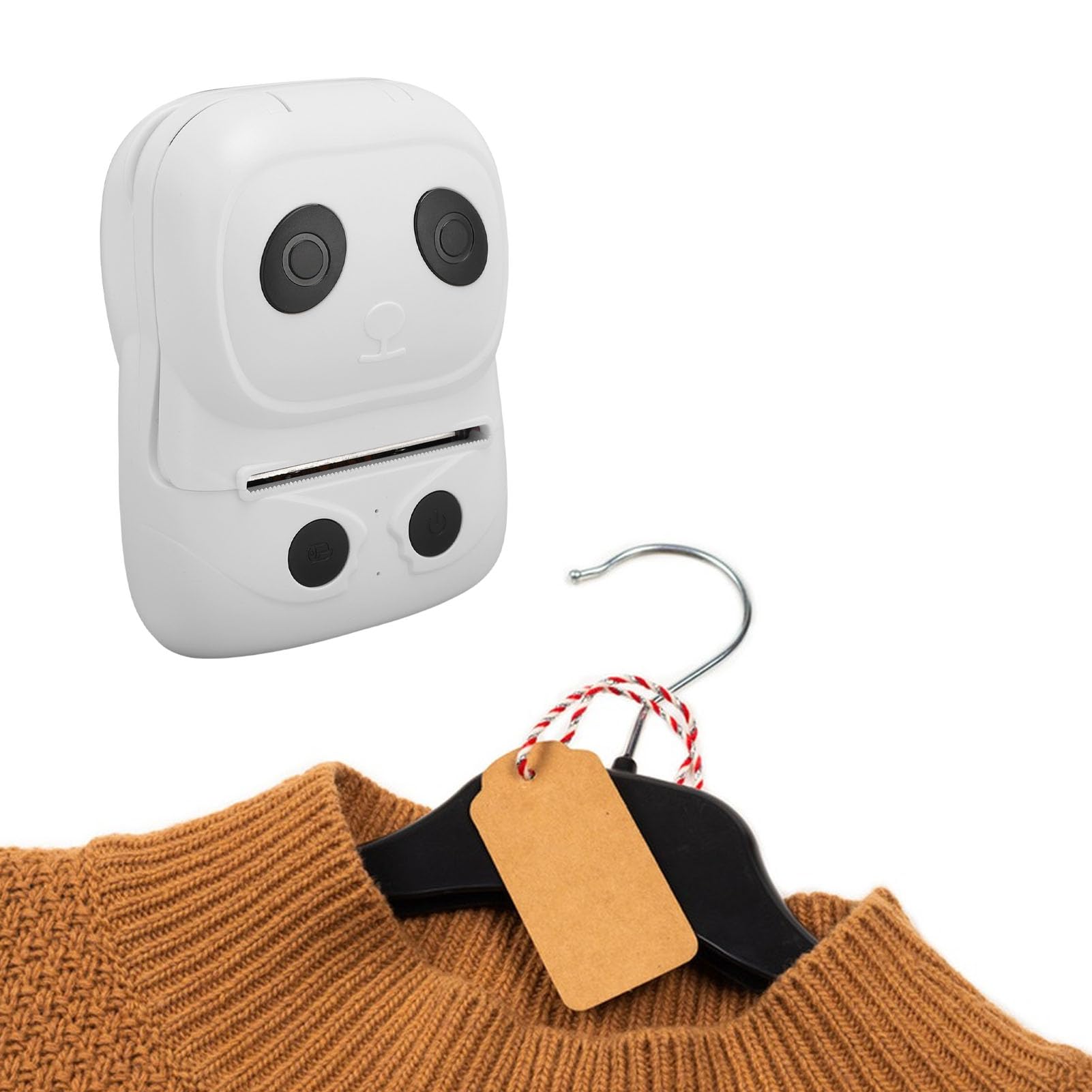
Slika 1.1: Spredaj view of the LICAEVEY Bluetooth Thermal Label Printer.
Ključne značilnosti:
- Prenosna in kompaktna zasnova: Lightweight (4.4x3.3x2.1in) with a 1500mAh lithium battery for mobile use.
- Vsestransko tiskanje: Supports text, symbols, graphics, and 1D/2D barcodes (UPC, QR Code, PDF417) on 10-50mm thermal labels.
- Dolgotrajno delovanje: High-capacity battery and durable TPH (50km lifespan).
- Brezhibna povezljivost: Bluetooth for iOS/Android devices and USB-C for PC.
- Multi-Scenario Compatibility: Suitable for small businesses, home organization, and industrial use.
2. Nastavitev
2.1 Vsebina paketa
Preden začnete, se prepričajte, da so v paketu vsi elementi:
- 1 x LICAEVEY Bluetooth Thermal Label Printer
- 1 x Label Paper Roll
- 1 x Navodila za uporabo (ta dokument)
- 1 x USB Cable (Type C)

Image 2.1: The printer shown with its included label paper roll and USB-C cable.
2.2 Polnjenje naprave
The printer comes with a built-in 1500mAh polymer lithium-ion battery. Before first use, it is recommended to fully charge the device.
- Connect the provided USB Type-C cable to the charging port on the printer.
- Connect the other end of the USB cable to a compatible USB power source (e.g., wall adapter, computer USB port, power bank, or car charger).
- The charging indicator light will illuminate. Once fully charged, the indicator light may change color or turn off, depending on the model.

Image 2.2: The printer supports various charging methods including USB charging, car charging, and power bank charging via its USB Type-C port.
2.3 Vstavljanje etiketnega papirja
Follow these steps to correctly load the thermal label paper:
- Nežno odprite zgornji pokrov tiskalnika.
- Place the label paper roll into the paper bin, ensuring the printing side of the labels faces upwards and feeds smoothly towards the print head.
- Adjust the paper guides to fit the width of the label roll, ensuring the roll is centered and stable.
- Pull a small length of label paper out past the print head and close the top cover firmly until it clicks into place.
- The printer will automatically detect the label gap and calibrate the paper position.

Image 2.3: The printer's paper bin open, illustrating how to insert a label roll. The maximum paper width is 50mm.

Slika 2.4: Notranji view of the printer, showing the mechanism for holding the label paper roll.
3. Navodila za uporabo
3.1 Vklop/izklop
- Za vklop: Press and hold the power button (usually marked with a power symbol) for a few seconds until the indicator light illuminates.
- Za izklop: Ponovno pritisnite in držite gumb za vklop nekaj sekund, dokler se indikatorska lučka ne izklopi.
3.2 Povezava prek Bluetooth
This printer supports wireless connection via Bluetooth for iOS and Android devices.
- Prepričajte se, da je tiskalnik vklopljen in v dosegu vaše mobilne naprave.
- Omogočite Bluetooth na mobilni napravi.
- Open the dedicated printing application (refer to the app store for 'LICAEVEY Label Printer' or similar).
- Within the app, search for available Bluetooth devices and select the printer (e.g., 'LICAEVEY Printer' or a similar name).
- Ko je povezava vzpostavljena, bo indikatorska lučka Bluetooth na tiskalniku potrdila povezavo.
3.3 Povezovanje prek USB-C
For PC connectivity, use the provided USB Type-C cable.
- Connect one end of the USB Type-C cable to the printer's USB port.
- Drugi konec priključite na razpoložljiva vrata USB na vašem računalniku.
- Install the necessary printer drivers on your computer if prompted. Drivers are typically available on the manufacturer's webmesto.
- The printer will be recognized as a standard printer device, allowing you to print from various applications.
3.4 Tiskanje etiket
Once connected, you can proceed with printing:
- Open the desired label design software or application on your connected device.
- Create or select the label you wish to print.
- Ensure the label dimensions in the software match the physical label paper loaded in the printer.
- Zaženite ukaz za tiskanje iz programske opreme.
- Tiskalnik bo podajal in natisnil nalepko.
3.5 Supported Content and Applications
The printer supports a wide range of content and is suitable for various applications:
- Vsebina za tiskanje: English, Numbers, Various Symbols, Chinese Characters, Graphics, Curves, Preset Icons.
- Podpora za 1D črtne kode: UPC, UPC-E, CODE39, EAN-13, EAN-8, CODABAR, CODE128, CODE93, CODE128, ITF.
- Podpora za 2D črtne kode: QR Code, PDF417.
- Aplikacije: Food labels, price tags, clothing labels, shipping labels, home organization, retail, logistics, e-commerce.

Slika 3.1: Primeramples of various labels printed using the device, including clothing labels, supermarket prices, jewelry labels, and product information labels.
4. Vzdrževanje
4.1 Čiščenje tiskalne glave
Redno čiščenje tiskalne glave zagotavlja optimalno kakovost tiskanja in podaljšuje življenjsko dobo tiskalnika.
- Prepričajte se, da je tiskalnik izklopljen in odklopljen iz vseh virov napajanja.
- Odprite zgornji pokrov za dostop do tiskalne glave.
- Površino tiskalne glave nežno obrišite z vatirano palčko, rahlo dampz izopropilnim alkoholom.
- Preden zaprete pokrov in vklopite tiskalnik, pustite, da se tiskalna glava popolnoma posuši.
4.2 Skrb za baterije
- Izogibajte se pogostemu popolnemu praznjenju baterije.
- Store the printer in a cool, dry place if not used for extended periods.
- Charge the printer periodically (e.g., every 3 months) to maintain battery health during storage.
5. Odpravljanje težav
Ta razdelek obravnava pogoste težave, na katere lahko naletite.
5.1 Pogoste težave in rešitve
- Tiskalnik se ne vklopi:
- Check battery level. Charge the printer if the battery is low.
- Prepričajte se, da je gumb za vklop pravilno pritisnjen in pridržan.
- No Print Output / Blank Labels:
- Verify label paper is loaded correctly with the printing side facing the print head.
- Check for 'Out Of Paper Detection' alarm. Reload paper if necessary.
- Ensure the print head is clean and free from debris.
- Slaba kakovost tiskanja:
- Očistite tiskalno glavo (glejte poglavje 4.1).
- Prepričajte se, da uporabljate visokokakovostne termične etikete.
- Adjust print density settings in your printing application, if available.
- Težave s povezavo Bluetooth:
- Ensure Bluetooth is enabled on both the printer and your mobile device.
- Make sure the printer is not already paired with another device.
- Znova zaženite tiskalnik in mobilno napravo.
- Ensure you are using the correct printing application.
- 'Low Battery Detection' Alarm:
- Charge the printer immediately.
6. Specifikacije
Detailed technical specifications for the LICAEVEY Bluetooth Thermal Label Printer:

Image 6.1: Dimensions of the LICAEVEY Bluetooth Thermal Label Printer, measuring approximately 112mm (4.4in) in length, 83mm (3.3in) in width, and 53mm (2.1in) in height.
| Funkcija | Specifikacija |
|---|---|
| Vrsta predmeta | Bluetooth termični tiskalnik nalepk |
| Material | ABS |
| Vmesnik | USB (Type C) and Bluetooth |
| Ukaz za tiskanje | TSPL (CPCL/ESC/POS) |
| Maximum Paper Width | 50.5 ± 0.5 mm |
| Minimum Label Width | 10 mm |
| Hitrost tiskanja | 50-90 mm/sek |
| Debelina papirja | 0.06 mm - 0.20 mm |
| Ločljivost tiskanja | 203 DPI |
| TPH Življenje | 50 km (Print Density Not Exceeding 25%) |
| Internal ASCII Font Library | (8x16, 12x24, 16x32, 24x48) |
| GBK Font Library | (16x16) |
| GB1830 Font Library | (24x24) |
| Black Mark Detection | ja |
| Label Detection | ja |
| Funkcije alarma | Out Of Paper Detection, Low Battery Detection |
| Vgrajena baterija | Polymer Lithium Ion Battery, 1500 Mah |
| Velikost izdelka | Approx. 112x83x53mm / 4.4x3.3x2.1in |
| Teža predmeta | 336 g |
| Ime modela | LICAEVEYm9ek7dw6nt |
7. Garancija in podpora
7.1 Informacije o garanciji
This product comes with a manufacturer warranty for 90 days from the date of purchase. Please retain your proof of purchase for warranty claims. The warranty covers manufacturing defects but does not cover damage caused by misuse, accidents, unauthorized modifications, or normal wear and tear.
7.2 Podpora strankam
For technical assistance, troubleshooting, or warranty inquiries, please contact LICAEVEY customer support through the retailer where the product was purchased or refer to the official LICAEVEY webspletno mesto za kontaktne podatke.