
1. Uvod
Welcome to your Karlsson Brisk Alarm Clock. This manual provides detailed instructions for the proper setup, operation, and maintenance of your new timepiece. Please read this manual thoroughly before use and retain it for future reference.
1.1 Vsebina paketa
- Karlsson Brisk Alarm Clock (Dark Grey)
- Integrirano stojalo
- Uporabniški priročnik (ta dokument)

Slika 1: Spredaj view of the Karlsson Brisk Alarm Clock, Dark Grey.
2. Nastavitev
2.1 Vstavljanje baterije
The Karlsson Brisk Alarm Clock requires one AA battery (not included) for operation.
- Poiščite predal za baterije na zadnji strani ure.
- Open the battery compartment cover by sliding or gently prying it open.
- Vstavite eno baterijo AA in pazite na pravilno polarnost (+/-), kot je označeno v notranjosti predala.
- Trdno zaprite pokrov prostora za baterije.

Slika 2: Zadaj view of the clock, highlighting the battery compartment and control knobs.
2.2 Nastavitev časa
Once the battery is inserted, set the current time:
- Locate the time setting knob (usually the rightmost knob) on the back of the clock (refer to Figure 2).
- Gently turn this knob clockwise or counter-clockwise to adjust the hour and minute hands to the current time.
3. Upravljanje budilke
3.1 Nastavitev alarma
To set your desired alarm time:
- Locate the alarm setting knob (usually the leftmost knob) on the back of the clock (refer to Figure 2).
- Turn the alarm setting knob to move the small alarm hand to your desired alarm time.
- Ensure the alarm ON/OFF switch (located on the back, typically a slider) is in the "ON" position to activate the alarm.
3.2 Turning the Alarm On/Off
Use the ON/OFF switch on the back of the clock to activate or deactivate the alarm function.
- Slide the switch to "ON" to enable the alarm. The alarm will sound at the set time.
- Slide the switch to "OFF" to disable the alarm. The alarm will not sound.
4. Vzdrževanje
4.1 Čiščenje
To clean the clock, gently wipe the surface with a soft, dry cloth. Do not use abrasive cleaners, chemical solvents, or excessive moisture, as these may damage the finish or internal components.
4.2 Zamenjava baterije
Replace the AA battery when the clock hands slow down or stop moving, or if the alarm sound weakens. Follow the "Inserting the Battery" instructions in Section 2.1.
5. Odpravljanje težav
| Težava | Možen vzrok | rešitev |
|---|---|---|
| Ura ne deluje / Kazalci se ne premikajo | Battery incorrectly inserted or depleted. | Preverite polarnost baterij. Zamenjajte z novo baterijo AA. |
| Alarm se ne oglasi | Alarm switch is OFF, battery low, or alarm time incorrectly set. | Ensure alarm ON/OFF switch is in "ON" position. Replace battery. Verify alarm hand is set to the desired time. |
6. Specifikacije
| Funkcija | Podrobnost |
|---|---|
| Znamka | Karlsson |
| Model | Brisk Alarm Clock |
| barva | Temno siva |
| Material | Železo |
| Dimenzije (Š x V x G) | 11 cm x 13.8 cm x 6.5 cm |
| Teža | 300 g |
| Vir napajanja | 1 x AA baterija (ni priložena) |
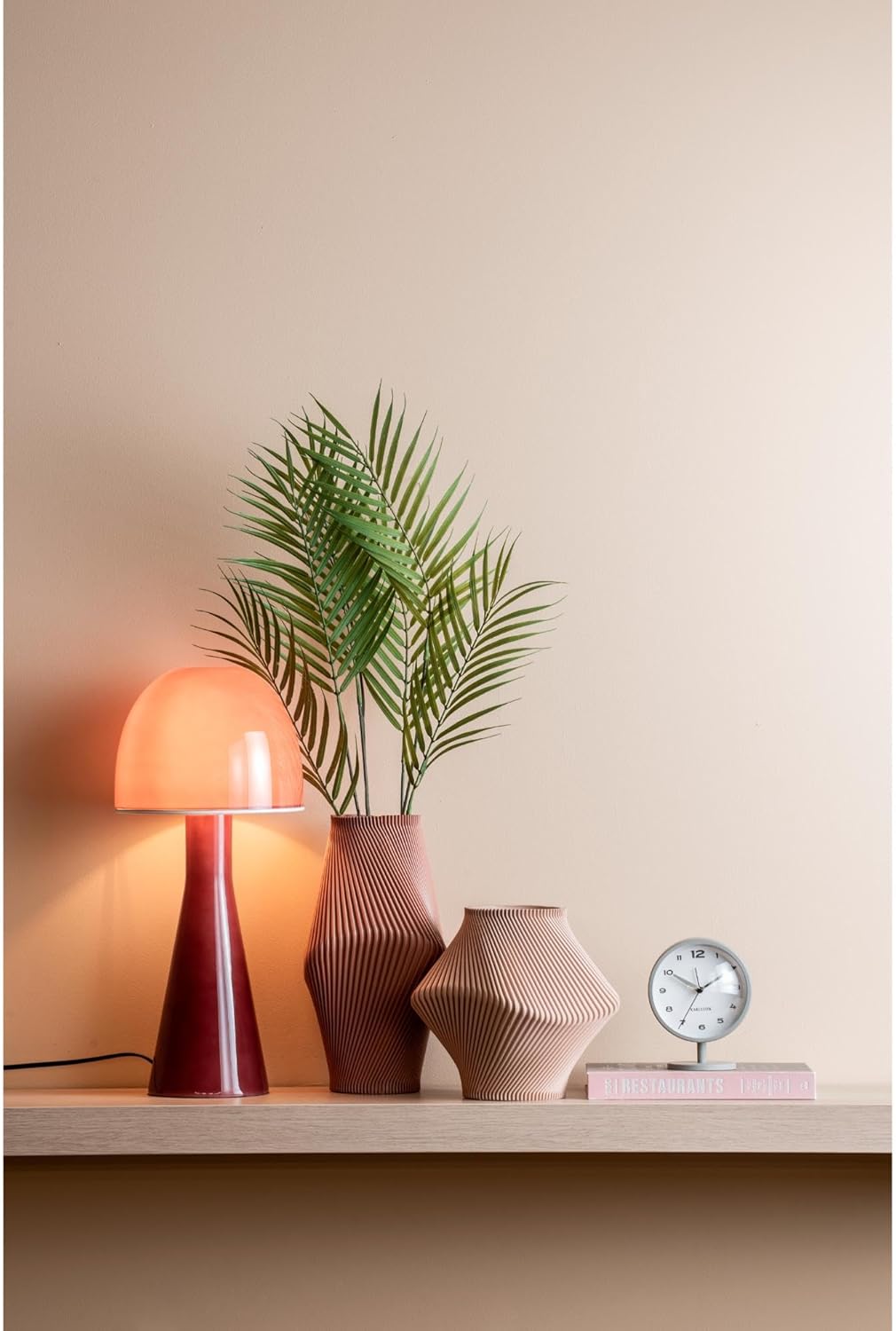
Figure 3: The Karlsson Brisk Alarm Clock displayed in a contemporary interior, illustrating its size and aesthetic.
7. Garancija in podpora
For warranty information, technical support, or service inquiries, please refer to the retailer where the product was purchased. It is recommended to keep your proof of purchase for any warranty claims. You may also visit the official Karlsson webstran za dodatne vire podpore.