
1. Pomembna varnostna navodila
Please read these instructions carefully before using the Audizio Canzo DAB+ Internet Radio. Keep this manual for future reference.
- Naprave ne izpostavljajte dežju ali vlagi, da preprečite požar ali električni udar.
- Ne odpirajte casing. V notranjosti ni delov, ki bi jih lahko uporabnik popravil. Vsa servisna dela prepustite usposobljenemu osebju.
- Uporabljajte samo napajalnik, ki je priložen napravi.
- Zagotovite ustrezno prezračevanje okoli enote. Ne blokirajte prezračevalnih odprtin.
- Izogibajte se postavljanju enote v bližino virov toplote ali na neposredno sončno svetlobo.
- Clean the unit only with a dry, soft cloth. Do not use liquid cleaners.
2. Izdelek je končanview
The Audizio Canzo is a versatile DAB+ Internet Radio designed for high-quality audio reception and playback. It features multiple connectivity options including Wi-Fi, Bluetooth 5.3, AUX, and USB, along with a remote control for convenient operation. The elegant wooden finish and clear display make it suitable for various home environments.
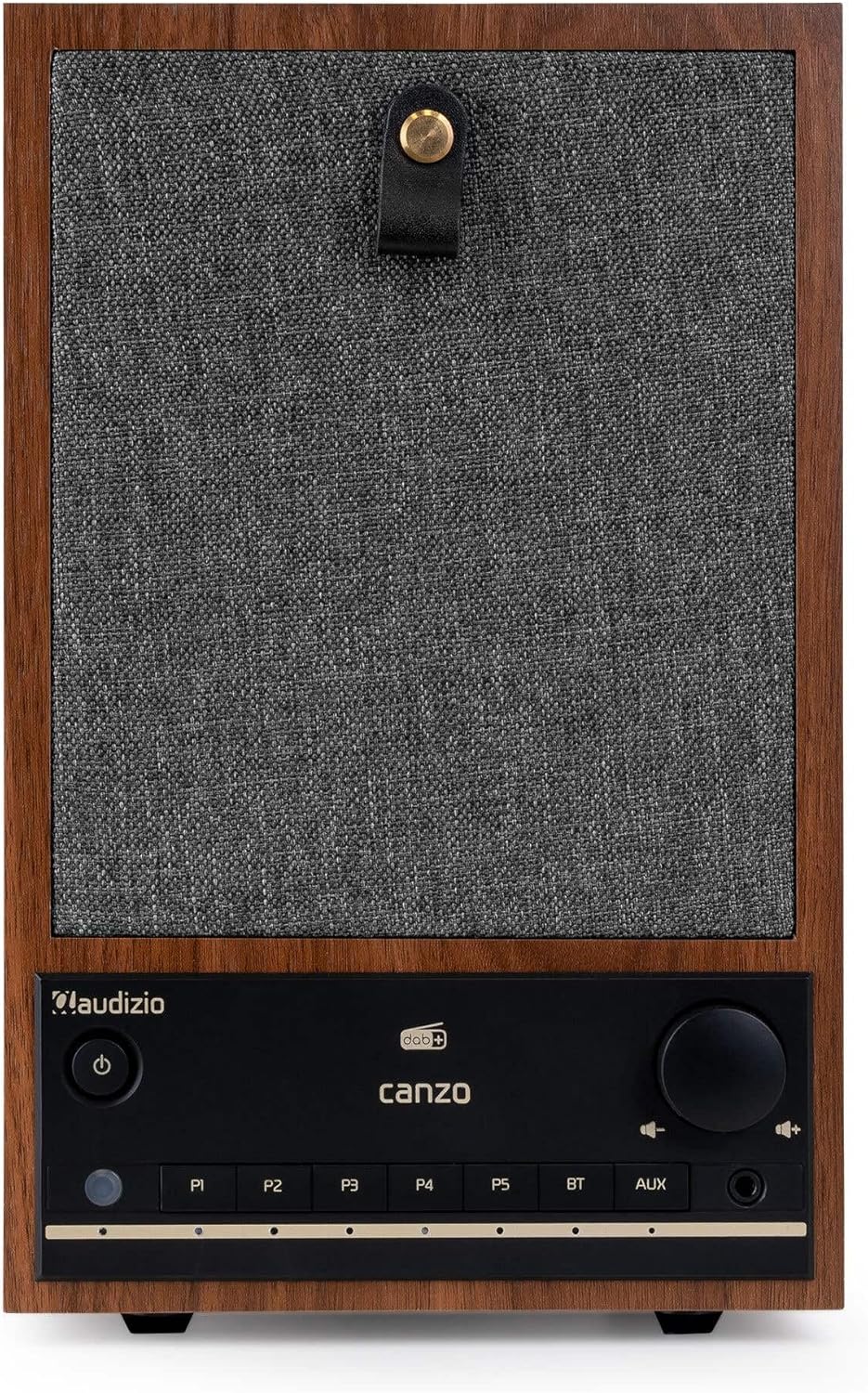
Slika 2.1: Spredaj view of the Audizio Canzo DAB+ Internet Radio in walnut finish.

Slika 2.2: Spredaj view with speaker grille removed, highlighting the speaker, display, and control panel.
3. Kaj je v škatli
Previdno razpakirajte škatlo in se prepričajte, da so vsi predmeti prisotni:
- Audizio Canzo DAB+ Internet Radio
- Napajalni adapter
- Daljinski upravljalnik
- Vodnik za hiter začetek
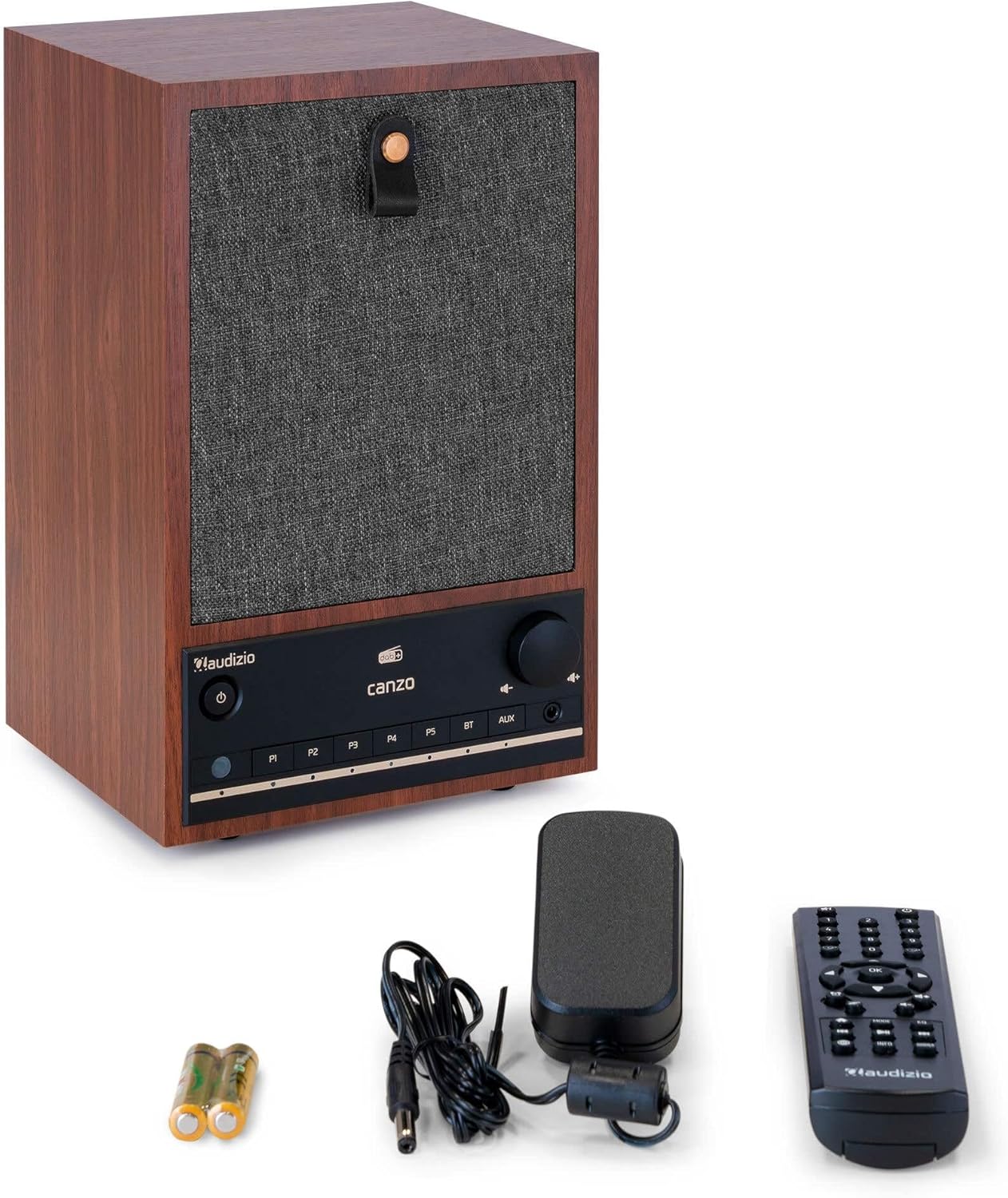
Figure 3.1: Audizio Canzo radio with its accessories.
4. Nastavitev
4.1 Priključitev napajanja
- Insert the DC plug of the power adapter into the DC IN port on the back of the radio.
- Plug the power adapter into a standard wall outlet (220V).
- Obrnite VKLOP/IZKLOP switch on the back of the unit to the ON položaj.
4.2 Antenska povezava
For optimal DAB+ and FM reception, extend the telescopic antenna located on the back of the unit. Adjust its position for the best signal.

Figure 4.1: Rear panel with power input, audio ports, USB, LAN, and antenna.
4.3 Začetni vklop in nastavitev omrežja
- Pritisnite Moč button on the front panel or remote control to turn on the radio.
- The display will show the Audizio logo and then guide you through the initial setup wizard.
- Izberite želeni jezik.
- The radio will prompt you to connect to a network. Choose Wi-Fi or LAN.
- Za Wi-Fi: Select your Wi-Fi network from the list and enter the password using the navigation buttons and OK gumb.
- For LAN: Priključite ethernetni kabel iz usmerjevalnika v LAN port on the back of the radio. The connection should be established automatically.
- Once connected, the radio will update the time and date automatically.
5. Navodila za uporabo
5.1 Osnovne kontrole
The front panel features a power button, preset buttons (P1-P5), Bluetooth (BT) and AUX input buttons, a volume knob, and navigation controls. The remote control provides full access to all functions.
5.2 Izbira načina
Pritisnite NAČIN button on the radio or remote control to cycle through available modes: Internet Radio, DAB+, FM, Bluetooth, AUX, and USB Playback.
5.3 Internetni radio
- Izberite Internetni radio način.
- Use the navigation buttons to browse stations by location, genre, or search.
- Pritisnite OK , da izberete postajo.
- Če želite postajo shraniti kot prednastavitev, pritisnite in držite enega od gumbov P1-P5 buttons until the display confirms.
5.4 DAB+ radio
- Izberite DAB+ način.
- Radio bo samodejno poiskal razpoložljive postaje DAB+.
- Use the navigation buttons to scroll through the list of found stations.
- Pritisnite OK , da izberete postajo.
- Če želite postajo shraniti kot prednastavitev, pritisnite in držite enega od gumbov P1-P5 gumbi.
5.5 FM radio
- Izberite FM način.
- Pritisnite in držite Skeniraj button (usually on the remote or via menu) to auto-scan for FM stations.
- Use the navigation buttons to tune manually or select from scanned stations.
- Če želite postajo shraniti kot prednastavitev, pritisnite in držite enega od gumbov P1-P5 gumbi.
5.6 Predvajanje prek Bluetootha
- Izberite Bluetooth mode. The radio will enter pairing mode, indicated on the display.
- V pametnem telefonu ali tablici omogočite Bluetooth in poiščite razpoložljive naprave.
- Select "Audizio Canzo" from the list to pair.
- Ko sta napravi združeni, lahko predvajate zvok iz naprave prek radia.
5.7 AUX vhod
- Priključite zunanjo avdio napravo (npr. predvajalnik MP3) na AUX IN. port on the back of the radio using a 3.5mm audio cable.
- Izberite POMOŽ način.
- Audio from the connected device will now play through the radio.
5.8 Predvajanje prek USB-ja
- Vstavite bliskovni pogon USB z zvokom files v PREDVAJANJE USB port on the back of the radio.
- Izberite USB način.
- Za brskanje in izbiro zvočnih datotek uporabite navigacijske gumbe files za predvajanje.
5.9 Budilka in časovnik za spanje
- Alarm: Access the Alarm settings via the menu. Set up to two alarms with desired time, source (buzzer, radio), and volume.
- Časovnik spanja: Access the Sleep Timer settings via the menu. Set a duration (e.g., 15, 30, 60 minutes) after which the radio will automatically turn off.
- Preložitev: Ko se oglasi alarm, pritisnite dremež button on the remote or radio to temporarily silence it.
6. Vzdrževanje
6.1 Čiščenje
To clean the radio, use a soft, dry, lint-free cloth. Do not use abrasive cleaners, waxes, or solvents as they may damage the finish or internal components.
6.2 Shranjevanje
Če enoto shranjujete dalj časa, jo izključite iz električne vtičnice in jo shranite na hladnem in suhem mestu, stran od neposredne sončne svetlobe in ekstremnih temperatur.
7. Odpravljanje težav
| Težava | Možen vzrok | rešitev |
|---|---|---|
| Brez moči | Power adapter not connected; ON/OFF switch is OFF. | Ensure power adapter is securely connected and ON/OFF switch is ON. |
| Brez zvoka | Glasnost je prenizka; izbran napačen vir; priključene slušalke. | Increase volume; select correct input mode; disconnect headphones. |
| Ni mogoče vzpostaviti povezave z Wi-Fi | Incorrect password; router too far; network issue. | Preverite geslo za Wi-Fi; premaknite radio bližje usmerjevalniku; znova zaženite usmerjevalnik. |
| Slab sprejem DAB+/FM | Antena ni iztegnjena; območje šibkega signala. | Fully extend and adjust the telescopic antenna; try repositioning the radio. |
| Daljinski upravljalnik ne deluje | Batteries depleted; obstruction between remote and radio. | Replace remote control batteries; ensure clear line of sight to the radio's sensor. |
8. Specifikacije
| Funkcija | Specifikacija |
|---|---|
| Številka modela | Canzo |
| Dimenzije izdelka | 22.5 x 20.5 x 34 cm |
| Teža predmeta | 2.9 kilogramov |
| barva | Oreh |
| Velikost zaslona | 2.4 palcev |
| Tehnologija povezljivosti | Aux, Bluetooth, Wi-Fi, LAN |
| Različica Bluetooth | 5.3 |
| Podprti radijski pasovi | DAB+, FM, internetni radio |
| Vir napajanja | Električni z vrvico (220 voltov) |
| Posebne lastnosti | Integrated Clock, Sleep Timer, Alarm, Remote Control, Preset Stations |
| Združljive naprave | Smartphone, Tablet, Headphones, MP3 Player, USB Storage Device |
9. Garancija in podpora
Za informacije o garanciji in tehnično podporo glejte garancijski list, ki je priložen izdelku, ali se obrnite na prodajalca. Shranite dokazilo o nakupu za morebitne garancijske zahtevke.