
1. Uvod
Hvala za nakupasing the Greadio CD-W16 Multifunction Portable CD Player. This device offers a comprehensive audio experience with multiple playback options including CD, cassette, FM radio, Bluetooth 5.1, USB, AUX, and TF/SD card. Designed for ease of use and portability, it features a rechargeable battery, remote control, and high-quality stereo sound. Please read this manual carefully to ensure proper operation and to fully enjoy all the features of your new audio system.
2. Varnostne informacije
- Naprave ne izpostavljajte dežju ali vlagi, da preprečite požar ali električni udar.
- Ne odpirajte casing. Servisiranje prepustite samo usposobljenemu osebju.
- Izogibajte se postavljanju enote v bližino virov toplote ali na neposredno sončno svetlobo.
- Uporabljajte samo navedeni napajalnik in kable.
- Hraniti izven dosega otrok.
3. Vsebina paketa
- Greadio CD-W16 CD Radio Cassette Player x 1
- AUX kabel x 1
- Type-C kabel x 1
- Daljinski upravljalnik x 1
- Uporabniški priročnik x 1
4. Izdelek je končanview
The Greadio CD-W16 is a versatile audio system designed for various listening preferences. It combines classic and modern features in a compact, portable design.
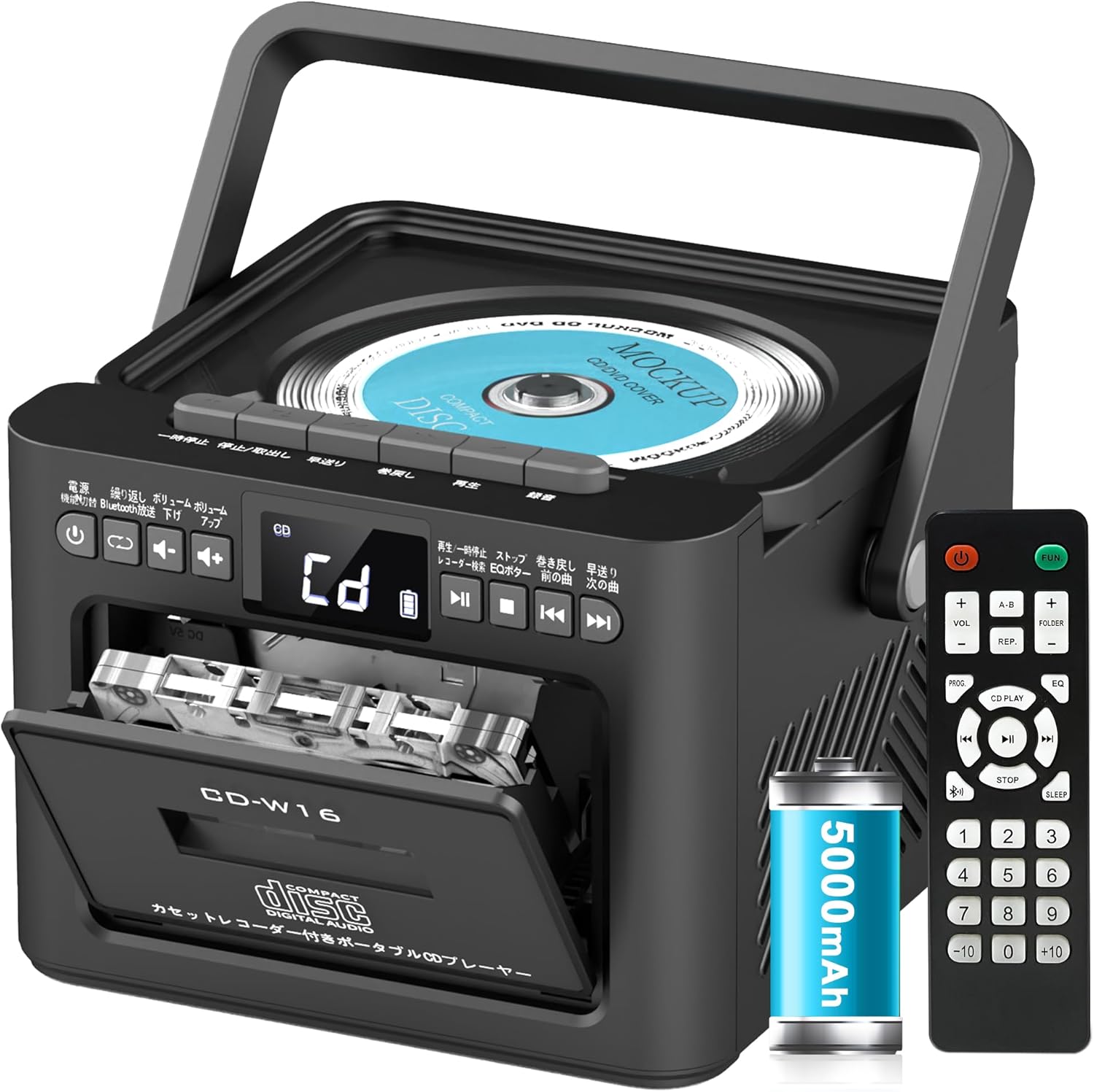
Glavne lastnosti vključujejo:
- CD Player (CD, CD-R, CD-RW compatible)
- Cassette Player & Recorder
- FM radio (76–108 MHz)
- Bluetooth 5.1 (Transmitter & Receiver)
- USB predvajanje
- AUX vhod
- TF/SD Card Playback
- 5000 mAh polnilna baterija
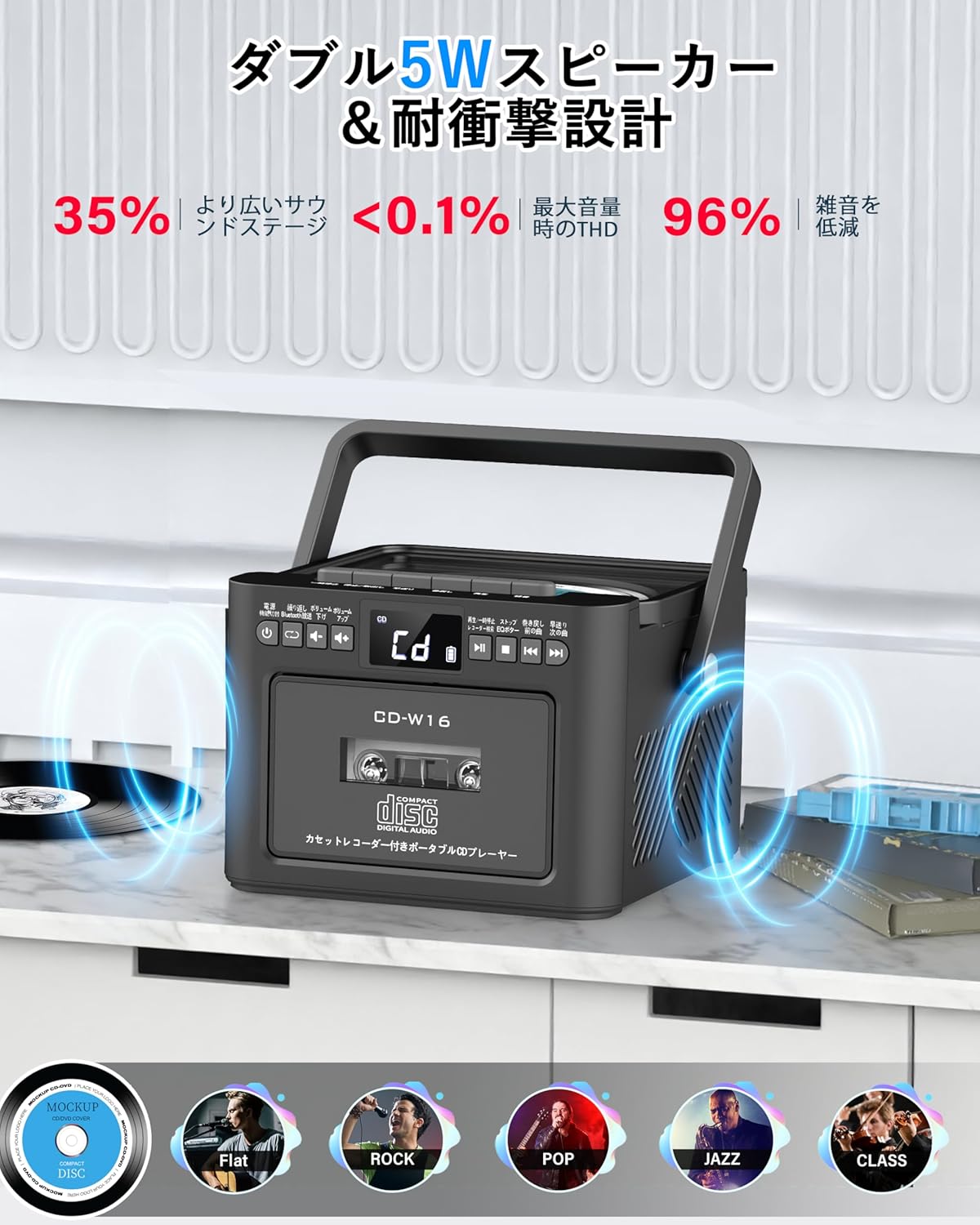
- Dvojni 5W stereo zvočniki
- Daljinski upravljalnik
- Časovnik za izklop
- 5 Zvočni načini izenačevalnika

5. Nastavitev
5.1. Polnjenje baterije
The Greadio CD-W16 is equipped with a built-in 5000mAh rechargeable battery. To charge the device:
- Connect the provided Type-C cable to the charging port on the unit.
- Connect the other end of the Type-C cable to a 5V/2A USB power adapter (not included).
- The charging indicator will illuminate. A full charge takes approximately 3 hours and provides up to 16 hours of playback.

5.2. Vklop/izklop
To power on or off the CD player:
- Pritisnite in držite Gumb za vklop on the unit or the remote control for 2 seconds.
- Druga možnost je, da na kratko pritisnete Gumb za vklop on the remote control to toggle the CD player on/off.
6. Navodila za uporabo
6.1. General Controls (Remote Control)
The remote control provides convenient access to all functions. Refer to the video below for a demonstration of remote control operations.
- Vklop/izklop: Kratek pritisk na Gumb za vklop.
- Function Mode Selection: Kratek pritisk na FUNC. gumb to cycle through CD, Bluetooth, Radio, Cassette, AUX, USB, and TF/SD card modes.
- Prilagoditev glasnosti: Kratek pritisk GLASNOST+ or ZV.- gumbi.
- Navigacija po progi: Kratek pritisk NEXT (>>|) for the next track or PREV (|<<) za prejšnjo skladbo.
- Hitro previjanje naprej/nazaj: Dolg pritisk NEXT (>>|) for fast forward or PREV (|<<) for rewind.
- Direct Track Selection: In CD mode, input 0-9 on the remote to quickly skip to the desired track.
- Način EQ: Kratek pritisk na Gumb EQ to cycle through NORMAL, ROCK, POP, JAZZ, and CLASS sound modes.
- Ponavljajoči način: Kratek pritisk na Gumb REP to cycle through repeat options (ONE, FOLDER, ALL, SHUFFLE, OFF).
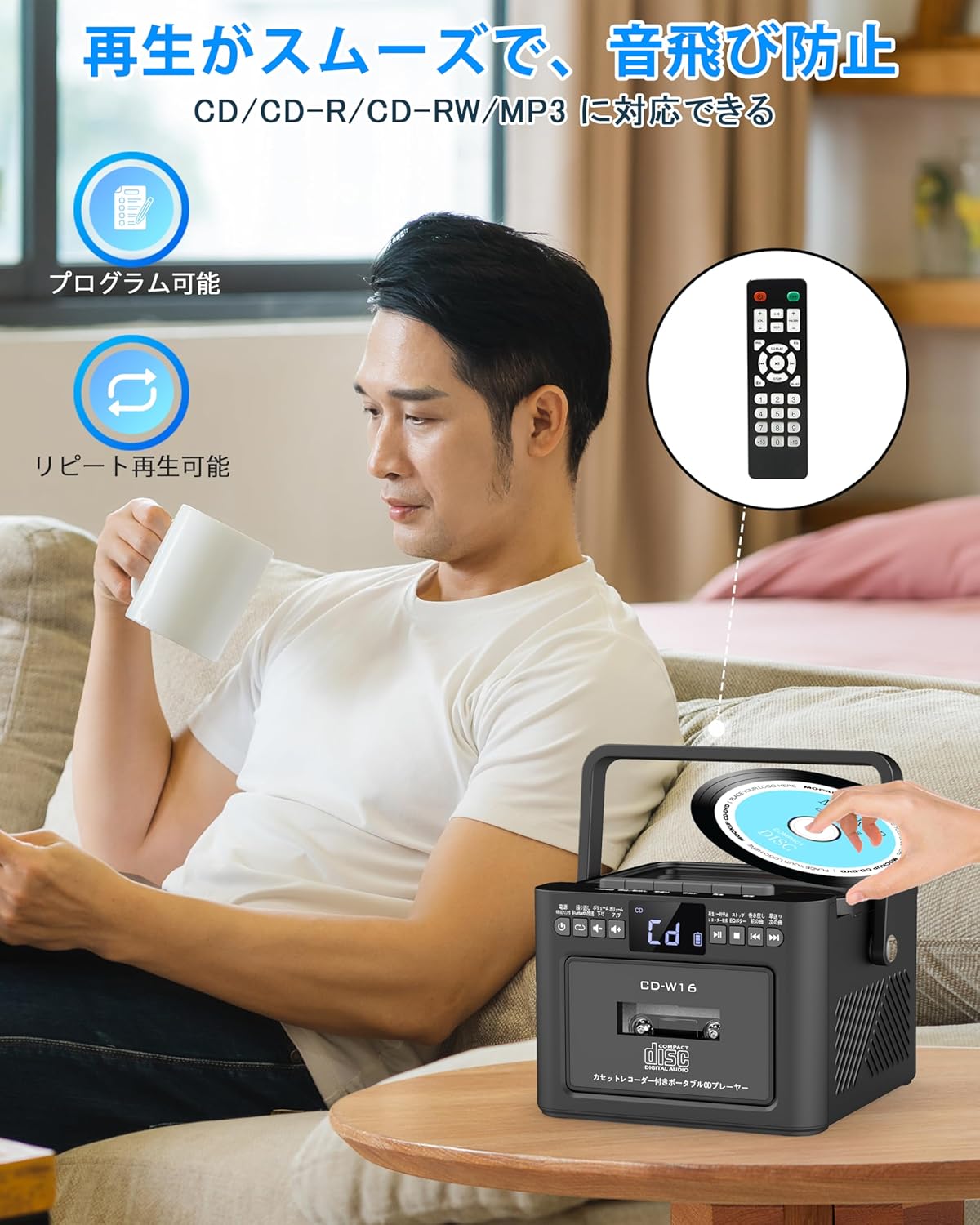
6.2. Predvajanje CD-ja
- Prepričajte se, da je enota vklopljena.
- Kratek pritisk na FUNC. gumb to select CD mode. The display will show "CD".
- Pokrov predala za CD-je odprite tako, da ga nežno dvignete.
- Place a CD (CD, CD-R, CD-RW compatible) onto the spindle with the label side facing up.
- Close the CD compartment lid. The CD will begin playing automatically.
- Uporabite Predvajanje/Pavza (||) button for temporary stop/resume.
- Uporaba NEXT (>>|) in PREV (|<<) gumbi za navigacijo po skladbah.
6.3. Cassette Playback & Recording
- Kratek pritisk na FUNC. gumb to select Tape mode. The display will show "TAPE".
- Pritisnite STOP/EJ. button to open the cassette compartment.
- Insert a cassette tape into the compartment and close the lid.
- Pritisnite PLAY gumb to start cassette playback.
- To fast forward or rewind, long press the FFWD or FREW gumbi oz.
- To stop playback, short press the STOP/EJ. button.
Snemanje na kaseto:
To record audio from other modes (CD, FM Radio, USB, AUX, TF/SD) onto a blank cassette:
- Insert a blank cassette into the cassette compartment.
- Select the desired source mode (e.g., CD, FM Radio).
- Hkrati pritisnite IGRAJ in REC (posnetek) buttons. Recording will begin.
- Pritisnite STOP/EJ. button da ustavite snemanje.

6.4. Delovanje radia FM
- Kratek pritisk na FUNC. gumb to select FM Radio mode. The display will show the FM frequency.
- Za boljši sprejem raztegnite teleskopsko anteno.
Auto Scan & Preset Stations:
- Dolgo pritisnite gumb SCAN to automatically scan and save available FM stations. The unit can store up to 30 preset stations.
- Kratek pritisk na gumb SCAN to recall preset stations (P01, P02, etc.).
Ročna nastavitev:
- Kratek pritisk na NEXT (>>|) or PREV (|<<) gumbe za ročno iskanje želene frekvence.

6.5. Delovanje Bluetooth
The Greadio CD-W16 supports Bluetooth 5.1 for both transmitting and receiving audio.
Način oddajnika Bluetooth:
To transmit audio from the CD player to a Bluetooth speaker or headphones:
- Dolgo pritisnite Bluetooth gumb on the unit or remote to activate Bluetooth transmission mode. The display will show "BT".
- Ensure your Bluetooth receiving device (speaker, headphones) is in pairing mode.
- The CD-W16 will automatically search for nearby Bluetooth devices. Once found, it will connect.

Način sprejemnika Bluetooth:
To play audio from your smartphone or other Bluetooth device through the CD player's speakers:
- Kratek pritisk na FUNC. gumb to select Bluetooth mode. The display will show "BLUE".
- Na pametnem telefonu ali napravi Bluetooth omogočite Bluetooth in poiščite razpoložljive naprave.
- Select "CD-W16" from the list to connect.
- Once connected, you can play music from your device, and the audio will output through the CD-W16 speakers.
6.6. USB & TF/SD Card Playback
The unit supports playback from USB drives and TF/SD cards (up to 32GB, not included).
- Kratek pritisk na FUNC. gumb to select USB mode or TF/SD card mode. The display will show "USB" or "TF" respectively.
- Insert your USB drive into the USB port or your TF/SD card into the card slot.
- The unit will automatically detect and begin playing MP3 audio files.
- Uporabite NEXT (>>|) in PREV (|<<) gumbi za navigacijo po skladbah.

6.7. AUX vhod
To play audio from an external device via AUX cable:
- Kratek pritisk na FUNC. gumb to select AUX mode. The display will show "LINE".
- Connect one end of the provided AUX cable to the AUX port on the CD-W16.
- Connect the other end to the audio output of your external device (e.g., smartphone, MP3 player).
- Play audio on your external device, and it will be output through the CD-W16 speakers.
6.8. Časovnik za spanje
The sleep timer allows you to set a duration after which the unit will automatically power off.
- Kratek pritisk na Gumb SLEEP on the remote control. The display will show the current sleep timer setting (e.g., 10, 20, 30 minutes).
- Uporabite NEXT (>>|) or PREV (|<<) buttons to adjust the sleep timer duration (10-120 minutes).
- Kratek pritisk na Gumb SLEEP znova, da potrdite nastavitev.

6.9. Zvočni načini izenačevalnika
Customize your audio experience with five different EQ sound modes.
- Kratek pritisk na Gumb EQ on the unit or remote control to cycle through the available modes: NORMAL, ROCK, POP, JAZZ, and CLASS.
7. Vzdrževanje
7.1. Čiščenje
- Napravo obrišite z mehko, suho krpo. Ne uporabljajte abrazivnih čistil ali topil.
- Za lečo CD-jev uporabite specializirano čistilo za leče CD-jev.
- Keep the cassette head clean to ensure optimal playback and recording quality.
7.2. Shranjevanje
- Napravo shranjujte na hladnem in suhem mestu, stran od neposredne sončne svetlobe in ekstremnih temperatur.
- Remove batteries from the remote control if not used for extended periods.
8. Odpravljanje težav
| Težava | Možen vzrok | rešitev |
|---|---|---|
| Brez moči | Battery depleted or power cable not connected. | Charge the unit or ensure the power cable is securely connected. |
| CD se ne predvaja | CD inserted incorrectly, dirty, scratched, or incompatible format. | Reinsert CD correctly, clean the CD, try a different CD. Ensure it's CD/CD-R/CD-RW. |
| Kaseta se ne predvaja/snema | Cassette inserted incorrectly, tape damaged, or dirty head. | Reinsert cassette, try a different tape, clean the cassette head. |
| Slab FM radijski sprejem | Antena ni iztegnjena ali območje s šibkim signalom. | Popolnoma izvlecite teleskopsko anteno. Poskusite premakniti enoto. |
| Bluetooth se ne povezuje | Device not in pairing mode, too far, or already connected to another device. | Ensure both devices are in pairing mode and within range. Disconnect from other devices. |
| USB/TF/SD card not recognized | Card/drive not inserted correctly, incompatible format, or damaged. | Reinsert, ensure files are MP3 format, try a different card/drive. |
9. Specifikacije
- Znamka: Greadio
- Model: CD-W16
- Tehnologija povezljivosti: AUX, Bluetooth, USB
- barva: Črna
- Vrsta zvočnika: Stereo
- vir energije: Napajanje na baterije
- Združljive naprave: Smartphones, Tablets, PCs
- Wattage: 5 W (Dual 5W speakers)
- Podprti zvočni formati: CD/CD-R/CD-RW
- Število govorcev: 2
- Način avdio izhoda: Stereo
- Kapaciteta baterije: 5000 mAh
- Čas polnjenja: Pribl. 3 ur
- Čas predvajanja: Do 16 ur
- FM frekvenčni razpon: 76-108MHz
10. Garancija in podpora
This product comes with a 1-year manufacturer's warranty. For any issues or support inquiries, please contact Greadio customer service.