
sofirn HS42
Polnilna glava Sofirn HS42amp Uporabniški priročnik
Model: HS42
Uvod
Thank you for choosing the Sofirn HS42 Rechargeable HeadlampTa priročnik vsebuje bistvene informacije za varno in učinkovito uporabo vaše nove glave.ampPred uporabo ga natančno preberite in ga shranite za poznejšo uporabo.

Image: The Sofirn HS42 headlamp attached to its adjustable black headband, ready for use. The headlamp itself is black with a textured body for grip, featuring a clear lens over the main LED and smaller auxiliary LEDs.
Vsebina paketa
Po odprtju paketa preverite, ali so vse komponente prisotne in v dobrem stanju:
- Sofirn HS42 Headlamp Enota
- Nastavljiv naglavni trak
- USB polnilni kabel tipa C
- Sponka za žep
- Rezervni O-obročki (2)
- Uporabniški priročnik
Video: An unboxing and detailed display of the SOFIRN HS42 product, showing all included components and their initial presentation.
Nastavitev
1. Battery Preparation
Glava Sofirn HS42amp uses a rechargeable 18650 Lithium-Ion battery. Before first use, ensure the battery's insulating paper disc is removed. Unscrew the tail cap, remove the disc, and re-tighten the tail cap securely.
2. Polnjenje glaveamp
Vodjaamp features a convenient Type-C charging port. Connect the provided USB Type-C cable to the headlamp in združljiv vir napajanja USB (npr. stenski adapter, prenosna baterija, vrata USB računalnika).
- Indikatorska lučka bo prikazala rdeča med polnjenjem.
- Indikatorska lučka se bo prižgala zelena ko je polnjenje končano.

Image: Close-up of the headlamp showing the USB Type-C charging port and the indicator light, illustrating its red (charging) and green (fully charged) states.
3. Attaching the Headband and Clip
The HS42 can be used as a headlamp or a handheld flashlight with a pocket clip. To use as a headlamp, slide the unit into the silicone mount on the adjustable headband. To use as a handheld flashlight, attach the included two-way pocket clip to the body of the headlamp. The magnetic tailcap allows for attachment to metal surfaces for hands-free work.
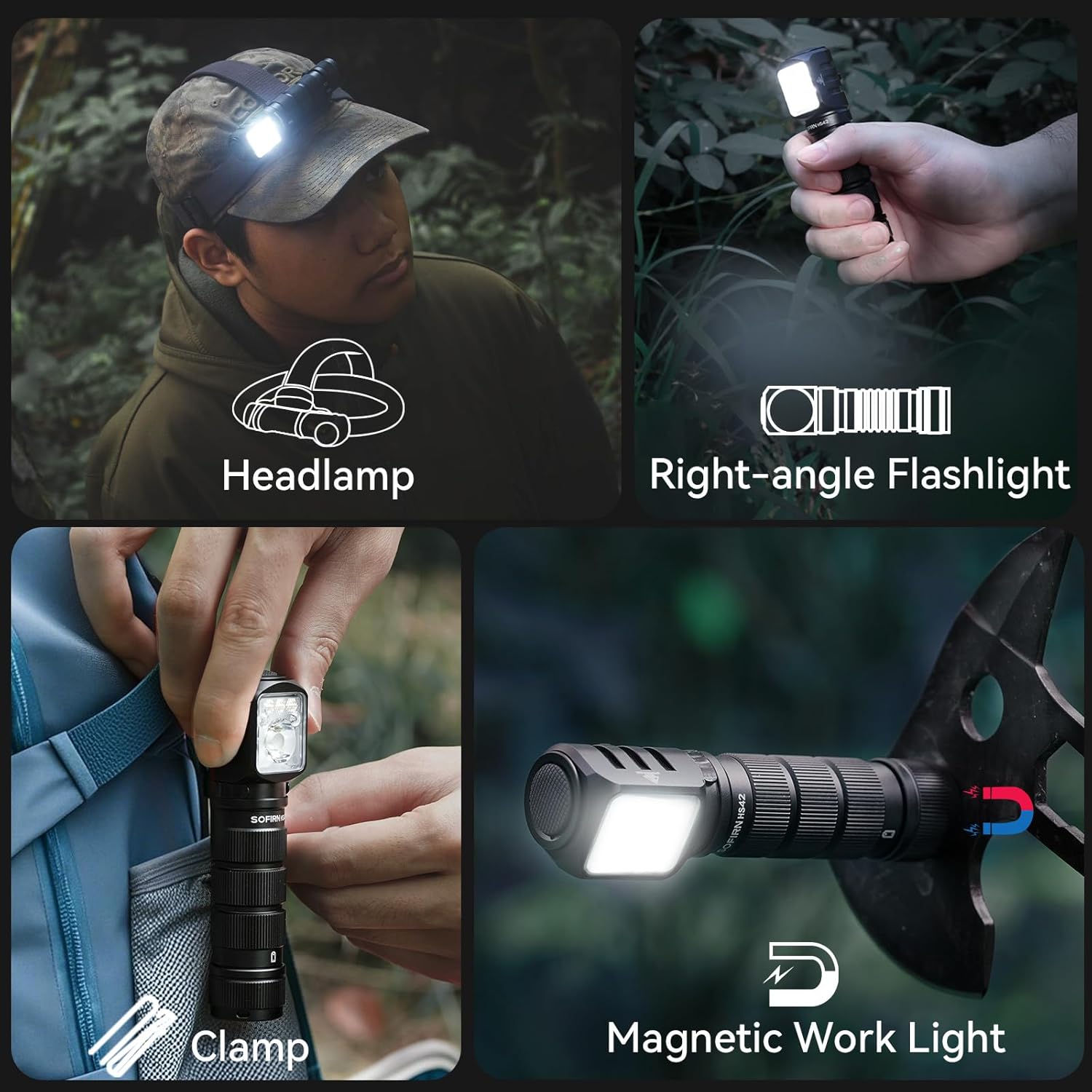
Image: A collage demonstrating the versatile uses of the headlamp: worn as a headlamp, held as a right-angle flashlight, clipped to clothing, and attached to a metal surface via its magnetic base for use as a work light.
Navodila za uporabo
The Sofirn HS42 features a single button for all operations. Familiarize yourself with the following commands:
Splošno delovanje:
- Vklop/izklop: Single click the button to turn the light on or off.
- Spremeni svetlost (bela svetloba): When the light is on, press and hold the button to cycle through Moon, Low, Medium, and High modes. Release the button to select the desired brightness.
- Turbo način: From any mode (except lock-out), double-click the button to activate Turbo mode. Double-click again to return to the previous mode.
- Stroboskop/SOS/svetilnik: From any mode (except lock-out), triple-click the button to activate Strobe mode. Double-click to cycle through Strobe, SOS, and Beacon modes. Single click to turn off.
- Način rdeče luči: From off, triple-click the button to activate Red Light mode. Press and hold to cycle through red light brightness levels.
- Funkcija zaklepanja: From off, quadruple-click the button to activate lock-out. The light will flash once to indicate it's locked. To unlock, quadruple-click again.

Image: Visual representation of the various white light modes (Moon, Eco, Low, Medium, High, Turbo, Strobe, SOS, Beacon) and red light modes (Low, Medium, High, Strobe, SOS) available on the Sofirn HS42 headlamp.
Inteligentni nadzor temperature:
The HS42 is equipped with an intelligent temperature control system. When operating in extremely bright or high brightness modes, the headlamp will automatically reduce the output current if the internal temperature exceeds 55 degrees Celsius. This feature maintains an appropriate shell temperature, preventing overheating and ensuring a longer lifespan for the device and a safer user experience.
Vzdrževanje
Proper maintenance ensures the longevity and optimal performance of your Sofirn HS42 headlamp.
- Čiščenje: Obrišite glavoamp s čisto, mehko krpo. Za trdovratno umazanijo uporabite rahloamp krpo. Ne uporabljajte abrazivnih čistil ali topil.
- Vzdrževanje baterije: For best results, charge the battery regularly, even if the headlamp is not in frequent use. If storing for extended periods, charge the battery to approximately 50% and recharge every 3-6 months.
- O-obročki: Periodically inspect the O-rings for wear and tear. Replace them if damaged to maintain the IP66 waterproof rating. A light application of silicone grease can help maintain their integrity.
- Vodoodpornost: Vodjaamp is IP66 waterproof, meaning it is protected against powerful water jets. While it can withstand rain and splashes, it is not designed for prolonged submersion. Ensure the Type-C port cover is securely closed when not charging to maintain water resistance.
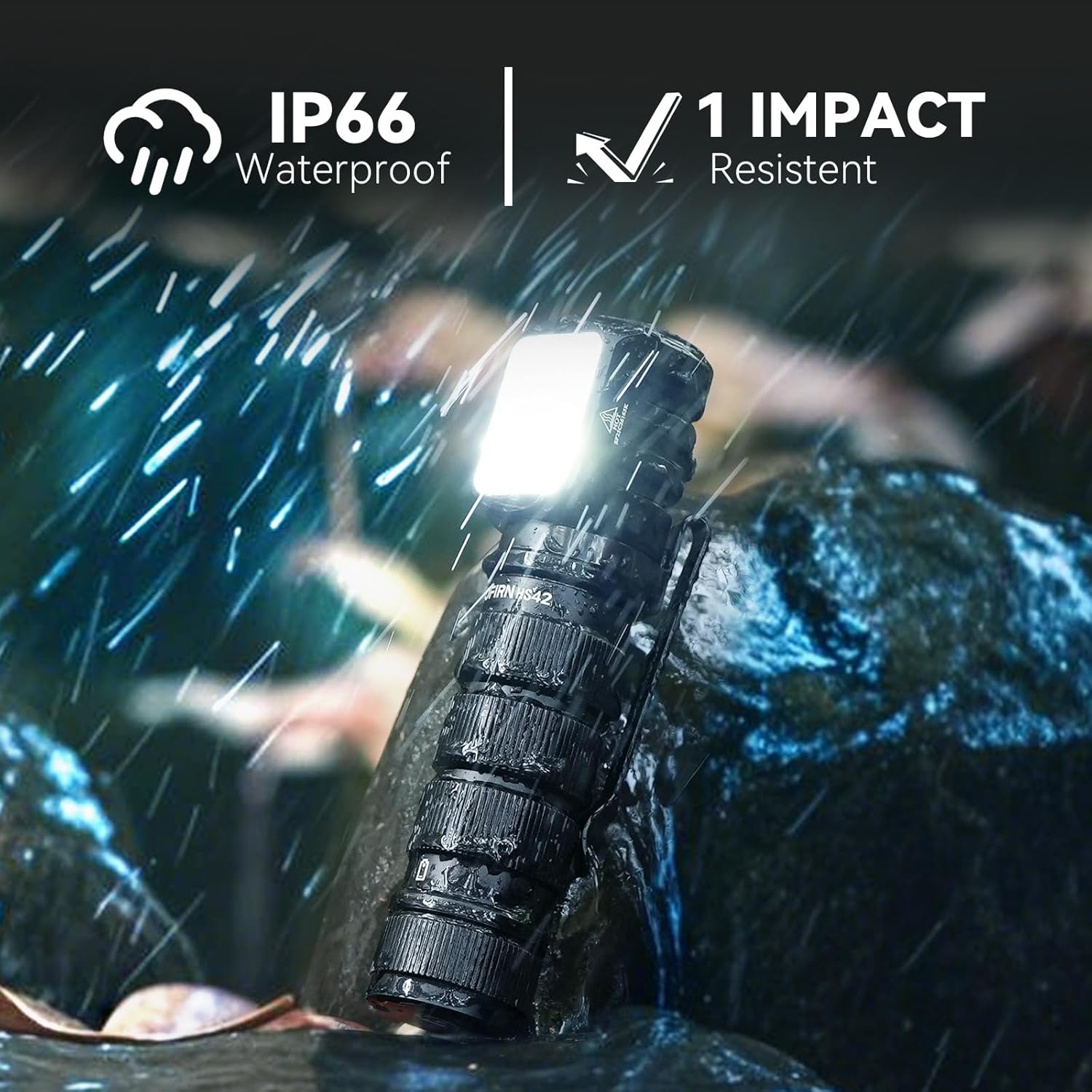
Image: The Sofirn HS42 headlamp shown in a rainy environment, highlighting its IP66 waterproof rating and 1-meter impact resistance, indicating its durability in harsh conditions.
Odpravljanje težav
If you encounter issues with your Sofirn HS42 headlamp, glejte naslednje pogoste težave in rešitve:
| Težava | Možen vzrok | rešitev |
|---|---|---|
| Luč se ne vklopi. |
|
|
| Luč nepričakovano utripa ali se zatemni. |
|
|
| Headlamp ne zaračunava. |
|
|
If the problem persists after attempting these solutions, please contact Sofirn customer support for further assistance.
Specifikacije
| Model | HS42 |
| Vir svetlobe | LED |
| Svetlost | Up to 2100 Lumens (White Light) |
| Razdalja žarka | Do 215 metrov (465 čevljev) |
| Vir napajanja | Rechargeable Lithium Polymer Battery (18650 type) |
| Vrata za polnjenje | USB Type-C |
| Runtime | Do 32 ur (odvisno od načina) |
| Material | Aluminijeva zlitina |
| Vodoodpornost | IP66 (Protected against powerful water jets) |
| Odpornost na udarce | 1 meter |
| Dimenzije | 3.15"D x 1.22"Š x 1.22"V |
| Teža | 10.5 unč |
| Posebne lastnosti | Red Light Mode, Intelligent Temperature Control, Magnetic Tailcap, 2-Way Clip |

Image: A visual comparison demonstrating the powerful 2100 lumen white light output and the 215-meter beam distance of the Sofirn HS42 headlamp in a dark outdoor setting.
Garancija
The Sofirn HS42 Rechargeable Headlamp prihaja z a 2-letna garancija from the date of purchase. This warranty covers manufacturing defects and issues arising from normal use. It does not cover damage caused by misuse, unauthorized modification, accident, or neglect.
Za garancijske zahtevke shranite dokazilo o nakupu.
Podpora
For any questions, technical assistance, or warranty inquiries, please contact Sofirn customer support through the following channels:
- Spletna trgovina: Obiščite uradnika Sofirn Store on Amazon.
- E-pošta: Refer to the contact information provided in your product packaging or on the official Sofirn webmesto.
Our support team is dedicated to providing prompt and helpful solutions.
Ask a question about this manual
Ask about setup, troubleshooting, compatibility, parts, safety, or missing instructions. Manuals+ will review the question and use this page’s manual context to help answer it.