
1. Uvod
This manual provides essential information for setting up, operating, maintaining, and troubleshooting your GIGABYTE AORUS Elite 16 BWH gaming laptop. The AORUS Elite 16 BWH is designed for high-performance gaming and demanding applications, featuring an Intel Core Ultra 9 processor, NVIDIA GeForce RTX 5070 laptop GPU, a 16-inch WQXGA 165Hz display, and Windows 11 Pro.
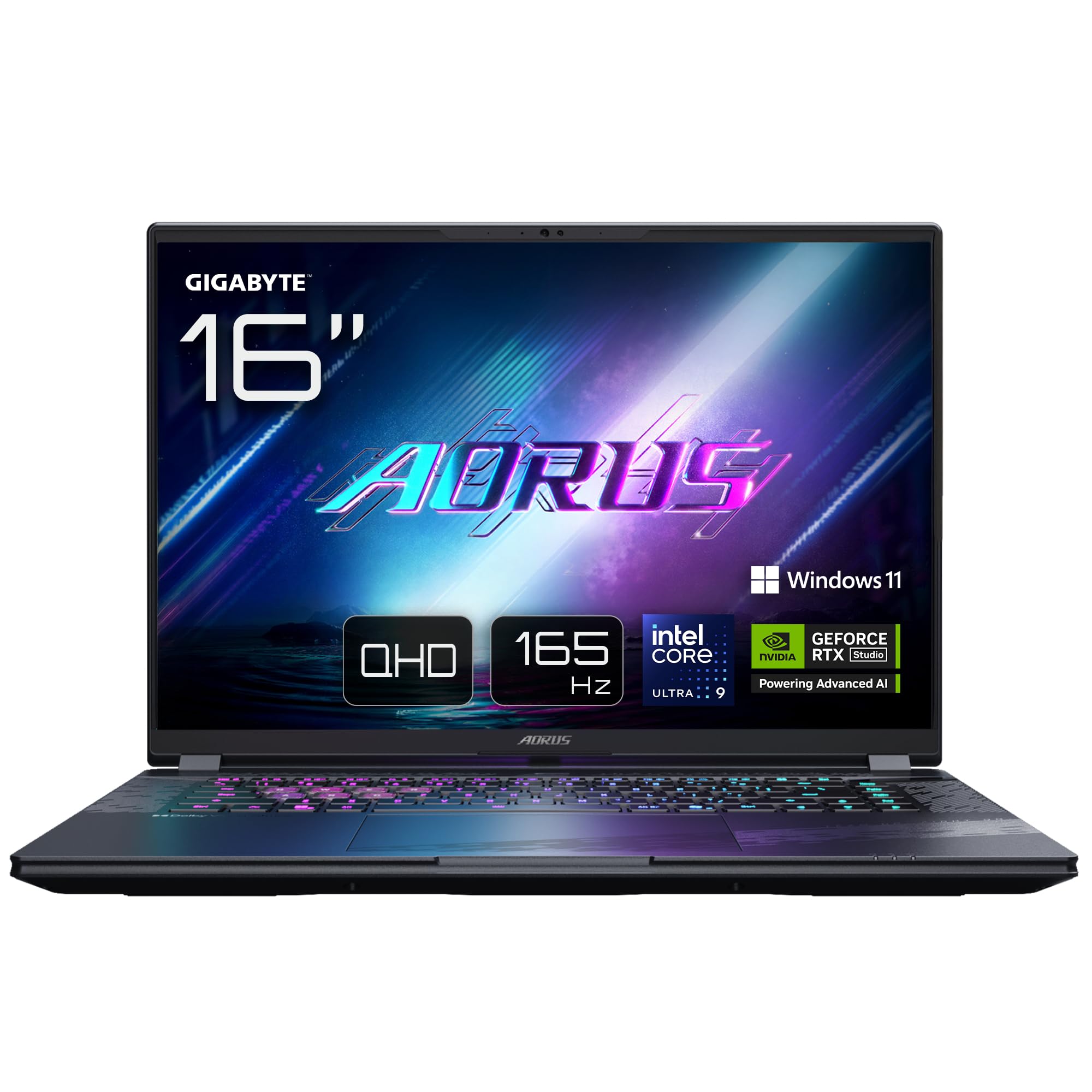
Image: The GIGABYTE AORUS Elite 16 BWH gaming laptop, showcasing its open display and keyboard.
2. Nastavitev
2.1 Razpakiranje in začetni pregled
Previdno vzemite prenosnik in vso dodatno opremo iz embalaže. Preverite, ali so vse komponente, navedene v razdelku »Kaj je v škatli«, prisotne in nepoškodovane.
- GIGABYTE AORUS ELITE 16 BWHC3FRC65SP Laptop
- Napajalnik in kabel
- Dokumentacija (ta priročnik, garancijski list)
2.2 Priključitev napajanja
Connect the power adapter to the laptop's power input port and then plug the power cable into an electrical outlet. It is recommended to fully charge the battery before initial use.
2.3 Prvi vklop
Press the power button to turn on the laptop. Follow the on-screen instructions to complete the Windows 11 Pro setup process, including language selection, network connection, and user account creation.
2.4 Connecting Peripherals and Network
The laptop features various ports for connecting external devices and networks.
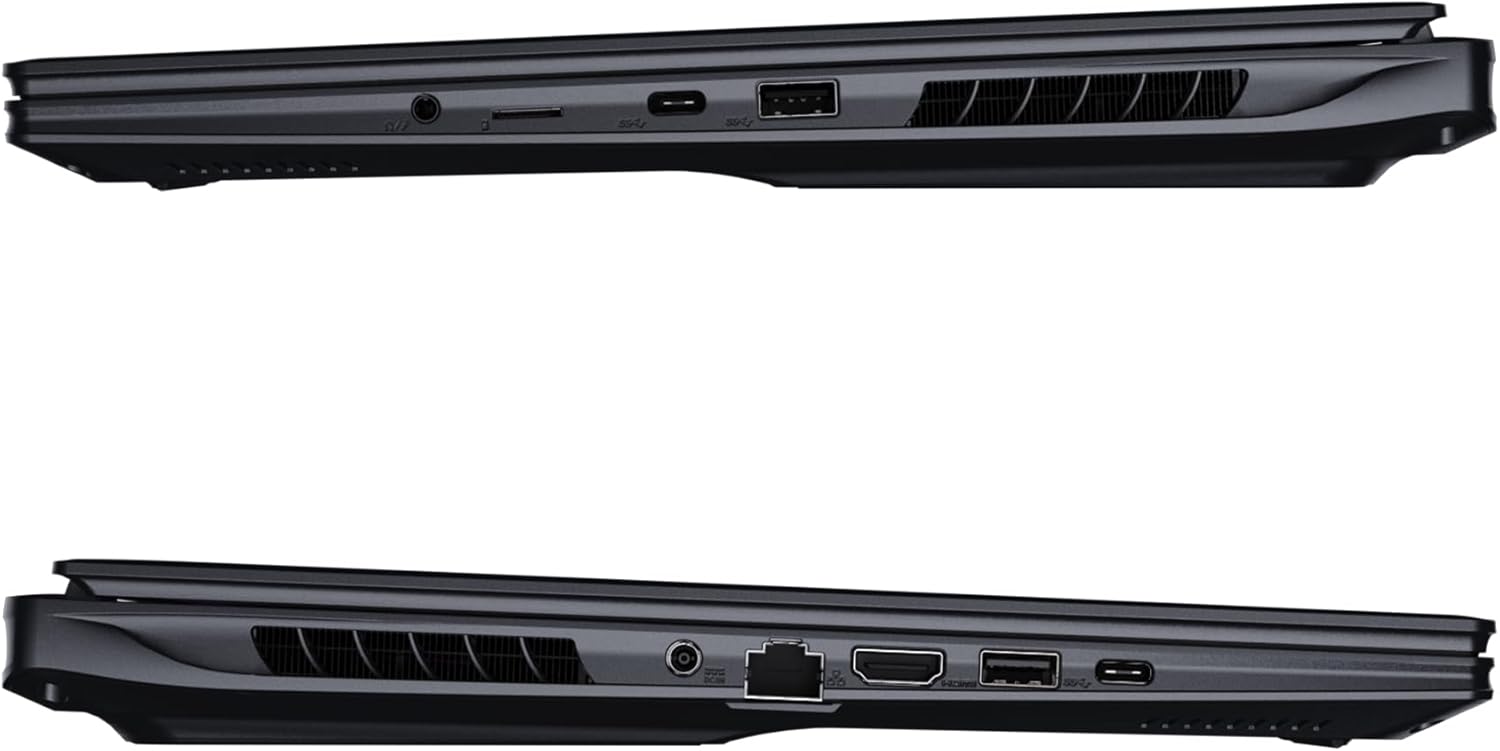
Slika: Stran view of the laptop illustrating the available ports for connectivity.
- Vrata USB: Connect USB devices such as mice, keyboards, or external storage.
- Vrata HDMI: Connect to an external display or TV.
- Vrata Thunderbolt 4: Za hiter prenos podatkov in prikaz.
- Ethernet vrata: Za žično omrežno povezavo.
- Priključek za slušalke: Za avdio izhod na slušalke ali zunanje zvočnike.
- Wi-Fi 7: Connect to wireless networks via the integrated Wi-Fi 7 module.
- Bluetooth 5.4: Seznanite se z napravami, ki podpirajo Bluetooth.
3. Upravljanje prenosnika
3.1 Funkcije zaslona
Your AORUS Elite 16 BWH features a 16-inch WQXGA (2560x1600) IPS display with a 165Hz refresh rate and 16:10 aspect ratio, offering a wide viewing experience. It supports Dolby Vision for enhanced visual quality and is Pantone validated for color accuracy.

Image: The laptop's 16:10 aspect ratio display, highlighting its IPS panel and Pantone validation.
3.2 Tipkovnica in sledilna ploščica
The laptop is equipped with a backlit keyboard for comfortable typing in various lighting conditions and a responsive touchpad for navigation.
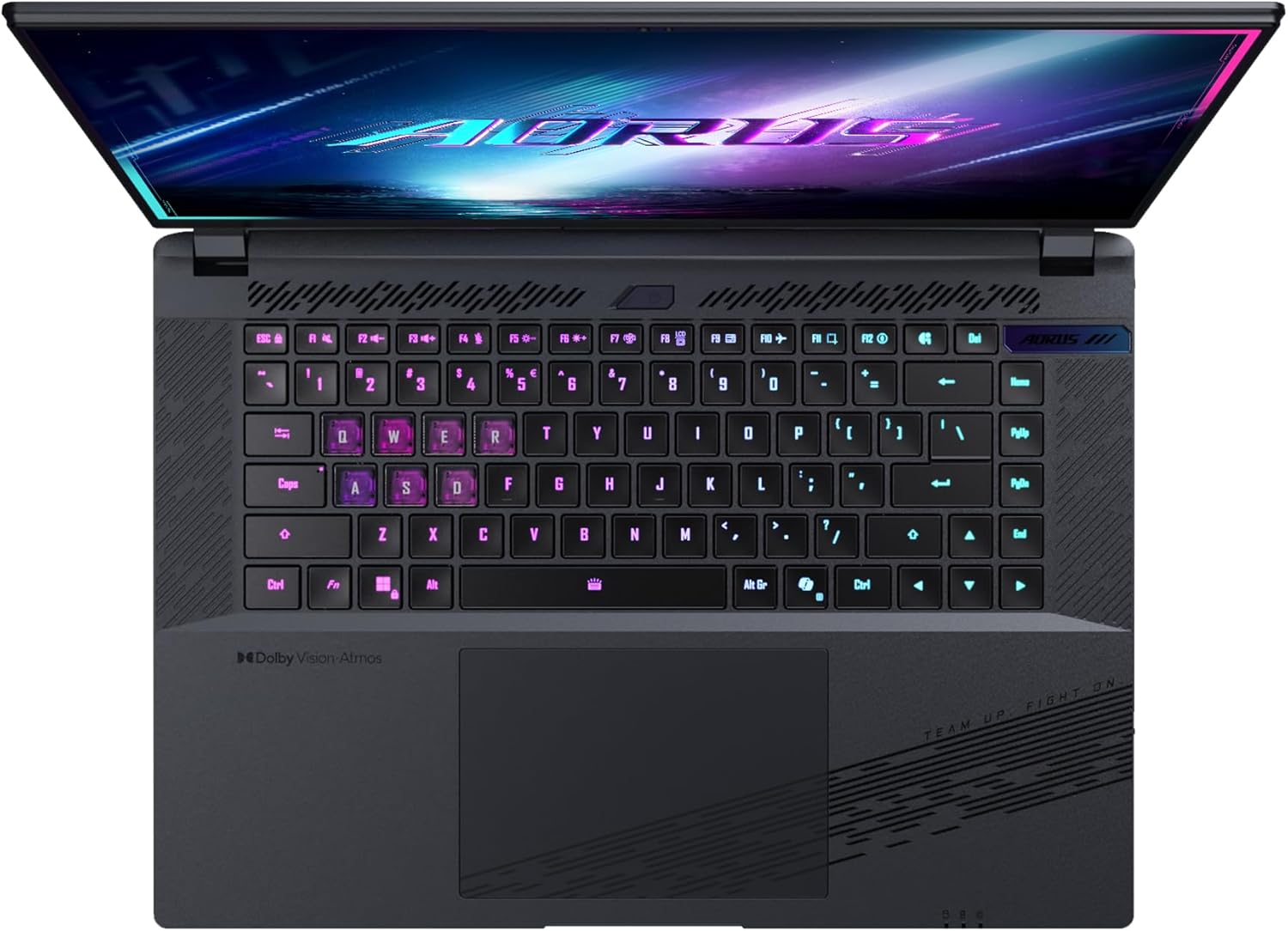
Slika: Od zgoraj navzdol view tipkovnice prenosnika, razstavaasing its backlit keys.
The keyboard also features a dedicated Copilot Key for quick access to AI functionalities in Windows 11.

Image: Close-up of the keyboard, highlighting the Copilot Key for AI features.
3.3 Avdio sistem
Experience immersive audio with Dolby Atmos support and integrated 2W speakers. The laptop also includes a built-in microphone for communication.

Image: Visual representation of Dolby Atmos and Dolby Vision audio and visual enhancements.
3.4 Funkcije delovanja
The AORUS Elite 16 BWH is powered by an Intel Core Ultra 9 processor with an integrated NPU for AI acceleration and an NVIDIA GeForce RTX 5070 laptop GPU, ensuring high performance for gaming and demanding tasks. It also features Advanced Optimus with DDS Technology for optimized graphics performance.

Slika: Podrobna view of the Intel Core Ultra 9 processor chip.

Slika: Podrobna view of the NVIDIA GeForce RTX 50 Series laptop GPU chip.
3.5 GiMATE AI Agent
Utilize GiMATE, your personal AI agent, to optimize performance, manage smart cooling, enhance privacy, control power settings, and improve audio and voice functionalities.

Image: GiMATE AI Agent interface showing various optimization features.
4. Vzdrževanje
4.1 Hladilni sistem
The laptop features the WINDFORCE Infinity cooling system to maintain optimal temperatures during intensive use. Ensure the vents are clear of obstructions to allow proper airflow.

Image: Representation of the WINDFORCE Infinity cooling system.
4.2 Čiščenje
Za čiščenje zaslona in zunanjih površin uporabite mehko krpo, ki ne pušča vlaken. Za trdovratne madeže dampKrpo rahlo navlažite z vodo ali raztopino za čiščenje zaslonov. Izogibajte se agresivnim kemikalijam.
4.3 Skrb za baterije
To prolong battery life, avoid extreme temperatures and do not leave the laptop fully charged or fully discharged for extended periods.
4.4 Posodobitve programske opreme
Regularly update your Windows operating system, drivers, and GIGABYTE software to ensure optimal performance and security.
5. Odpravljanje težav
5.1 Težave z napajanjem
- Prenosnik se ne vklopi: Prepričajte se, da je napajalnik varno priključen in da vtičnica deluje. Preverite raven napolnjenosti baterije.
- Baterija se ne polni: Preverite, ali napajalnik in kabel nista poškodovana. Poskusite z drugo vtičnico.
5.2 Težave z zaslonom
- Brez prikaza: Connect an external monitor to check if the issue is with the laptop's screen. Ensure the laptop is powered on.
- Utripajoč ali popačen prikaz: Posodobite gonilnike grafične kartice. Preverite povezave kablov zaslona, če uporabljate zunanji monitor.
5.3 Težave s povezljivostjo
- Brezžična povezava se ne vzpostavi: Preverite, ali je v nastavitvah sistema Windows omogočen Wi-Fi. Znova zaženite usmerjevalnik in prenosnik.
- Naprava Bluetooth se ne more seznaniti: Prepričajte se, da je naprava v načinu seznanjanja in v dosegu. Posodobite gonilnike Bluetooth.
5.4 Splošne težave z delovanjem
- Počasna zmogljivost: Close unnecessary applications. Check for malware. Ensure sufficient free disk space.
- Pregrevanje: Ensure cooling vents are clear. Use the laptop on a hard, flat surface.
Za bolj zapletene težave se obrnite na podporo GIGABYTE. webspletno mesto ali se obrnite na službo za stranke.
6. Specifikacije
| Funkcija | Podrobnost |
|---|---|
| Znamka | GIGABYTE |
| Ime modela | AORUS ELITE 16 BWHC3FRC65SP |
| Velikost zaslona | 16 palcev |
| barva | siva |
| Velikost trdega diska | 2000 GB (2x 1TB SSD Gen4) |
| Model procesorja | Intel Core Ultra 9 275HX |
| Velikost nameščenega RAM-a | 32 GB DDR5 |
| Operacijski sistem | Windows 11 Pro |
| Posebna funkcija | Backlit Keyboard, Memory Card Slot |
| Opis grafične kartice | Predano |
| Grafični koprocesor | NVIDIA GeForce RTX 5070 |
| Hard Disk Technology | SSD |
| Teža predmeta | 2300 gramov |
| WebZmogljivost odmične gredi | Yes (Frontal) |
| Velikost RAM-a grafične kartice | 8 GB GDDR6 |
| Največ podprtega RAM-a | 64 GB |
| Vsebnost energije baterije | 99 Watt-hours (Lithium-polymer, 4 cells) |
| Povezljivost | Bluetooth 5.4, Ethernet (10/1000 Mbit/s), HDMI (1 port), Thunderbolt 4 (1 port), USB 3.2 Gen 2 (2 ports), Wi-Fi 7 (802.11.be) |
| Hitrost procesorja | 2.7 GHz (Max 5.4 GHz) |
| Število procesorjev | 24 |
| Ločljivost zaslona | 2560 x 1600 slikovnih pik (WQXGA) |
| Vrsta zaslona | IPS LCD |
| Avdio funkcije | Dolby Atmos, 2x 2W Integrated Speakers, Integrated Microphone |
7. Informacije o garanciji
Your GIGABYTE AORUS Elite 16 BWH laptop comes with a 2-letna omejena garancija. This warranty covers manufacturing defects and hardware malfunctions under normal use. Please retain your proof of purchase for warranty claims. For detailed terms and conditions, refer to the warranty card included with your product or visit the official GIGABYTE webmesto.
8. Podpora
For technical assistance, driver downloads, and further product information, please visit the official GIGABYTE support webspletno mesto. Tam lahko najdete tudi pogosta vprašanja in forume skupnosti.
- Uradno podjetje GIGABYTE Webspletno mesto: www.gigabyte.com
- Storitev za stranke: Refer to your regional GIGABYTE webspletno mesto za lokalne kontaktne podatke.