
1. Pomembna varnostna navodila
Please read all instructions carefully before using the projector and retain this manual for future reference. Improper use may result in electric shock, fire, or other hazards.
- Ne blokirajte prezračevalnih odprtin. Zagotovite dovolj prostora okoli projektorja za pravilen pretok zraka.
- Projektorja ne izpostavljajte dežju ali vlagi, da preprečite požar ali električni udar.
- Izogibajte se gledanju neposredno v objektiv projektorja, ko je lamp je vklopljena, saj lahko močna svetloba povzroči poškodbe oči.
- Uporabljajte samo priključke/dodatke, ki jih je določil proizvajalec.
- Med nevihtami ali če projektorja dalj časa ne uporabljate, ga izključite iz električnega omrežja.
- Tega izdelka ne poskušajte popravljati sami. Vsa servisna dela prepustite usposobljenemu serviserju.
2. Navodila za namestitev
2.1 Kaj je v škatli
Preverite, ali so v paketu prisotni vsi elementi:
- HOMPOW Mini Projector
- Daljinski upravljalnik
- Napajalni adapter
- HDMI kabel
- Uporabniški priročnik
- Garancijska kartica

Image: The HOMPOW Mini Projector shown with its remote control, power adapter, and HDMI cable.
2.2 Začetna nastavitev
2.2.1 Napajalni priključek
- Priključite napajalnik na vhod za napajanje projektorja.
- Priključite napajalnik v ustrezno električno vtičnico.
2.2.2 Placement and Focus
Projektor postavite na stabilno, ravno površino. Za optimalno viewing, place it perpendicular to the projection surface (wall or screen).
- Razdalja projekcije: The recommended projection distance ranges from 3.49 feet to 7.26 feet.
- Velikost slike: This allows for an image size between 40 inches and 120 inches.
- Prilagoditev fokusa: Vrtite obroč za ostrenje na objektivu projektorja, dokler slika ni jasna in ostra.

Image: Visual comparison demonstrating the clarity of 1080P Full HD supported resolution versus 480P.
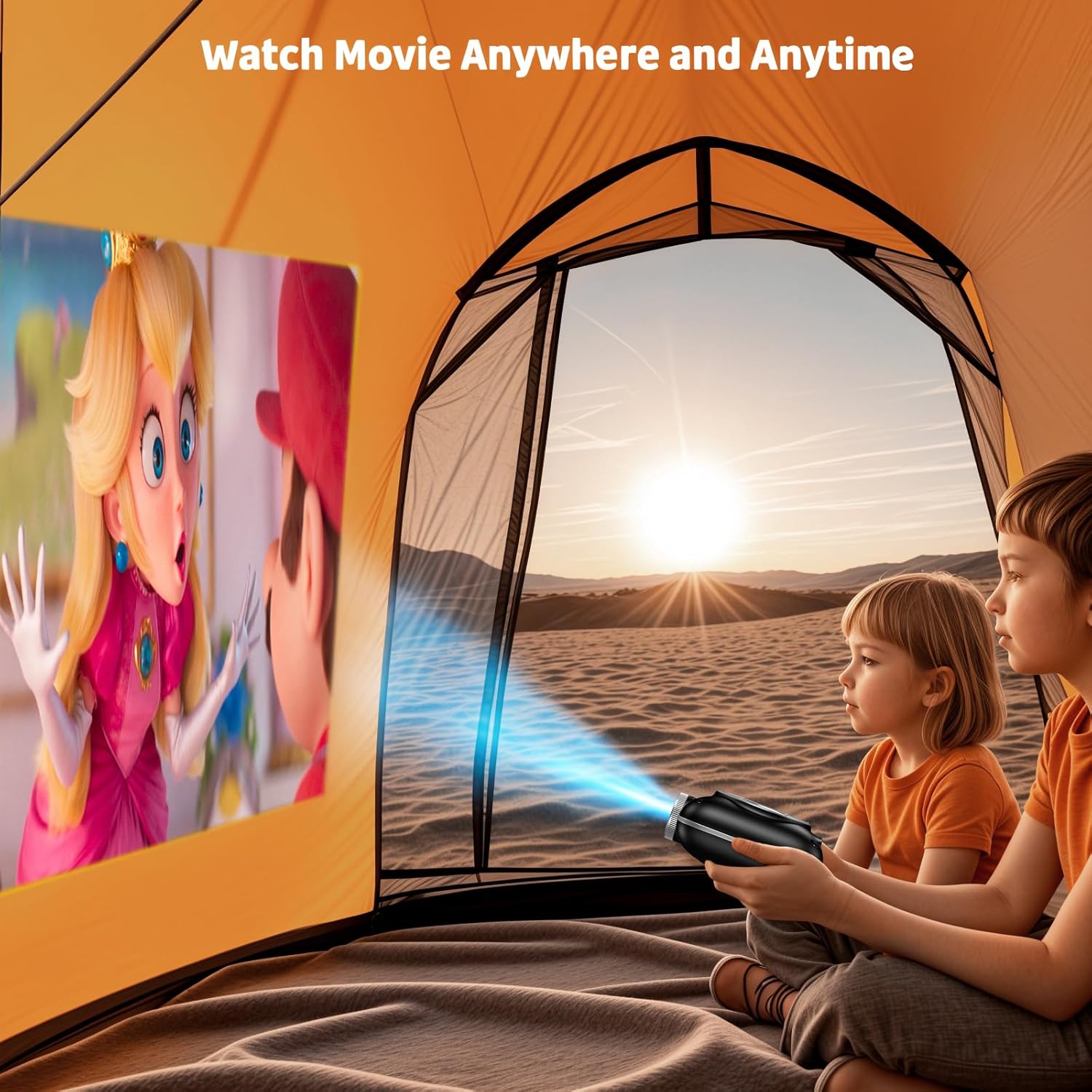
Image: The compact projector projecting a movie inside a tent, highlighting its portability for outdoor use.
3. Navodila za uporabo
3.1 Vklop/izklop
Press the power button on the projector or the remote control to turn the device on or off. The projector features an auto-off timer for convenient screen time management.
3.2 Povezljivost
The HOMPOW Mini Projector offers multiple connectivity options:
- Vrata HDMI 2.0: Connect to laptops, TV sticks, gaming consoles (PS4, PS5), and other HDMI-enabled devices using the included HDMI cable.
- Vrata USB 2.0: Za predvajanje medijev priključite USB-pogone.
- Two-Way Bluetooth 5.1: Connect external Bluetooth speakers for enhanced audio or use the projector as a Bluetooth speaker to play music from your phone.

Image: The projector highlighting its wireless connectivity features, including WiFi and Bluetooth.

Image: A visual guide illustrating how to connect various devices such as smartphones, tablets, TV sticks, laptops, PS3/PS4, headphones, and USB drives to the projector.
3.3 Zrcaljenje zaslona
Za zrcaljenje zaslona pametnega telefona ali tabličnega računalnika:
- Za telefone Android: Use a Micro USB/Type-C to HDMI adapter (sold separately).
- Za iPhone/iPad: Use a Lightning to HDMI adapter (sold separately).
- For Streaming Services: Plug in a TV stick (sold separately) for Netflix/Hulu and other HDCP-compliant streaming platforms.
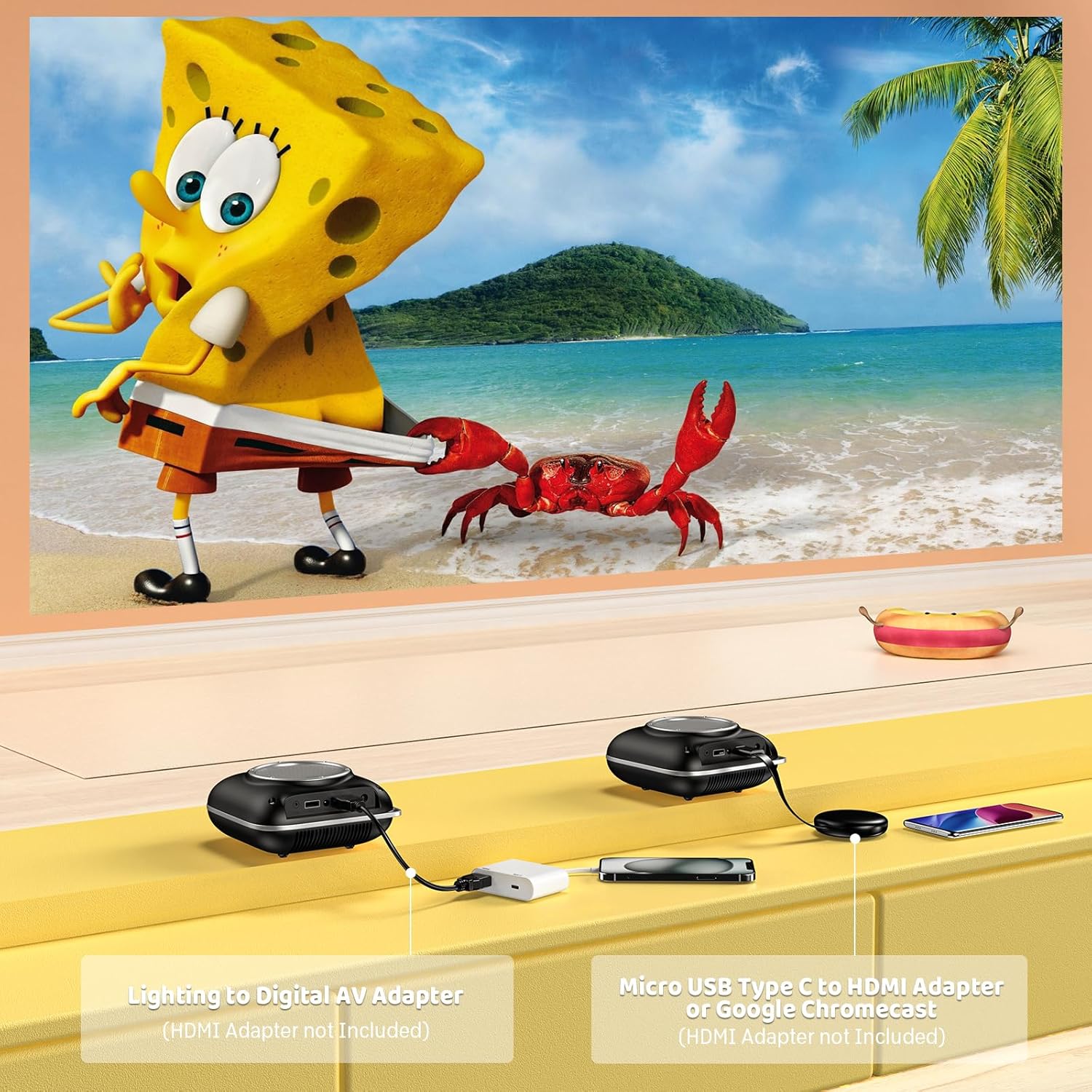
Image: Instructions for connecting mobile devices to the projector using Lightning to Digital AV Adapter for iOS and Micro USB Type-C to HDMI Adapter or Google Chromecast for Android.
3.4 Avdio izhod
The projector features built-in 5W high-powered stereo speakers. For enhanced sound, utilize the bidirectional Bluetooth 5.1 to connect to external Bluetooth speakers or headphones.

Image: Diagram showing the projector's two-way Bluetooth functionality, allowing connection to an external speaker or functioning as a Bluetooth speaker for a phone.
3.5 Projection Size and Zoom
The projector supports a projection size from 40 to 120 inches. Use the 50%-100% zoom function to adjust the image size without moving the projector.

Image: A visual representation of the 50%-100% zoom function, showing how the projected image size can be adjusted.
4. Vzdrževanje
4.1 Čiščenje
- Objektiv: Uporabite mehko krpo, ki ne pušča vlaken in je posebej zasnovana za optične leče. Ne uporabljajte abrazivnih čistil.
- Zunanjost: Zunanjost projektorja obrišite z mehko, suho krpo. Izogibajte se uporabi agresivnih kemikalij ali topil.
- Prezračevanje: Ensure ventilation openings are free from dust and debris to prevent overheating.
4.2 Shranjevanje
When not in use, store the projector in a cool, dry place, away from direct sunlight and extreme temperatures. Use the original packaging or a protective case to prevent dust accumulation and damage.
5. Odpravljanje težav
Za pogoste težave in njihove rešitve glejte spodnjo tabelo.
| Izdaja | Možen vzrok | rešitev |
|---|---|---|
| Ni projicirane slike | Napajanje ni priključeno, vhodni vir je napačen, pokrovček objektiva je nameščen. | Check power connection, select correct input source (HDMI/USB), remove lens cap. |
| Zamegljena slika | Focus not adjusted, projector too close/far. | Adjust the focus ring, ensure projector is within optimal projection distance (3.49-7.26 ft). |
| Brez zvoka | Volume too low, external speaker not connected, audio format unsupported. | Increase volume, connect Bluetooth speaker, check audio format compatibility. |
| Zrcaljenje zaslona ne deluje | Incorrect adapter, device compatibility issue. | Ensure correct HDMI adapter for your phone (Micro USB/Type-C for Android, Lightning for iOS). |
| Pregrevanje projektorja | Blocked ventilation, prolonged use. | Ensure clear space around vents, allow projector to cool down if used for extended periods. |
6. Tehnične specifikacije
| Funkcija | Podrobnost |
|---|---|
| Znamka | HOMPOW |
| Model | B0F43PY223 |
| Izvorna ločljivost | 1280 x 720 (720 P) |
| Podprta ločljivost | 1920 x 1080 (1080p polna visoka ločljivost) |
| Tehnologija povezljivosti | HDMI, USB 2.0, Bluetooth 5.1 (Two-Way) |
| Vrsta zaslona | CRT (as per specification, typically LCD for mini projectors) |
| Kontrastno razmerje | 10000:1 |
| Velikost projekcije | 40 - 120 palcev |
| Razdalja meta | 3.49 - 7.26 čevljev |
| Življenjska doba svetlobnega vira | 50000 ur |
| Vgrajen zvočnik | 5W High-Powered Stereo Speakers |
| Funkcija povečave | 50 %-100 % |
| Dimenzije (D x Š x V) | 4.9 cm x 4.9 cm x 2.1 cm |
| Teža | 0.7 kilogramov |
| Poraba energije | 30 vatov |
| voltage | 110 volta |
7. Garancija in podpora
7.1 Informacije o garanciji
The HOMPOW Mini Projector comes with:
- A 30-day replacement window.
- 2-year repair coverage.
Za garancijske zahtevke shranite dokazilo o nakupu.
7.2 Podpora strankam
For any questions, troubleshooting assistance, or warranty inquiries, please contact HOMPOW customer support. We offer 24/7 assistance to ensure stress-free ownership.
Contact information can typically be found on the HOMPOW official website or the warranty card included in your package.