
1. Uvod
Hvala za nakupasing the MONODEAL T23 3-Speed Turntable. This manual provides essential information for the safe and correct operation of your device. Please read it thoroughly before use and retain it for future reference.
2. Varnostne informacije
- Naprave ne izpostavljajte dežju ali vlagi, da preprečite požar ali električni udar.
- Ne odpirajte omare. Servisiranje prepustite samo usposobljenemu osebju.
- Ensure the power adapter matches your local power supply.
- Napravo postavite na stabilno, ravno površino, stran od neposredne sončne svetlobe, virov toplote in prekomernega prahu ali vibracij.
- Hraniti izven dosega otrok.
3. Vsebina paketa
Preverite, ali so v paketu prisotni vsi elementi:
- 1 x MONODEAL T23 Record Player
- 1 x 5V 1.5A Power Cord
- 1 x Uporabniški priročnik (ta dokument)
4. Izdelek je končanview
Familiarize yourself with the various parts and controls of your MONODEAL T23 Turntable.

Slika 4.1: Zgoraj in zadaj View of the MONODEAL T23 Turntable with labeled components including Power Switch, Headphone Jack, Mode button, LED Light, USB Port, Power Adapter Input, RCA Output Jacks, 45 RPM Fixator, Tone Arm Raise Lever, Auto Stop Switch, LP Speed Switch, and Stylus.
- Power Switch/Volume Knob: Vklopi/izklopi enoto in prilagodi glasnost.
- Priključek za slušalke: Za zasebno poslušanje s slušalkami.
- Gumb za način: Switches between different input modes (e.g., Phono, Bluetooth, USB).
- LED lučka: Indicates power and mode status.
- Vrata USB: Za predvajanje prek USB-ja.
- Vhod napajalnika: Connects to the provided 5V 1.5A power cord.
- RCA Output Jacks (L/R): Povezuje se z zunanjim amplifier ali močni zvočniki.
- 45 RPM Fixator: Adapter for 7-inch records with large center holes.
- Tone Arm Raise Lever: Lifts and lowers the tone arm gently.
- Samodejno ustavljanje stikala: Omogoči ali onemogoči funkcijo samodejne zaustavitve.
- LP Speed Switch: Izbere hitrost predvajanja (33, 45 ali 78 vrt/min).
- Pisalo: The needle that reads the grooves of the record.
5. Nastavitev
- Razpakiranje: Gramofon previdno vzemite iz embalaže. Embalažo shranite za kasnejši transport ali shranjevanje.
- Umestitev: Place the turntable on a stable, level surface. Ensure there is adequate ventilation around the unit.
- Napajalni priključek: Connect the provided 5V 1.5A power cord to the DC IN port on the back of the turntable and then plug it into a wall outlet.
- Pokrov proti prahu: The transparent dust cover can be opened or closed to protect the platter and stylus when not in use.
6. Navodila za uporabo
6.1 Predvajanje vinilnih plošč
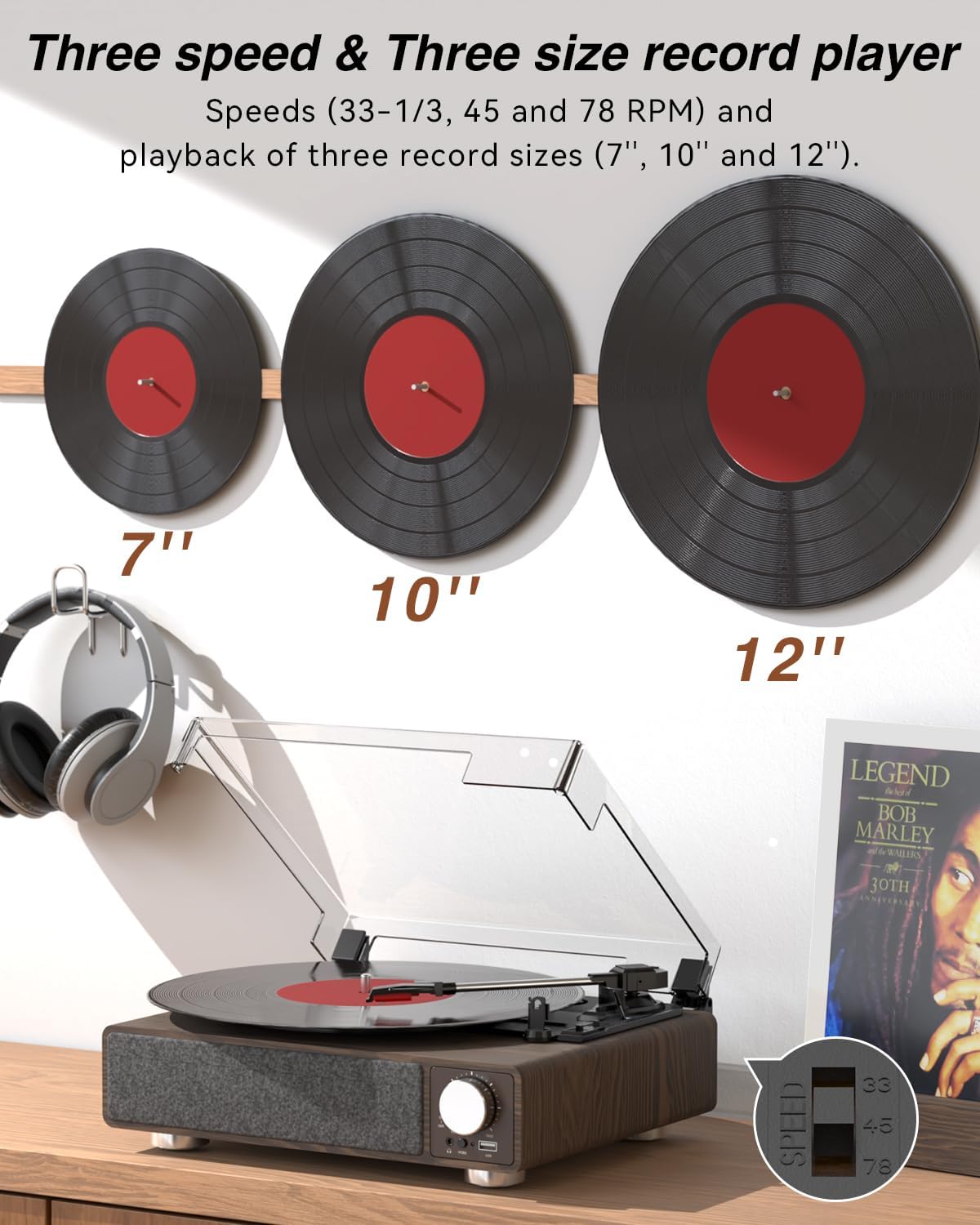
Slika 6.1: The MONODEAL T23 Turntable supports 3 speeds and 3 record sizes.
- Turn the Power Switch/Volume Knob clockwise to turn on the unit.
- Dvignite pokrov za prah.
- Place a vinyl record on the turntable platter. If playing a 7-inch record with a large center hole, place the 45 RPM fixator on the spindle first.
- Select the appropriate speed (33, 45, or 78 RPM) using the LP Speed Switch, matching the record you are playing.
- Push the Tone Arm Raise Lever up to lift the tone arm.
- Manually move the tone arm over the desired starting track of the record.
- Push the Tone Arm Raise Lever down to gently lower the tone arm onto the record. Playback will begin.
- Adjust the volume using the Power Switch/Volume Knob.
- Funkcija samodejne zaustavitve: If the Auto Stop Switch is set to ON, the turntable will automatically stop rotating when the record finishes playing. If set to OFF, it will continue to rotate.
- To stop playback, lift the tone arm using the lever and return it to the tone arm rest. Turn the Power Switch/Volume Knob counter-clockwise to turn off the unit.
6.2 Bluetooth Transmission (BT OUT)
This feature allows you to stream audio from the turntable to external Bluetooth speakers or headphones.

Slika 6.2: Bluetooth transmission from the turntable to external devices.
- Ensure the turntable is powered on and in Phono mode (playing a record).
- Press and hold the Mode button until the LED indicator flashes blue, indicating Bluetooth transmission pairing mode.
- Place your Bluetooth speaker or headphones in pairing mode.
- The turntable will automatically search for and connect to the nearest Bluetooth device. Once connected, the LED indicator will turn solid blue.
- Audio from the record will now play through your connected Bluetooth device.
6.3 Bluetooth Reception (BT IN)
This feature allows you to stream audio from your mobile device (phone, tablet) to the turntable's built-in speakers.
Slika 6.3: Bluetooth reception by the turntable from a smartphone.
- Vklopite gramofon.
- Press the Mode button repeatedly until the LED indicator flashes blue, indicating Bluetooth reception pairing mode.
- On your mobile device, enable Bluetooth and search for available devices. Select "MONODEAL T23" from the list.
- Ko je povezava vzpostavljena, LED indikator sveti modro.
- Play audio on your mobile device, and it will sound through the turntable's speakers. Adjust volume using the turntable's volume knob or your mobile device.
6.4 Predvajanje prek USB-ja
The turntable supports playing audio files ključka USB.
- Vstavite USB-ključek v vrata USB na sprednji strani gramofona.
- Press the Mode button to switch to USB mode. The LED indicator will change to reflect USB mode.
- The turntable will automatically begin playing audio files from the USB drive. Use the control buttons (if available, or refer to the specific model's USB control instructions) to navigate tracks.
6.5 RCA izhod
Connect the turntable to an external amplifier or powered speakers for enhanced sound.

Slika 6.4: RCA output for external speakers and headphone jack for private listening.
- Ensure the turntable and your external audio system are turned off.
- Connect an RCA cable (not included) to the RCA Output Jacks (L/R) on the back of the turntable.
- Connect the other end of the RCA cable to the corresponding audio input on your amplifier ali močni zvočniki.
- Turn on both the turntable and your external audio system.
- Play a record as described in Section 6.1. Audio will be routed through your external system. Adjust volume on both devices as needed.
6.6 Priključek za slušalke
For private listening, connect headphones to the 3.5mm headphone jack on the front of the unit.
- Plug your 3.5mm headphones into the Headphone Jack.
- Adjust the volume using the Power Switch/Volume Knob.
7. Vzdrževanje
7.1 Čiščenje gramofona
- Zunanjost enote obrišite z mehko, suho krpo. Ne uporabljajte abrazivnih čistil ali topil.
- Ko naprave ne uporabljate, naj bo pokrov za prah zaprt, da preprečite nabiranje prahu.
7.2 Nega pisala
- Handle the stylus with extreme care. Avoid touching the stylus tip with your fingers.
- Pero redno čistite z mehko krtačko, pri čemer nežno krtačite od zadaj naprej.
- A worn stylus can damage records and degrade sound quality. Replace the stylus when signs of wear appear (e.g., distorted sound, skipping).
7.3 Skrb za zapise
- Always hold records by their edges or center label.
- Plošče shranjujte navpično v ovitku na hladnem in suhem mestu.
- Plošče redno čistite s posebno krtačo ali raztopino za čiščenje plošč, da odstranite prah in statično elektriko.
8. Odpravljanje težav
| Težava | Možen vzrok | rešitev |
|---|---|---|
| Brez moči | Power cord not connected; Power outlet not working; Unit not turned on. | Ensure power cord is securely connected; Try a different outlet; Turn the Power Switch/Volume Knob clockwise. |
| Ni zvoka iz vgrajenih zvočnikov | Volume too low; RCA output connected; Bluetooth transmission active. | Increase volume; Disconnect RCA cables if not using external speakers; Ensure Bluetooth transmission is off if you want sound from built-in speakers. |
| Zvok popačen ali preskakuje | Record dirty or damaged; Stylus dirty or worn; Turntable not level; Excessive vibration. | Clean record; Clean or replace stylus; Place turntable on a stable, level surface; Ensure turntable is away from sources of vibration. |
| Bluetooth povezovanje ne uspe | Device too far; Device not in pairing mode; Interference. | Move devices closer; Ensure both devices are in pairing mode; Turn off other Bluetooth devices nearby. |
| Auto stop not working | Auto Stop Switch is OFF. | Set the Auto Stop Switch to ON. Note: Some records may stop prematurely or not at all due to variations in groove patterns. |
9. Specifikacije
| Funkcija | Specifikacija |
|---|---|
| Ime modela | T23 |
| Znamka | MONODEAL |
| Dimenzije izdelka | 11.81 x 9.84 x 4.31 palcev (30 x 25 x 11 cm) |
| Teža predmeta | 5.77 funtov (2.62 kg) |
| Material | Les |
| Hitrosti predvajanja | 33-1/3, 45, 78 vrt/min |
| Podprte velikosti zapisov | 7", 10", 12 cm |
| Povezljivost | Bluetooth (Reception & Transmission), USB, RCA Output, Headphone Jack |
| Vir napajanja | Corded Electric (5V 1.5A) |
| Posebne lastnosti | Built-in Stereo Speakers, Auto Stop, Belt-Drive System |
10. Garancija in podpora
MONODEAL products are designed and manufactured to the highest quality standards. For warranty information and technical support, please refer to the warranty card included with your purchase or visit the official MONODEAL website. Please have your model number (T23) and purchase date available when contacting support.