
1. Uvod
Thank you for choosing the LEFFOT M1 Plus Android 14.0 TV Box. This device is designed to transform your television into a smart entertainment hub, offering stunning 4K UHD visuals, powerful performance, and a wide range of connectivity options. This manual provides detailed instructions for setting up, operating, and maintaining your TV box to ensure an optimal user experience.
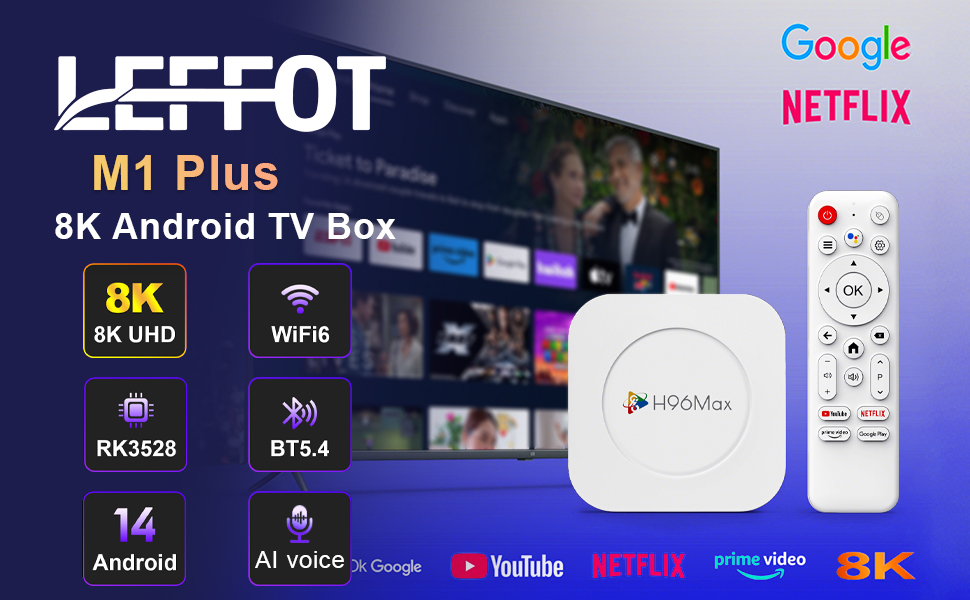
Slika 1.1: Konecview of the LEFFOT M1 Plus Android TV Box highlighting its core features like 8K UHD, WiFi 6, BT 5.4, Android 14, and AI voice control.
2. Varnostne informacije
Pred uporabo naprave natančno preberite vsa varnostna navodila. Neupoštevanje teh navodil lahko povzroči električni udar, požar ali poškodbo naprave.
- Uporabljajte samo priloženi napajalnik.
- Naprave ne izpostavljajte vodi, vlagi ali ekstremnim temperaturam.
- Poskrbite za ustrezno prezračevanje okoli naprave, da preprečite pregrevanje.
- Naprave ne poskušajte razstavljati ali popravljati sami. Obrnite se na usposobljeno servisno osebje.
- Napravo hranite stran od neposredne sončne svetlobe in virov toplote.
3. Vsebina paketa
Preverite, ali so v paketu prisotni vsi elementi:
- LEFFOT M1 Plus Android TV Box
- Daljinski upravljalnik
- HDMI kabel
- Napajalni adapter
- Uporabniški priročnik (ta dokument)
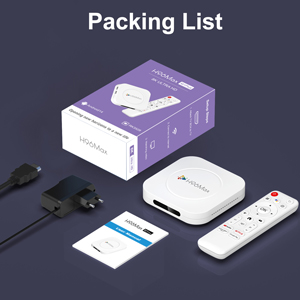
Image 3.1: The package contents including the TV box, remote control, power adapter, and HDMI cable.
4. Izdelek je končanview
Familiarize yourself with the components and ports of your LEFFOT M1 Plus TV Box.
4.1. Device and Remote

Image 4.1: The LEFFOT M1 Plus TV Box (left) and its accompanying remote control (right).
4.2. Vrata in vmesniki
The TV box features various ports for connectivity:
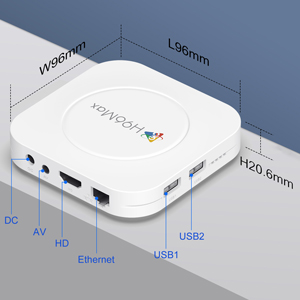
Slika 4.2: Podrobno view of the TV box's ports: DC (power), AV (audio/video out), HD (HDMI), Ethernet, USB1, and USB2.
- DC: Vhod za napajanje.
- OD: Analog audio/video output (for older TVs).
- HD: HDMI output for connecting to your TV.
- Ethernet: RJ-45 port for wired network connection.
- USB1 & USB2: USB ports for connecting external devices like USB drives, keyboards, or mice.
5. Nastavitev
Follow these steps to set up your LEFFOT M1 Plus TV Box:
- Povežite se s televizorjem: Connect one end of the provided HDMI cable to the "HD" port on the TV box and the other end to an HDMI input port on your television. Note the HDMI input number (e.g., HDMI 1, HDMI 2) on your TV.
- Priključite napajanje: Plug the power adapter into the "DC" port on the TV box, then plug the adapter into a wall outlet.
- Vklop: The TV box should automatically power on. If not, press the power button on the remote control.
- Izberite TV vhod: On your TV, use the remote control to select the corresponding HDMI input source you connected the TV box to.
- Čarovnik za začetno nastavitev: Sledite navodilom na zaslonu, da dokončate začetno nastavitev, vključno z izbiro jezika, časovnega pasu in omrežne povezave.
6. Navodila za uporabo
Navigate and use your TV box effectively.
6.1. Osnovna navigacija
- Use the directional (Gor, dol, levo, desno) buttons on the remote to move between menu items and applications.
- Pritisnite OK button to select an item or confirm an action.
- Pritisnite Nazaj gumb za vrnitev na prejšnji zaslon.
- Pritisnite domov button to return to the main home screen.
6.2. Dostop do aplikacij
From the home screen, you can access pre-installed applications or download new ones from the Google Play Store. Navigate to the desired app icon and press OK da ga zaženete.

Image 6.1: The Android 14.0 TV Box home screen displaying popular streaming applications.
6.3. Glasovni nadzor
The LEFFOT M1 Plus supports voice control via Google Assistant. To use this feature:
- Ensure your remote control is paired and has working batteries.
- Pritisnite Glasovni pomočnik button (often a microphone icon) on your remote.
- Speak clearly into the remote's microphone. You can ask to open apps, search for content, or control playback.

Image 6.2: Demonstrating the convenient voice control feature using the remote and Google Assistant.
6.4. Media Playback and Display Features
Enjoy high-quality media with advanced features:
- 8K UHD: The device supports up to 8K*4K@23fps and 4Kx2K@60fps resolution with HDR10 for vibrant and detailed visuals.
- Airplay, DLNA, WiFidisplay: Easily cast content from your mobile devices to your TV screen.

Image 6.3: Experience crystal-clear 8K resolution with the LEFFOT M1 Plus.

Image 6.4: The TV box supports various connectivity options and display technologies like Airplay, DLNA, and WiFidisplay.
6.5. Scenariji uporabe
The LEFFOT M1 Plus TV Box is versatile for various uses:
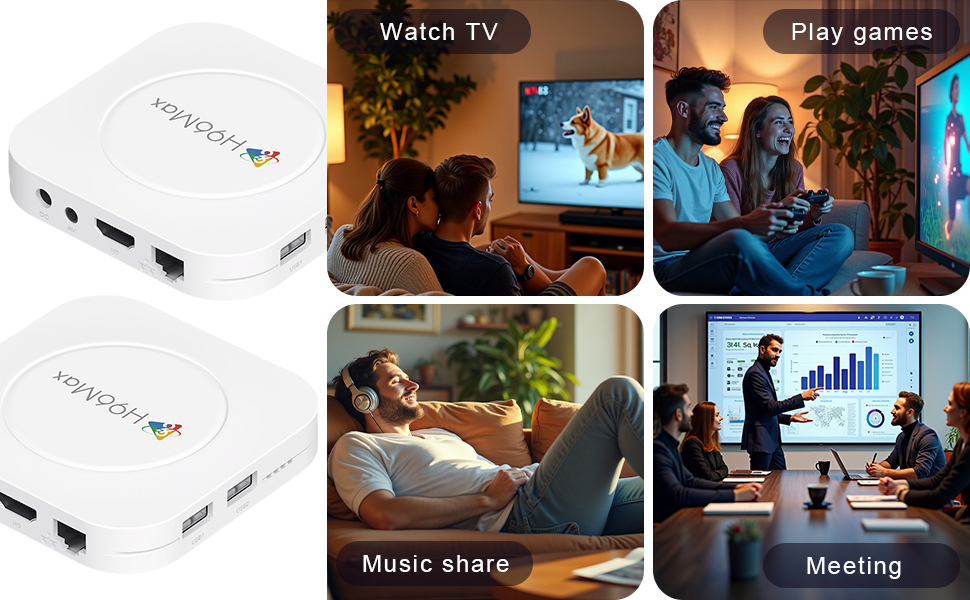
Image 6.5: The TV box can be used for watching TV, playing games, sharing music, and even for business presentations.
7. Povezljivost
7.1. Povezava Wi-Fi
The device supports 2.4G & 5G dual-band Wi-Fi 6 for fast and stable wireless internet.
- Pojdi na nastavitve > Omrežje in internet.
- Vklopi Wi-Fi.
- Na seznamu izberite omrežje Wi-Fi.
- Enter the password if prompted and select Povežite se.

Image 7.1: The TV box features advanced Wi-Fi 6 technology for faster and more reliable connections.
7.2. Ethernet povezava
For a wired connection, plug an Ethernet cable into the "Ethernet" port on the TV box and the other end into your router/modem.
7.3. Bluetooth povezava
The device supports Bluetooth 5.4 for connecting peripherals like headphones, game controllers, or speakers.
- Pojdi na nastavitve > Povezane naprave > Seznanite novo napravo.
- Napravo Bluetooth preklopite v način seznanjanja.
- Izberite svojo napravo s seznama in sledite navodilom na zaslonu za seznanitev.
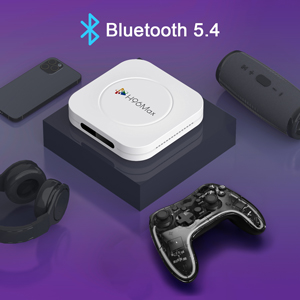
Image 7.2: The TV box supports Bluetooth 5.4 for seamless connection with various external devices.
8. Odpravljanje težav
Za pogoste težave in njihove rešitve glejte ta razdelek.
| Težava | Možen vzrok | rešitev |
|---|---|---|
| Brez moči | Napajalnik ni priključen ali je pokvarjen. | Prepričajte se, da je napajalnik varno priključen na napravo in delujočo električno vtičnico. Poskusite z drugo vtičnico. |
| Ni signala na televiziji | Na televizorju je izbran napačen vhod HDMI; kabel HDMI je ohlapno pritrjen ali pokvarjen. | Verify TV input matches the HDMI port used. Check HDMI cable connections. Try a different HDMI cable or port. |
| Težave s povezavo Wi-Fi | Napačno geslo; usmerjevalnik predaleč; motnje. | Re-enter Wi-Fi password. Move device closer to router. Restart router and TV box. |
| Daljinski upravljalnik se ne odziva | Prazne baterije; daljinski upravljalnik ni seznanjen. | Replace batteries. Re-pair the remote control if it's a Bluetooth remote (refer to device settings). |
| Aplikacije se sesuvajo ali delujejo počasneje | Preveč aplikacij, ki se izvajajo; premalo prostora za shranjevanje; programska napaka. | Close background apps. Clear app caches. Restart the TV box. Consider a factory reset if issues persist (data will be lost). |
9. Specifikacije
Key technical specifications of the LEFFOT M1 Plus Android TV Box:
- Operacijski sistem: Android 14.0
- procesor: RK3528 Quad Core ARM Cortex-A53
- GPU: Mali-450 MP2
- RAM: 4 GB
- ROM: 32 GB
- Video izhod: Supports 4Kx2K@60fps, 8K*4K@23fps, HDR10
- Wi-Fi: 2.4G & 5G Dual-band Wi-Fi 6
- Ethernet: 100M
- Bluetooth: BT 5.4
- Pristanišča: HDMI, USB (x2), DC, AV, Ethernet
- Posebne lastnosti: Airplay, DLNA, WiFidisplay, Voice Control
- Dimenzije: 3.78 x 3.78 x 0.81 palca (96 x 96 x 20.6 mm)
- Teža: 4.3 unče (približno 122 g)
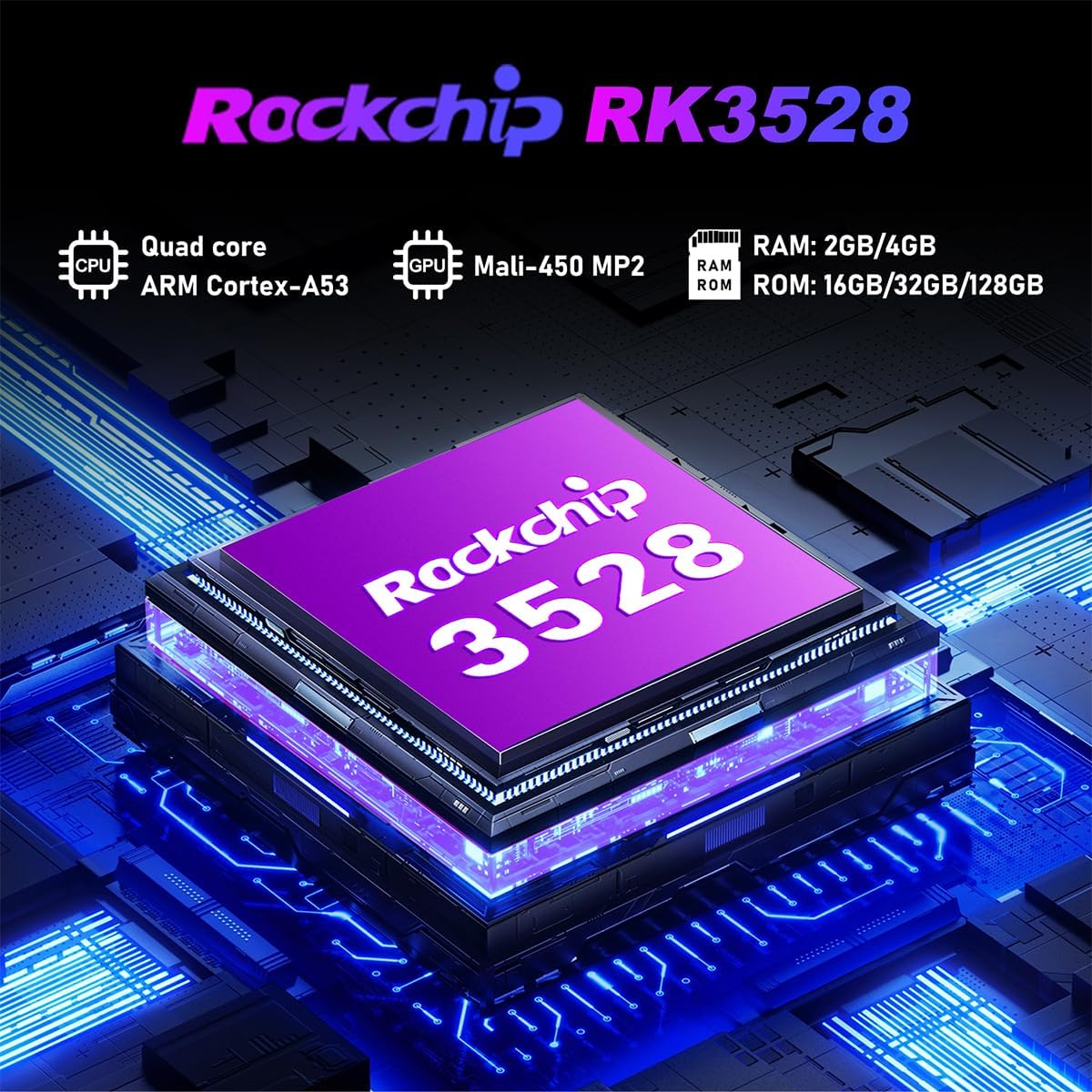
Slika 9.1: Podrobno view of the Rockchip RK3528 processor, highlighting its quad-core CPU, Mali-450 MP2 GPU, and memory configurations.
10. Vzdrževanje
To ensure the longevity and optimal performance of your TV box:
- Čiščenje: Za čiščenje zunanjosti naprave uporabite mehko, suho krpo. Ne uporabljajte tekočih čistil ali aerosolov.
- Prezračevanje: Ensure the ventilation holes are not blocked. Do not place the device on soft surfaces that may obstruct airflow.
- Shranjevanje: Ko naprave dalj časa ne uporabljate, izključite napajalnik in jo shranite na hladnem in suhem mestu.
11. Garancija in podpora
LEFFOT products are designed for reliability and performance. This product comes with a standard manufacturer's warranty. Please refer to the warranty card included in your package for specific terms and conditions.
For technical support, troubleshooting assistance, or warranty claims, please contact LEFFOT customer service through the retailer where you purchased the product or visit the official LEFFOT webspletno mesto za kontaktne podatke.
Prosimo, shranite dokazilo o nakupu za namene garancije.