
Uvod
Thank you for choosing the Acctim Jaxon Digital Alarm Clock. This modern alarm clock combines functionality with aesthetic appeal, featuring a color-changing LED display, USB-C power, and a convenient USB-C charging port. This manual will guide you through the setup, operation, and maintenance of your new device to ensure optimal performance and longevity.

Image: The Acctim Jaxon Digital Alarm Clock displayed on a bedside table, showing its compact design and blue LED time display in a bedroom setting.
Varnostne informacije
- Pred uporabo preberite vsa navodila in jih shranite za prihodnjo uporabo.
- Naprave ne izpostavljajte vodi ali prekomerni vlagi.
- Izogibajte se postavljanju ure v bližino virov toplote ali na neposredno sončno svetlobo.
- Use only the provided USB-C power cable or a certified equivalent.
- Naprave ne poskušajte razstavljati ali popravljati sami. Obrnite se na usposobljeno servisno osebje.
- Hraniti izven dosega otrok.
Vsebina paketa
- Acctim Jaxon Digital Alarm Clock
- Napajalni kabel USB-C
- Uporabniški priročnik (ta dokument)
Konec izdelkaview
Familiarize yourself with the buttons and display of your Acctim Jaxon Digital Alarm Clock.

Slika: Zgoraj view of the Acctim Jaxon Digital Alarm Clock, highlighting the control buttons for alarm, time, light/dimmer, snooze, color, and volume.
Gumbi za upravljanje:
- ALARM SET / ALARM ON/OFF: Press to set the alarm time. Press briefly to activate/deactivate the alarm.
- ČAS NASTAVLJEN: Pritisnite za nastavitev trenutnega časa.
- LIGHT / DIMMER: Press to adjust display brightness.
- DREMEŽ: Press to temporarily silence the alarm.
- BARVA: Press to cycle through display color options.
- PROSTOR: Press to adjust alarm volume.
Zaslon:
- Large LED display shows time in 12 or 24-hour format.
- AM/PM indicator for 12-hour format.
- Multiple color options for the LED digits.
Nastavitev
1. Napajalni priključek
- Connect the provided USB-C power cable to the "DC IN" port on the back of the alarm clock.
- Drugi konec kabla USB-C priključite v združljiv napajalnik USB (ni priložen) in nato v stensko vtičnico.
- Zaslon se bo prižgal, kar pomeni, da je ura vklopljena.
2. Rezervna baterija (neobvezno)
Za rezervno napajanje med izpadomtages, install 3 AAA batteries (not included) into the battery compartment on the bottom of the clock. The batteries will retain time settings but will not power the display continuously.
Navodila za uporabo
Nastavitev časa
- Pritisnite in držite ČAS NAST gumb, dokler ne začnejo utripati številke za uro.
- Pritisnite ČAS NAST večkrat pritisnite gumb , da nastavite uro.
- Pritisnite ALARM NASTAVLJEN button to confirm the hour and move to minute adjustment.
- Pritisnite ČAS NAST večkrat zaporedoma pritisnite gumb , da nastavite minute.
- Pritisnite ALARM NASTAVLJEN gumb za potrditev minut in izhod iz načina nastavitve časa.
- Za preklop med 12-urnim in 24-urnim formatom časa pritisnite ČAS NAST button briefly while the time is displayed (not in setting mode). The AM/PM indicator will appear for 12-hour format.
Nastavitev alarma
- Pritisnite in držite ALARM NASTAVLJEN gumb, dokler ne začnejo utripati številke ure budilke.
- Pritisnite ALARM NASTAVLJEN button repeatedly to adjust the alarm hour.
- Pritisnite ČAS NAST button to confirm the alarm hour and move to alarm minute adjustment.
- Pritisnite ALARM NASTAVLJEN večkrat pritisnite gumb , da nastavite minute alarma.
- Pritisnite ČAS NAST button to confirm the alarm minutes and exit alarm setting mode.
Vklop/izklop alarma
- Na kratko pritisnite VKLOP / IZKLOP ALARMA gumb za vklop ali izklop alarma. Ko je alarm aktiven, se na zaslonu prikaže ikona alarma.
Funkcija dremeža
- Ko se oglasi alarm, pritisnite tipko DREMEŽ gumb, da ga začasno utišate. Alarm se bo znova oglasil čez približno 9 minut.
- To turn off the alarm completely, press any other button (e.g., ALARM ON/OFF).
Spreminjanje barve zaslona
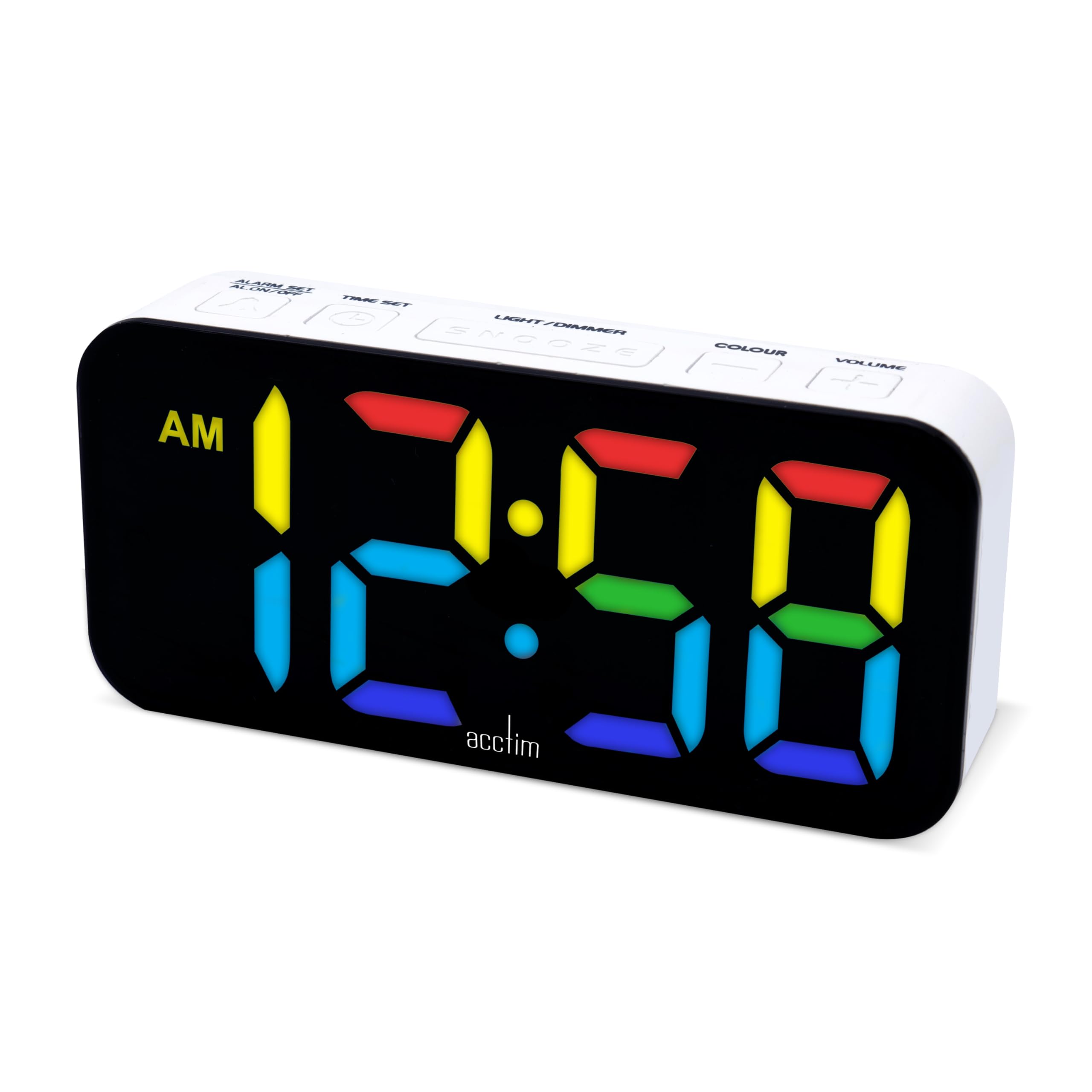
The clock features 7 different LED display colors. Press the BARVA button repeatedly to cycle through the available color options:
Pink Display

Modri zaslon

Light Blue Display

Zeleni zaslon

Rdeči zaslon

Bel zaslon

Rumeni zaslon
Prilagoditev svetlosti zaslona
- Pritisnite LIGHT / DIMMER button repeatedly to cycle through different brightness levels.
Prilagoditev glasnosti alarma
- Pritisnite GLASNOST button repeatedly to cycle through different alarm volume levels.
Using the USB-C Charging Port
- The clock features an additional USB-C port (labeled "USB OUT") that can be used to charge other devices, such as smartphones or tablets.
- Connect your device's USB-C charging cable to this port. Ensure the alarm clock is powered via its main USB-C input.
Vzdrževanje
- Čiščenje: Uro obrišite z mehko, suho krpo. Ne uporabljajte abrazivnih čistil ali topil.
- Shranjevanje: If storing the clock for an extended period, remove the AAA backup batteries to prevent leakage.
Odpravljanje težav
| Težava | Možen vzrok | rešitev |
|---|---|---|
| Display is off or dim. | No power, power cable loose, brightness set too low. | Ensure USB-C power cable is securely connected. Check power adapter. Press LIGHT / DIMMER gumb za povečanje svetlosti. |
| Alarm se ne oglasi. | Alarm is not activated, alarm volume is too low. | Pritisnite VKLOP / IZKLOP ALARMA to activate (check for alarm icon). Press GLASNOST za povečanje glasnosti alarma. |
| Čas je napačen po izpadu električne energijetage. | Ni rezervnih baterij ali pa so baterije izpraznjene. | Install fresh AAA batteries for backup. Reset the time manually. |
| USB-C charging port not working. | Clock not powered, cable issue, device incompatibility. | Ensure the clock is connected to main power. Try a different USB-C cable or device. |
Specifikacije
| Znamka | Acctim |
| Številka modela | 16512 (Jaxon) |
| barva | Bela |
| Material | Plastika |
| Mere izdelka (D x Š x V) | 9.1 x 3.81 x 5.6 cm |
| Teža predmeta | 112 gramov |
| Vrsta zaslona | Digital LED (Color Changing) |
| Vir napajanja | Electric Cord (USB-C) |
| Zahteva za baterijo | 3 x AAA batteries (for backup, not included) |
| Posebne lastnosti | Charging Port, Backlight |
Garancija in podpora
Acctim products are designed for reliability and performance. Spare parts availability is indicated for 2 years from the date of purchase.
For any questions, technical support, or warranty claims, please contact your retailer or visit the official Acctim webspletno mesto za informacije o storitvah za stranke.