
1. Uvod
This manual provides detailed instructions for the assembly, operation, and maintenance of your Perlegear Mobile TV Cart, models PGTVMC06 and PGTVMC20. Please read this manual thoroughly before installation and use to ensure safe and correct operation. Keep this manual for future reference.
This mobile TV cart is designed to accommodate most LED, LCD, and OLED flat screen or curved TVs ranging from 23 do 60 palcev, with a maximum weight capacity of 88 lbs (40 kg). It supports VESA mounting patterns from 100x100 mm do 400x400 mm.

Image 1.1: TV size, weight, and VESA compatibility overview.
2. Varnostne informacije
- Preberite vsa navodila before assembly and use. If you have any questions, contact customer support.
- Ne prekoračite nosilnosti of 88 lbs (40 kg). Exceeding this limit may result in serious injury or property damage.
- Ensure the TV's VESA pattern and weight are within the specified limits before attempting installation.
- Do not allow children to climb on the TV cart or play with its components.
- Use safety gear during assembly, such as safety glasses.
- Tighten all screws firmly but do not overtighten. Overtightening can damage components.
- Preverite vse povezave periodically to ensure they remain secure.
- Do not move the cart over uneven surfaces or obstacles, as this may cause the cart to tip over.
- Zaklenite kolesca when the cart is in a stationary position to prevent accidental movement.
3. Vsebina paketa
Verify that all components are present and undamaged. If any parts are missing or damaged, contact Perlegear customer service for assistance. While specific part numbers may vary, your package should generally include:
- Montaža baze
- Support column/pole
- TV mounting brackets
- Media shelf (if applicable)
- Kolesa
- Power outlet unit (for PGTVMC20)
- Assorted hardware (screws, washers, spacers, wrenches)
4. Nastavitev in montaža
Follow these general steps for assembling your mobile TV cart. Refer to the included assembly diagram for specific hardware and step-by-step visuals.
- Attach Casters to the Base: Securely fasten the casters to the bottom of the base using the provided hardware. Ensure locking casters are positioned for easy access.
- Assemble Base and Support Column: Connect the support column to the base. Ensure all bolts are tightened to provide a stable foundation.
- Install Media Shelf (Optional): If your model includes a media shelf, attach it to the support column at your desired height.
- Pritrditev nosilcev za pritrditev televizorja na televizor: Secure the TV mounting brackets to the back of your television using the appropriate screws, washers, and spacers for your TV's VESA pattern.
- Mount TV to Support Column: Carefully lift the TV and hook the mounting brackets onto the support column's TV plate. Secure the TV in place using the safety screws or locking mechanisms.
- Adjust TV Height: The TV bracket offers 3 nastavitve višine, adjustable in 2.17-inch increments. The maximum TV height from the floor can reach approximately 60.43 palcev, and the minimum is approximately 56.1 palcev. Adjust to your preferred viewing height before finalizing the setup.

Image 4.1: TV bracket height adjustment options.
5. Navodila za uporabo
5.1 Prilagoditev Viewkota
Your TV cart allows for flexible viewing angle adjustments:
- Nagib: The TV can be tilted from -10° (downward) to +15° (upward) to reduce glare and optimize your viewing experience. Loosen the tilt knobs on the TV brackets, adjust to the desired angle, and then retighten the knobs securely.
- Vrtljiva: The TV can be swiveled ±35° (left or right) to direct the screen towards different areas of a room. Gently push the TV to the desired swivel angle.
- Izravnavanje: The TV can be leveled by +3°/-3° to correct any slight horizontal misalignment after installation.

Image 5.1: TV tilt adjustment range.
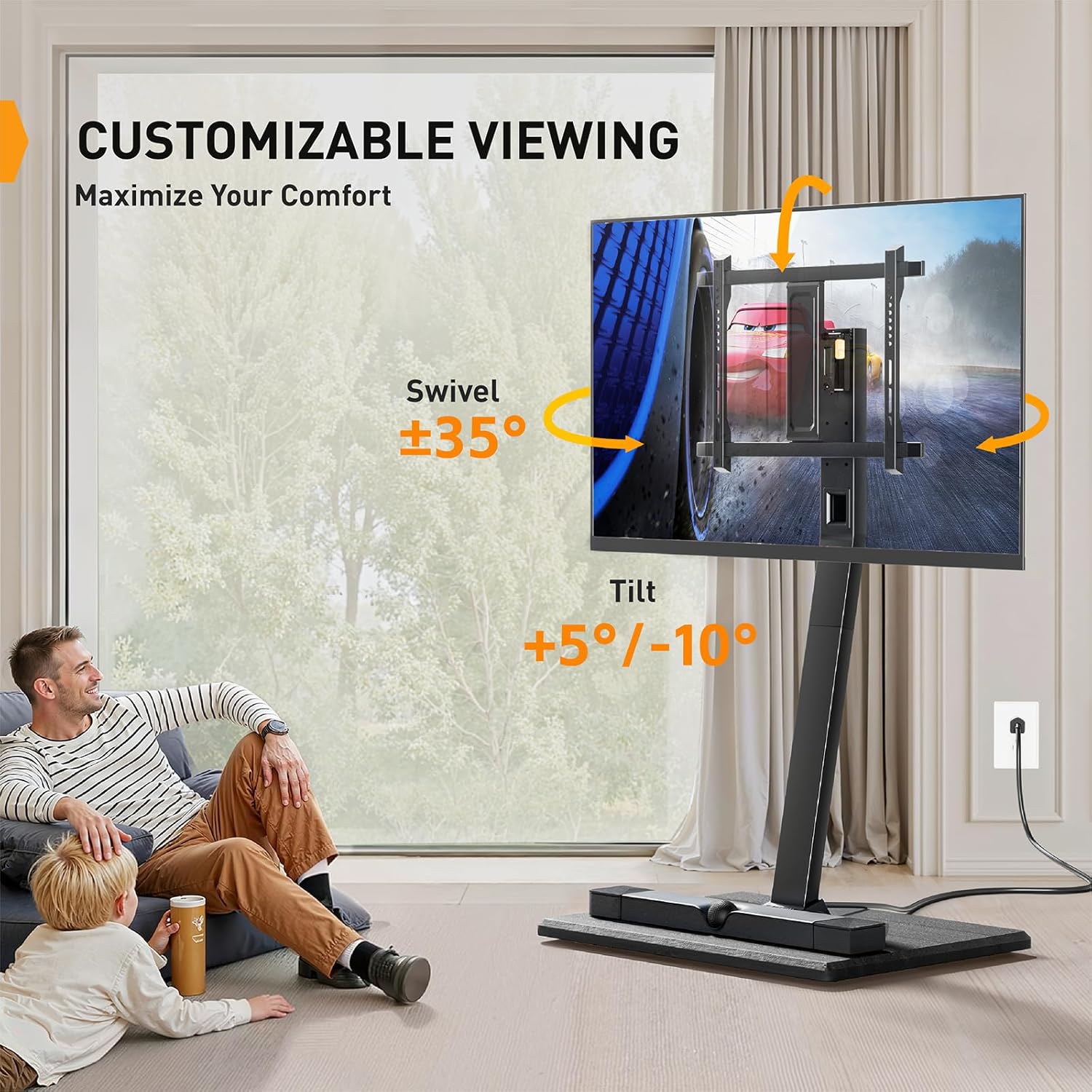
Image 5.2: Customizable viewing with swivel and tilt options.
5.2 Mobilnost
The integrated casters allow you to easily move the TV cart to different locations. Unlock the casters before moving and lock them once the cart is in its desired position to ensure stability.

Image 5.3: Demonstrating the ease of moving the TV cart.
Značilnosti oblikovanja hidden casters for a cleaner aesthetic, maintaining stability while allowing for easy movement without obstruction.

Image 5.4: Hidden casters for a streamlined appearance and mobility.
5.3 Built-in Power Outlet (PGTVMC20)
The PGTVMC20 model includes a built-in power outlet for convenient device charging and power supply. It features:
- 2 vrata USB (5V / 2.1A)
- 3 vtičnic za izmenični tok (120V / 12A)
- A 6.5-metrski napajalni kabel
This allows you to power your TV and other electronic devices directly from the stand, reducing cable clutter.
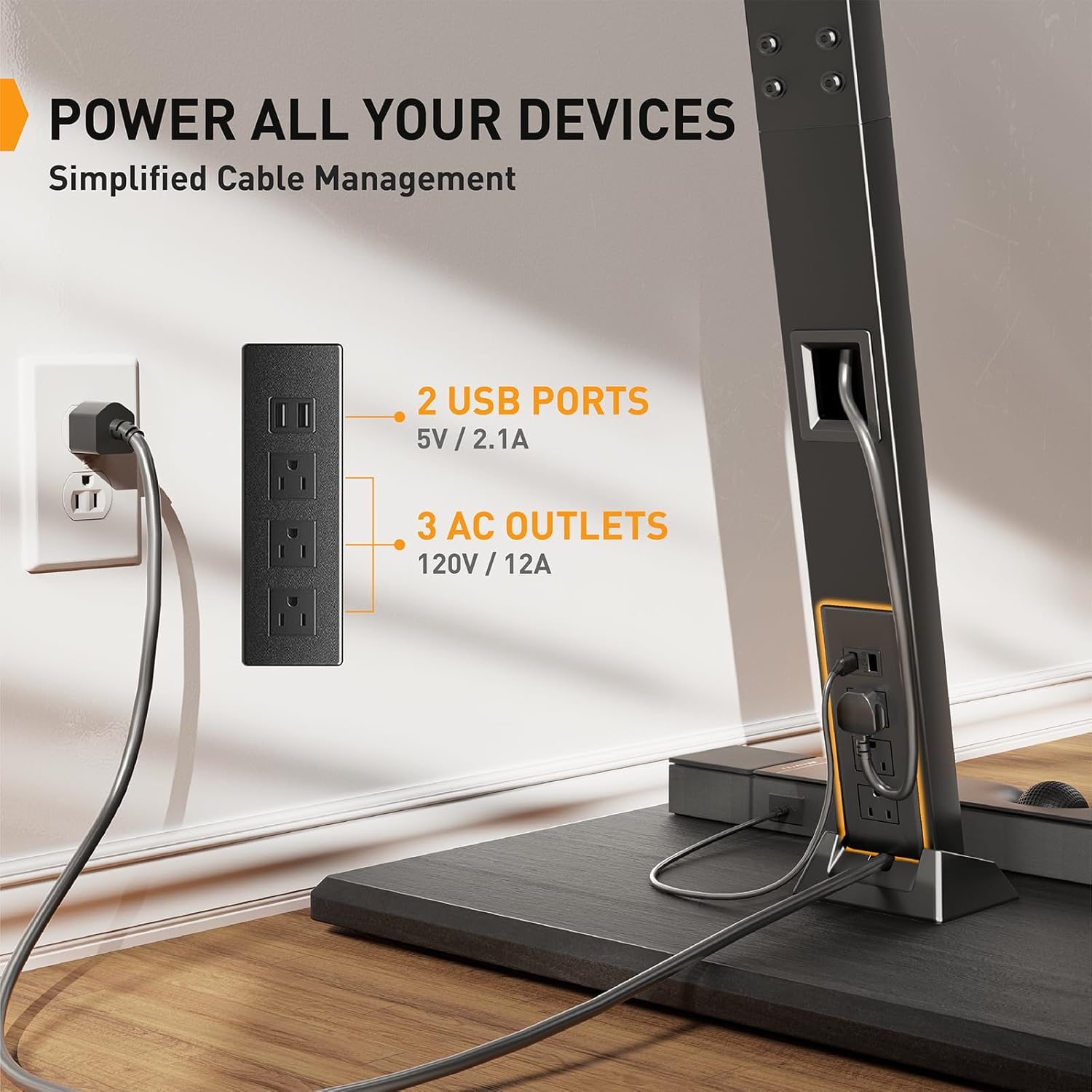
Image 5.5: Integrated power outlet for devices.
6. Vzdrževanje
- Čiščenje: Wipe the cart with a soft, damp krpo. Izogibajte se agresivnim kemikalijam ali abrazivnim čistilom.
- Preverite povezave: Periodically inspect all screws and bolts to ensure they are tight and secure. Retighten if necessary.
- Caster Functionality: Za zagotovitev nemotenega gibanja poskrbite, da so kolesa brez umazanije.
7. Odpravljanje težav
- Košarica je nestabilna: Ensure all assembly screws are tightened. Verify the TV weight and size are within specifications. Ensure casters are locked when stationary.
- Težave pri premikanju vozička: Check if casters are unlocked. Clean any debris from the caster wheels.
- Televizor ni poravnan: Use the leveling adjustment feature (+3°/-3°) on the TV brackets. Ensure the floor surface is even.
- Vtičnice ne delujejo: Check if the cart's main power cord is securely plugged into a working wall outlet. Ensure devices are properly connected to the cart's outlets.
8. Specifikacije
| Funkcija | Specifikacija |
|---|---|
| Združljive velikosti televizorjev | 23 - 60 palcev |
| Največja teža televizorja | 88 lbs (40 kg) |
| Združljivost VESA | 100x100 mm do 400x400 mm |
| Nastavitev naklona | -10° do +15° |
| Nastavitev vrtenja | ±35° |
| Prilagoditev izravnave | ±3° |
| Nastavitev višine | 3 settings, 2.17" increments (Min 56.1", Max 60.43") |
| Power Outlet (PGTVMC20) | 2 USB (5V/2.1A), 3 AC (120V/12A), 6.5 ft cord |
| Dimenzije baze | 17.72" (width) x 23.62" (depth) |

Image 8.1: Product dimensions and compatibility overview.
9. Garancija in podpora
Perlegear products are designed for durability and performance. For warranty information, technical support, or if you encounter any issues not covered in this manual, please contact Perlegear customer service. You can typically find contact details on the Perlegear official webspletnega mesta ali prek vaše nakupovalne platforme.
Please have your model number (PGTVMC06/PGTVMC20) and purchase information ready when contacting support.