
Uvod
Thank you for choosing the JUNJIEUNVO BT1638 Over-Ear Wireless Headphones. This manual provides detailed instructions for the proper use, setup, and maintenance of your headphones. Please read this manual thoroughly before using the product to ensure optimal performance and longevity.

Image: The JUNJIEUNVO BT1638 Over-Ear Wireless Headphones in blue, showcasing their design and padded headband.
Vsebina paketa
Prosimo, preverite paket za naslednje artikle:
- JUNJIEUNVO BT1638 Over-Ear Wireless Headphones
- Polnilni kabel USB-C
- 3.5 mm AUX avdio kabel
- Uporabniški priročnik (ta dokument)
Nastavitev
1. Polnjenje slušalk
Pred prvo uporabo popolnoma napolnite slušalke. Popolno polnjenje traja približno 2 uri.
- Priključite polnilni kabel USB-C na polnilno vtičnico na slušalkah.
- Drugi konec kabla USB-C priključite na združljiv vir napajanja USB (npr. vrata USB računalnika, stenski adapter).
- The indicator light will show charging status (e.g., red for charging, blue/off for fully charged). Refer to the LED indicator section for details.
2. Vklop/izklop
- Vklop: Pritisnite in držite gumb za vklop približno 3 sekunde, dokler indikatorska lučka ne utripa.
- Ugasniti: Pritisnite in držite gumb za vklop približno 3 sekund, dokler se indikatorska lučka ne izklopi.
3. Bluetooth seznanjanje
The headphones use Bluetooth 5.0 for wireless connectivity, offering a range of up to 33 feet (10 meters).
- Prepričajte se, da so slušalke izklopljene.
- Pritisnite in držite gumb za vklop približno 5–7 sekund, dokler indikatorska lučka ne utripa izmenično rdeče in modro, kar označuje način seznanjanja.
- V napravi (pametnem telefonu, tablici, prenosniku) omogočite Bluetooth in poiščite razpoložljive naprave.
- Select "BT1638" or "JUNJIEUNVO BT1638" from the list of found devices.
- Ko je povezava vzpostavljena, indikatorska lučka običajno počasi utripa modro ali sveti neprekinjeno modro.
- Če se od vas zahteva geslo, vnesite »0000«.
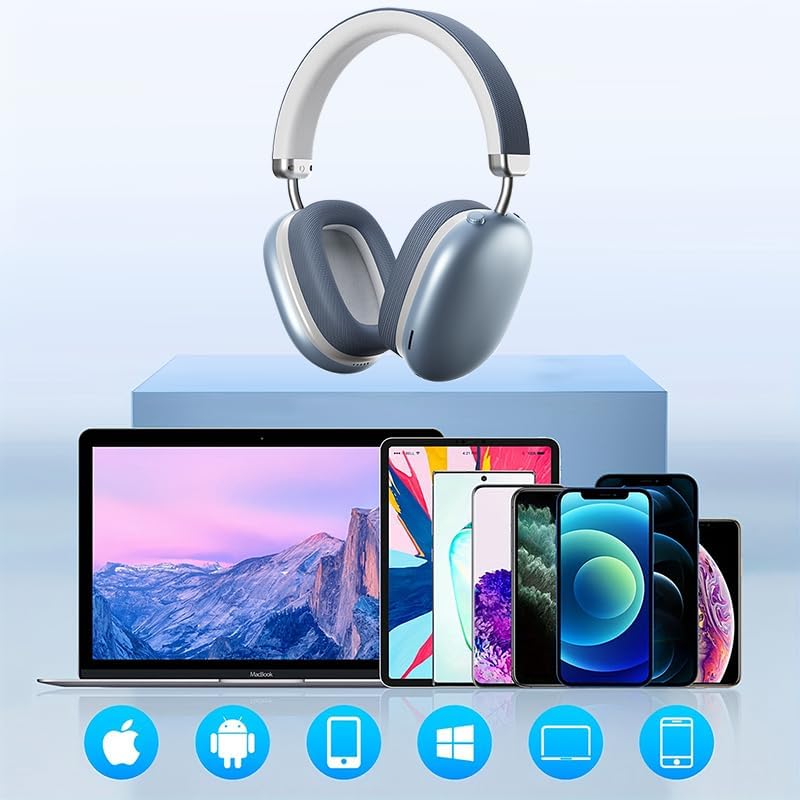
Image: The BT1638 headphones shown with a variety of compatible devices including laptops, smartphones, and tablets, illustrating broad connectivity.
Navodila za uporabo
1. Osnovne kontrole
The headphones feature button and touch controls for various functions.
- Gumb za vklop: Vklop/izklop, vstop v način seznanjanja.
- Povečanje glasnosti/naslednja skladba: Kratek pritisk za povečanje glasnosti, dolg pritisk za naslednjo skladbo.
- Zmanjšanje glasnosti/prejšnja skladba: Kratek pritisk za zmanjšanje glasnosti, dolg pritisk za prejšnjo skladbo.
- Multi-function Button (MFB) / Touch Control:
- Predvajanje/pavza: Enkratni pritisk.
- Sprejmi/končaj klic: Single press during an incoming call.
- Zavrni klic: Med dohodnim klicem pritisnite in držite 2 sekundi.
- Aktiviranje glasovnega pomočnika: Dvojni pritisk.
2. Predvajanje zvoka
Enjoy high-fidelity (HIFI) sound quality and immersive surround sound with your BT1638 headphones.

Image: The BT1638 headphones, emphasizing their HIFI sound quality and extended battery life of up to 40 hours.

Image: The BT1638 headphones displaying Hi-Res Wireless Audio and LDAC compatibility, indicating advanced audio capabilities.
3. Passive Noise Cancellation
The over-ear design and cushioned ear cups provide passive noise cancellation, reducing ambient sounds for a more focused listening experience.

Image: A visual representation comparing sound waveforms before and after noise reduction, demonstrating the effectiveness of the headphones' passive noise cancellation.
4. Žična povezava (AUX)
For situations where Bluetooth is not available or preferred, you can connect the headphones using an AUX cable.
- Plug one end of the 3.5mm AUX cable into the headphone's AUX port.
- Plug the other end into your audio source's 3.5mm audio jack.
- Slušalke bodo samodejno preklopile v žični način.
5. Udobje in prileganje
The BT1638 headphones feature an adjustable headband and rotatable earcups for a comfortable and secure fit.

Slika: Bližnji posnetek view illustrating the adjustable telescopic headband and earcups that can rotate 90 degrees, allowing for a customized and comfortable fit.

Image: The soft earmuffs of the BT1638 headphones, designed for comfortable and smooth listening experiences.
Vzdrževanje
Proper care will extend the life and performance of your headphones.
- Čiščenje: Use a soft, dry, lint-free cloth to clean the surfaces of the headphones. Do not use harsh chemicals, cleaning solvents, or strong detergents.
- Ušesne blazinice: The memory foam and fabric ear cushions can be gently wiped with a slightly damp cloth if necessary, then allowed to air dry completely.
- Shranjevanje: Ko slušalk ne uporabljate, jih shranjujte na hladnem in suhem mestu, stran od neposredne sončne svetlobe in ekstremnih temperatur.
- Izogibajte se vlagi: Te slušalke niso vodoodporne. Izogibajte se izpostavljanju vodi, dežju ali prekomerni vlagi.
- Ravnajte previdno: Pazite, da vam slušalke ne padejo na tla ali da jih ne izpostavljate močnim udarcem.
Odpravljanje težav
| Težava | Možen vzrok | rešitev |
|---|---|---|
| Slušalke se ne vklopijo. | Nizka baterija. | Slušalke polnite vsaj 30 minut. |
| Seznanitev z napravo ni mogoča. | Slušalke niso v načinu seznanjanja; Bluetooth na napravi izklopljen; naprava je predaleč. | Ensure headphones are in pairing mode (flashing red/blue). Turn on Bluetooth on your device. Move device closer to headphones (within 33 feet). |
| Ni zvoka ali nizka glasnost. | Glasnost je prenizka; napačen vir zvoka; slušalke niso priključene. | Increase volume on both headphones and connected device. Ensure headphones are properly paired or AUX cable is fully inserted. |
| Prekinjena povezava. | Motnje; naprava predaleč; nizka baterija. | Move closer to the connected device. Avoid strong electromagnetic interference. Ensure headphones are sufficiently charged. |
Specifikacije
| Funkcija | Podrobnost |
|---|---|
| Ime modela | SY-BT1638 |
| Tehnologija povezljivosti | Bluetooth, AUX |
| Brezžična komunikacijska tehnologija | Bluetooth, brezžično |
| Različica Bluetooth | 5.0 |
| Bluetooth obseg | 33 čevljev (10 metra) |
| Vrsta zvočnega gonilnika | Dinamični gonilnik |
| Velikost zvočnega gonilnika | 40 milimetrov |
| Frekvenčni odziv | 20 Hz (spodnja meja) |
| Občutljivost | 102 dB |
| Impedanca | 32 Ohm |
| Nadzor hrupa | Pasivno odpravljanje hrupa |
| Vrsta nadzora | Brezžično |
| Nadzorna metoda | Dotik, gumb |
| Čas polnjenja | 2 ur |
| Življenjska doba baterije | Do 40 ur (predvajanje) |
| Material | Fabric, Memory Foam, Metal |
| Teža predmeta | 12 unč (približno 340 g) |
| Stopnja vodoodpornosti | Ni vodoodporen |
| Združljive naprave | Prenosniki, pametni telefoni, tablice |
Informacije o garanciji
Specific warranty details for the JUNJIEUNVO BT1638 headphones are typically provided with your purchase documentation or on the manufacturer's official webspletnega mesta. Prosimo, shranite dokazilo o nakupu za morebitne garancijske zahtevke.
Generally, products are covered against defects in materials and workmanship for a specified period from the date of purchase. This warranty usually does not cover damage caused by misuse, accidents, unauthorized modifications, or normal wear and tear.
Podpora uporabnikom
If you encounter any issues or have questions not covered in this manual, please contact JUNJIEUNVO customer support. You can typically find contact information on the product packaging, the official JUNJIEUNVO webspletnem mestu ali prek vašega prodajalca.
When contacting support, please have your product model (SY-BT1638) and proof of purchase readily available.