
1. Izdelek je končanview
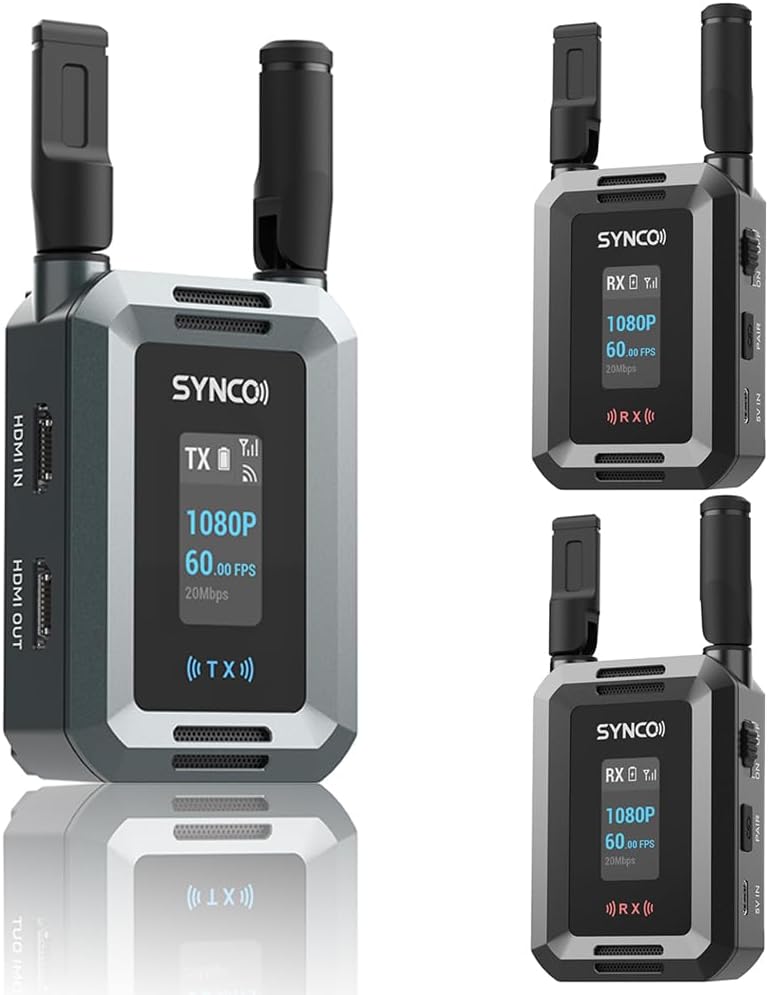
The SYNCO XVision HD Wireless Video Transmission System provides high-definition video transmission for professional film, television, and live streaming applications. This system, configured with one transmitter (TX) and two receivers (RX), supports 1080P/60fps video with a range of up to 300 meters and ultra-low latency of 40ms. Its compact design and flexible power options make it suitable for various production environments.
Ključne značilnosti:
- Stable HD Video Transmission: Supports 1080P/60fps video up to 300 meters with SYNCO's ultra-penetration technology.
- Izjemno nizka zakasnitev: 40ms latency for real-time monitoring and feedback, utilizing advanced H.265/HEVC encoding.
- Dual HDMI Connectivity: Features HDMI input, HDMI output, and HDMI loop-out ports for versatile connections.
- Večuporabniško spremljanje: Supports simultaneous transmission to multiple receivers (up to four) for collaborative workflows.
- Kompakten in prenosen: Lightweight at 119g with foldable antennas, designed for easy transport and on-the-go use.
- Prilagodljive možnosti napajanja: Compatible with NP-F batteries and USB-C 5V input.
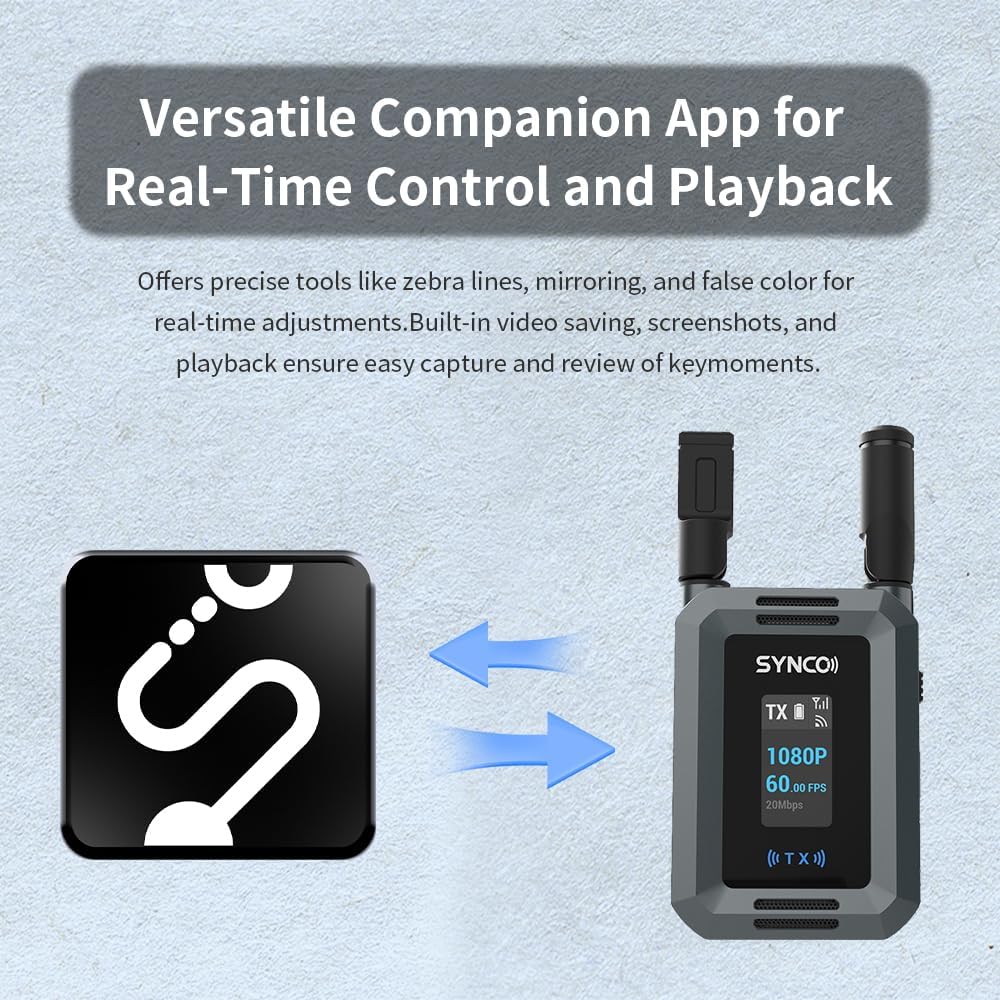
- SYNCO Link App: Companion app for real-time monitoring, image adjustments (zebra lines, mirroring, false color), video saving, screenshots, and playback.
Kaj je v škatli:
- Oddajnik (TX) x 1
- Sprejemnik (RX) x 2
- Type-C kabel x 3
2. Komponente in krmilniki
Each unit (Transmitter and Receiver) features a compact design with essential ports and controls for efficient operation.
Transmitter (TX) Unit:
- Vhod HDMI: Connects to the video source (e.g., camera, computer).
- HDMI IZHOD: Provides a loop-out signal to a local monitor.
- USB-C 5V IN: Vhod za napajanje.
- Stikalo za vklop/izklop: Vklopi ali izklopi enoto.
- PAIR gumb: Initiates pairing with receiver units.
- Reža za baterijo NP-F: For external battery power.
- Zaslon: Shows status information like resolution, frame rate, signal strength, and battery level.
Receiver (RX) Unit:
- HDMI IZHOD: Connects to a display device (e.g., monitor, TV, projector).
- USB-C 5V IN: Vhod za napajanje.
- Stikalo za vklop/izklop: Vklopi ali izklopi enoto.
- PAIR gumb: Initiates pairing with the transmitter unit.
- Reža za baterijo NP-F: For external battery power.
- Zaslon: Shows status information like resolution, frame rate, signal strength, and battery level.


3. Nastavitev
3.1 Powering On the Units
- Namestitev baterije: If using NP-F batteries, insert a charged battery into the NP-F battery slot on both the TX and RX units.
- Napajanje USB-C: Alternatively, connect the provided Type-C cables to the USB-C 5V IN port on both the TX and RX units and plug them into a power source (e.g., USB wall adapter, power bank).
- Vklop: Slide the ON/OFF switch to the 'ON' position for both the transmitter and receiver units. The display screens will illuminate.
3.2 Connecting Video Devices
- Povezava oddajnika: Connect your video source (e.g., camera, computer, game console) to the HDMI IN port of the TX unit using an HDMI cable.
- Povezava sprejemnika: Connect your display device (e.g., monitor, HDTV, projector) to the HDMI OUT port of each RX unit using an HDMI cable.
- HDMI Loop-Out (Optional): If you require a local monitor at the transmitter end, connect an HDMI cable from the HDMI OUT port of the TX unit to your local monitor.

3.3 Pairing Transmitter and Receivers
The units are typically pre-paired from the factory. If re-pairing is necessary or if adding additional receivers, follow these steps:
- Prepričajte se, da sta obe enoti TX in RX vklopljeni.
- Press and hold the PAIR button on the TX unit until the display indicates pairing mode.
- Within a few seconds, press and hold the PAIR button on each RX unit you wish to pair.
- The units will automatically connect. The display screens will show a successful connection status (e.g., signal strength indicator).

4. Navodila za uporabo
4.1 Osnovna operacija
- Once powered on and connected, the system will automatically begin transmitting video.
- Monitor the display screens on both TX and RX units for signal strength, battery status, and video resolution/frame rate.
- Ensure antennas are unfolded and positioned for optimal signal reception.

4.2 Using the HDMI Loop-Out
The HDMI OUT port on the transmitter allows for local monitoring without signal delay. Connect an HDMI cable from the TX unit's HDMI OUT to a monitor near your camera setup. This is useful for camera operators who need to see the video feed directly from the source while it is also being transmitted wirelessly.

4.3 SYNCO Link App
The SYNCO Link App enhances the system's capabilities by providing advanced monitoring and control features. Download the app from your device's app store.
- Povežite se z aplikacijo: Ensure your mobile device is connected to the Wi-Fi network broadcast by the XVision HD system (refer to the unit's display for Wi-Fi name and password, if applicable).
- Spremljanje v realnem času: View the live video feed on your mobile device.
- Prilagoditve slike: Utilize tools such as zebra lines, mirroring, and false color for precise visual control and exposure analysis.
- Capture and Review: The app supports built-in video saving, screenshots, and instant playback of captured moments.
5. Vzdrževanje
5.1 Čiščenje
- Za čiščenje zunanjosti enot uporabite mehko, suho krpo.
- Do not use liquid cleaners, solvents, or abrasive materials, as these can damage the finish or internal components.
- Vrata naj bodo brez prahu in umazanije.
5.2 Skrb za baterije
- Always use recommended NP-F type batteries.
- Remove batteries if the units will not be used for an extended period.
- Baterije hranite na hladnem in suhem mestu.
5.3 Shranjevanje
- Store the units in a dry, dust-free environment.
- Izogibajte se ekstremnim temperaturam in vlagi.
- When storing, ensure antennas are folded to prevent damage.
6. Odpravljanje težav
If you encounter issues with your SYNCO XVision HD system, refer to the following common problems and solutions:
| Težava | Možen vzrok | rešitev |
|---|---|---|
| No video signal on receiver display. | Units not powered on; HDMI cable loose/faulty; Units not paired; Out of range; Interference. | Ensure units are powered on. Check HDMI cable connections. Re-pair TX and RX units. Move units closer. Check for other wireless devices. |
| Poor video quality or dropped frames. | Weak signal; Obstructions; Interference. | Reduce distance between TX and RX. Ensure clear line of sight. Adjust antenna positions. Minimize other wireless device usage. |
| Units not pairing. | Incorrect pairing procedure; Units too far apart. | Follow pairing instructions carefully (Section 3.3). Ensure units are within close proximity during pairing. |
| SYNCO Link App not connecting. | Not connected to unit's Wi-Fi; App issues. | Ensure mobile device is connected to the XVision HD's Wi-Fi network. Restart the app and the XVision HD units. |
| Kratka življenjska doba baterije. | Battery not fully charged; Old battery; High power consumption. | Ensure batteries are fully charged before use. Replace old batteries. Use USB-C power for extended operation. |
7. Specifikacije
| Funkcija | Specifikacija |
|---|---|
| Video ločljivost | Up to 1080P/60fps |
| Obseg prenosa | Do 300 metrov (vidno polje) |
| Zakasnitev | 40ms |
| Video kodiranje | H.265/HEVC |
| Vhod/izhod | HDMI IN (TX), HDMI OUT (TX & RX) |
| Napajalnik | NP-F Battery, USB-C 5V IN |
| Teža (na enoto) | Približno 119g |
| Antene | Zložljiva |
| Podpora za aplikacije | SYNCO Link App |
8. Garancija in podpora
For warranty information, please refer to the official SYNCO website or the warranty card included with your product. For technical support, product registration, or further inquiries, please visit the SYNCO support page or contact their customer service directly.
Spletni viri:
- Uradnik SYNCO Webspletno mesto: www.syncoaudio.com
- SYNCO Store on Amazon: Visit the SYNCO Store