
MOUNTUP Heavy Duty Single Monitor Arm
Navodila za uporabo za nosilno oporo za en monitor MOUNTUP (zasloni 22–42 palcev)
Uvod
This manual provides detailed instructions for the installation, operation, and maintenance of your MOUNTUP Heavy Duty Single Monitor Arm. Designed for screens ranging from 22 to 42 inches and supporting weights from 4.4 to 33 lbs, this monitor arm offers superior stability and ergonomic adjustability to optimize your workspace. Please read this manual thoroughly before installation to ensure safe and correct usage.
Varnostne informacije
- Pred sestavljanjem se prepričajte, da so vse komponente prisotne in nepoškodovane. Ne uporabljajte, če kateri koli deli manjkajo ali so okvarjeni.
- Preverite, ali je površina vaše mize dovolj močna, da prenese skupno težo ročaja za monitor in vašega monitorja.
- Ne prekoračite največje dovoljene nosilnosti 33 kg (15 lbs).
- Follow all assembly steps carefully. Improper installation may result in product damage or personal injury.
- Med namestitvijo hranite otroke in hišne ljubljenčke proč.
- Adjust the tension of the gas spring arm only after the monitor is mounted to prevent the arm from springing up unexpectedly.
Nastavitev
Vsebina paketa
Before beginning, ensure all parts are accounted for. The package typically includes:
- Sklop ročice monitorja
- C-Clamp Komponenta
- Grommet Base Component
- VESA plošča
- Komplet strojne opreme (vijaki, podložke, imbus ključi)
- Navodila za uporabo

Image: MOUNTUP Heavy Duty Single Monitor Arm, showcasing its main components including the adjustable arm, the C-clamp mounting option, and the grommet base option. A monitor is shown attached to the arm, illustrating its functionality.
Možnosti namestitve
The MOUNTUP monitor arm offers two versatile mounting methods:
- C-Clamp Montaža: Ideal for desks without existing grommet holes. This method securely attaches the arm to the edge of your desk. It supports desk thicknesses between 0.39 inches and 2.76 inches.
- Grommet Hole Mount: Suitable for desks with a pre-existing hole. This provides a stable and flush mounting solution. It supports desk thicknesses between 0.39 inches and 2.36 inches, with a hole diameter between 0.39 inches and 2.36 inches.

Image: A detailed diagram illustrating the two available mounting options: the C-clamp for desk edges (0.39-2.76 inches thick) and the grommet hole mount for desks with existing holes (0.39-2.36 inches thick, 0.39-2.36 inches hole diameter).
Pritrditev monitorja
The monitor arm is compatible with VESA patterns of 75x75mm and 100x100mm. Ensure your monitor has one of these patterns.
- Ploščo VESA pritrdite na zadnjo stran monitorja s priloženimi vijaki.
- Slide the monitor (with the attached VESA plate) onto the arm's mounting head until it clicks into place.
- Secure the monitor by tightening any safety screws or mechanisms as indicated in the detailed assembly guide.

Image: This graphic details the monitor arm's adaptability, showing VESA compatibility (75x75mm, 100x100mm), load capacity (4.4-33 lbs), height range (9.3-22.1 inches), and maximum extension (23.8 inches).
Upravljanje ročice monitorja
Prilagoditve
The MOUNTUP monitor arm allows for a wide range of adjustments to achieve optimal ergonomic positioning:
- Nastavitev višine: The arm can be adjusted to a maximum height of 22.1 inches, allowing you to position your monitor at eye level. Adjust the gas spring tension using the provided Allen key to ensure the arm holds your monitor's weight securely.
- Razširitev: The arm extends up to 23.8 inches, providing flexibility for screen placement.
- Nagib: Prilagodite nagib monitorja od +90° do -45°, da zmanjšate bleščanje in poiščete želeni viewvhodni kot.
- Vrtljiva: Swivel the monitor ±90° to share your screen with colleagues or change your viewing perspektive.
- Vrtenje: Za preklapljanje med ležečo in pokončno orientacijo monitor zavrtite za 360°.
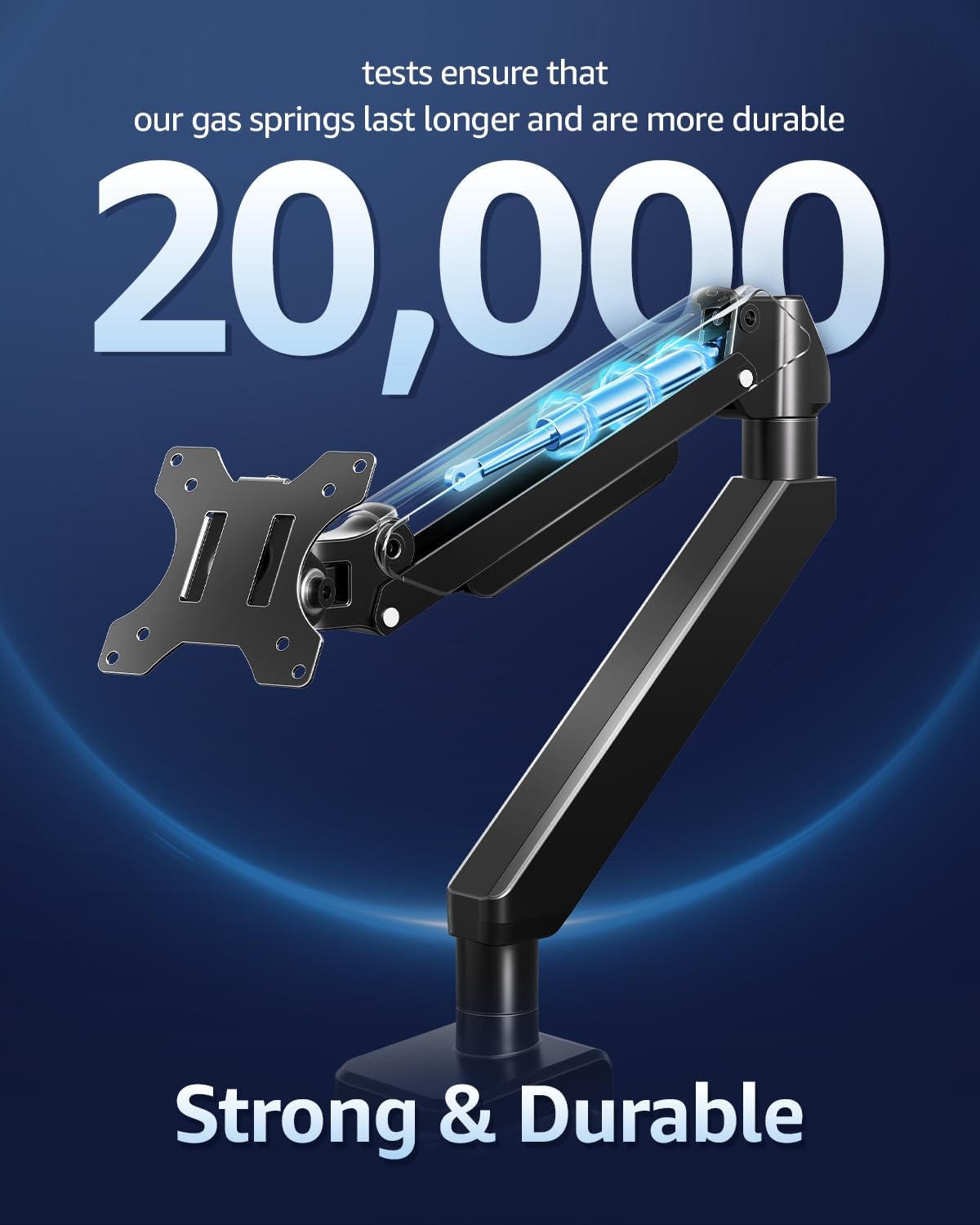
Image: This image showcases the monitor arm's full range of motion, including tilt (+90°/-45°), swivel (±90°), and 360° rotation, allowing for optimal ergonomic positioning.
Video: This video demonstrates the various adjustments possible with the MOUNTUP Heavy Duty Monitor Arm, including height, tilt, swivel, and rotation, highlighting its ergonomic flexibility.
Upravljanje kablov
The monitor arm features an integrated cable management system to keep your workspace tidy and free from clutter. Route your monitor cables through the designated channels along the arm to maintain a clean aesthetic and prevent cable damage.

Image: An image demonstrating the integrated cable management system of the monitor arm, which helps organize wires and free up desktop space for a cleaner, more productive environment.
Vzdrževanje
- Redno preverjajte vse vijake in povezave, da se prepričate, da so trdno priviti in varno pritrjeni.
- Držalo monitorja očistite z mehko krpoamp krpo. Izogibajte se abrazivnim čistilom ali topilom.
- Periodically inspect the gas spring for any signs of wear or damage. The gas springs are designed for durability, tested for over 20,000 cycles.

Slika: Izrez view highlighting the durable gas springs within the monitor arm, indicating their longevity and reliability, tested for over 20,000 cycles.
Odpravljanje težav
- Roka ne drži položaja: Ensure the gas spring tension is correctly adjusted for your monitor's weight. Use the provided Allen key to increase tension if the arm sags, or decrease if it springs up too quickly.
- Monitor wobbles: Check that all mounting screws are securely tightened, especially the C-clamp or grommet base. Ensure the desk surface is stable.
- Difficulty with adjustments: If the arm is stiff, check for any obstructions. If it's too loose, adjust the tension as described above.
Specifikacije
| Funkcija | Specifikacija |
|---|---|
| Compatible Monitor Size | 22-42 palcev |
| Nosilnost | 4.4 - 33 lbs (2 - 15 kg) |
| Združljivost VESA | 75x75 mm, 100x100 mm |
| Vrsta namestitve | Namizni nosilec (C-Clamp ali podstavek z ušesom) |
| C-Clamp Debelina mize | 0.39 - 2.76 palcev |
| Debelina mize Grommet | 0.39 - 2.36 palcev |
| Premer odprtine za tesnilo | 0.39 - 2.36 palcev |
| Vrsta gibanja | Nagib, vrtenje, vrtenje, nastavitev višine, polno gibanje |
| Kot nagiba | +90° / -45° |
| Zasučni kot | ±90° |
| Vrtenje | 360° |
| Maks. Višina | 22.1 palcev |
| Največja razširitev | 23.8 palcev |
| Material | Legirano jeklo |
| barva | Črna |

Image: An illustration highlighting the monitor arm's robust load capacity, capable of supporting up to 33 pounds, ensuring stability for various monitor sizes.

Image: An image illustrating the monitor arm's capability to support large ultrawide monitors up to 42 inches, providing an expansive viewizkušnje.
Informacije o garanciji
For detailed warranty information regarding your MOUNTUP Heavy Duty Single Monitor Arm, please refer to the official MOUNTUP webspletno mesto ali garancijski list, ki je priložen embalaži izdelka. Garancijski pogoji se lahko razlikujejo glede na regijo in prodajalca.
Podpora uporabnikom
Should you require technical assistance, have questions about installation, or need further support for your MOUNTUP Heavy Duty Single Monitor Arm, please contact MOUNTUP customer service through their official website or the contact information provided in your product documentation. Please have your model number (Heavy Duty Single Monitor Arm) and purchase details ready when contacting support.
Ask a question about this manual
Ask about setup, troubleshooting, compatibility, parts, safety, or missing instructions. Manuals+ will review the question and use this page’s manual context to help answer it.