
Uvod
The LEOBOG AULA HERO 68 HE is a compact 68-key mechanical gaming keyboard designed for performance and customization. It features Hall Effect magnetic switches, adjustable actuation, rapid trigger mode, and an 8K Hz polling rate for precise input. The keyboard includes side-printed PBT keycaps and RGB backlighting, connecting via a detachable USB-C cable.
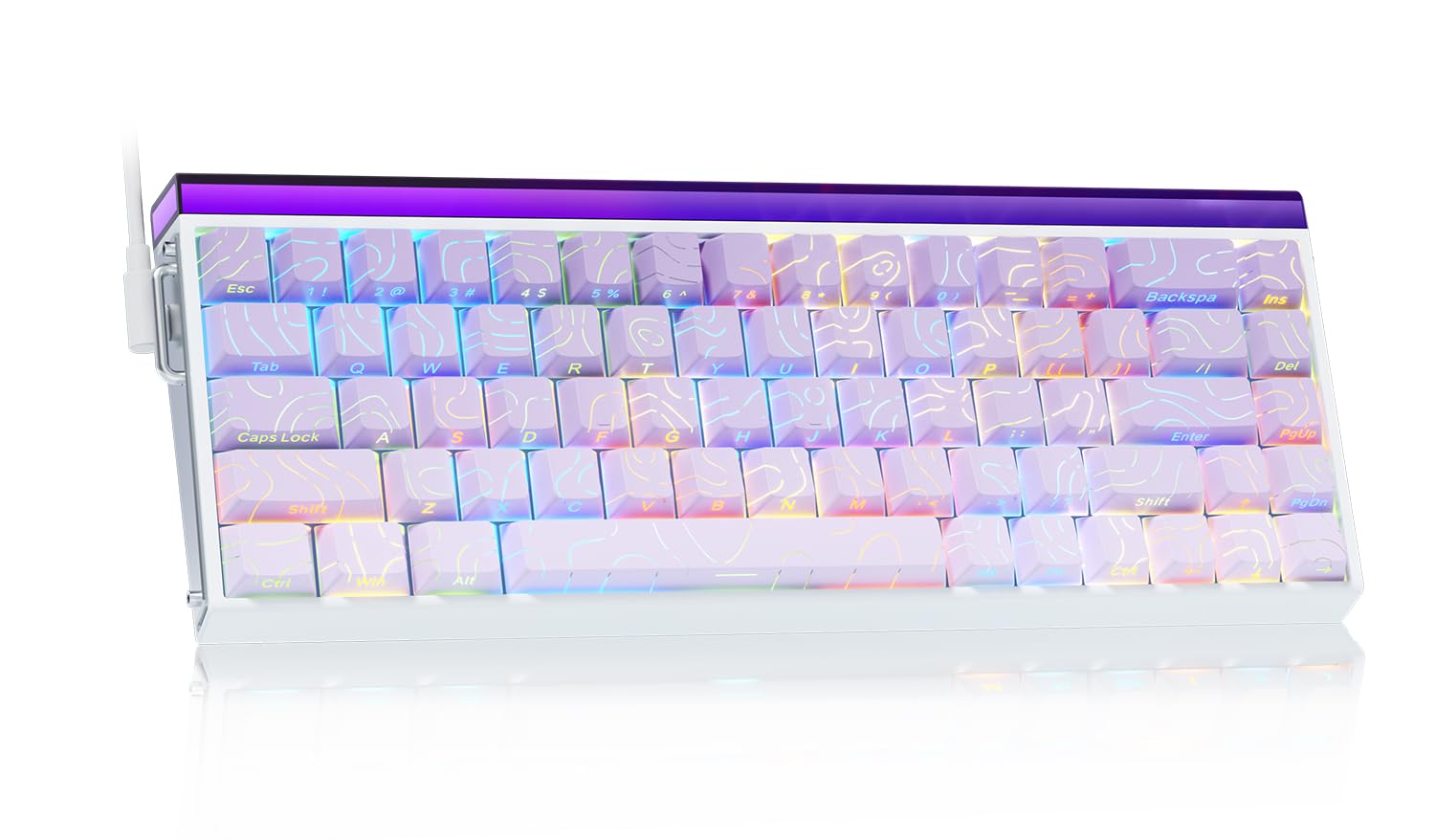
Image: The LEOBOG AULA HERO 68 HE 60% Gaming Keyboard in purple, showcasinzaradi kompaktne postavitve in RGB osvetlitve.
Vsebina paketa
- 1x LEOBOG AULA HERO 68 HE Gaming Keyboard
- 4x PBT Keycaps (for customization)
- 1x angleški priročnik
- 1x USB-C Cable (detachable)
- 1x Keycap/Switch Puller
Navodila za namestitev
- Priključite tipkovnico: Connect the detachable USB-C cable to the keyboard's USB-C port and the other end to an available USB port on your computer. The keyboard is plug-and-play and should be recognized automatically by most operating systems.
- Namestitev gonilnika (neobvezno): For advanced customization, including trigger travel settings, RGB backlight settings, custom shortcut keys, DKS/MT/TGL custom functions, and magnetic switch performance adjustments, download the dedicated web driver from the official LEOBOG webmesto. Note: The driver currently supports Windows operating systems.
- Keycap and Switch Customization: The keyboard features hot-swappable switches and replaceable keycaps. Use the included keycap/switch puller to remove and replace components.

Image: Close-up of the keyboard's side, showing the USB-C port and detachable cable connection.

Image: Screenshot of the programmable web driver interface, showing options for trigger travel, RGB settings, and macro recording.
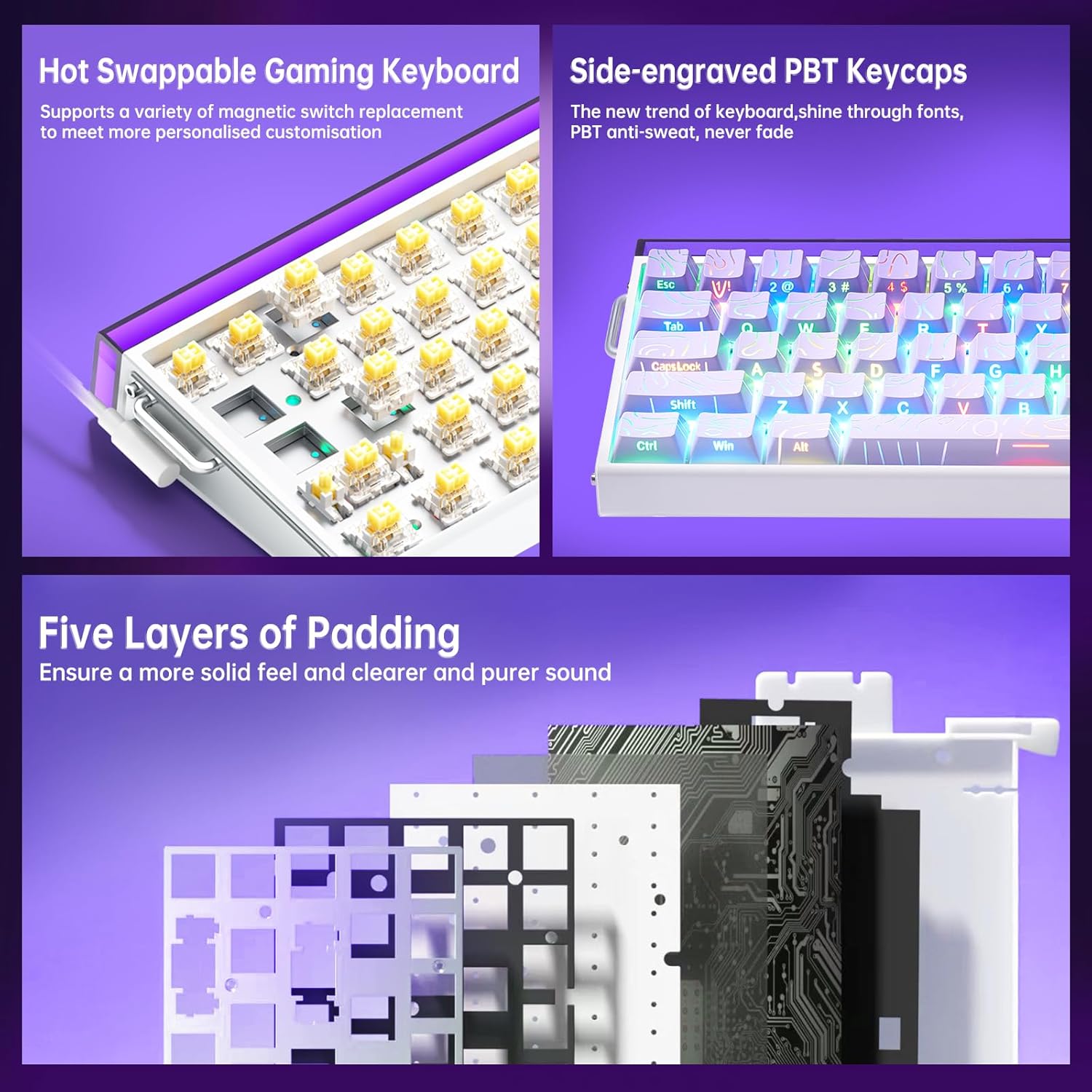
Slika: Podrobna view illustrating the hot-swappable magnetic switches and the side-engraved PBT keycaps. Also shows the internal five layers of padding.
Navodila za uporabo
Nadzor osvetlitve ozadja RGB
The keyboard features 16 million RGB backlight colors with 32 LED beads. Lighting brightness and speed can be adjusted using the dedicated knob or FN+key combinations.
- Nadzor gumba: Rotate the knob to adjust lighting brightness. Press the knob to cycle through lighting effects.
- FN + Ins: Turn on/off keyboard light.
- FN + PgUp: Preklopite svetlobne učinke.
- FN + Z/X/C: Adjust lightbox lighting speed (Z/X) and color (C).
- FN + puščica levo/desno: Adjust light speed.
- FN + puščica gor/dol: Adjust light brightness.
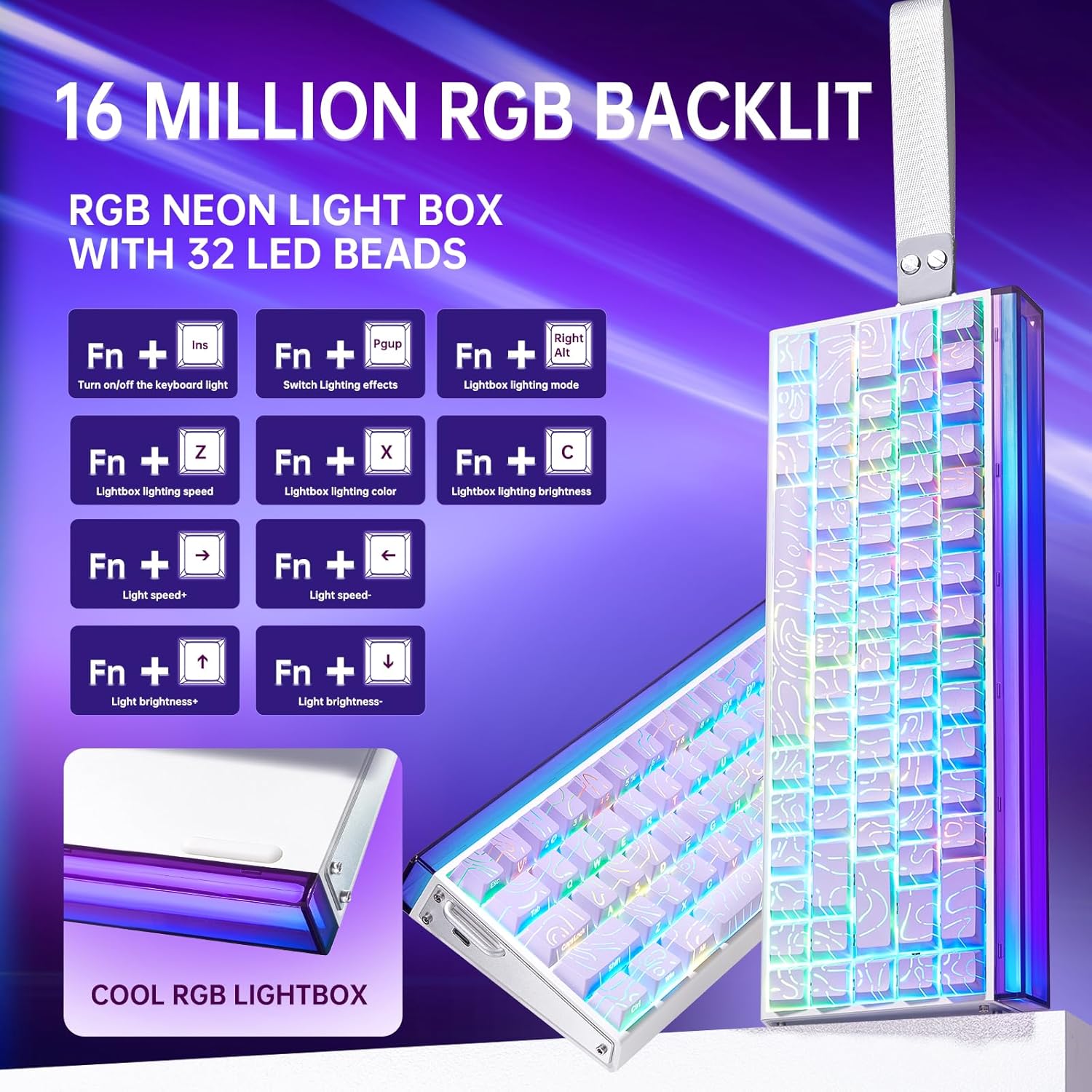
Image: Diagram showing FN key combinations for controlling RGB backlighting and the function of the control knob.
Hall Effect Magnetic Switches and Rapid Trigger
The Hall Effect magnetic switches allow for adjustable actuation points and rapid trigger mode, providing enhanced responsiveness for gaming. These settings are typically configured via the dedicated web programsko opremo gonilnika.
- Nastavljivo aktiviranje: Customize the distance a key needs to travel before registering an input.
- Rapid Trigger Mode: Allows keys to reset instantly upon release, enabling faster repeated inputs.

Image: Diagram illustrating the components and specifications of a high-performance magnetic switch, including stroke, initial pressure, and bottom pressure.
Programirljive tipke in makri
Uporabite web driver software to program custom shortcut keys and create macros for complex command sequences. This allows for a personalized and optimized workflow or gaming experience.
Vzdrževanje
- Čiščenje: Regularly clean the keyboard with a soft, dry cloth. For deeper cleaning, remove keycaps using the provided puller and use compressed air to clear debris from beneath the switches.
- Zamenjava tipkovnice in stikala: The hot-swappable design allows for easy replacement of switches and keycaps without soldering. Use the included tools for safe removal and installation. Ensure proper alignment when reinserting switches and keycaps to prevent damage.

Slika: Bližnji posnetek view of a keycap removed from the keyboard, revealing the switch underneath.
Odpravljanje težav
- Tipkovnica se ne odziva:
- Prepričajte se, da je kabel USB-C varno priključen na tipkovnico in računalnik.
- Poskusite tipkovnico priključiti na drug USB vhod na računalniku.
- Preizkusite tipkovnico na drugem računalniku, da izključite težave, specifične za sistem.
- RGB osvetlitev ne deluje ali je nepravilna:
- Check if the lighting is turned off using the FN+Ins key combination.
- Adjust brightness and effects using the knob or FN+key combinations as described in the Operating Instructions.
- If using the software, ensure it is correctly installed and configured.
- Tipke se ne registrirajo ali tipkajo dvakrat:
- Ensure the switches are properly seated in their sockets.
- Očistite okolico prizadetega stikala, da odstranite morebitne ostanke.
- Če uporabljate web driver, check actuation point settings, as an overly sensitive setting might cause unintended inputs.
- Težave s programsko opremo:
- Ensure you have downloaded the correct and latest version of the web driver from the official LEOBOG webmesto.
- Temporarily disable any antivirus software if it interferes with the driver installation or operation.
- Refer to the software's specific documentation or online support for detailed troubleshooting.
Specifikacije
| Znamka | LEOBOG |
| Številka modela | junak 68 |
| Postavitev | 60 % (68 tipk) |
| Tip stikala | Hall Effect Magnetic Switches (LEOBOG Greywood / Meteor Magnetic Switch) |
| Polling Rate | 8 KHz |
| Zakasnitev | 0.125ms |
| Tipkovnice | Side-Printed PBT Keycaps |
| Povezljivost | Wired USB-C (detachable) |
| Osvetlitev ozadja | RGB (16 Million Colors, 32 LED beads) |
| Dimenzije (D x Š x V) | 13.94 cm x 6.38 cm x 2.24 cm |
| Združljive naprave | Igralna konzola, prenosnik, računalnik, pametni telefon, tablica |
| Material | Akrilonitril butadien stiren, plastika, silikon |
Informacije o garanciji
This LEOBOG AULA HERO 68 HE Gaming Keyboard comes with a 2-letna garancija proizvajalcaProsimo, shranite dokazilo o nakupu za uveljavljanje garancije. Garancija krije napake v materialu in izdelavi pri normalni uporabi. Ne krije škode, ki jo povzroči nepravilna uporaba, nesreče, nepooblaščene spremembe ali običajna obraba.
Podpora
For technical assistance, product inquiries, or warranty support, please contact the manufacturer or authorized seller. The primary seller for this product is AULA Tech USA.
You may also visit the official LEOBOG website for additional resources, driver downloads, and frequently asked questions.
Spletni viri:
- LEOBOG Store on Amazon: Obišči trgovino
Video o izdelku
Video: Professional Gaming Keyboards 60% Hall Effect Keyboard. This video demonstrates the features and functionality of the AULA HERO 68 HE keyboard, including its design, RGB lighting, and magnetic switches.


