
1. Uvod
The MEETION DirectorD-KB is a wireless ergonomic keyboard designed for comfortable and natural typing. It features a scientific wave key design and a built-in firm wrist rest to support your hands during extended use. This keyboard offers broad compatibility with Windows and macOS devices through a 2.4GHz wireless connection.

Image: The MEETION DirectorD-KB Wireless Ergonomic Keyboard positioned on a wooden desk, showcasing its wave-curved design and integrated wrist rest.
2. Vsebina paketa
Prepričajte se, da so v paketu prisotni vsi elementi:
- 1 x MEETION DirectorD-KB Wireless Ergonomic Keyboard
- 1 x uporabniški priročnik
- 1 x USB-A 2.4GHz Wireless Receiver
- 1 x USB-C adapter
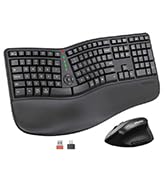
Image: Contents of the MEETION DirectorD-KB package, including the keyboard, user manual, USB-A receiver, and USB-C adapter.
3. Navodila za nastavitev
3.1. Namestitev baterije
- Poiščite predal za baterije na spodnji strani tipkovnice.
- Odprite pokrov prostora za baterije.
- Insert two AAA batteries (not included) into the compartment, ensuring correct polarity.
- Trdno zaprite pokrov prostora za baterije.

Image: The underside of the keyboard showing the battery compartment for two AAA batteries and details on power saving features.
3.2. Priključitev sprejemnika
- Locate the USB-A 2.4GHz wireless receiver, typically found in the slot inside the keyboard's battery compartment or in the accessory pouch.
- For devices with a USB-A port: Plug the USB-A receiver directly into an available USB-A port on your computer.
- For devices with a USB-C port: Attach the provided USB-C adapter to the USB-A receiver, then plug the combined unit into an available USB-C port on your computer.
- Tipkovnica je plug-and-play in bi se morala povezati samodejno.
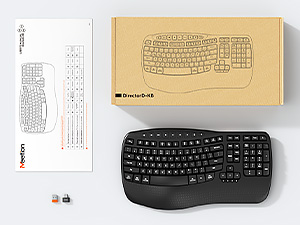
Image: Step-by-step guide on connecting the USB-A receiver with the USB-C adapter to a computer's USB-C port.
3.3. Vklop
After installing batteries and connecting the receiver, slide the power switch on the keyboard to the 'ON' position. The keyboard is now ready for use.
4. Navodila za uporabo
4.1. Ergonomic Design and Wrist Rest
The keyboard features a wave-shaped key layout and a firm, integrated wrist rest. This design guides your hands and wrists into a natural, relaxed typing position, reducing strain during long typing sessions.

Image: A user's hands resting comfortably on the integrated wrist rest while typing on the ergonomic keyboard.
4.2. Adjustable Tilt
Utilize the adjustable tilt legs on the underside of the keyboard to find your preferred typing angle. Different angles can further enhance comfort and reduce wrist fatigue.

Slika: Stranski profesionalecfiles of the keyboard demonstrating three different adjustable tilt angles for personalized comfort.
4.3. Dual System Layout (Windows/macOS)
The keyboard supports both Windows and macOS layouts. To switch between operating systems:
- Pritisnite FN + Q za postavitev Windows.
- Pritisnite FN + W za postavitev v macOS-u.
4.4. Multimedijske tipke
The keyboard includes dedicated and combined multimedia keys for quick access to functions like volume control, media playback, and more.
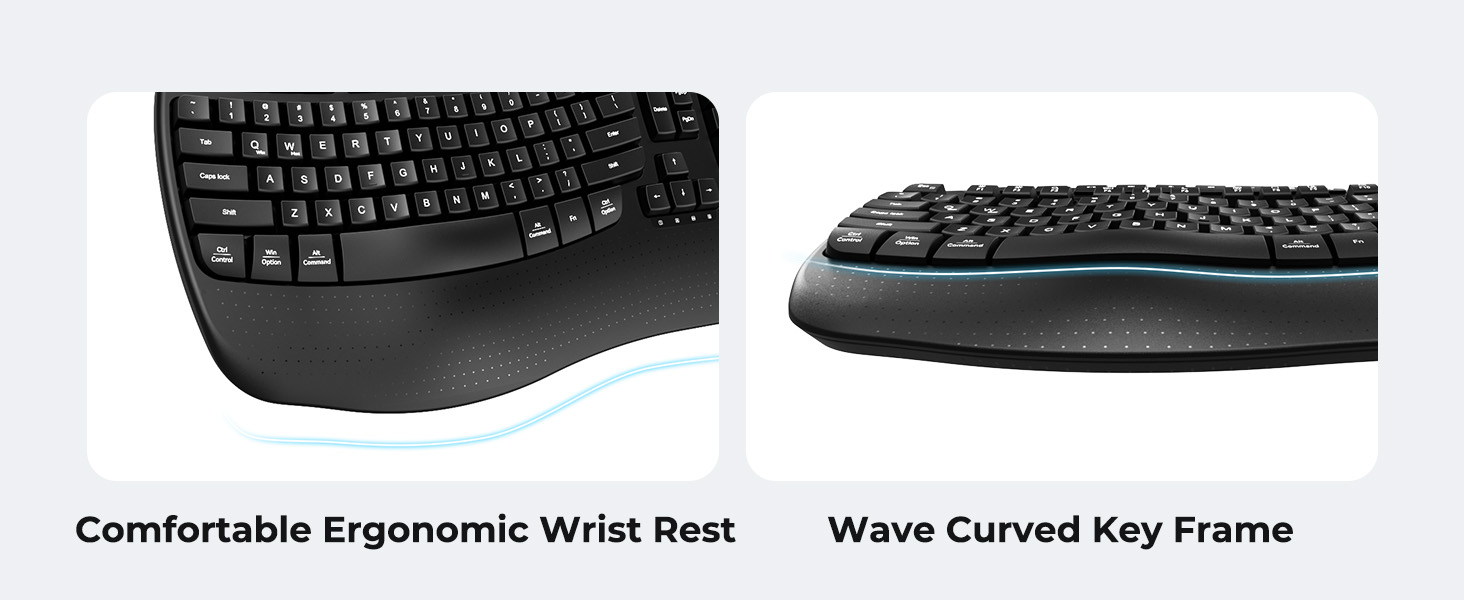
Image: A visual representation of the independent and combined multimedia keys available on the keyboard.
4.5. Intelligent Power Saving
The keyboard features an auto-sleep mode to conserve battery life. After 20 minutes of inactivity, it will enter hibernation. To wake it up, simply press any key.

Image: Close-up of the keyboard's indicator lights, showing status for Num Lock, Caps Lock, FN Lock, and low battery warning.
5. Vzdrževanje
Za zagotovitev dolge življenjske dobe in optimalnega delovanja tipkovnice upoštevajte ta navodila za vzdrževanje:
- Čiščenje: Use a soft, dry cloth to wipe the surface of the keyboard. For deeper cleaning, a slightly damp cloth with mild soap can be used, ensuring no liquid enters the keycaps or internal components.
- Izogibajte se tekočinam: Do not expose the keyboard to excessive moisture or spill liquids on it.
- Shranjevanje: Tipkovnico shranjujte na hladnem in suhem mestu, stran od neposredne sončne svetlobe in ekstremnih temperatur.
- Zamenjava baterije: Replace batteries promptly when the low battery indicator appears to maintain consistent performance.
6. Odpravljanje težav
If you encounter issues with your MEETION DirectorD-KB keyboard, refer to the following common solutions:
- Tipkovnica se ne odziva:
- Preverite, ali je tipkovnica vklopljena.
- Prepričajte se, da so baterije pravilno vstavljene in niso izpraznjene. Po potrebi jih zamenjajte.
- Verify that the USB receiver is securely plugged into your computer's USB port (or via the USB-C adapter).
- Poskusite priklopiti sprejemnik v drug USB vhod.
- Znova zaženite računalnik.
- Zakasnitev ali občasna povezava:
- Ensure the keyboard is within the effective range of the receiver (typically up to 10 meters).
- Minimize interference from other wireless devices by moving them further away.
- Izogibajte se postavljanju sprejemnika v bližino velikih kovinskih predmetov.
- Tipke ne delujejo pravilno:
- Preverite, ali so pod tipkami kakšne fizične ovire.
- Ensure the correct operating system layout (Windows/macOS) is selected using FN+Q or FN+W.
7. Specifikacije
| Funkcija | Podrobnost |
|---|---|
| Znamka | SREČANJE |
| Številka modela | DirectorD-KB |
| Tehnologija povezljivosti | 2.4G Wireless (USB-A, USB-C Adapter) |
| Združljive naprave | Laptop, PC (Windows XP/7/8/10/11 & macOS X 10.6 or later) |
| Razporeditev tipkovnice | QWERTY |
| Število ključev | 113 |
| Posebne lastnosti | Ergonomic, Hotkeys and Media Keys, Integrated Stand, Wave Keys, Wrist Rest |
| Mere izdelka (D x Š x V) | 17.39 cm x 9.43 cm x 1.81 cm |
| Material | Plastika |
| Vir napajanja | Na baterije (2 x AAA, nista priloženi) |
8. Uradni videoposnetek izdelka
Video: Uradna video predstavitev izdelkaasing the features and ergonomic design of the MEETION DirectorD-KB Wave Ergonomic Wireless Keyboard. (Duration: 0:39)
9. Garancija in podpora
This MEETION DirectorD-KB Wireless Ergonomic Keyboard comes with a 1-year manufacturer's warranty.
For further assistance, troubleshooting, or warranty claims, please visit the official MEETION store or contact customer support.
Official MEETION Store: MEETION Store on Amazon