
1. Uvod
The Xvive U35D Wireless Microphone System provides a high-fidelity, low-latency solution for converting dynamic microphones and line-level audio sources into a wireless setup. Operating on the 5.8 GHz band, this system offers a stable and clear signal, minimizing interference from crowded 2.4 GHz frequencies. It is designed for ease of use, allowing musicians, DJs, and audio professionals to achieve wireless freedom without compromising audio quality.

Figure 1: The Xvive U35D Wireless Microphone System, featuring two transmitters and two receivers for versatile audio applications.
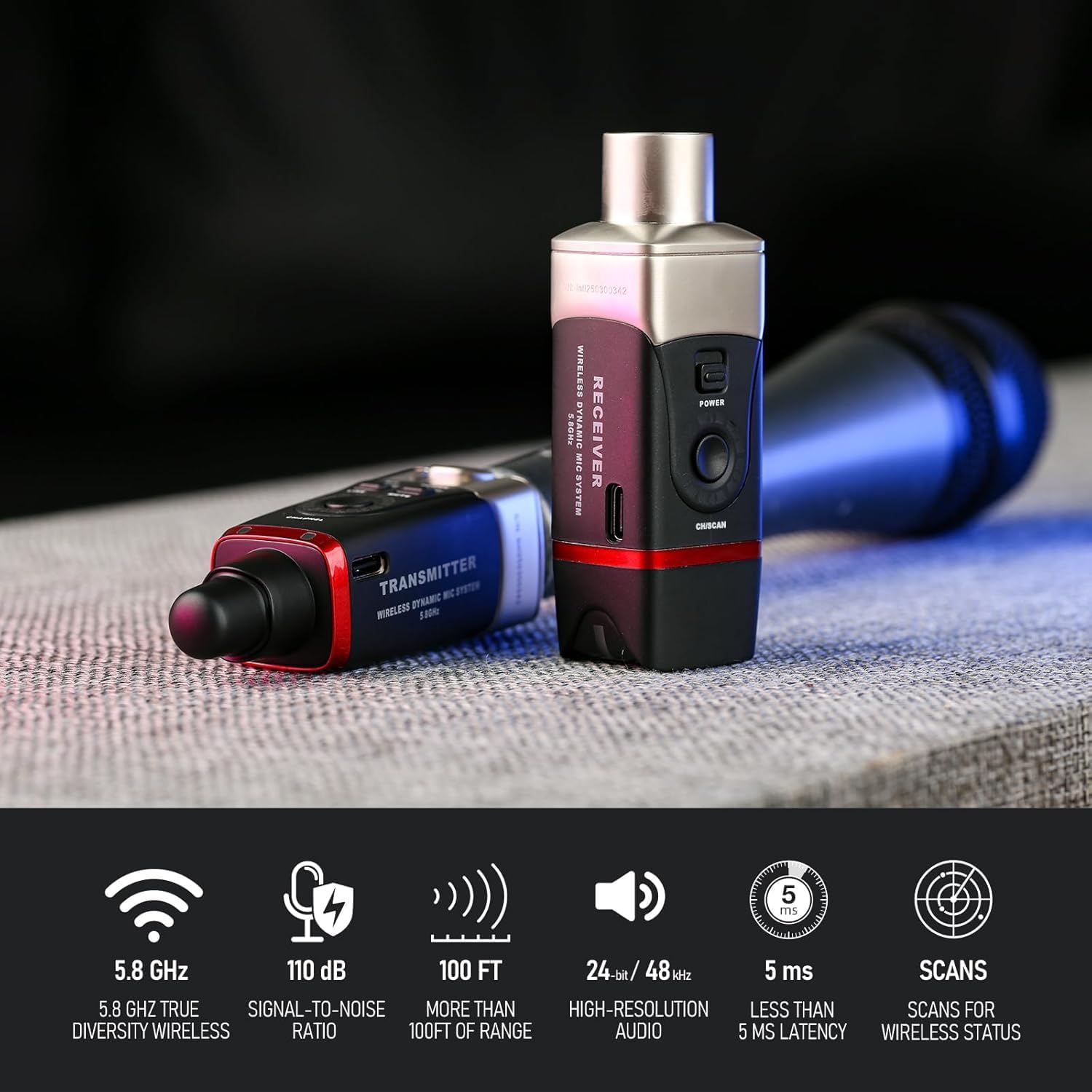
Figure 2: Key features of the Xvive U35D system, highlighting its technical specifications for reliable and high-quality wireless audio transmission.
2. Kaj je v škatli
Your Xvive U35D Wireless Microphone System package includes the following components:
- 2 x U35 Transmitters
- 2 x U35 Receivers
- 2 x polnilna kabla USB-C
- 2 x PU Storage Bags
- 1 x Navodila za uporabo

Figure 3: All components included in the Xvive U35D Wireless Microphone System package.
3. Nastavitev
3.1. Polnjenje enot
Before initial use, fully charge both the transmitters and receivers using the provided USB-C charging cables. The units feature USB-C ports for convenient charging. A dual-plug USB-C cable is included to charge both units simultaneously.
3.2. Priključitev oddajnika
Plug the U35 transmitter directly into the XLR output of your dynamic microphone. Ensure a secure connection. For microphones with recessed XLR connectors or for added flexibility, a short XLR adapter cable may be beneficial.
3.3. Priključitev sprejemnika
Connect the U35 receiver to the XLR input of your audio interface, mixer, PA system, or any other audio input device. Ensure the connection is firm.
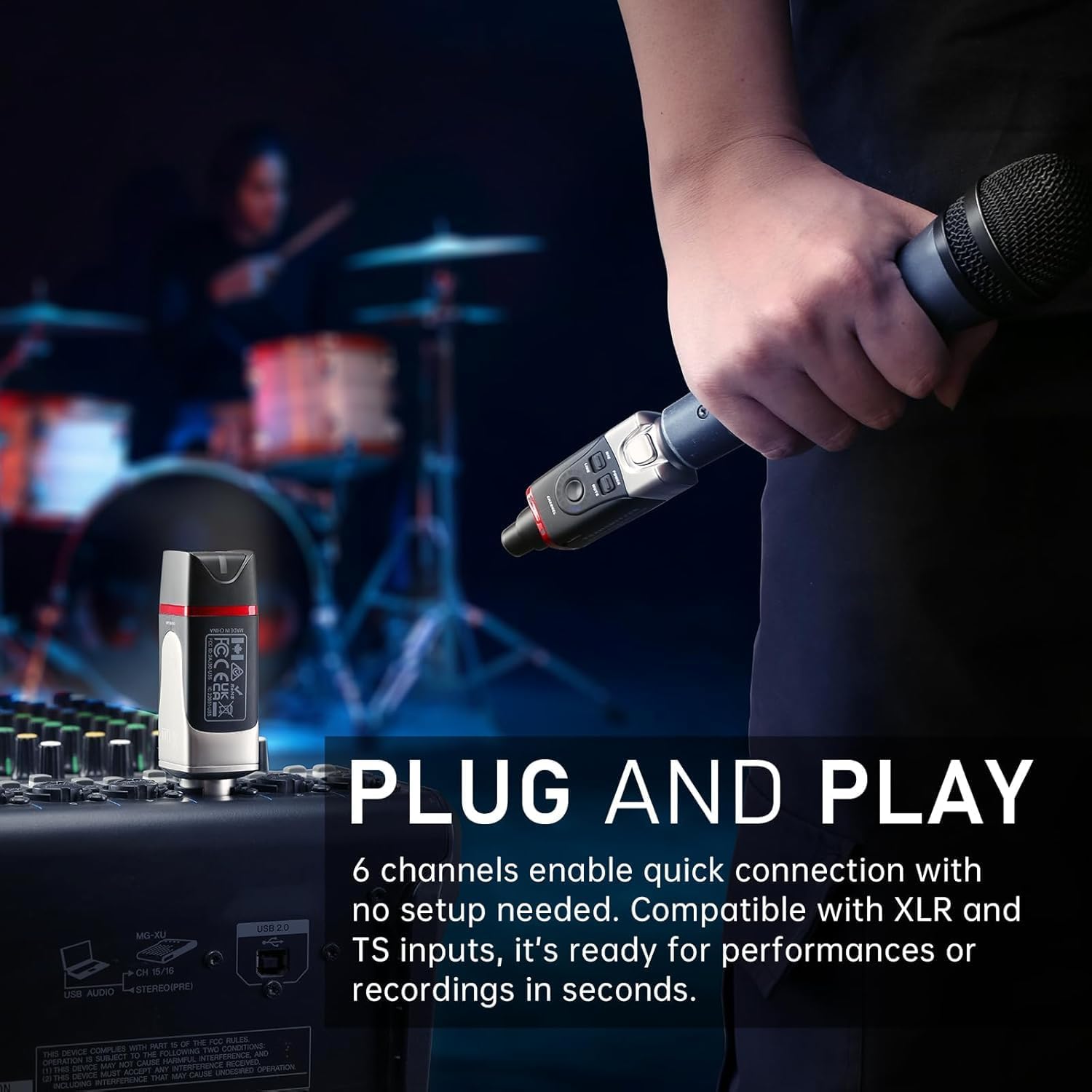
Figure 4: The Xvive U35D system connected to a microphone and a mixer, demonstrating its plug-and-play capability.
3.4. Powering On and Channel Selection
- Pritisnite in držite Moč button on both the transmitter and receiver to turn them on.
- The units will automatically attempt to pair. A solid green light indicates a successful connection.
- If interference occurs or you need to use multiple systems, press the Kanal button on the transmitter to cycle through the 6 available channels.
- For optimal performance, hold the receiver's Kanal button for 3 seconds to initiate Channel Scan mode. The receiver's LED will flash while scanning, then remain steady on the best available wireless channel. Manually set the transmitter's channel to match the receiver's channel after scanning completes.

Figure 5: The channel selection and scan function on the Xvive U35D units, crucial for finding a clear signal.
4. Delovanje
4.1. MIC/LINE Mode Selection
The U35D transmitter features a switch to select between MIC način in LINE način:
- MIC način: Use this mode when connecting the transmitter to a dynamic microphone. This setting is optimized for microphone-level signals.
- LINE Mode: Use this mode when connecting the transmitter to line-level audio sources such as DJ controllers, audio mixers, or PA systems. This mode reduces the input gain to prevent signal distortion.
4.2. Funkcija izklopa zvoka
Pritisnite MUTE button on the transmitter to temporarily silence the audio transmission. Press it again to unmute.
4.3. Multiple Systems
The Xvive U35D system supports up to 3 sets operating simultaneously in the same location. Ensure each set (transmitter and receiver pair) is on a different channel to avoid interference.

Figure 6: Multiple Xvive U35D units, illustrating the system's capability to support several wireless connections simultaneously.
4.4. Uradni videoposnetek izdelka
Video 1: This official product video from Xvive Direct provides a comprehensive overview of the Xvive U35 Wireless Microphone System, demonstrating its features, setup, and applications for various audio needs.
5. Specifikacije
| Funkcija | Specifikacija |
|---|---|
| Brezžična frekvenca | 5.8 GHz |
| Kanali | 6 |
| Zakasnitev | Manj kot 5 ms |
| Dinamični razpon | 110 dB |
| Razmerje med signalom in hrupom | 110 dB |
| Avdio ločljivost | 24-bit/48 kHz |
| Frekvenčni odziv | 20 Hz - 20 kHz |
| Brezžično Domet | Do 100 m (30.5 čevljev) |
| Življenjska doba baterije | Približno 5 ur |
| Vir napajanja | Napajanje z baterijami (4 litij-ionski bateriji sta priloženi) |
| Faktor oblike mikrofona | Handheld, Table Array |
| Impedanca | 220 Ohmov |
| Material | Kovina |
| Mere izdelka (D x Š x V) | 1.5 x 1.5 x 3.9 palcev |
| Teža predmeta | 8 unč |
| Tehnologija povezljivosti | RF (radijska frekvenca) |
| Vrsta priključka | XLR |
| Združljive naprave | Audio Interface, Audio Mixer, Camera, Karaoke Machine, PA System |
6. Vzdrževanje
6.1. Polnjenje
To ensure optimal performance and battery longevity, fully charge the transmitters and receivers after each use, especially before extended storage. The internal Lithium Ion batteries are not user-serviceable.
6.2. Čiščenje
Wipe the units with a soft, dry cloth. Avoid using harsh chemicals or abrasive materials that could damage the finish or internal components.
6.3. Shranjevanje
Store the Xvive U35D system in the provided PU storage bags when not in use to protect them from dust, moisture, and physical damage. Keep them in a cool, dry place.
7. Odpravljanje težav
7.1. No Audio / Intermittent Signal
- Ensure both the transmitter and receiver are powered on and fully charged.
- Preverite, ali sta oddajnik in sprejemnik nastavljena na isti kanal.
- Perform a channel scan on the receiver to find the clearest frequency, then match the transmitter's channel.
- Ensure there is a clear line of sight between the transmitter and receiver. Obstacles like walls, metal structures, or even human bodies can interfere with the 5.8 GHz signal.
- Check for other 5.8 GHz wireless devices in the vicinity that might be causing interference.
7.2. Distorted Audio
- If connecting to a line-level source (e.g., mixer output), ensure the transmitter is set to LINE mode. Using MIC mode with a line-level signal can cause distortion due to excessive gain.
- Check the input gain settings on your mixer or audio interface. Reduce the gain if the signal is clipping.
7.3. Transmitter/Receiver Not Fitting Securely
- Some mixers or microphones may have slightly recessed XLR connectors. If the U35 unit does not mate fully, use a short XLR extender cable or adapter to ensure a proper connection.
8. Garancija in podpora
For warranty information and technical support, please refer to the official Xvive webspletno mesto ali se obrnite na lokalnega prodajalca. Račun shranite kot dokazilo o nakupu.