
1. Uvod
Thank you for choosing the Powerology Portable Air Compressor Jump Starter. This multi-functional device is designed to provide reliable assistance in various emergency situations, including jump-starting vehicles and inflating tires. Please read this manual thoroughly before use to ensure safe and optimal performance.

Figure 1.1: The Powerology Portable Air Compressor Jump Starter, showcasing its main unit, jump starter cables (red and black clamps), and the air inflation hose. The digital display is visible on the unit.
2. Varnostne informacije
Vedno upoštevajte naslednje varnostne ukrepe, da preprečite poškodbe ali škodo na napravi:
- Naprave ne izpostavljajte ekstremnim temperaturam, neposredni sončni svetlobi ali vlagi.
- Hraniti izven dosega otrok.
- Med delovanjem in polnjenjem zagotovite ustrezno prezračevanje.
- Naprave ne razstavljajte ali spreminjajte. Vsa servisna dela prepustite usposobljenemu osebju.
- Use only the provided accessories and cables.
- Izogibajte se kratkemu stiku na zagonskem kabluamps.
3. Izdelek je končanview
3.1 Komponente
- Main Unit (Portable Air Compressor Jump Starter)
- Smart Jump Starter Cables
- Air Inflation Hose
- Polnilni kabel USB-C
- Various Nozzle Adapters for inflation
3.2 Ključne lastnosti
- Kapaciteta baterije: 8800 mAh
- Najvišji tok: 800A (for jump starting)
- Max Inflation Pressure: 150 PSI
- Hitrost napihovanja: 31.4 litrov/minuto
- Združljivost motorja: Up to 5.0L Gasoline, 3.0L Diesel
- Funkcija Power Bank: Dual USB Output, including 20W Power Delivery (PD) via USB-C
- Zaslon: Digital LED screen for real-time pressure and battery status

Slika 3.1: Podroben view of the digital display on the Powerology unit, indicating battery charge, selectable pressure units (PSI, BAR, KPA, KG/CM²), and control buttons for mode selection and pressure adjustment.
4. Nastavitev
4.1 Začetno polnjenje
Before first use, fully charge the device. Connect the provided USB-C charging cable to the device's USB-C input port and the other end to a compatible USB power adapter (not included). The digital display will indicate the charging status. A full charge typically takes approximately 2 hours with a 20W PD charger.
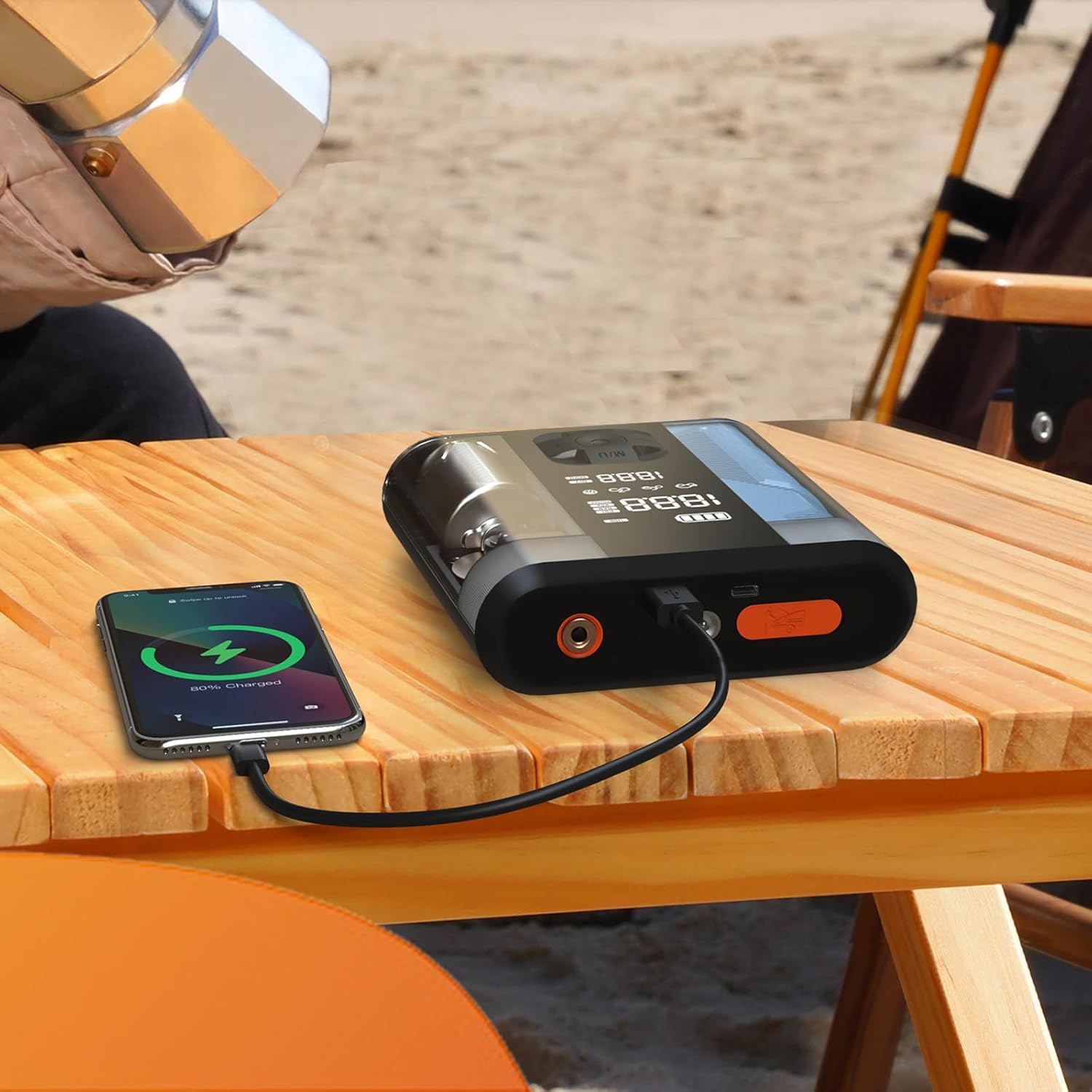
Figure 4.1: The Powerology device connected via USB-C cable to a smartphone, demonstrating its power bank functionality. The phone screen shows a charging indicator.
5. Navodila za uporabo
5.1 Zagon vozila s pomocjo
- Ensure the jump starter is at least 50% charged.
- Izklopite kontakt vozila in vso dodatno opremo.
- Priključite rdeči (+) clamp na pozitivni (+) pol akumulatorja vozila.
- Povežite črni (-) klamp na negativni (-) pol akumulatorja vozila.
- Connect the smart cable connector to the jump starter port on the device.
- Start the vehicle. If it doesn't start immediately, wait 30 seconds and try again. Do not attempt more than 3 consecutive starts.
- Once the vehicle starts, disconnect the smart cable from the jump starter, then remove the black (-) clamp, ki mu sledi rdeči (+) clamp.
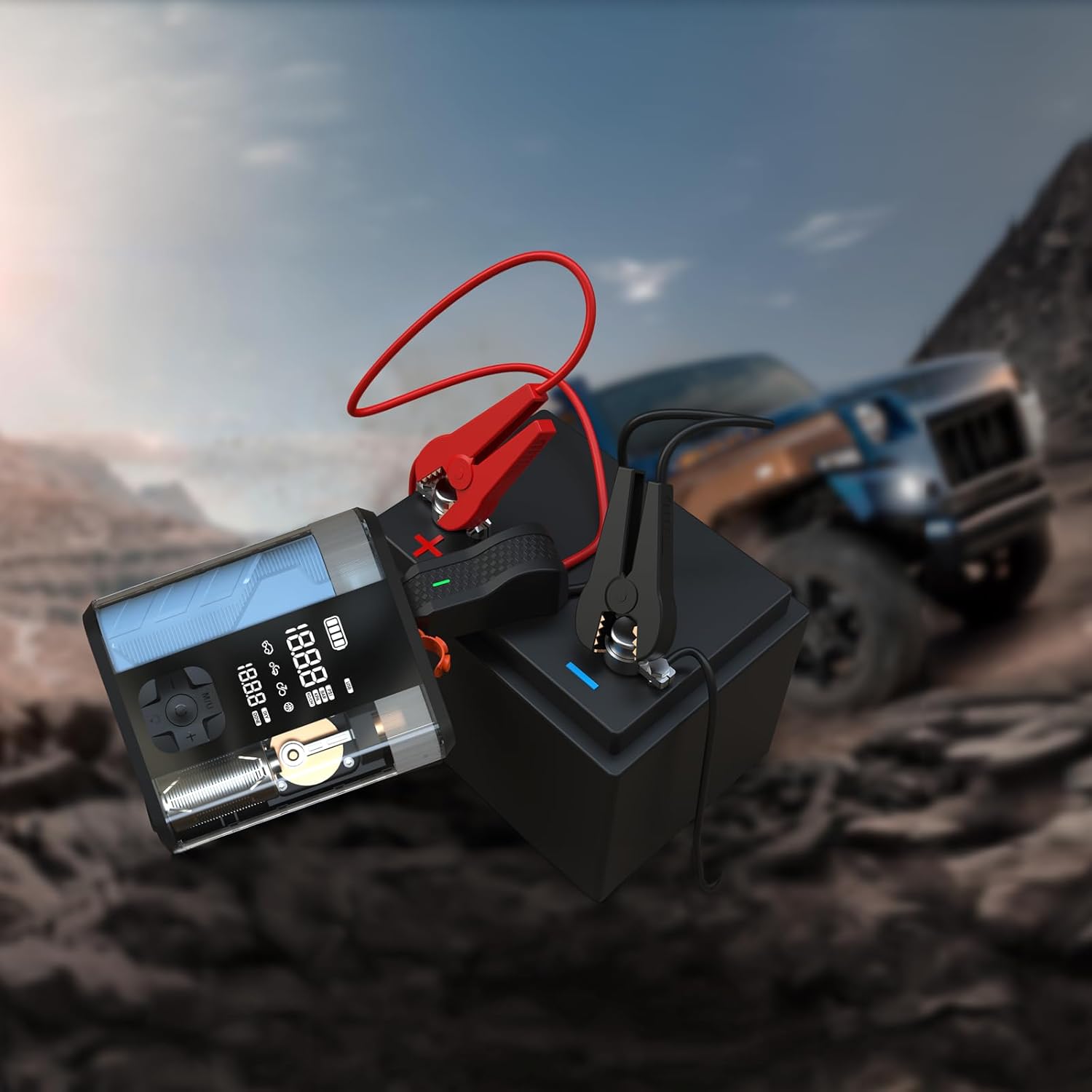
Figure 5.1: The Powerology device with its jump starter cables connected to a vehicle battery, illustrating the process of jump starting a car in an outdoor setting.
5.2 Inflating Tires
- Connect the air inflation hose to the device's inflation port.
- Attach the other end of the hose to the tire valve.
- Vklopite napravo. Digitalni zaslon bo prikazal trenutni tlak v pnevmatikah.
- Za nastavitev želenega tlaka uporabite gumba '+' in '-'.
- Press the start button to begin inflation. The device will automatically stop when the preset pressure is reached.
- Disconnect the hose from the tire valve and the device.

Figure 5.2: The Powerology device positioned next to a car tire, with the inflation hose connected, demonstrating its use as an air compressor for tire inflation.
5.3 Uporaba kot prenosna polnilna naprava
Connect your electronic devices (e.g., smartphones, tablets) to the USB-A or USB-C output ports on the Powerology unit using a compatible charging cable. The device will automatically begin charging your connected device.
6. Vzdrževanje
- Čiščenje: Napravo obrišite z mehko, suho krpo. Ne uporabljajte agresivnih kemikalij ali abrazivnih čistil.
- Shranjevanje: Store the device in a cool, dry place away from direct sunlight and extreme temperatures. Ensure it is fully charged before long-term storage and recharge every 3-6 months to maintain battery health.
- Vzdrževanje baterije: Izogibajte se pogostemu popolnemu praznjenju baterije, da podaljšate njeno življenjsko dobo.
7. Odpravljanje težav
| Težava | Možen vzrok | rešitev |
|---|---|---|
| Naprava se ne vklopi | Prazna baterija ali brez polnjenja | Napravo popolnoma napolnite. |
| Vozilo se ne zažene s pomočjo kablov | Napačna klamp connection; vehicle battery too low; engine too large | Check connections; ensure device is fully charged; verify engine compatibility. |
| Tire not inflating | Hose not securely connected; wrong pressure unit selected; hose kinked | Ensure hose is tight; check pressure unit; straighten hose. |
| Pregrevanje naprave | Prolonged use; blocked vents | Allow device to cool down; ensure vents are clear. |
8. Specifikacije
| Funkcija | Podrobnost |
|---|---|
| Znamka | Powerology |
| Model | PPBCHA47 |
| Vrsta baterije | Litij-ionski |
| Kapaciteta baterije | 8800 mAh |
| Temenski tok | 800A |
| Najvišji tlak v pnevmatikah | 150 PSI |
| Hitrost inflacije | 31.4 L/min |
| Izhod USB-C | 20W PD |
| Dimenzije izdelka | 4.1 x 13.6 x 15.7 cm |
| Teža izdelka | 740 g |
9. Garancija in podpora
This Powerology product comes with a standard manufacturer's warranty. For detailed warranty information, technical support, or service inquiries, please refer to the warranty card included in your product packaging or visit the official Powerology webspletno mesto. Shranite račun kot dokazilo o nakupu.