
OSALO OS-82ES PLUS II
OSALO Scientific Calculator OS-82ES PLUS II User Manual
Model: OS-82ES PLUS II
1. Uvod
This manual provides detailed instructions for the OSALO Scientific Calculator OS-82ES PLUS II. Designed for secondary students and professionals, this calculator features 252 functions, a 2-line written display, and dual power sources (solar and battery). Please read this manual thoroughly to understand all functions and ensure proper use.
2. Nastavitev in napajanje
2.1 vir energije
The OSALO OS-82ES PLUS II calculator operates on both solar power and a backup battery. The solar panel is located at the top of the calculator. Ensure sufficient light exposure for solar operation. The battery provides power in low-light conditions.
2.2 Vklop/izklop
- Če želite vklopiti kalkulator, pritisnite ON gumb.
- Če želite izklopiti kalkulator, pritisnite SHIFT potem AC (IZKLOP).
2.3 Začetni prikaz
Upon powering on, the calculator will display the last calculation result or be ready for input. The 2-line display shows both the input expression and the calculation result simultaneously.

Image: The OSALO Scientific Calculator OS-82ES PLUS II, showcasing its design and display. Note the solar panel at the top and the key layout.
3. Navodila za uporabo
3.1 Funkcije zaslona
The calculator features a "Textbook-Like Written Display" and "Full-do Display" for natural input and output, mimicking textbook expressions. This 2-line display allows for easy verification of input and results.
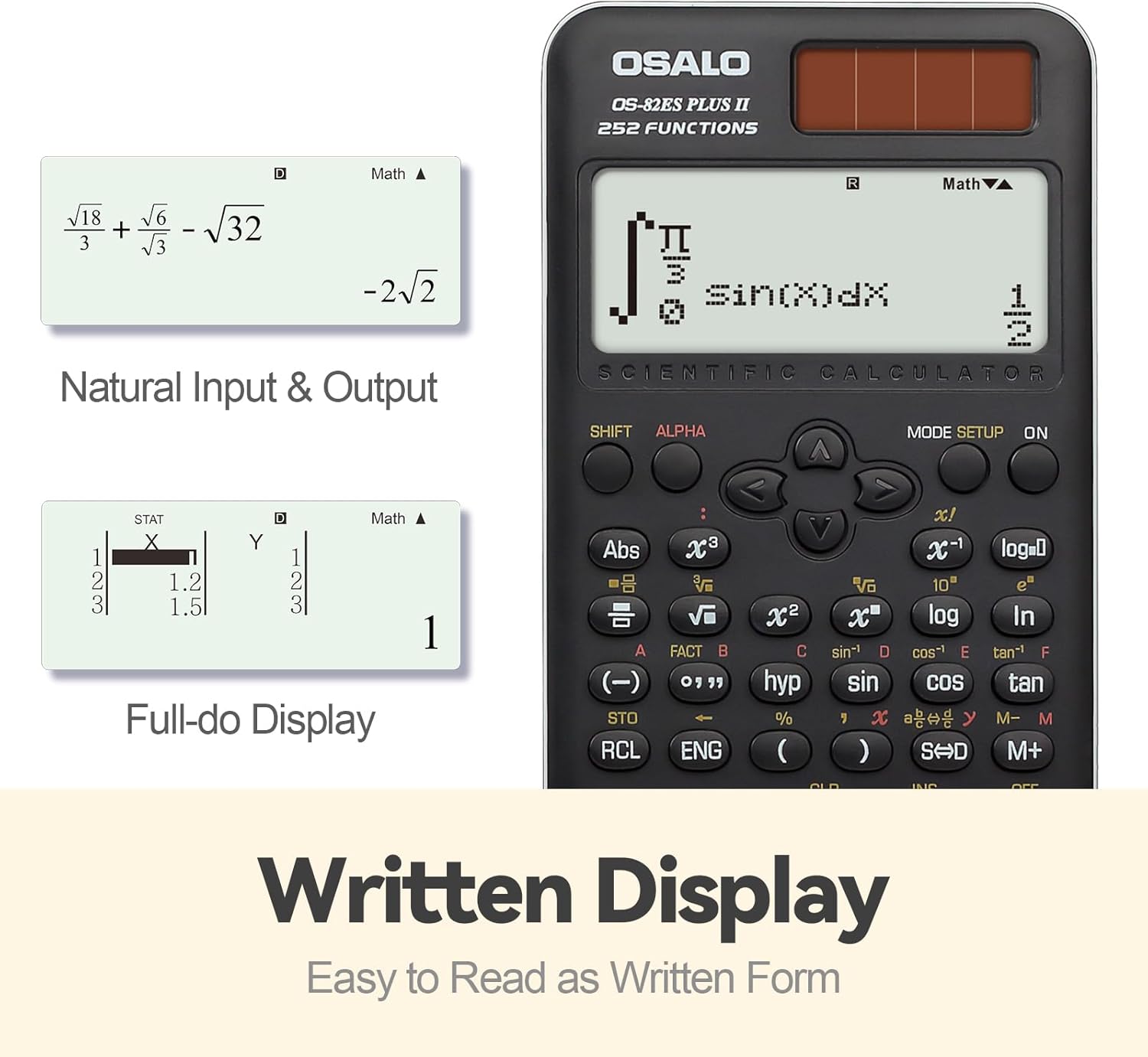
Slika: npramples of the calculator's written display, showing natural input and output for mathematical expressions like fractions and square roots, and a full-dot display for statistical data.
3.2 Osnovne operacije
Perform standard arithmetic operations using the number keys and operators (+, -, ×, ÷). Pritisnite = da dobim rezultat.
3.3 Scientific Functions (252 Functions)
The OS-82ES PLUS II includes 252 functions covering a wide range of scientific and mathematical calculations. These functions are typically accessed directly or by using the SHIFT or ALFA keys in combination with other buttons.

Slika: Prekoview of the calculator's 252 functions, highlighting features such as multi-replay, combination and permutation, statistics (data editor, standard deviation, regression analysis), fraction calculation, and 9 variable memories.
- Osnovni izračuni: Includes arithmetic, powers, roots, logarithms, and trigonometric functions (sin, cos, tan).
- Variable Statistics: Access statistical calculations via the NASTAVITEV NAČINA key. Features include data editor, standard deviation, and regression analysis.
- Prime Factorization: Used to find the prime factors of a number.
- Differentiation and Integration: Perform calculus operations.
- Multi-replay Function: Omogoča ponovnoviewurejanje in urejanje prejšnjih izračunov.
- Combination and Permutation: Calculate combinations (nCr) and permutations (nPr).
- Izračun ulomkov: Input and calculate with fractions directly.
- 9 Variable Memories: Store and recall values using the memory functions (STO, RCL).
3.4 Fraction-Decimal Conversion
To convert between fractions and decimal values, use the S↔D key. This key allows seamless conversion, ensuring accuracy for precise values.
3.5 Prilagoditev svetlosti
The calculator features a brightness adjustment function for the display. This allows users to switch between a darker display (to relieve visual fatigue) and a brighter display (for clear and intuitive viewing). Refer to the calculator's on-screen menu or specific key combinations for this adjustment.

Image: Comparison of the calculator display in "Dark" mode (for visual comfort) and "Bright" mode (for enhanced clarity), demonstrating the brightness adjustment function.
3.6 Display and Keypad Details
The calculator features a clear LCD display for all calculations and results. The keys are designed for comfort, ensuring a pleasant tactile experience during prolonged use.
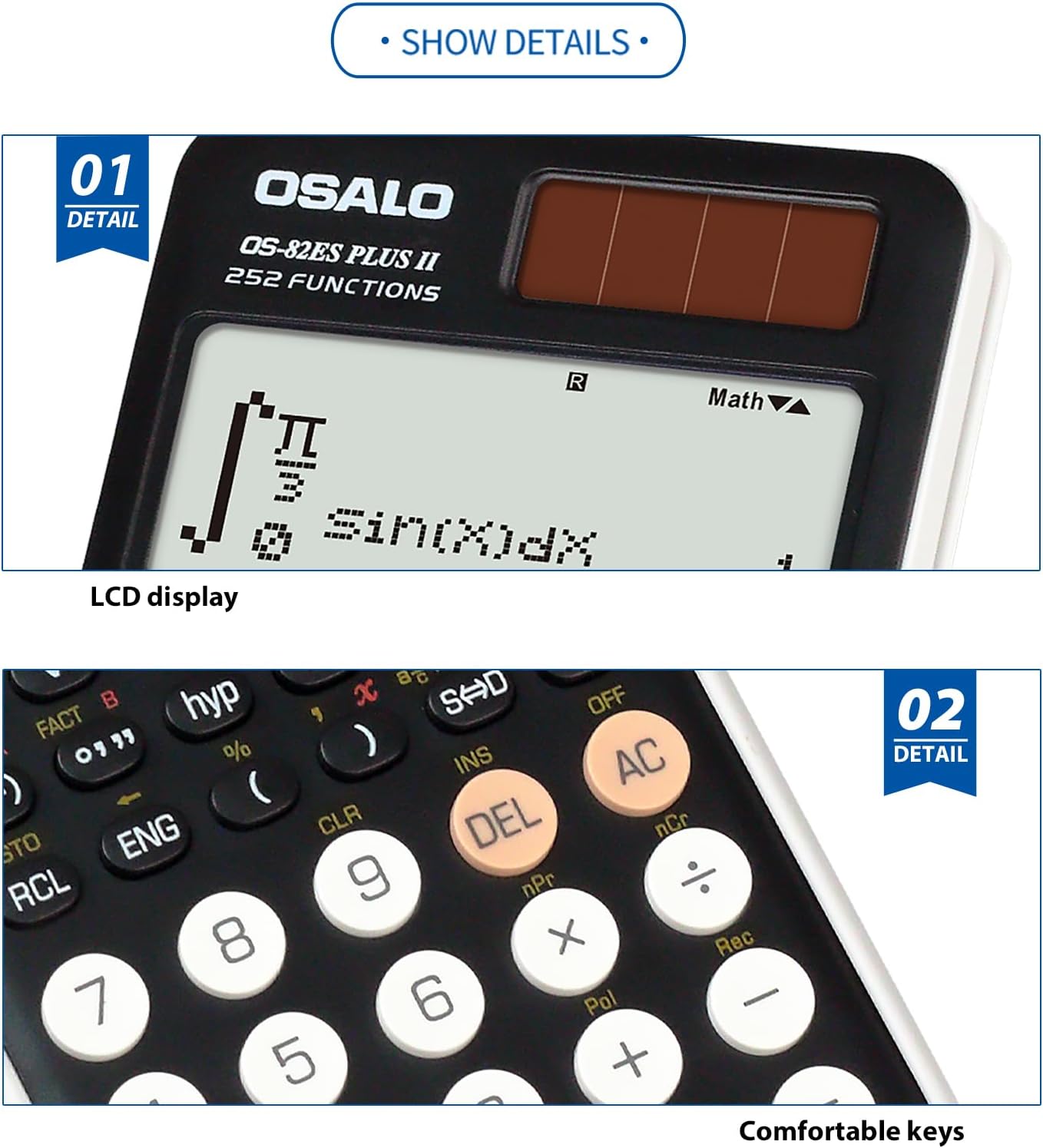
Image: Close-up details of the calculator's LCD display and the design of its comfortable keys, emphasizing readability and user interaction.
4. Vzdrževanje
- Čiščenje: Use a soft, dry cloth to clean the calculator. Do not use abrasive cleaners or solvents.
- Shranjevanje: Kalkulator shranjujte na hladnem in suhem mestu, stran od neposredne sončne svetlobe in ekstremnih temperatur.
- Zamenjava baterije: If the display becomes dim or erratic in low light, the battery may need replacement. Refer to the battery compartment for type and replacement instructions.
- Ravnanje: Kalkulatorja ne izpostavljajte močnim udarcem ali padcem.
5. Odpravljanje težav
| Težava | rešitev |
|---|---|
| Kalkulator se ne vklopi. | Ensure sufficient light for solar panel. Check battery condition and replace if necessary. Press the ON gumb trdno. |
| Zaslon je temen ali neberljiv. | Adjust display brightness (refer to section 3.5). Ensure adequate lighting for solar operation. Replace battery if needed. |
| Napačni rezultati izračuna. | Verify input values and function usage. Clear all memory and reset the calculator if necessary (consult advanced manual for reset procedure). |
| Tipke se ne odzivajo. | Ensure no debris is lodged under the keys. If the issue persists, contact customer support. |
6. Specifikacije
- Model: OS-82ES PLUS II
- Funkcije: 252
- Zaslon: 2-line Written Display, 12-digit LCD
- vir energije: Solar in baterije
- Dimenzije (pribl.): 164 mm (dolžina) x 80 mm (širina) x 20 mm (debelina)
- Teža (pribl.): 140 g (4.9 oz)
- Material: Metal panel and durable plastic
- Ergonomska oblika: 30° viewvhodni kot

Image: Visual representation of the calculator's dimensions (length, width, thickness) and net weight, illustrating its compact and lightweight design.

Image: Illustration demonstrating the 30-degree ergonomic design of the calculator, optimized for comfortable viewmed uporabo.

Slika: Bližnji posnetek view of the calculator's concave design round buttons, highlighting their comfortable tactile feel for improved user experience.
7. Informacije o garanciji
OSALO products are manufactured to high-quality standards. For specific warranty terms and conditions, please refer to the warranty card included with your product or visit the official OSALO webspletnega mesta. Račun shranite kot dokazilo o nakupu za morebitne garancijske zahtevke.
8. Podpora strankam
If you encounter any issues or have questions regarding your OSALO Scientific Calculator OS-82ES PLUS II that are not covered in this manual, please contact OSALO customer support. Contact information can typically be found on the product packaging or the official OSALO webmesto.
For further assistance, you may visit the OSALO Store on Amazon: OSALO Store
Ask a question about this manual
Ask about setup, troubleshooting, compatibility, parts, safety, or missing instructions. Manuals+ will review the question and use this page’s manual context to help answer it.