
1. Uvod
The SEUNKWANG EWEADN X23Pro is a versatile wireless gaming mouse designed for optimal performance and comfort. It features a lightweight design, multiple connectivity options, adjustable DPI settings, and programmable buttons to enhance your gaming and productivity experience.

Slika: Konecview of the X23Pro Wireless Gaming Mouse highlighting its main features.
2. Kaj je v škatli
Preverite, ali so v paketu prisotni vsi elementi:
- Igralna miška
- USB kabel
- Navodila za uporabo
- Non-slip stickers (6 Pcs)
3. Izdelek je končanview
The X23Pro mouse is engineered for precision and comfort. Key features include:
- Tri-modalna povezava: Supports 2.4G wireless, BT5.0 wireless, and USB-C wired connections.
- Dolgotrajna baterija: Built-in 800mAh rechargeable battery provides extended usage.
- Lahek dizajn: Weighs approximately 49g for reduced hand fatigue.
- Nastavljiv DPI: 6 levels of DPI (800-1600-2400-3200-6400-12,000) for precise control.
- Nastavljiva hitrost anketiranja: 4 polling rates (125Hz-250Hz-500Hz-1000Hz) for responsive tracking.
- Programabilni gumbi: 6 customizable buttons for macro programming.
- Ergonomska oblika: Designed to fit various grip styles (palm, fingertip, claw).

Image: Multi-function buttons diagram.
4. Navodila za nastavitev
4.1. Trimodalna povezava
The X23Pro mouse offers three connection methods: 2.4G wireless, Bluetooth 5.0, and USB-C wired. You can switch between modes using the switch button located on the bottom of the mouse.

Image: Tri-Mode Gaming Mouse connection overview.
4.2. Brezžični način 2.4G
- Poiščite USB-sprejemnik, ki je shranjen v predalu na spodnji strani miške.
- USB-sprejemnik priključite v razpoložljiva vrata USB na vašem računalniku.
- Potisnite stikalo na spodnji strani miške v položaj '2.4G'.
- Long press the 'Code Key' button on the bottom of the mouse. The top indicator light will flash green, indicating pairing mode.
- Miška bi se morala samodejno povezati z vašo napravo.
4.3. Način Bluetooth 5.0
- Potisnite stikalo na spodnji strani miške v položaj 'BT'.
- Long press the 'Code Key' button on the bottom of the mouse. The top indicator light will flash blue, indicating pairing mode.
- On your device (PC, laptop, Mac, Android), go to Bluetooth settings and search for 'X23Pro'.
- Izberite miško za seznanjanje.
4.4. Žični način USB-C
- Priloženi kabel USB-C priključite na sprednji vhod miške.
- Drugi konec kabla USB-C priključite v razpoložljiva vrata USB na vašem računalniku.
- Miška bo samodejno preklopila v žično delovanje in se začela polniti.

Image: How to connect the mouse in different modes.
Video: Demonstrates the tri-mode connection, showing the USB receiver, USB-C cable, and DPI adjustment on the white X23Pro mouse.
5. Navodila za uporabo
5.1. Prilagoditev DPI
The mouse features 6 adjustable DPI levels: 800, 1600 (default), 2400, 3200, 6400, and 12,000. To change the DPI:
- Press the 'DPI' toggle button located on the bottom of the mouse to cycle through the preset DPI levels.
- For custom DPI values, use the dedicated driver software (refer to the manual for download instructions).

Image: Six speed DPI change illustration.
5.2. Prilagoditev stopnje anketiranja
The mouse supports 4 adjustable polling rates: 125Hz, 250Hz, 500Hz, and 1000Hz. These can be adjusted via the driver software to optimize response time.
5.3. Programabilni gumbi
The 6-button configuration can be customized using the driver software. Each button supports macro programming, allowing you to assign complex commands for gaming or office tasks.
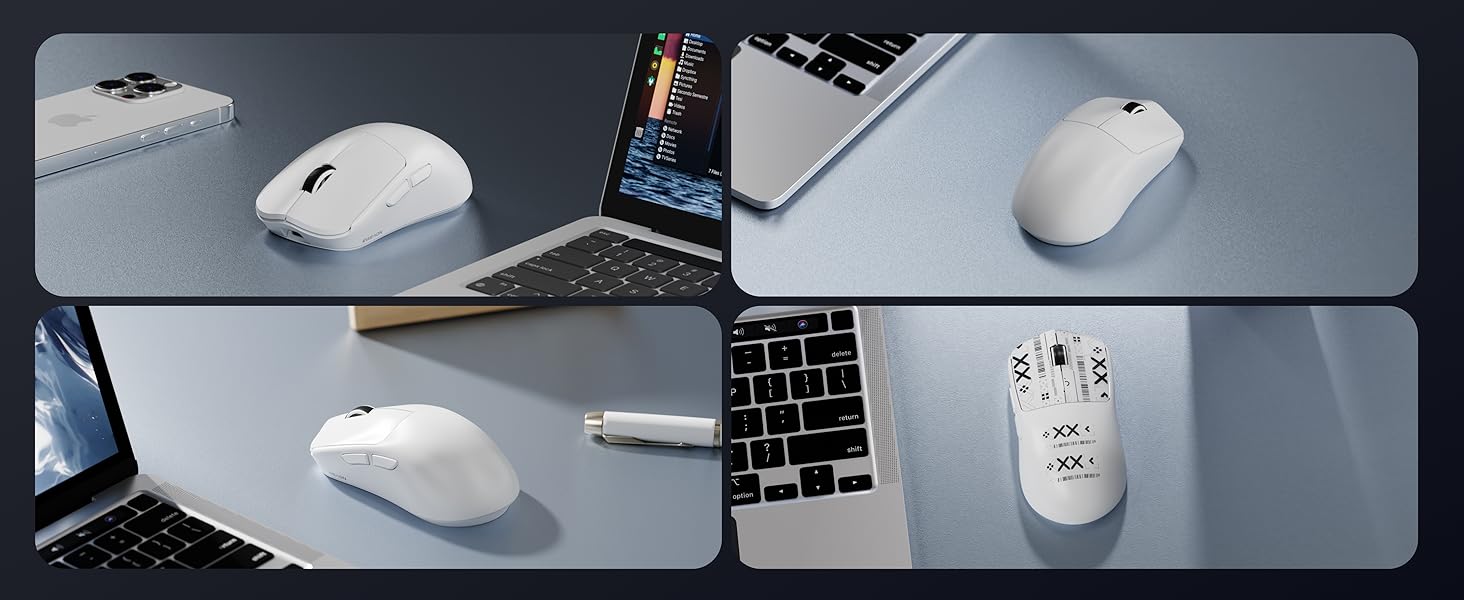
Image: Additional features including receiver storage and anti-slip tape.
6. Polnjenje miške
The X23Pro mouse has a built-in 800mAh rechargeable battery. To charge:
- Connect the provided USB-C cable to the charging port on the front of the mouse.
- Plug the USB-A end of the cable into a power source (e.g., computer USB port, USB wall adapter).
- Miško lahko med polnjenjem uporabljate v žičnem načinu.
The mouse enters a primary sleep mode after 1 minute of inactivity to conserve battery. It supports button and movement wake-up.

Image: 800mAh High Capacity Battery feature.
7. Vzdrževanje
- Miško vzdržujte čisto tako, da jo obrišete z mehko, suho krpo.
- Avoid exposing the mouse to extreme temperatures or humidity.
- Miške ne razstavljajte, saj lahko s tem razveljavite garancijo.
- Use the provided non-slip stickers to maintain grip and prevent wear.
8. Odpravljanje težav
8.1. Miška se ne odziva
- Prepričajte se, da je miška napolnjena. Priključite jo s kablom USB-C, da se napolni.
- Check the connection mode switch on the bottom of the mouse (2.4G, BT, or OFF). Ensure it is set to the desired mode.
- For 2.4G mode, ensure the USB receiver is securely plugged into your device.
- For Bluetooth mode, ensure Bluetooth is enabled on your device and the mouse is paired.
- Poskusite znova zagnati računalnik ali napravo.
8.2. Zakasnitev ali občasna povezava
- Ensure the mouse is within the effective range of your device (for wireless modes).
- Zmanjšajte motnje zaradi drugih brezžičnih naprav.
- Ensure the battery is sufficiently charged. Low battery can affect wireless performance.
- Consider using the USB-C wired connection for a stable connection.
8.3. DPI se ne spreminja
- Ensure you are pressing the correct 'DPI' toggle button on the bottom of the mouse.
- If using custom DPI settings, verify the settings in the driver software.
Video: Demonstrates the lightweight design and various features of the X23Pro mouse, including its bottom panel and USB receiver.
9. Specifikacije
| Funkcija | Podrobnost |
|---|---|
| Dimenzije izdelka | 4.6 x 2.4 x 0.04 palcev |
| Teža predmeta | 2.08 unče (približno 59 g) |
| Številka modela artikla | X23Pro |
| Tehnologija povezljivosti | 2.4GHz, Bluetooth 5.0, USB-C Wired |
| Tehnologija zaznavanja gibanja | Optični (senzor PAW3311) |
| DPI ravni | 800-1600-2400-3200-6400-12,000 |
| Polling Rate | 125Hz-250Hz-500Hz-1000Hz |
| Kapaciteta baterije | 800mAh polnilna |
| Posebne lastnosti | Portable, Rechargeable, Soundless, Touch Scroll, Programmable Buttons |
| Združljivost | Windows 7/8/10/XP/Vista, Mac OS, Linux, Android |
10. Garancija in podpora
For any inquiries, technical support, or warranty claims, please contact EWEADN customer service:
- Podpora po e-pošti: eweadnkeyboard@outlook.com
Additional support resources may be available through the seller's Amazon store page.

Image: After-sales support information.