
Uvod
Welcome to the VIBOX VTX-7 Gaming PC user manual. This guide provides essential information for setting up, operating, maintaining, and troubleshooting your new gaming system. Please read these instructions carefully before using your PC to ensure optimal performance and longevity.
Your VIBOX VTX-7 system is equipped with high-performance components designed for an immersive gaming experience and efficient productivity. Key features include:
- Nvidia GeForce RTX 5070 (12GB GDDR7 RAM / HDMI 2.1b / DisplayPort)
- AMD Ryzen 7 5700X Processor - 8 cores - Max speed 4.6 GHz
- 1TB SATA SSD for ultra-fast storage
- 32GB DDR4 RAM for smooth multitasking
- Pre-installed Windows 11 Home operating system
- Includes a 27-inch monitor, gaming keyboard, mouse, headset, LED mouse pad, and USB Wi-Fi 6 AX1300 + Bluetooth 5.4 adapter.
Kaj je v škatli
Previdno razpakirajte vse predmete iz škatle. Prepričajte se, da so prisotni vsi spodaj navedeni deli:
- VIBOX VTX-7 Gaming PC Tower
- 27-palčni monitor
- Igralna tipkovnica
- Igralna miška
- Igralne slušalke
- LED podloga za miško
- USB Wi-Fi 6 AX1300 and Bluetooth 5.4 Adapter
- Power Cables (for PC and Monitor)
- Kabel HDMI/DisplayPort
- Uporabniški priročnik (ta dokument)
Vodnik za namestitev
1. Razpakiranje in namestitev
Remove the PC tower and monitor from their packaging. Place the PC tower on a stable, flat surface with adequate ventilation. Avoid placing it directly on carpet or in enclosed spaces that could restrict airflow.

Image: VIBOX VTX-7 Gaming PC Tower with vibrant RGB lighting, showcasing its sleek design and internal components.
2. Povezovanje zunanjih naprav
- Monitor: Connect the 27-inch monitor to the graphics card (Nvidia RTX 5070) on the back of the PC using the provided HDMI or DisplayPort cable. Ensure the cable is securely fastened. Connect the monitor's power cable to an electrical outlet.
- Tipkovnica in miška: Connect the gaming keyboard and mouse to any available USB ports on the back of the PC.
- slušalka: Plug the headset into the appropriate audio jacks (usually green for audio out, pink for microphone in) or a USB port if it's a USB headset.
- Wi-Fi/Bluetooth Adapter: Insert the USB Wi-Fi 6 and Bluetooth 5.4 adapter into an available USB port.
- moč: Connect the PC's power cable to the power supply unit (PSU) on the back of the PC, then plug it into a grounded electrical outlet.
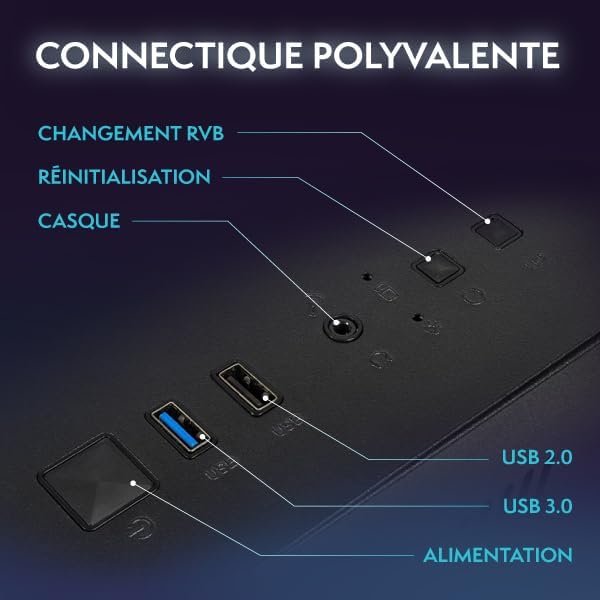
Slika: Bližnji posnetek view of the VIBOX PC's rear panel, highlighting various connectivity ports including USB, HDMI, and audio jacks.
3. Začetni vklop
Once all connections are secure, press the power button on the front of the PC tower. The system will boot up, and the monitor should display the VIBOX logo or Windows startup screen.
Navodila za uporabo
1. Prvi zagon in namestitev sistema Windows
Upon the first boot, you will be guided through the Windows 11 Home setup process. Follow the on-screen prompts to:
- Izberite regijo in razporeditev tipkovnice.
- Connect to a network (Wi-Fi or Ethernet).
- Sign in with a Microsoft account or create a local account.
- Nastavite nastavitve zasebnosti.
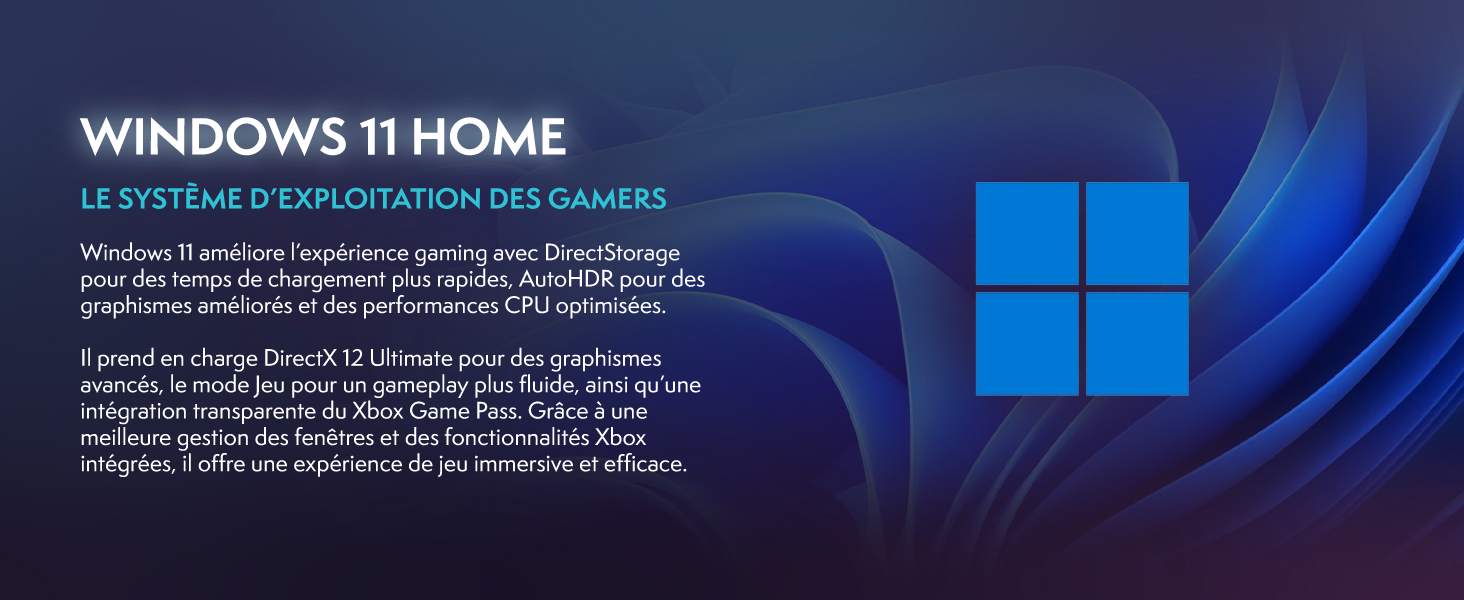
Image: Promotional image highlighting Windows 11 Home features, including faster loading times with DirectStorage and improved graphics with AutoHDR, optimized for gaming.
2. Povezovanje z omrežjem Wi-Fi in Bluetooth
Your system includes a USB Wi-Fi 6 and Bluetooth 5.4 adapter. After Windows setup:
- Wi-Fi: V opravilni vrstici kliknite ikono omrežja, izberite omrežje Wi-Fi, vnesite geslo in kliknite Poveži se.
- Bluetooth: Go to Settings > Bluetooth & devices, turn on Bluetooth, and pair with your desired devices.
3. Osnovni nasveti za uporabo
- Posodobitve: Regularly check for Windows updates (Settings > Windows Update) and graphics driver updates (Nvidia GeForce Experience) to ensure optimal performance and security.
- Namestitev programske opreme: Install your preferred games and applications. Ensure you download software from trusted sources.
- Nadzor RGB: Your PC features RGB lighting. Refer to the specific software provided by VIBOX or component manufacturers (e.g., motherboard, GPU) to customize lighting effects.
Vzdrževanje
1. Čiščenje
Regular cleaning helps maintain performance and extends the lifespan of your PC:
- Zunanjost: Uporabite mehko, damp cloth to wipe down the exterior of the PC case and monitor. Avoid harsh chemicals.
- Prah: Periodically use compressed air to clear dust from fan vents and internal components. Ensure the PC is powered off and unplugged before doing so.
2. Hladilni sistem
Your VIBOX VTX-7 features an AIO 120mm liquid cooler and Hex RGB Infinity 120mm fans for efficient cooling. Ensure these components are free from dust buildup.

Image: The VIBOX AIO 120mm liquid cooler, featuring a compact design with RGB lighting on the pump head and fan, ensuring stable processor temperatures.
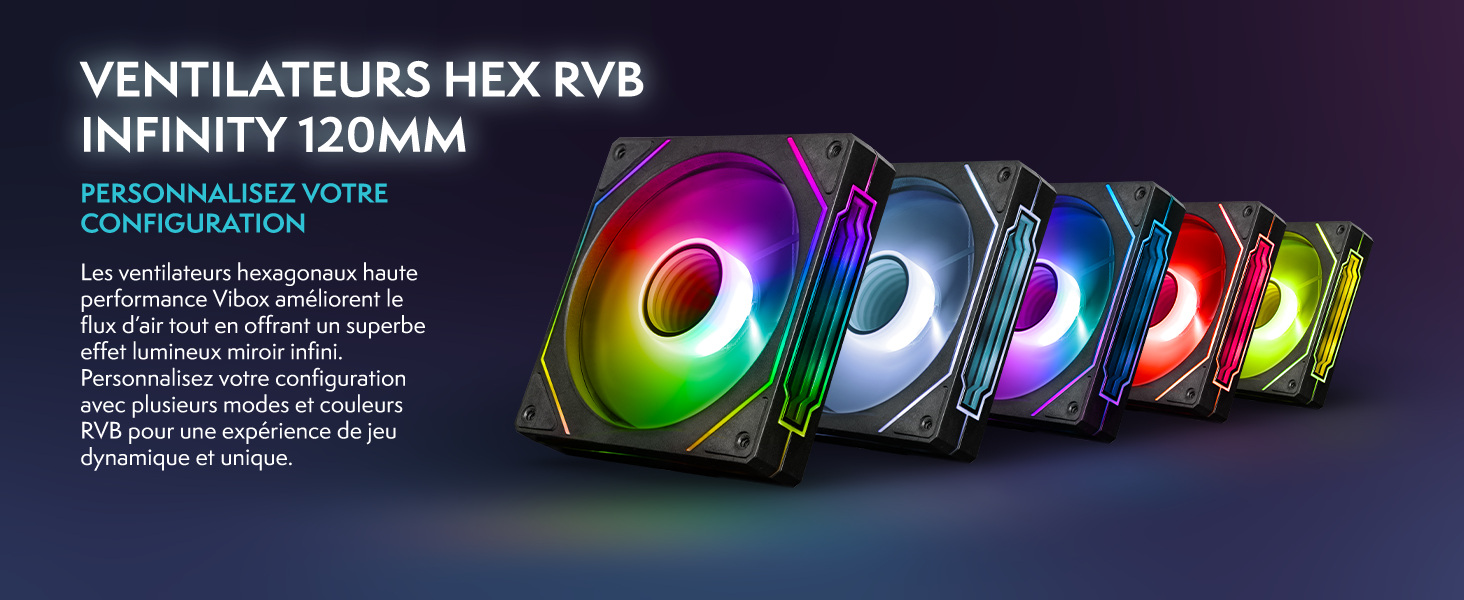
Image: A row of VIBOX Hex RGB Infinity 120mm fans, displaying various colorful lighting effects, designed to enhance airflow and customize the PC's aesthetic.
The system also utilizes an inverted airflow design for optimal thermal management.

Image: Diagram illustrating the inverted airflow design within the VIBOX PC case, showing cool air intake from the side and bottom, and hot air exhaust from the top and rear, optimizing cooling efficiency.
Odpravljanje težav
1. Brez moči
- Ensure all power cables are securely connected to the PC, monitor, and electrical outlets.
- Check the power switch on the back of the PSU (Power Supply Unit) is in the 'ON' position.
- Preizkusite električno vtičnico z drugo napravo, da potrdite, da deluje.
2. Ni prikaza na monitorju
- Verify the HDMI or DisplayPort cable is firmly connected to both the PC's graphics card and the monitor.
- Prepričajte se, da je monitor vklopljen in nastavljen na pravilen vhodni vir (HDMI/DisplayPort).
- Try a different video cable or monitor if available to isolate the issue.
3. Ni internetne povezave
- Check if the USB Wi-Fi adapter is properly inserted and its drivers are installed (Windows usually installs them automatically).
- Verify your Wi-Fi network is active and you have entered the correct password.
- If using an Ethernet cable, ensure it is securely connected to both the PC and your router/modem.
- Znova zaženite usmerjevalnik/modem.
4. Težave z delovanjem sistema
- Ensure all drivers (especially graphics drivers) are up to date.
- Zaprite nepotrebne aplikacije v ozadju.
- Preverite temperaturo sistema s programsko opremo za spremljanje, da se prepričate, da se komponente ne pregrevajo.
Specifikacije
Detailed technical specifications for your VIBOX VTX-7 Gaming PC:
| Komponenta | Specifikacija |
|---|---|
| Znamka | VIBOX |
| Ime modela | VTX-7 |
| Operacijski sistem | Windows 11 Home |
| Model procesorja | AMD Ryzen 7 5700X (8 Cores) |
| Hitrost procesorja | 3.4 GHz (Base), 4.6 GHz (Max Boost) |
| Grafični koprocesor | Nvidia GeForce RTX 5070 |
| Graphics Card RAM | 12 GB GDDR7 |
| Nameščen RAM | 32 GB DDR4 |
| Max RAM Size | 128 GB |
| Hitrost pomnilnika | 2666 MHz |
| Zmogljivost shranjevanja | 1 TB SSD |
| Metoda hlajenja | Water Cooling (AIO 120mm) |
| Povezljivost | Ethernet, HDMI, USB, Wi-Fi 6, Bluetooth 5.4 |
| Video izhod | HDMI, DisplayPort |
| Skupno število vrat USB | 6 |
| Velikost monitorja | 27 palcev |
| Največja ločljivost zaslona | 1920 x 1080 slikovnih pik |
| Mere predmeta | 42 x 28 x 43.5 cm |
| Vrsta vtičnice | Type C/EF – 2-pin (European/Hybrid FR-DE plug) |
| Država izvora | Francija |
Informacije o garanciji
Your VIBOX VTX-7 Gaming PC comes with a comprehensive warranty:
- deli: 2 leti
- delo: Življenjska doba
Please retain your proof of purchase for warranty claims. The warranty covers manufacturing defects and hardware failures under normal use conditions. It does not cover damage caused by misuse, accidents, unauthorized modifications, or improper maintenance.
Podpora
For further assistance, technical support, or warranty inquiries, please contact VIBOX Gaming directly. You can find contact information on the official VIBOX webspletnem mestu ali prek vašega prodajalca.
VIBOX is committed to providing high-quality gaming PCs and excellent customer service. For more information about VIBOX products and support, visit the VIBOX Gaming Store on Amazon.