
Uvod
This manual provides instructions for the HOUSBAY Sunrise Alarm Clock with Bluetooth Speaker & Radio, Model TS9RA. Please read this manual thoroughly before using the device to ensure proper operation and to maximize its features.

Image: The HOUSBAY Sunrise Alarm Clock, an all-in-one device combining a sunrise alarm, FM radio, Bluetooth speaker, and night light.
Varnostne informacije
- Poskrbite, da bo naprava postavljena na stabilno in ravno površino.
- Naprave ne izpostavljajte vodi ali prekomerni vlagi.
- Uporabljajte samo priloženi napajalnik.
- Hraniti izven dosega otrok.
- Naprave ne poskušajte sami razstaviti ali popraviti. Za pomoč se obrnite na podporo strankam.
Vsebina paketa
- HOUSBAY Sunrise Alarm Clock (Model TS9RA)
- Napajalni adapter
- Uporabniški priročnik
Nastavitev
1. Napajalni priključek
- Priključite napajalnik na vhod za enosmerni tok na zadnji strani budilke.
- Priključite napajalnik v standardno električno vtičnico.
- Zaslon se bo zasvetil, kar pomeni, da je naprava vklopljena.
2. Začetna nastavitev časa
Upon first power-on, the clock may display a default time. Refer to the "Operating Instructions" section for detailed steps on setting the correct time and date.
3. FM Antenna Setup
For optimal FM radio reception, extend the integrated antenna fully. Position the antenna for the best signal quality.
Navodila za uporabo
Nastavitev časa in datuma
- Pritisnite Nastavitev časa button (usually indicated by a clock icon).
- Uporabite +/- gumba za nastavitev ure, nato pa pritisnite Nastavitev časa ponovno za potrditev.
- Ponovite za minute, leto, mesec in dan.
- Pritisnite Nastavitev časa še zadnjič za izhod iz načina nastavitev.
Alarm Setting (Sunrise & Sound)
- Pritisnite Alarm button (bell icon).
- Uporabite +/- gumbe za nastavitev želenega časa alarma. Pritisnite Alarm za potrditev.
- Select your preferred wake-up sound (e.g., birdsong, ocean waves, piano, FM radio) using the Zvok gumb.
- Adjust the sound volume using the +/- gumbi.
- Set the sunrise simulation duration (0-60 minutes) before the alarm time. The light will gradually brighten during this period.
- Choose your wake-up mode: Samo zvok, Sunrise Only, oz Sunrise & Sound.
- Pritisnite Alarm to save and activate the alarm.
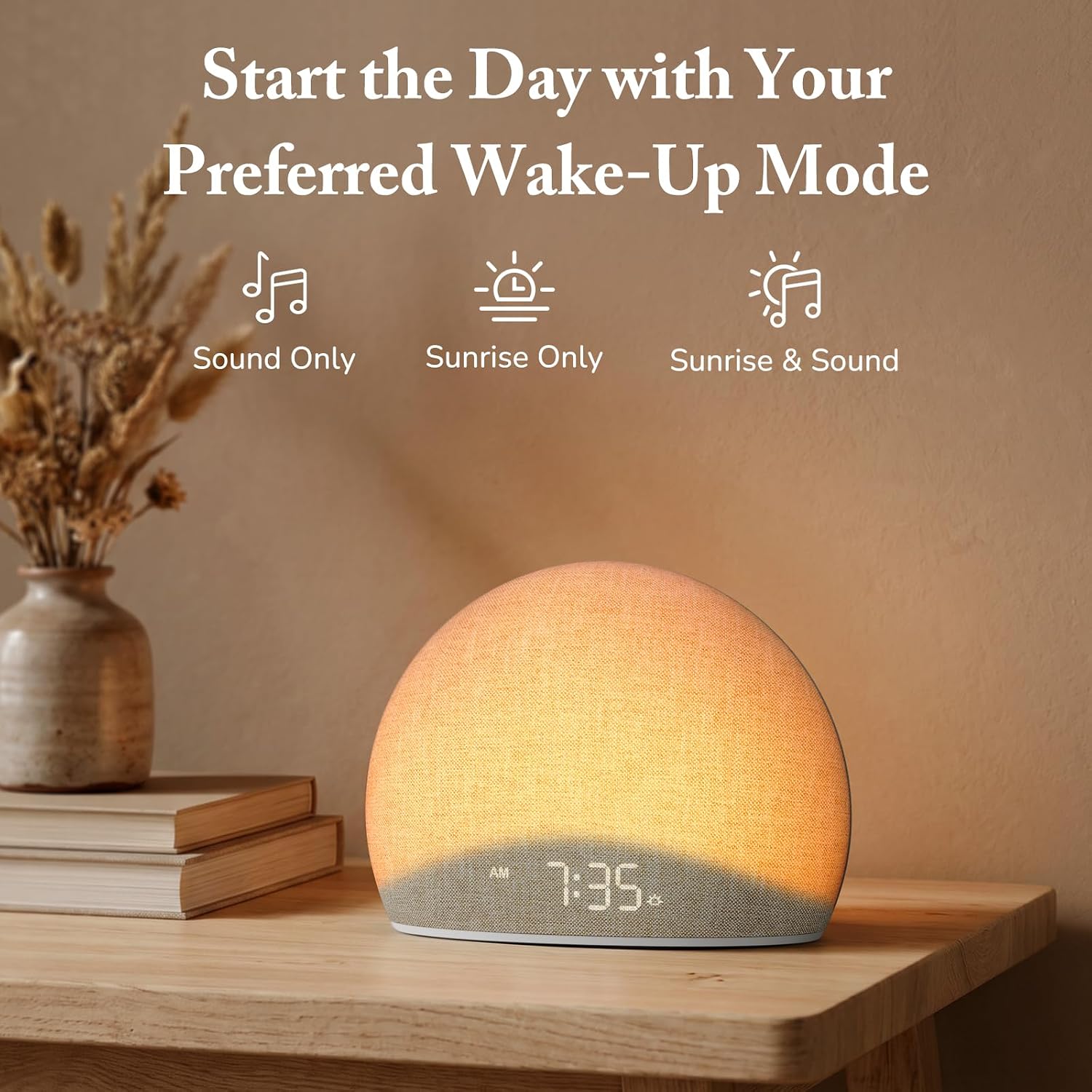
Image: The alarm clock offers three distinct wake-up modes: sound only, sunrise light only, or a combination of both.

Image: A selection of five natural wake-up sounds and FM radio options are available to customize your morning alarm.
Funkcija nočne luči
- Pritisnite Svetloba button (sun icon) to turn on the night light.
- Pritisnite Svetloba button repeatedly to cycle through different colors and brightness levels.
- To turn off the night light, press and hold the Svetloba button or cycle through all options until it turns off.

Image: The device functioning as a night light, emitting a soft red glow at 10:30 PM.
Način zvočnika Bluetooth
- Pritisnite Bluetooth button (Bluetooth symbol) to enter Bluetooth pairing mode. The display will show "BT" or a flashing Bluetooth icon.
- On your mobile device, enable Bluetooth and search for "HOUSBAY TS9RA" or a similar device name.
- Izberite napravo za seznanitev. Potrditveni zvok bo označil uspešno seznanitev.
- You can now stream audio from your device to the HOUSBAY alarm clock.
- Za prekinitev povezave pritisnite Bluetooth button again or disconnect from your mobile device.
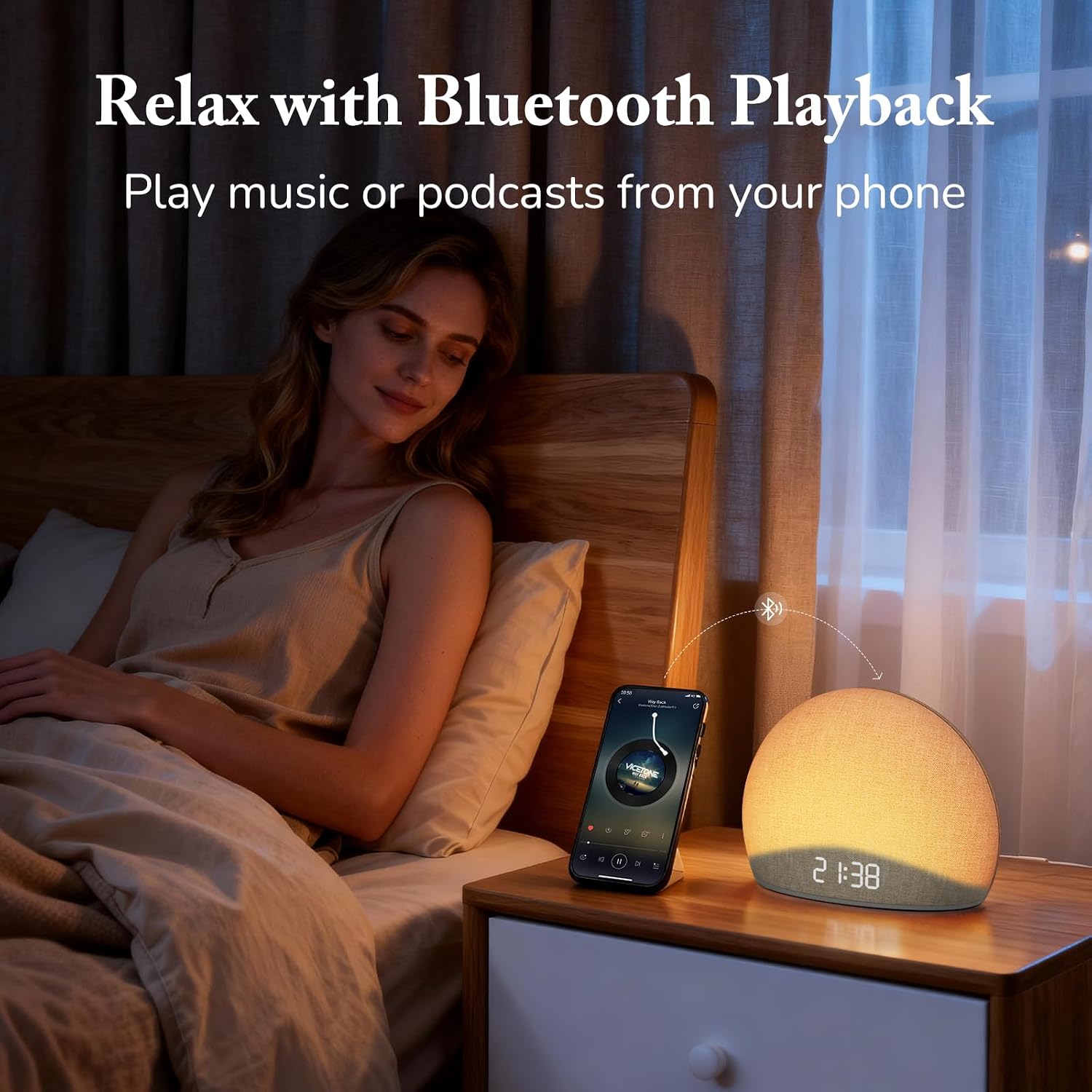
Image: The alarm clock connected via Bluetooth, playing music from a smartphone for relaxation.
Video: Prekoračitevview of the HOUSBAY Sunrise Alarm Clock Radio for Bedroom, demonstrating its features including Bluetooth connectivity.
Video: Kratek uvodview demonstrating the Bluetooth connectivity feature of the HOUSBAY Sunrise Alarm Clock.
Način FM radia
- Pritisnite FM radio button (radio icon) to turn on the FM radio.
- Pritisnite in držite FM radio button to initiate an automatic scan for available stations. The clock will save detected stations.
- Uporabite +/- buttons to cycle through saved FM stations.
- Adjust the volume using the dedicated volume controls.
- To turn off the FM radio, press the FM radio gumb znova.

Image: The alarm clock displaying the time 9:00, with visual cues suggesting active FM radio functionality.
Prilagoditev svetlosti zaslona
To ensure a sleep-friendly environment, the clock's display brightness can be adjusted or turned off completely.
- Poiščite Svetlost zaslona button (often a sun or dimmer icon).
- Press the button repeatedly to cycle through various brightness levels, including off.
- Izberite želeno svetlost.

Image: The alarm clock with its display dimmed to a low setting, suitable for a dark bedroom environment.
Vzdrževanje
- Čiščenje: Za čiščenje površine naprave uporabite mehko, suho krpo. Ne uporabljajte tekočih čistil ali abrazivnih materialov.
- Shranjevanje: If storing the device for an extended period, unplug it from the power source and store it in a cool, dry place.
- Nega blaga: The fabric finish can be gently wiped with a slightly damp cloth if necessary, then immediately dried.
Odpravljanje težav
| Težava | Možen vzrok | rešitev |
|---|---|---|
| Naprava se ne vklopi. | Napajalnik ni priključen ali pa je vtičnica pokvarjena. | Prepričajte se, da je napajalnik varno priključen tako v napravo kot v delujočo električno vtičnico. Poskusite z drugo vtičnico. |
| Bluetooth seznanjanje ne uspe. | Device not in pairing mode; mobile device too far; interference. | Ensure the alarm clock is in Bluetooth pairing mode (flashing BT icon). Move your mobile device closer. Restart both devices and try again. |
| Slab sprejem FM radia. | Antenna not extended or positioned correctly; weak signal. | Fully extend the FM antenna and adjust its position for better signal. Perform an auto-scan for stations again. |
| Alarm se ne oglasi/ne zasveti. | Alarm not activated; volume too low; incorrect mode selected. | Verify the alarm is set and activated. Check the alarm volume. Ensure the correct wake-up mode (Sound Only, Sunrise Only, or both) is selected. |
| Zaslon je prazen ali se ne odziva. | Display brightness set to off; temporary software glitch. | Press the Display Brightness button to cycle through brightness levels. If unresponsive, unplug the device for a few minutes and then plug it back in to reset. |
Specifikacije
| Funkcija | Podrobnost |
|---|---|
| Znamka | HOUSBAY |
| Številka modela | TS9RA |
| Vrsta zaslona | Digitalno |
| Vir napajanja | Električni na kabel |
| Dimenzije izdelka (Š x V) | 6.3 cm Š x 4.72 cm V |
| Teža predmeta | 0.7 kg |
| Posebne lastnosti | Sunrise Alarm, Bluetooth Speaker, FM Radio, Dimmable Night Light, Adjustable Display |
| Material | Wood (Frame), Fabric Finish |
Garancija
This HOUSBAY product is covered by a manufacturer's warranty. For specific details regarding warranty coverage, duration, and terms, please refer to the warranty card included with your purchase or contact HOUSBAY customer support.
Podpora uporabnikom
For any questions, technical assistance, or warranty claims, please contact HOUSBAY customer support through their official webspletnega mesta ali kontaktnih podatkov, ki so navedeni na embalaži izdelka.
Obiščete lahko tudi HOUSBAY Store on Amazon za več informacij o izdelku in vire podpore.