
Uvod
This manual provides detailed instructions for the setup, operation, and maintenance of your vretti K2 Bluetooth Thermal Label Maker. Please read this manual thoroughly before using the device to ensure proper functionality and to extend the product's lifespan.
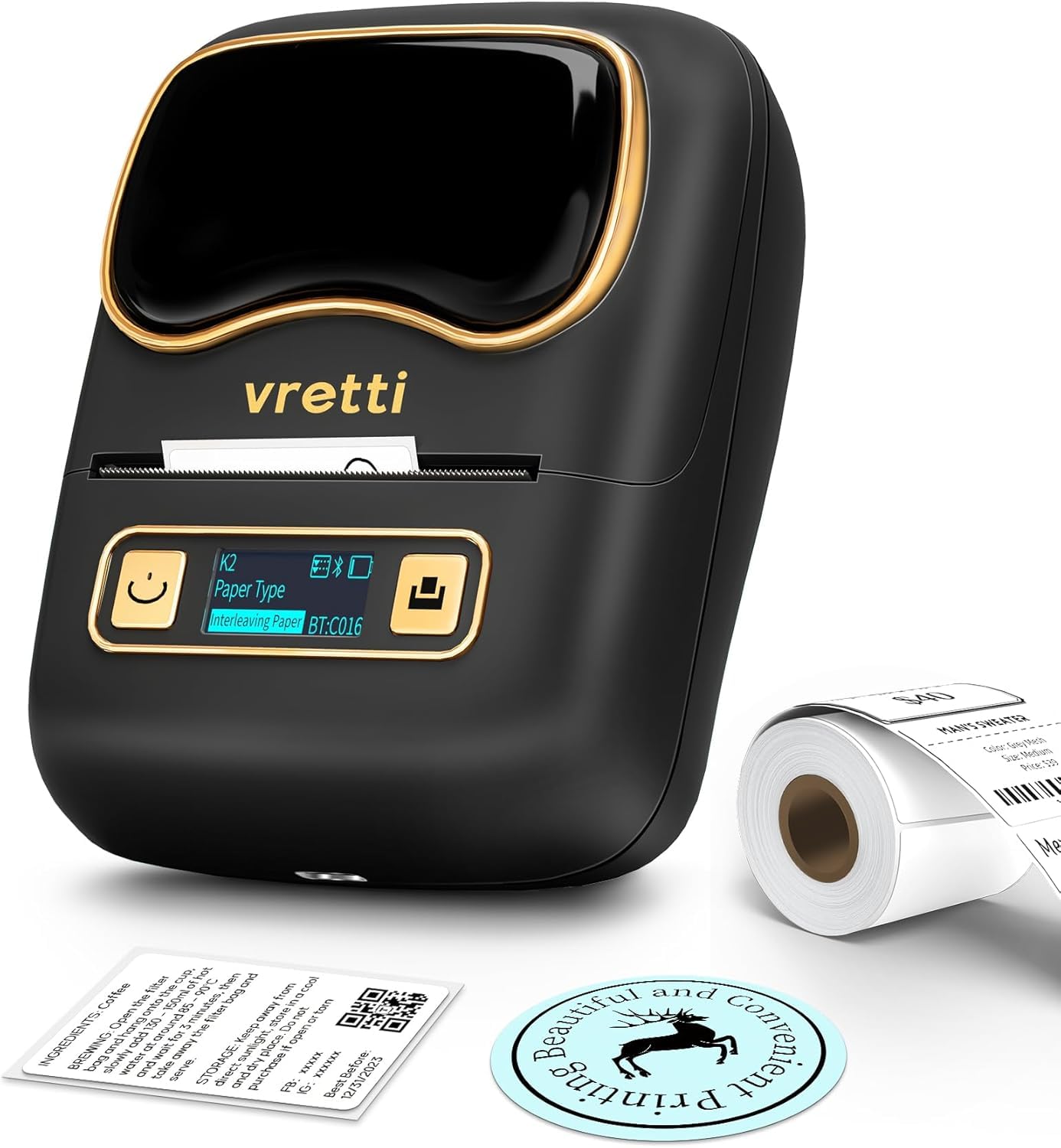
The vretti K2 Bluetooth Thermal Label Maker.
Konec izdelkaview Video
Ta videoposnetek ponuja kratek pregledview of the vretti K2 label maker's features and common uses, such as creating labels for gifts and containers.
Varnostne informacije
- Napravo hranite stran od vode in visoke vlažnosti.
- Naprave ne izpostavljajte ekstremnim temperaturam ali neposredni sončni svetlobi.
- Use only the specified power adapter and USB-C cable.
- Izogibajte se padcem ali izpostavljanju naprave močnim udarcem.
- Naprave ne poskušajte sami razstaviti ali popraviti. Za pomoč se obrnite na podporo strankam.
- Hraniti izven dosega otrok.
Vsebina paketa
Preverite, ali so v paketu vsi elementi:
- vretti K2 Label Maker (x1)
- 50x30mm Paper Rolls (x1, pre-installed)
- Kabel tipa C (x1)
- Uporabniški priročnik (x1)

Contents included in the vretti K2 label maker package.
Nastavitev
1. Vstavljanje etiketnega papirja
- Press the open cover button on the left side of the device to open the cover.
- Push the baffle latch back to unlock the paper roll holder.
- Remove the privacy protection sticker from the label paper roll.
- Place the label paper roll into the compartment with the print side facing down.
- Push the baffle latch forward to lock the paper roll in place.
- Extend the label paper approximately 3mm from the paper outlet, then close the cover.
- Press and hold the power button for 3 seconds to turn on the device. The display will illuminate.
- Press the feed button to advance the paper and calibrate the label position.
This video demonstrates the correct procedure for installing label paper into the K2 label maker.
2. Prenos aplikacije in povezava Bluetooth
- Download the "Xeasy Label" app from the App Store (iOS) or Google Play Store (Android).
- Enable Bluetooth and GPS (location services) on your mobile phone.
- Open the "Xeasy Label" app. Click the '+' button in the upper right corner to search for devices.
- Select "K2" from the list of connectable devices and click "Connect". The app will indicate "Connection successful".

The 'Xeasy Label' app supports Bluetooth connection for both Android and iOS devices.
This video guides you through connecting your K2 label maker to your mobile phone via Bluetooth for printing.
Navodila za uporabo
1. Ustvarjanje in urejanje oznak
- In the "Xeasy Label" app, select a label template that matches the dimensions of your physical label paper. For example, if your label paper is 50mm x 30mm, choose the corresponding template.
- Double-click on the template area to begin editing.
- Use the various tools in the app (Text, Frame, Sticker, Image, QR Code, Bar Code, Row Number, Shape, Table) to design your label.
- You can add text, images, icons, and adjust their size and position as needed.

The 'Xeasy Label' app offers multiple free templates, fonts, and icons for label design.
2. Tiskanje nalepk
- After designing your label, click the "Print Label" button in the app.
- Adjust the quantity of labels to print and the print density if necessary.
- Confirm your settings and initiate printing. The K2 label maker will print the labels.

Easy-to-follow steps for using the vretti K2 label maker.
3. Podprte vrste in velikosti etiket
The vretti K2 label maker supports various thermal label paper sizes, with a print range of 20mm to 58mm (approximately 1-2 inches) in width. This includes square, round, cable, and file nalepke.

The vretti K2 supports various label styles and sizes, fitting 1-2 inch width thermal labels.
4. Prijava Examples
The K2 label maker is versatile for various applications:
- Uporaba v pisarni: File labels, asset tags, memo labels.
- Poslovna uporaba: Price labels, product labels, barcode labels for retail, coffee shops, and small businesses.
- Domača uporaba: Storage labels, food container labels, spice jar labels, medication labels.
- darila: Personalized gift tags and decorative labels.

Examples of multiple occasions where the vretti K2 label maker can be used.
Vzdrževanje
1. Čiščenje tiskalne glave
To ensure optimal print quality, clean the print head regularly:
- Turn off the label maker and disconnect it from power.
- Odprite pokrov predala za papir.
- Tiskalno glavo nežno obrišite z vatirano palčko, rahlo dampz izopropilnim alkoholom.
- Allow the print head to dry completely before closing the cover and turning on the device.
2. Polnjenje akumulatorja
The K2 label maker is equipped with a 1500mAh rechargeable battery. When the battery indicator on the display is low, connect the device to a power source using the provided USB-C cable. A full charge allows for approximately 3 hours of continuous printing or up to 5000 labels.
Odpravljanje težav
| Težava | Možen vzrok | rešitev |
|---|---|---|
| Naprava se ne vklopi. | Težava z nizko baterijo ali napajanjem. | Charge the device using the USB-C cable. Ensure the power button is pressed and held for 3 seconds. |
| Povezave ni mogoče vzpostaviti prek Bluetootha. | Bluetooth or GPS is off; device not discoverable; incorrect pairing. | Ensure Bluetooth and GPS are enabled on your phone. Restart the label maker and the app. Try pairing again. |
| Poor print quality (faint, blurry, or blank). | Print head is dirty; incorrect label paper orientation; low print density setting. | Clean the print head. Ensure the label paper is loaded with the print side down. Increase print density in the app. |
| Paper jam or labels not feeding correctly. | Improperly loaded paper; foreign object in paper path. | Open the cover, remove any jammed paper, and re-load the paper correctly. Ensure the baffle latch is secured. |
| Aplikacija se sesuje ali zamrzne. | Napaka v programski opremi; zastarela različica aplikacije. | Restart the app. Check for app updates in your device's app store. |
Specifikacije
| Funkcija | Podrobnost |
|---|---|
| Ime modela | K2 |
| Znamka | vretti |
| Tehnologija povezljivosti | Bluetooth |
| Tehnologija tiskanja | Toplotna |
| Izhod tiskalnika | Enobarvno |
| Največja širina tiskanja | 58 mm (2 palca) |
| Ločljivost tiskanja | 203 DPI |
| Hitrost tiskanja | Do 30 mm/s |
| Baterija | 1500 mAh polnilna (1 C baterija priložena) |
| Vmesnik za polnjenje | USB-C |
| Dimenzije izdelka | 4.5"D x 2.5"Š x 3.4"V |
| Teža predmeta | 7.8 unče (0.49 funta) |
| Združljive naprave | Pametni telefoni (iOS in Android) |
| Nadzorna metoda | aplikacija |
Garancija in podpora
Informacije o garanciji
The vretti K2 Bluetooth Thermal Label Maker comes with a limited warranty. Please refer to the warranty card included in your package or contact vretti customer support for specific terms and conditions.
Podpora uporabnikom
For technical assistance, troubleshooting, or warranty claims, please contact vretti customer support through the following channels:
- Webspletno mesto: Visit the official vretti webspletno mesto za pogosta vprašanja in vire za podporo.
- E-pošta: Refer to your product packaging or the quick start guide for customer service email addresses.
- Trgovina Amazon: You can also reach out to the seller "vretti-us" directly through your Amazon order history for support.