
1. Uvod
This manual provides essential information for setting up, operating, maintaining, and troubleshooting your new CyberPowerPC Gamer Xtreme GXiVR8060A47 Gaming PC. This system is designed for high-performance gaming and demanding multimedia tasks, featuring an Intel Core i5-14400F processor and NVIDIA GeForce RTX 5060 graphics.
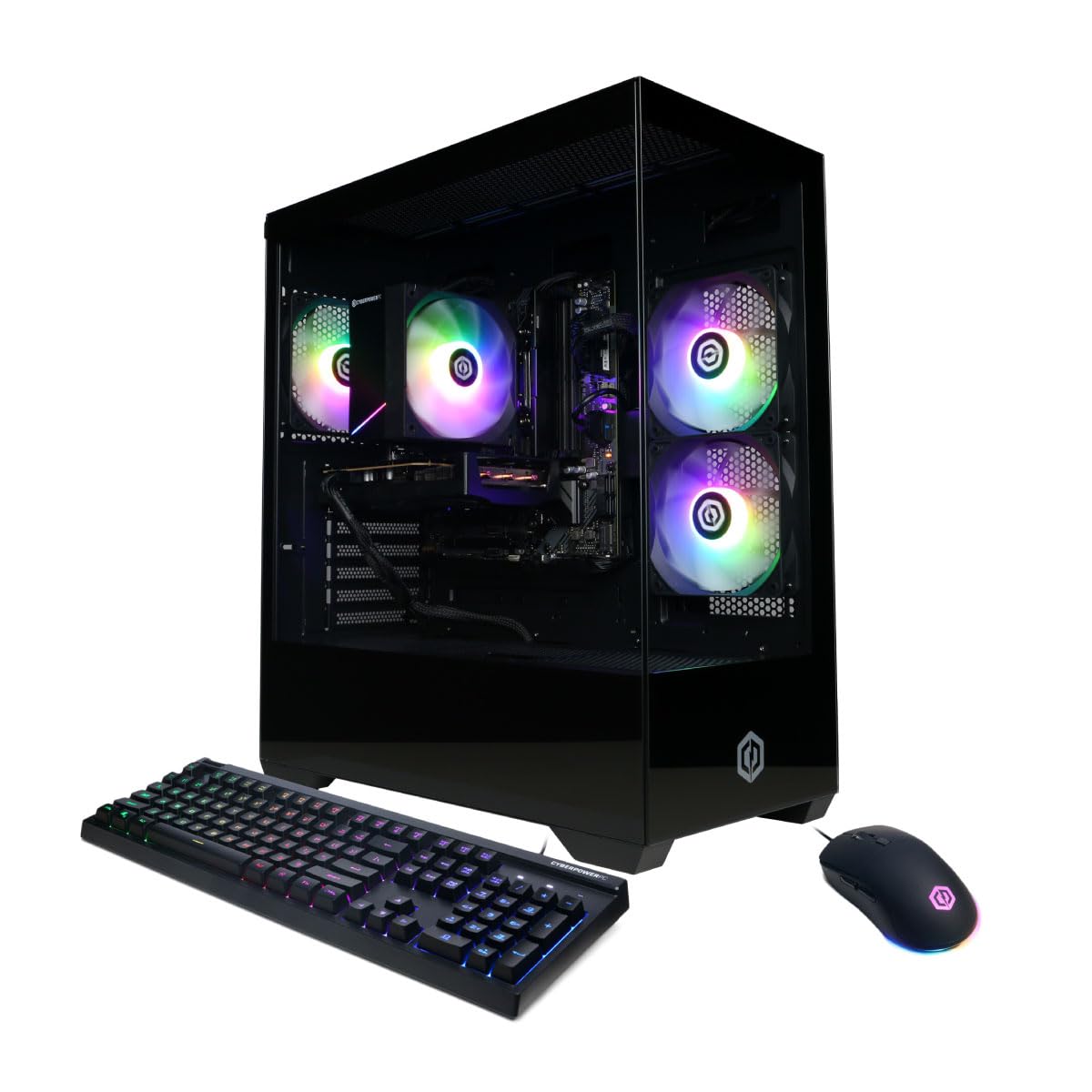
Slika: spredaj view of the CyberPowerPC Gamer Xtreme GXiVR8060A47 Gaming PC with RGB lighting.
2. Vsebina paketa
Preverite, ali so v paketu prisotni vsi elementi:
- CyberPowerPC Gamer Xtreme GXiVR8060A47 Gaming PC
- Napajalni kabel
- Igralna tipkovnica
- Igralna miška
- Dokumentacija (vključno s tem priročnikom)

Image: The CyberPowerPC gaming desktop tower, keyboard, and mouse.
3. Navodila za namestitev
3.1 Razpakiranje in namestitev
- Carefully remove the PC and all accessories from the packaging. Retain packaging for future transport or warranty claims.
- Računalnik postavite na stabilno, ravno površino z ustreznim prezračevanjem. Zagotovite, da je okoli odprtin za dovod in odvod zraka dovolj prostora.
- Odstranite morebitno notranjo embalažno peno ali zaščitne folije z komponent računalnika.
3.2 Priključitev zunanjih naprav
Connect your monitor, keyboard, mouse, and other peripherals to the appropriate ports on the back of the PC.
- Monitor: Connect your monitor to the graphics card (NVIDIA GeForce RTX 5060) ports (HDMI or DisplayPort). Do not connect to the motherboard's video outputs if a dedicated graphics card is installed.
- Tipkovnica in miška: Priključite se na vsa razpoložljiva vrata USB.
- moč: Connect the power cord to the PC's power supply unit (PSU) and then to a grounded electrical outlet.
- Omrežje: For wired internet, connect an Ethernet cable to the LAN port. For wireless internet, the system is WiFi 6 ready.

Slika: Zadaj view of the PC showing various connectivity ports for peripherals.
3.3 Začetni zagon
- Press the power button located on the front or top of the PC.
- The system will boot into Windows 11 Home. Follow the on-screen instructions to complete the initial Windows setup, including language, region, and user account creation.
- It is recommended to check that the graphics card is securely seated in its slot after shipping. Gently press down on the graphics card near the PCIe slot to ensure it is fully engaged.
4. Navodila za uporabo
4.1 Vklop/izklop
- Vklop: Enkrat pritisnite gumb za vklop.
- Izklopi: Click the Start button in Windows, then select Power > Shut down. Avoid directly holding the power button to turn off the PC, as this can lead to data loss or system corruption.
- Ponovni zagon: V sistemu Windows kliknite gumb Start in nato izberite Napajanje > Ponovni zagon.
4.2 Windows 11 Domača stran
Your PC comes pre-installed with Windows 11 Home. Familiarize yourself with its interface and features. Regular updates are crucial for security and performance.
4.3 Gaming and Performance
The CyberPowerPC Gamer Xtreme GXiVR8060A47 is optimized for gaming. For optimal performance:
- Ensure graphics drivers are up to date. Visit the NVIDIA webspletno mesto za najnovejše gonilnike.
- Close unnecessary background applications when gaming.
- Prilagodite grafične nastavitve v igri, da uravnovesite vizualno kakovost in hitrost sličic glede na svoje želje.
4.4 Nadzor osvetlitve RGB
Your PC features custom RGB lighting. Control options may include:
- Gumb za ohišje: A dedicated button on the PC case allows cycling through various lighting modes and colors.
- Nadzor programske opreme: For advanced customization, connect the RGB fan cables to the motherboard's RGB headers and use compatible motherboard software (if available) to synchronize and control lighting effects. Refer to your motherboard manual for specific instructions.

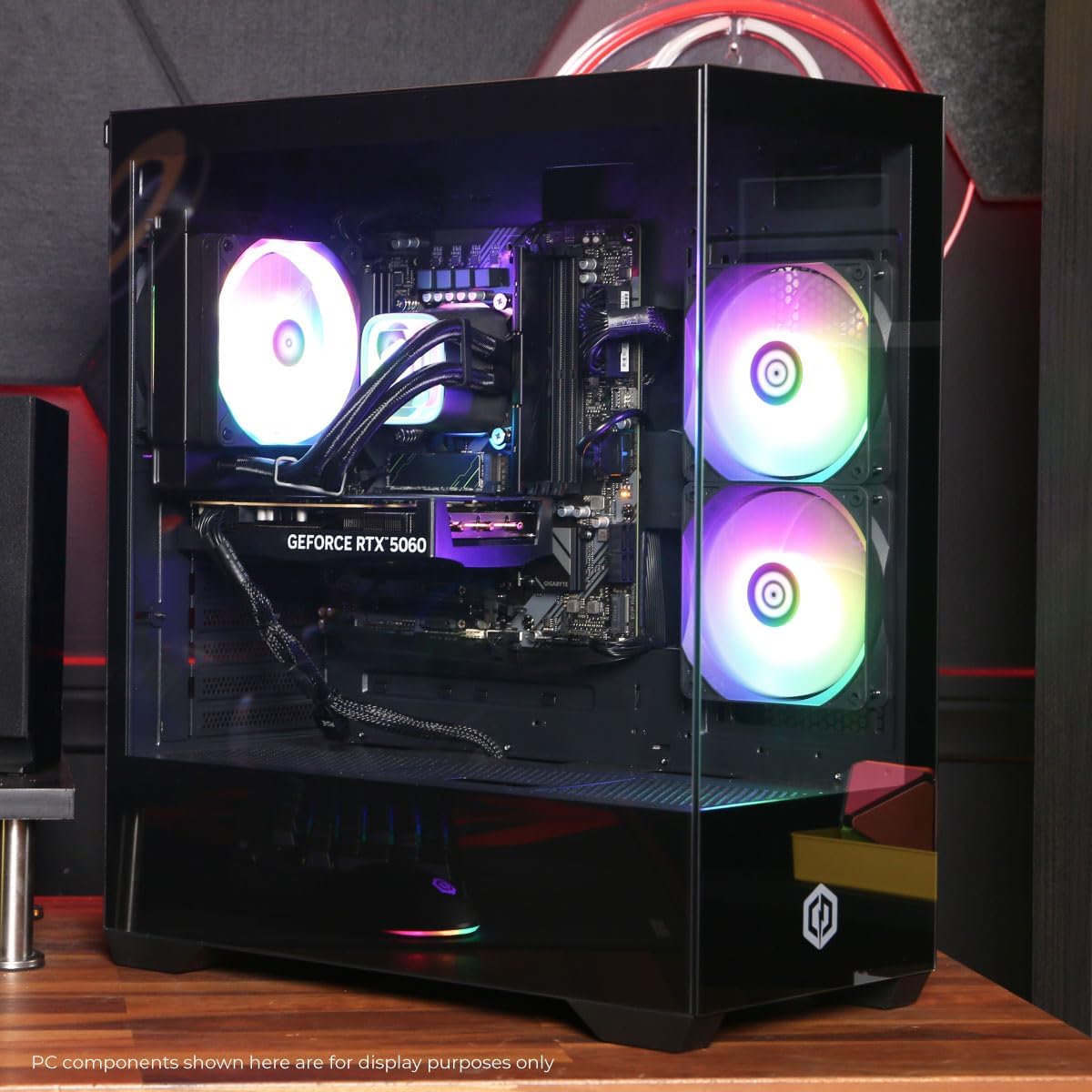
Slika: Notranja view of the PC showcasing the RGB fans and components.
5. Vzdrževanje
5.1 Cleaning Your PC
- Zunanjost: Uporabite mehko, damp cloth to wipe down the exterior of the case. Avoid harsh chemicals.
- Notranjost: Periodically clean dust from inside the PC using compressed air. Focus on fans (CPU cooler, case fans, GPU fans) and heatsinks. Ensure the PC is powered off and unplugged before opening the case.
- Filtri za prah: If your case has removable dust filters, clean them regularly to maintain optimal airflow.
5.2 Posodobitve programske opreme
Regularly update your operating system, drivers (especially graphics drivers), and antivirus software to ensure system stability, security, and performance.
5.3 Pretok zraka in hlajenje
Proper airflow is critical for component longevity. Ensure the PC is placed in an open area, not confined in a cabinet, to allow for unrestricted air circulation.
Slika: Zgoraj view of the PC, highlighting the mesh panel for ventilation.
6. Odpravljanje težav
Če naletite na težave, si oglejte naslednje pogoste korake za odpravljanje težav:
- Brez zaslona: Ensure your monitor is connected to the graphics card's output, not the motherboard's. Check all cable connections (power, video). Try a different video cable or monitor if possible.
- Računalnik se ne vklopi: Verify the power cord is securely connected to both the PC and the wall outlet. Check the power switch on the PSU (if present) is in the 'On' position. Try a different power outlet.
- Prekomeren hrup ventilatorja: This can indicate dust buildup or a fan issue. Clean the interior of the PC as described in the Maintenance section. If the noise persists, contact support.
- System Instability/Blue Screen Errors (BSOD): Ensure all drivers are updated. Check for Windows updates. Run a memory diagnostic tool (Windows Memory Diagnostic) to check RAM integrity. Ensure components are properly seated.
- Periferne naprave ne delujejo: Try connecting the keyboard or mouse to different USB ports. Ensure drivers are installed for specialized peripherals.
Za vztrajne težave glejte razdelek Garancija in podpora za kontaktne podatke.
7. Specifikacije
| Komponenta | Podrobnost |
|---|---|
| Ime modela | Gamer Xtreme GXiVR8060A47 |
| Procesor | Intel Core i5-14400F 2.5GHz (10 Cores) |
| Čipset | Intel B760 |
| Grafična kartica | NVIDIA GeForce RTX 5060 8GB GDDR7 |
| RAM | 16GB DDR5 (4800 MT/s) |
| Shranjevanje | 1TB PCIe 4.0 NVMe SSD |
| Operacijski sistem | Windows 11 Home |
| Povezljivost | WiFi 6, Bluetooth 5.3, 1x LAN |
| Vrata USB | 2 x USB-A 3.2, 6 x USB-A 2.0 (Total 8) |
| Video izhod | 1x HDMI, 2x DisplayPort |
| Avdio | 7.1-kanalni zvok |
| Dimenzije (D x Š x V) | Pribl. 19.09 x 8.27 x 18.90 palca (54.5 x 52.5 x 29.5 cm) |
| Teža | Pribl. 13.96 kg |

Slika: Podrobna notranjost view of the PC showing the CPU cooler, RAM, and graphics card.
8. Garancija in podpora
8.1 Informacije o garanciji
Your CyberPowerPC Gamer Xtreme GXiVR8060A47 Gaming PC comes with a 1-letna omejena garancija krije dele in delo. Prosimo, shranite dokazilo o nakupu za uveljavljanje garancije.
8.2 Tehnična podpora
CyberPowerPC offers Free Lifetime Technical Support for your product. For assistance with setup, troubleshooting, or any other technical inquiries, please contact CyberPowerPC customer service.
Contact information can typically be found on the CyberPowerPC official website or in the documentation included with your PC.