1. Uvod
This manual provides essential instructions for the safe operation, setup, maintenance, and troubleshooting of your ARRIS WPL C24-1 RC Rock Crawler. Please read this manual thoroughly before using the product to ensure proper function and longevity.

Image: The ARRIS WPL C24-1 RC Rock Crawler, showcasing njegovo podrobno zasnovo in robustne pnevmatike.
2. Varnostne informacije
Always operate the RC vehicle in a safe and responsible manner. Failure to follow these safety guidelines may result in injury or damage to the product or property.
- Roke, lasje in ohlapna oblačila držite stran od gibljivih delov.
- Ne uporabljajte v bližini ljudi, hišnih ljubljenčkov ali ovir.
- Avoid operating in wet conditions or near water unless the product is specifically designed for it.
- Poskrbite, da bodo baterije pravilno napolnjene in da bodo z njimi ravnali previdno.
- Za uporabnike, mlajše od 15 let, je priporočljiv nadzor odrasle osebe.
3. Vsebina paketa
Preverite, ali so v vašem paketu priloženi vsi spodaj navedeni elementi:
- ARRIS WPL C24-1 RC Rock Crawler (1 unit)
- Remote Control Transmitter (1 unit)
- Rechargeable Battery (1 unit, 7.4V 500mAh)
- Polnilni kabel (1 kos)
- Navodila za uporabo (ta dokument)
4. Navodila za namestitev
4.1. Polnjenje akumulatorja vozila
The vehicle battery (7.4V 500mAh) requires charging before first use. A full charge takes approximately 2 hours and provides about 30 minutes of operation.
- Locate the battery compartment on the underside of the RC crawler.
- Connect the rechargeable battery to the provided charging cable.
- Plug the charging cable into a suitable USB power source (e.g., computer USB port, USB wall adapter).
- Indikatorska lučka na polnilnem kablu bo prikazovala stanje polnjenja (za specifične vzorce lučke glejte navodila za polnilnik).
- Once fully charged, disconnect the battery from the charger and install it into the vehicle's battery compartment.
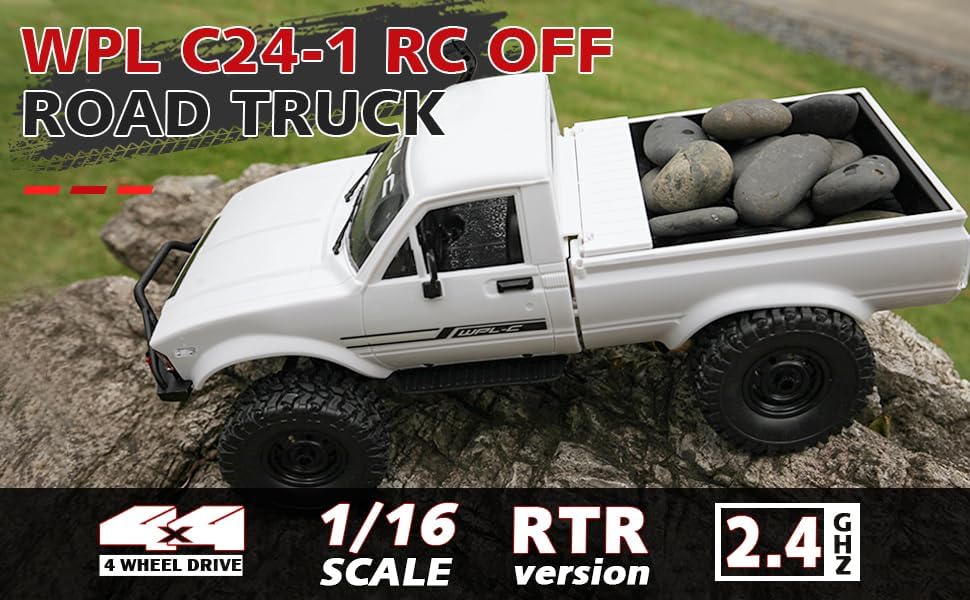
Image: Underside of the RC crawler, highlighting the battery and chassis components.
4.2. Namestitev baterij za daljinski upravljalnik
The remote control requires 1 C battery (included). Ensure correct polarity when installing.
- Odprite pokrov baterije na zadnji strani daljinskega upravljalnika.
- Insert the C battery according to the polarity markings (+/-).
- Varno zaprite pokrov baterije.
4.3. Seznanjanje daljinskega upravljalnika
The RC crawler and remote control are typically pre-paired. If re-pairing is necessary:
- Turn on the RC crawler using the switch located on the chassis.
- Vklopite daljinski upravljalnik.
- The indicator light on the remote control should stop flashing and remain solid, indicating a successful connection.
- If the connection fails, turn both devices off and repeat the process.
5. Navodila za uporabo
5.1. Osnovne kontrole
- Sprožilec plina: Povlecite za premikanje naprej, potisnite za zaviranje/vzvratno vožnjo.
- Volan: Za smer levo zavijte levo, za smer desno zavijte desno.
- Prilagoditve obrezovanja: Use the trim dials on the remote to fine-tune steering and throttle if the vehicle pulls to one side or moves without input.
5.2. Nasveti za vožnjo
The ARRIS WPL C24-1 is designed for off-road crawling. Its 4WD system and independent suspension allow it to navigate various terrains.
- For optimal crawling, use slow and controlled throttle inputs.
- Experiment with steering angles to overcome obstacles.
- The vehicle features highlight LED lights for improved visibility in low-light conditions.

Image: The RC crawler navigating a challenging rocky path, demonstrating its off-road capabilities.

Image: The RC crawler traversing sandy terrain, showcasing its 4WD design.
6. Vzdrževanje
6.1. Čiščenje
After each use, especially in dusty or dirty conditions:
- Use a soft brush or compressed air to remove dirt and debris from the chassis, wheels, and suspension.
- Obrišite telo z oglasomamp krpo. Ne uporabljajte močnih kemikalij.
- Ensure no moisture enters electronic components.
6.2. Nega in shranjevanje baterije
- Vedno odklopite akumulator iz vozila, ko ga ne uporabljate.
- Baterije shranjujte na hladnem in suhem mestu, stran od neposredne sončne svetlobe in ekstremnih temperatur.
- Ne polnite ali preveč izpraznite baterij.
6.3 Pregled komponent
Redno pregledujte naslednje komponente glede obrabe ali poškodb:
- Wheels and tires for damage or excessive wear.
- Suspension components (shocks, springs, linkages).
- Steering mechanism for smooth operation.
- All screws and fasteners for tightness.
7. Odpravljanje težav
| Težava | Možen vzrok | rešitev |
|---|---|---|
| Vozilo se ne odziva. | Low vehicle battery; Low remote control battery; Not paired. | Charge vehicle battery; Replace remote control battery; Re-pair remote control. |
| Vozilo se premika počasi ali neenakomerno. | Low vehicle battery; Obstruction in drivetrain; Motor issue. | Charge vehicle battery; Clear obstructions; Contact support if motor issue persists. |
| Volan je neenakomeren ali se ne odziva. | Steering trim incorrect; Damaged servo; Obstruction. | Adjust steering trim; Inspect servo for damage; Clear obstructions. |
| Kratek doseg delovanja. | Interference; Low remote control battery. | Move to an area with less interference; Replace remote control battery. |
8. Specifikacije izdelka
| Funkcija | Podrobnost |
|---|---|
| Številka modela | WPL C24-1 |
| Znamka | ARRIS |
| Lestvica | 1:16 |
| Dimenzije izdelka | 12.2 x 5.78 x 4.44 palcev |
| Teža predmeta | 2.4 funtov |
| Material | ABS + kovina |
| Motor | 180 Brušeni motor |
| Akumulator (vozilo) | 7.4 V 500 mAh (priloženo) |
| Čas polnjenja | Pribl. 2 ur |
| Čas delovanja | Pribl. 30 minut |
| Frekvenca daljinskega upravljalnika | 2.4 GHz |
| Kontrolna razdalja | Več kot 35 metrov |
| Največja hitrost | 20 km/h |
| Priporočena starost | 15 leta in več |
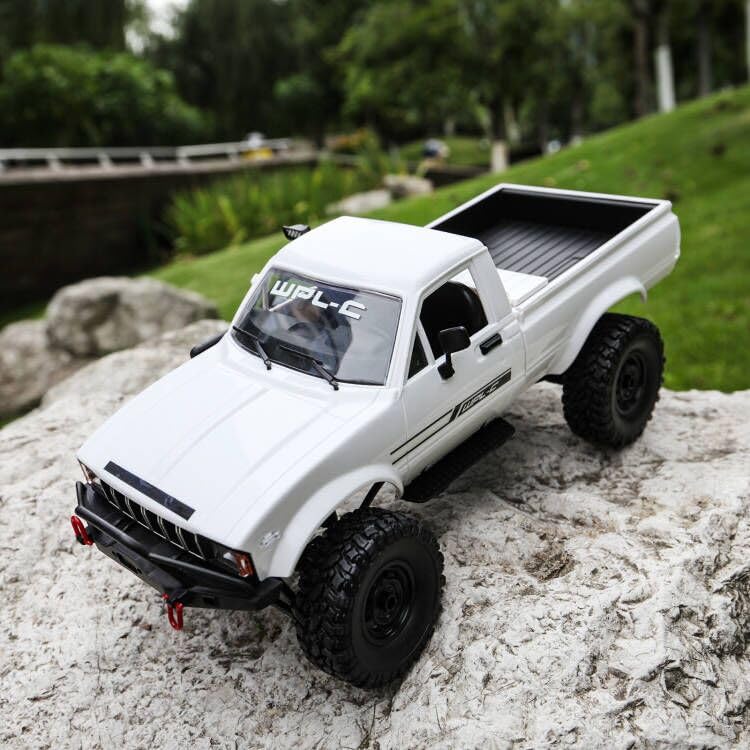
Slika: Stran view of the RC crawler with key dimensions indicated.

Slika: Podrobna view of the RC crawler's chassis, showing components like the motor, suspension, and drive shafts.
9. Garancija in podpora
ARRIS products are manufactured to high-quality standards. For warranty information or technical support, please refer to the official ARRIS webspletnega mesta ali se obrnite na službo za stranke prek platforme za nakupovanje.
Račun shranite kot dokazilo o nakupu za morebitne garancijske zahtevke.
Za dodatno pomoč obiščite ARRIS Store on Amazon.