
1. Izdelek je končanview
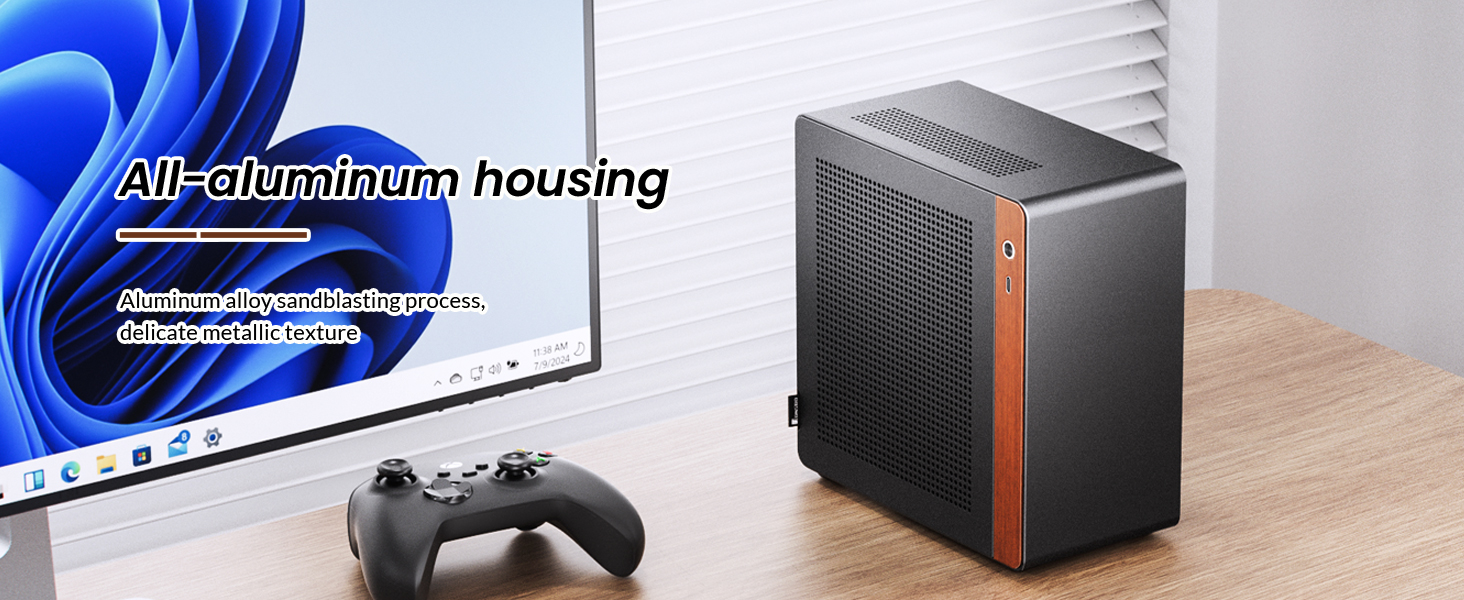
The JONSBO N10 is a compact Mini ITX PC case designed for small form factor (SFF) builds. It features an aluminum alloy shell with a sandblasted finish and North American walnut trim, offering both durability and aesthetic appeal. The case supports Mini ITX motherboards and 1U FLEX power supplies up to 150mm in length. Its design allows for flexible placement in both standing and lying positions.

Image 1.1: The JONSBO N10 Mini ITX PC Case in a typical desktop setup, showcasinzaradi svoje kompaktne velikosti in zasnove.
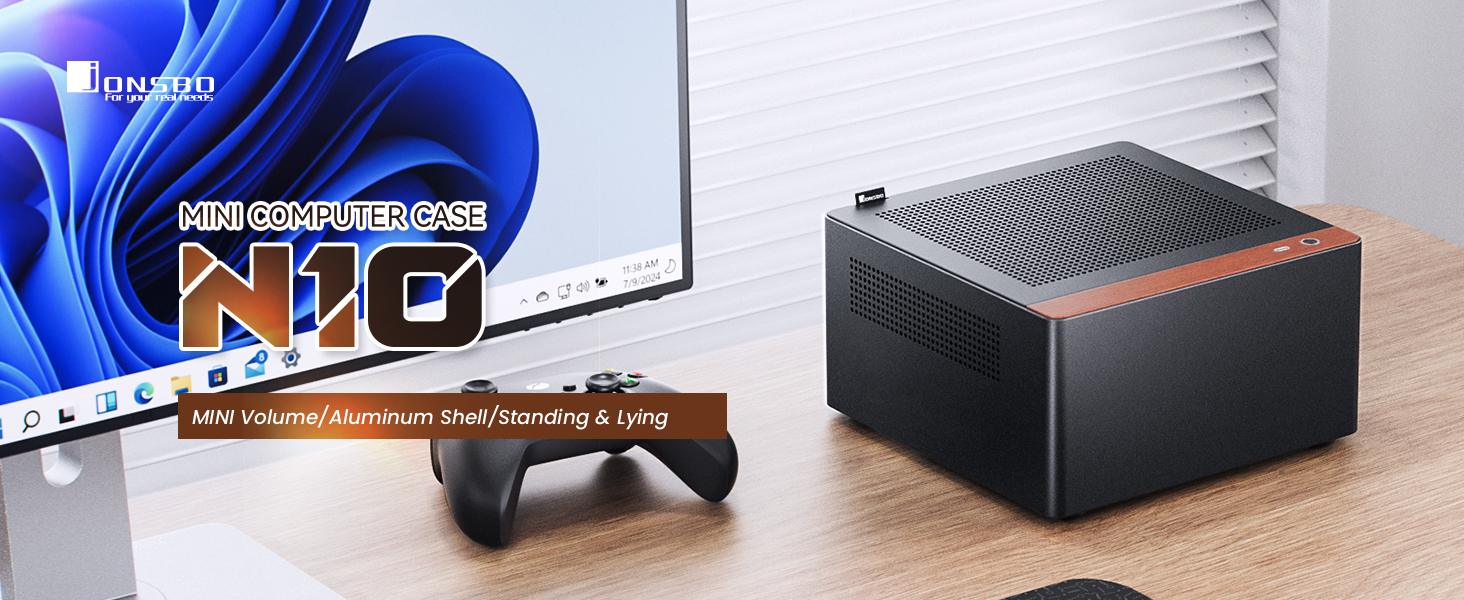
Image 1.2: The JONSBO N10 case positioned on a desk, highlighting its small footprint and integration into a workspace.
Video 1.1: Uradni izdelek je končanview of the JONSBO N10/NV10 Mini ITX PC Case, demonstrating its features and design.
Ključne značilnosti:
- Kompaktna zasnova: Portable capacity of approximately 4.5L, suitable for small spaces.
- Premium materiali: Constructed from aluminum alloy with a sandblasted finish and North American walnut trim.
- Prilagodljiva postavitev: Can be used in both standing and lying orientations.
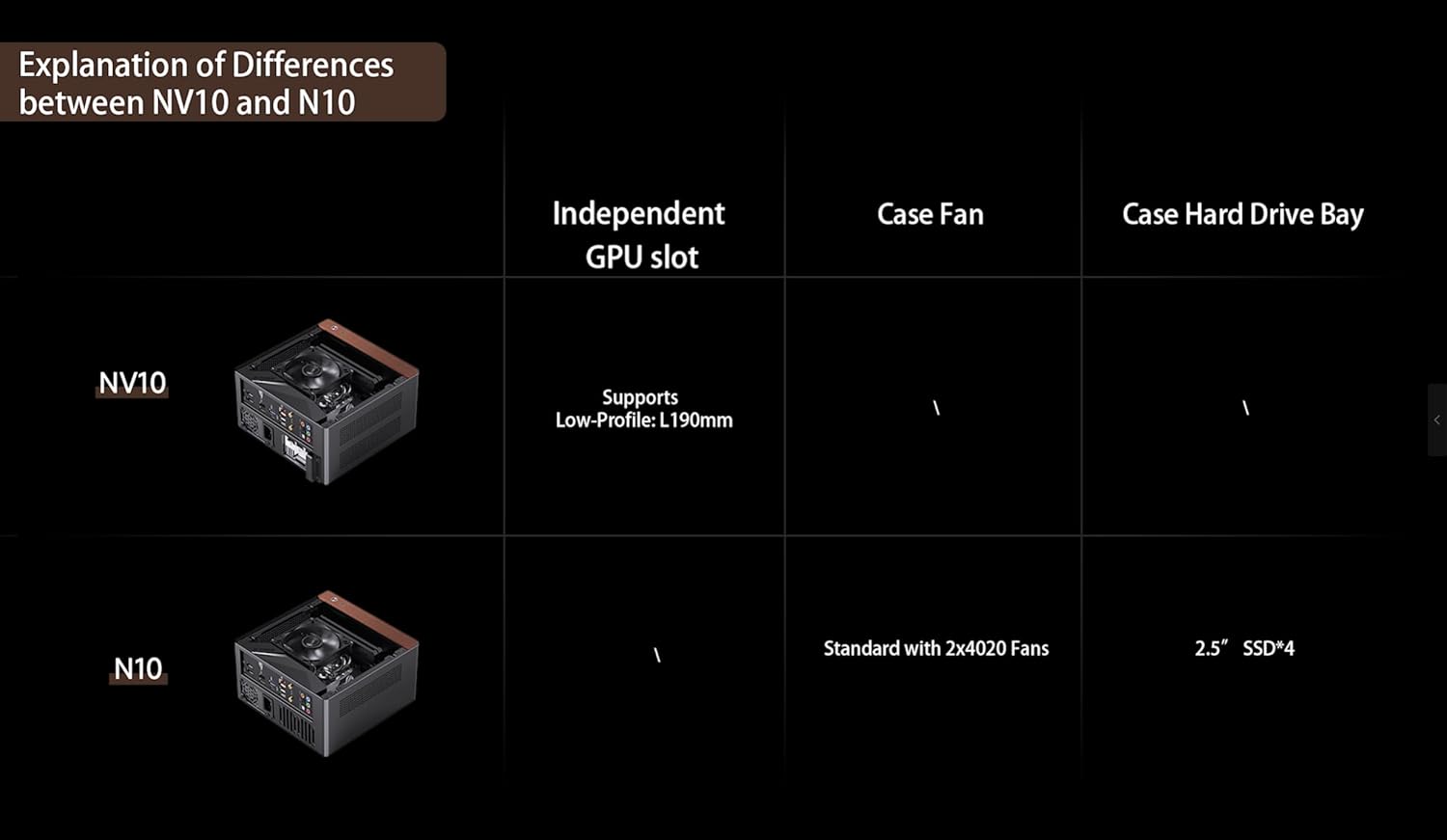
- Učinkovito hlajenje: Features a multi-component perforated design for enhanced heat dissipation and improved airflow. Includes two 5000 RPM 40mm high-speed fans for auxiliary hard drive cooling.
- Podpora za shranjevanje: Accommodates up to four 2.5-inch SSDs.
- Združljivost napajanja: Supports 1U FLEX power supplies with a maximum length of 150mm.
- Enostavno vzdrževanje: The upper cover is equipped with an easy-to-pull handle for convenient disassembly and maintenance.
- Sprednji V/I: Includes a USB 3.2 Gen 2 Type-C port.
- Podpora za radiator: Compatible with air coolers up to 38mm in height.
2. Nastavitev in namestitev
This section provides general guidelines for installing components into your JONSBO N10 PC case. Always refer to the specific manuals for your motherboard, power supply, and other components for detailed instructions.
2.1 Case Disassembly
To begin installation, the case needs to be opened. The JONSBO N10 features a quick-release design for the top plate, allowing for easy access to the internal components.
- Locate the easy-to-pull handle on the upper cover.
- Gently pull the handle to release the top cover.
- Remove the top cover to access the interior of the chassis.
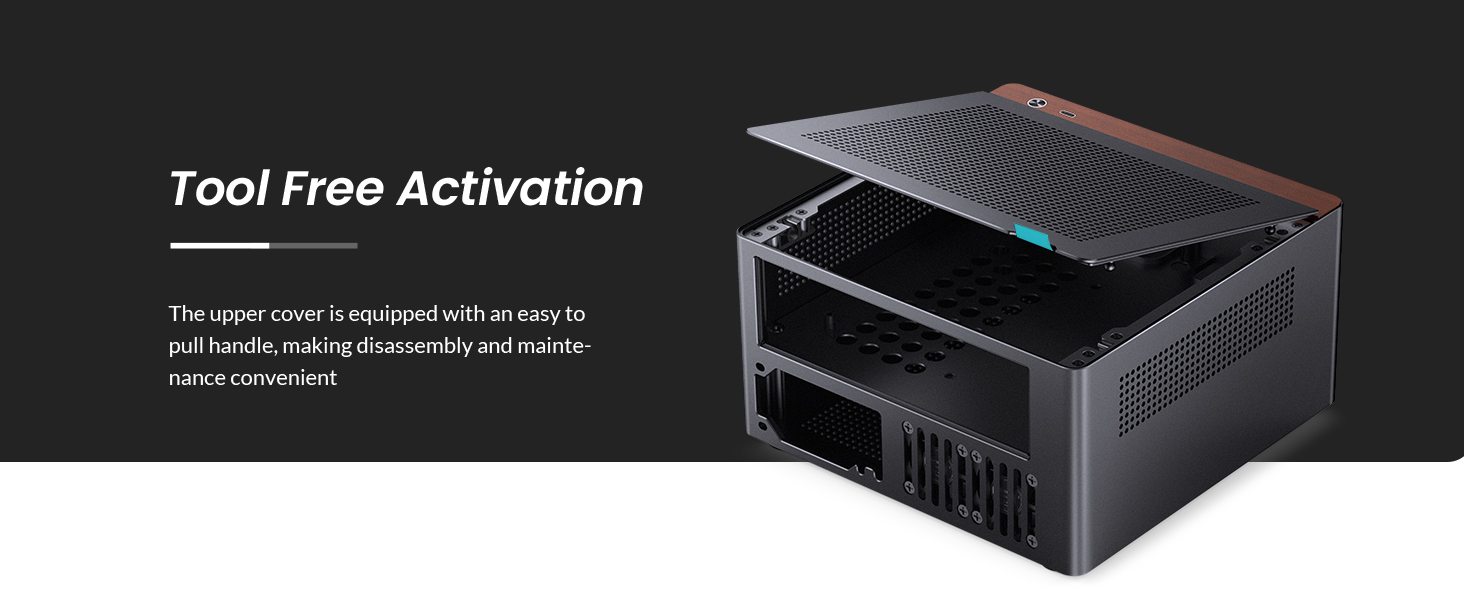
Image 2.1: The JONSBO N10 case with its top panel lifted, demonstrating the tool-free access for installation and maintenance.
2.2 Namestitev matične plošče
The JONSBO N10 is compatible with Mini ITX motherboards. Install your motherboard into the designated area within the chassis, securing it with the appropriate screws.

Slika 2.2: Notranje view of the JONSBO N10 case showing a Mini ITX motherboard and CPU cooler installed.
2.3 Namestitev napajalnika
The case supports 1U FLEX power supplies with a maximum length of 150mm. The power supply is typically installed from the bottom of the chassis.
- Orient the 1U FLEX power supply correctly.
- Slide the power supply into its designated slot from the bottom of the case.
- Secure the power supply using the provided screws.

Image 2.3: Diagram illustrating the installation process of a 1U FLEX power supply into the JONSBO N10 case from the bottom.
2.4 Namestitev pomnilniške naprave
The JONSBO N10 provides support for up to four 2.5-inch SSDs. A dedicated bracket is used for mounting these drives.
- Attach the 2.5-inch SSDs to the provided storage bracket.
- Slide the filled bracket into its designated position within the chassis.
- Prepričajte se, da je nosilec varno pritrjen.

Image 2.4: Diagram demonstrating the installation of 2.5-inch SSDs into the JONSBO N10 case using a dedicated bracket.
2.5 Namestitev ventilatorja
The N10 case includes two 40mm high-speed fans for auxiliary hard drive cooling, located at the rear window. Ensure these fans are properly connected to your motherboard's fan headers.
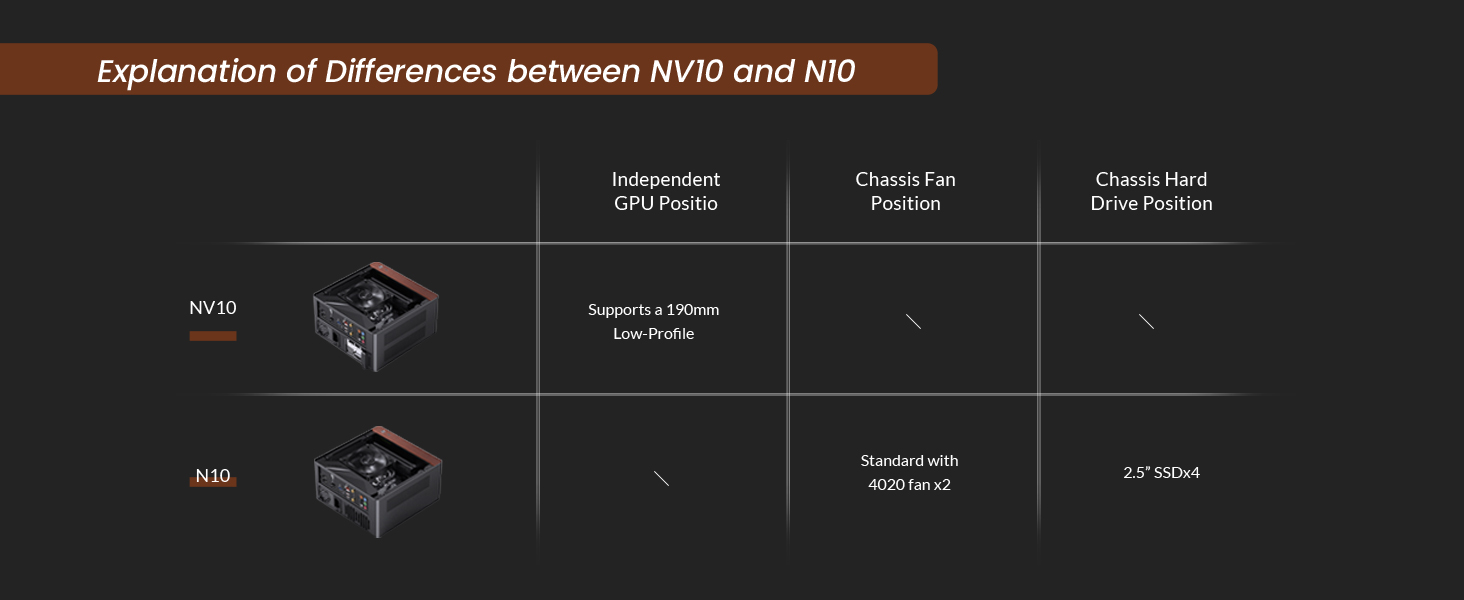
Slika 2.5: Zadaj view of the JONSBO N10 case, highlighting the placement of the two 40mm fans for hard drive cooling.
3. Navodila za uporabo
Once all components are installed and the case is reassembled, you can begin operating your PC.
- Connect all necessary external peripherals (monitor, keyboard, mouse, etc.) to the motherboard's I/O ports.
- Connect the power cable to the power supply unit and then to a wall outlet.
- Press the power button located on the front panel of the case to turn on your PC.
- Utilize the front USB 3.2 Gen 2 Type-C port for connecting compatible devices.
Slika 3.1: Spredaj view of the JONSBO N10 case, showing the walnut trim and the front I/O port.
4. Vzdrževanje
Redno vzdrževanje pomaga zagotoviti optimalno delovanje in dolgo življenjsko dobo komponent vašega računalnika.
4.1 Čiščenje
- Zunanjost: Wipe the aluminum alloy and walnut surfaces with a soft, dry cloth. Avoid abrasive cleaners.
- Notranjost: Periodically open the case (refer to Section 2.1) and use compressed air to remove dust buildup from fans, heatsinks, and other components. Ensure the PC is powered off and unplugged before cleaning the interior.
- Prezračevalne odprtine: The perforated design allows for good airflow. Keep these holes clear of obstructions and dust.
Slika 4.1: Različno views of the JONSBO N10 case highlighting the perforated panels designed for optimal heat dissipation and airflow.
4.2 Fan Check
Ensure the two 40mm fans are free from dust and spinning correctly to maintain adequate cooling for your hard drives.
5. Odpravljanje težav
Ta razdelek obravnava pogoste težave, na katere lahko naletite z ohišjem računalnika.
5.1 Računalnik se ne vklopi
- Napajalni kabel: Prepričajte se, da je napajalni kabel varno priključen na napajalnik in stensko vtičnico.
- Stikalo za napajanje: Verify that the power switch on the power supply unit is in the "ON" position.
- Priključki na sprednji plošči: Check that the power button and other front panel connectors are correctly attached to the motherboard.
- Notranje povezave: Confirm all internal power cables (24-pin ATX, CPU power, etc.) are firmly seated.
5.2 Težave s pregrevanjem
- Pretok zraka: Ensure the case's ventilation holes are not obstructed.
- Oboževalci: Verify that all case fans and CPU cooler fans are spinning correctly. Clean any dust buildup.
- Združljivost komponent: Ensure your CPU cooler height is within the 38mm limit to allow for proper airflow.
6. Specifikacije
| Funkcija | Specifikacija |
|---|---|
| Velikost izdelka | 205 mm (Š) x 205 mm (D) x 108 mm (V) |
| Material | 3.3mm Aluminum Alloy + 1.0mm Steel Plate |
| Hard Drive Bay | 4 x 2.5" SSD |
| Združljivost matične plošče | Mini ITX |
| Sprednja V/I vrata | USB 3.2 Gen 2 Type-C x 1 |
| Podpora za PSU | 1U FLEX power supply (max length 150mm) |
| Radiator Support (Air Cooler) | ≤ 38mm height |
| Navijači | 2 x 40mm (5000 rpm ± 10%) (standard) |
| Chassis Weight (N.W.) | 1.6 KGS |

Image 6.1: Diagram illustrating the dimensions of the JONSBO N10 Mini ITX PC Case.
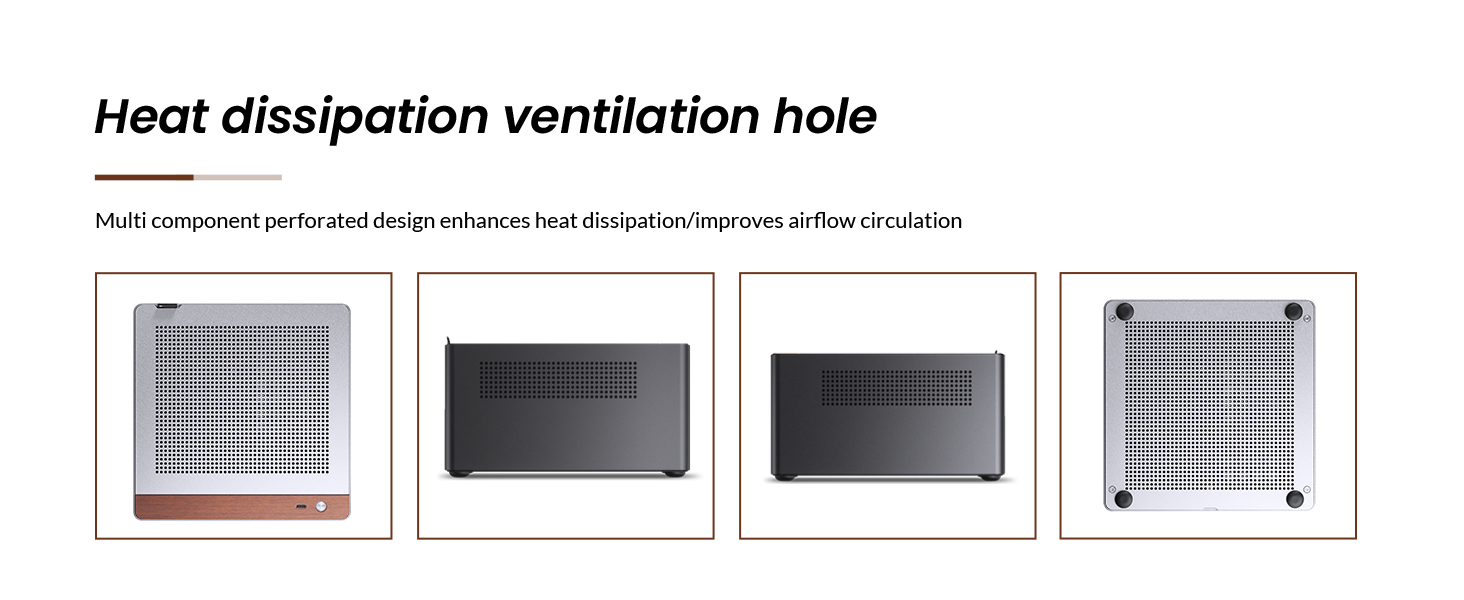
Image 6.2: Detailed product information table for the JONSBO N10 case, including dimensions, materials, and component support.
7. Garancija in podpora
For warranty information, technical support, or service inquiries, please contact JONSBO customer service or visit the official JONSBO webspletnega mesta. Račun shranite kot dokazilo o nakupu za uveljavljanje garancije.
JONSBO Uradnik Webspletno mesto: www.jonsbo.com