
1. Uvod
Thank you for choosing the Oclean Flow Sonic Electric Toothbrush. This manual provides detailed instructions for the safe and effective use, maintenance, and troubleshooting of your new toothbrush. Please read this manual thoroughly before first use and keep it for future reference.
2. Varnostne informacije
Za zagotovitev varnega delovanja in preprečevanje poškodb ali škode upoštevajte naslednje varnostne ukrepe:
- Pozor: Do not use the toothbrush while sleeping.
- Avoid using the toothbrush with wet hands to prevent electrical hazards.
- Before disposing of the toothbrush, remove the brush head to prevent accidental swallowing by children.
- Napravo hranite izven dosega otrok.
- Do not disassemble, repair, or modify the device yourself. Contact authorized service personnel for repairs.
- Polnilne postaje ne potapljajte v vodo ali katero koli drugo tekočino.
- If you have any oral health concerns, consult your dentist before using this product.
3. Kaj je v škatli
Po odprtju paketa preverite, ali so vse komponente prisotne in v dobrem stanju:
- Oclean Flow Sonic Electric Toothbrush Handle
- 1 x Brush Head (DuPont bristles)
- Polnilni kabel USB-C
- Uporabniški priročnik

Image: The Oclean Flow Sonic Electric Toothbrush, including the handle, brush head, and its retail packaging, illustrating the product's design and contents.
4. Izdelek je končanview
Familiarize yourself with the main components of your Oclean Flow toothbrush:
- Glava ščetke: Features W-shaped DuPont bristles for effective cleaning and gum care.
- Ročaj: Ergonomically designed for comfortable grip, housing the motor and battery.
- Gumb za vklop: Used to turn the toothbrush on/off and switch brushing modes.
- Indikatorji načina: LED lights indicating the selected brushing mode.
- Vrata za polnjenje: USB-C port located at the bottom of the handle for charging.
5. Nastavitev
5.1 Začetno polnjenje
Before first use, fully charge your Oclean Flow toothbrush. A full charge takes approximately 5 hours and provides up to 180 days of use.
- Connect the USB-C charging cable to the charging port at the bottom of the toothbrush handle.
- Drugi konec kabla USB-C priključite v združljiv napajalnik USB (ni priložen) ali v vrata USB računalnika.
- The indicator lights on the handle will show the charging status. Once fully charged, the lights will indicate completion.
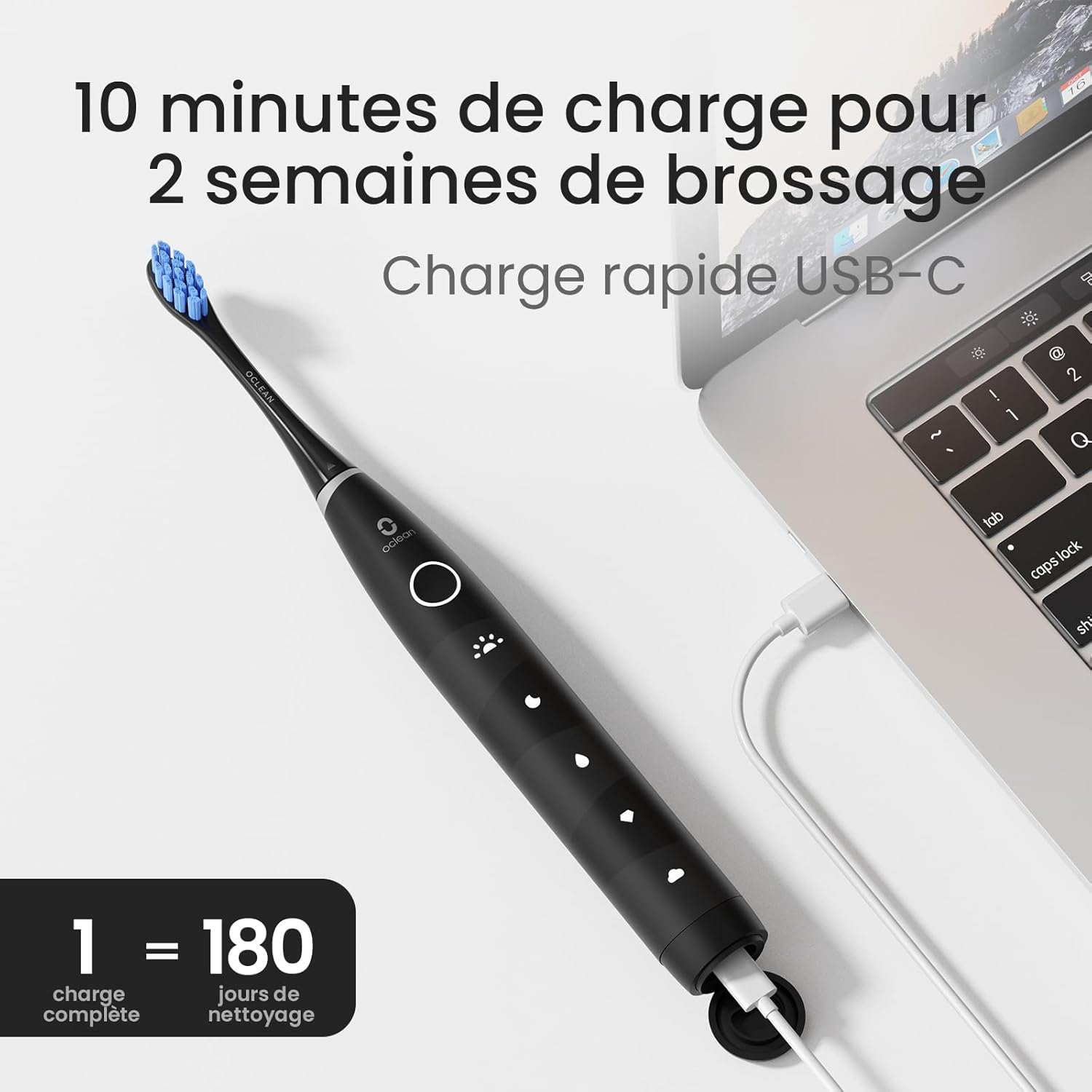
Image: The Oclean Flow toothbrush connected to a laptop via its USB-C charging cable, demonstrating the charging process. A graphic indicates "1 full charge = 180 days of cleaning."
5.2 Pritrditev glave ščetke
Glavo ščetke poravnajte s kovinskim držalom na ročaju zobne ščetke in jo močno potisnite navzdol, da se zaskoči. Pred uporabo se prepričajte, da je varno pritrjena.
6. Upravljanje zobne ščetke
6.1 Vklop/izklop
Press the power button once to turn the toothbrush on. Press and hold the power button for 2 seconds to turn it off.
6.2 Changing Brushing Modes
With the toothbrush turned on, press the power button repeatedly to cycle through the 5 available brushing modes. The corresponding LED indicator will light up for the selected mode.
- Morning Mode: For superior cleaning.
- Nočni način: For deep cleaning.
- Način čiščenja: Za vsakodnevno čiščenje.
- Način beljenja: For a naturally whiter smile.
- Nežen način: Suitable for individuals with sensitive gums.

Slika: Podrobna view of the Oclean Flow toothbrush handle, highlighting the five distinct brushing modes: Morning, Night, Standard, Whitening, and Gentle, each with its corresponding icon.
6.3 Brushing Technique and Smart Timer
The Oclean Flow features a 2-minute smart timer and a 30-second quadrant reminder to ensure thorough cleaning of all areas of your mouth.
- Na glavo ščetke nanesite majhno količino zobne paste.
- Glavo ščetke namestite na zobe pod rahlim kotom proti liniji dlesni.
- Turn on the toothbrush. Gently move the brush head across your teeth, covering all surfaces.
- The toothbrush will pause briefly every 30 seconds to signal you to move to the next quadrant of your mouth.
- Po 2 minutah se zobna ščetka samodejno izklopi, kar pomeni, da je priporočeni čas ščetkanja končan.

Image: A user demonstrating brushing with the Oclean Flow toothbrush. Graphics illustrate the 2-minute smart timer and the 30-second quadrant reminder system, promoting effective oral hygiene.
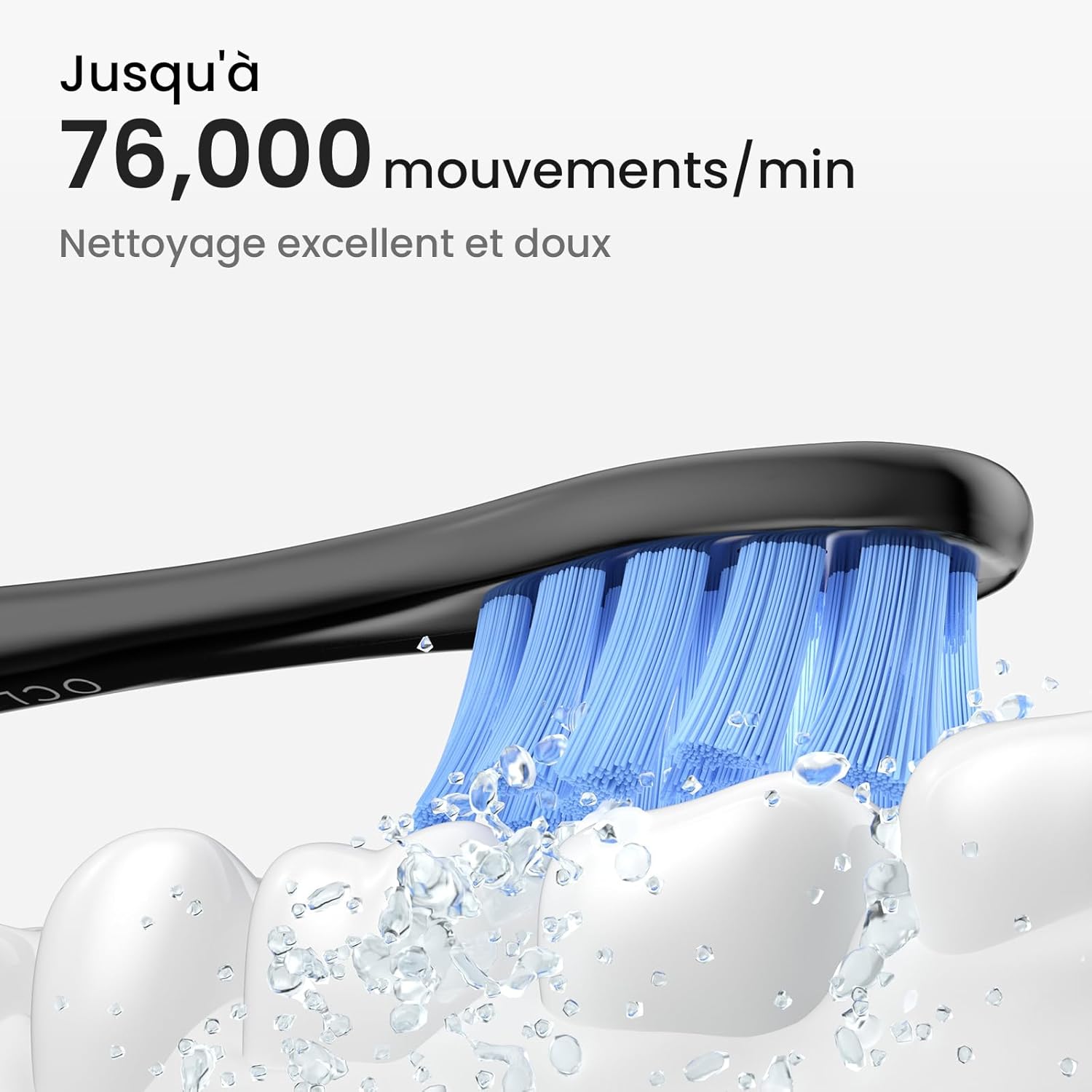
Image: A close-up of the Oclean Flow brush head in action, with water droplets simulating its sonic vibrations. Text indicates "Up to 76,000 movements/min" for excellent and gentle cleaning.
7. Vzdrževanje
7.1 Čiščenje zobne ščetke
The Oclean Flow toothbrush is IPX7 waterproof, allowing for easy cleaning.
- After each use, rinse the brush head and the handle under running water.
- Wipe the handle with a soft cloth to remove any toothpaste residue.
- Pred polnjenjem se prepričajte, da je polnilna vrata suha.

Image: The Oclean Flow toothbrush partially submerged in water, illustrating its IPX7 waterproof rating, which allows for easy cleaning under running water.
7.2 Zamenjava glave ščetke
Dentists recommend replacing brush heads every 3 months, or sooner if the bristles become frayed or worn.
- To remove the brush head, pull it firmly away from the handle.
- To attach a new brush head, align it with the metal shaft and push until it clicks into place.

Slika: Bližnji posnetek view of the Oclean Flow brush head, highlighting its W-shaped design for better tooth adaptation and the use of high-quality DuPont Tynex bristles, which protect gums and enamel.
8. Odpravljanje težav
If you encounter any issues with your Oclean Flow toothbrush, refer to the following common problems and solutions:
| Težava | Možen vzrok | rešitev |
|---|---|---|
| Zobna ščetka se ne vklopi. | Baterija je prazna. | Zobno ščetko popolnoma napolnite. |
| Vibracije so šibke. | Prazna baterija ali ohlapna glava ščetke. | Charge the toothbrush. Ensure the brush head is securely attached. |
| Zobna ščetka se med uporabo ustavi. | 2-minute timer completed or low battery. | This is normal if 2 minutes have passed. If not, charge the toothbrush. |
| Brush head falls off during brushing. | Glava ščetke ni varno pritrjena. | Re-attach the brush head firmly until it clicks into place. |
If the problem persists after trying these solutions, please contact Oclean customer support for assistance.
9. Specifikacije
| Funkcija | Podrobnost |
|---|---|
| Številka modela | Flowblackset |
| Znamka | Oclean |
| Dimenzije (D x Š x V) | 3 x 3 x 26 cm |
| Teža | 120 gramov |
| Življenjska doba baterije | Up to 180 days (on 5 hours charge) |
| Načini ščetkanja | 5 (Morning, Night, Cleaning, Whitening, Gentle) |
| Vibracije na minuto | Do 76,000 |
| Časovnik | 2-minute smart timer with 30-second quadrant reminder |
| Ocena vodotesnosti | IPX7 |
| Vir napajanja | Napajanje na baterije (1 x 12V baterija priložena) |
| Brush Head Material | DuPont Tynex bristles |
| Država izvora | Kitajska |
10. Garancija in podpora
Oclean products are manufactured to high-quality standards. For information regarding warranty coverage, returns, or technical support, please refer to the warranty card included with your product or visit the official Oclean webspletnega mesta. Račun shranite kot dokazilo o nakupu za uveljavljanje garancije.
For further assistance, you may contact Oclean customer service through their official channels.