
1. Uvod
Hvala za nakupasing the Deeyaple G4 60W Gaming Soundbar. This manual provides essential information for setting up, operating, and maintaining your soundbar to ensure optimal performance and longevity. Please read this manual thoroughly before use and retain it for future reference.
2. Varnostne informacije
- Do not expose the soundbar to extreme temperatures, humidity, or direct sunlight.
- Izogibajte se padcem ali izpostavljanju naprave močnim udarcem.
- Keep the soundbar away from water and other liquids. The IPX5 rating indicates resistance to splashes, but it is not fully submersible.
- Do not attempt to disassemble, repair, or modify the soundbar yourself. Contact qualified service personnel for assistance.
- Uporabljajte samo priloženi napajalni kabel in dodatno opremo.
- Ensure proper ventilation around the soundbar during operation.
3. Vsebina paketa
Prosimo, preverite paket za naslednje artikle:
- Deeyaple G4 60W Gaming Soundbar
- Napajalni kabel
- Uporabniški priročnik (ta dokument)
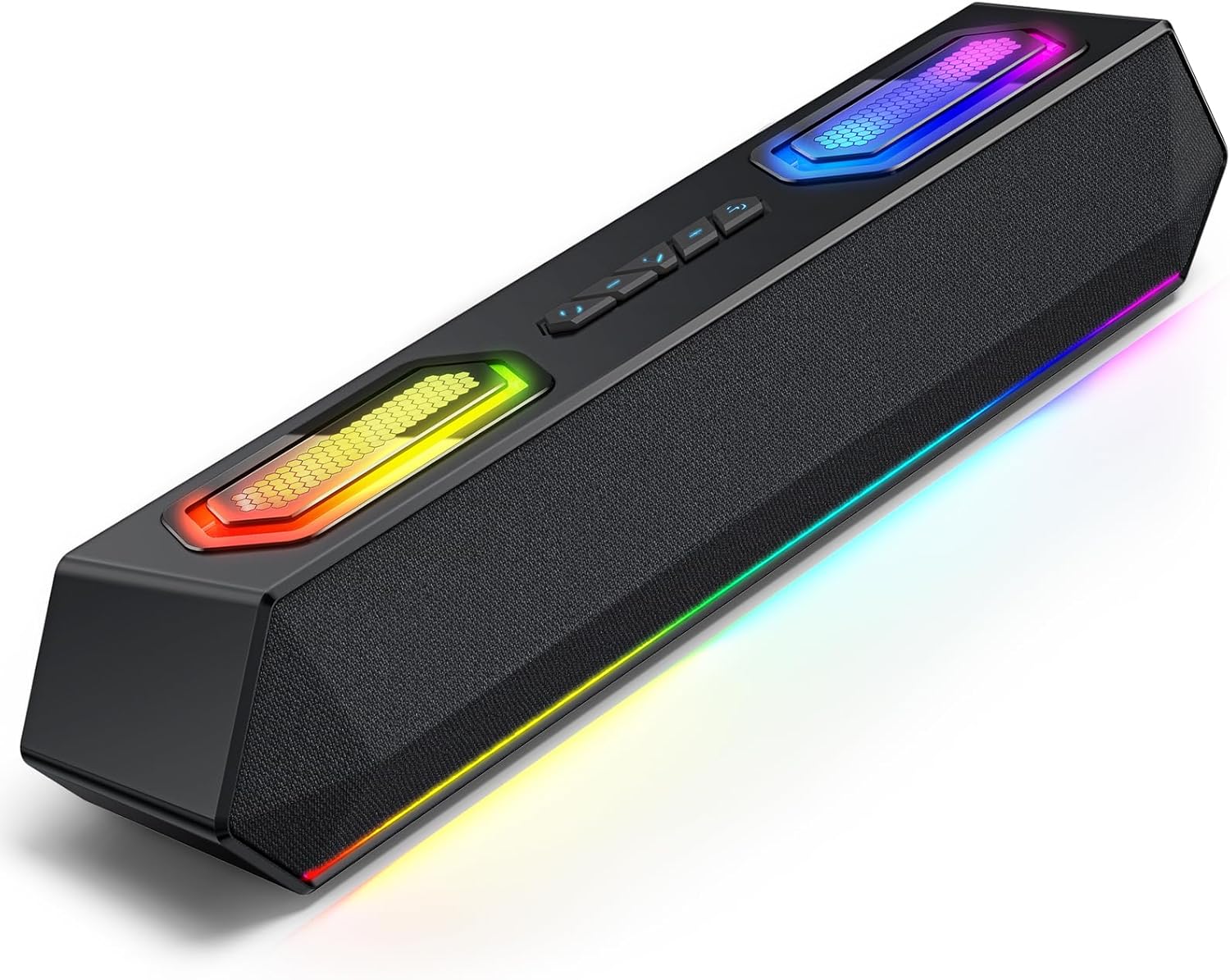
Image: Deeyaple G4 Soundbar, showcasinnjegovo zasnovo in RGB osvetlitev.
4. Izdelek je končanview
Ključne značilnosti:
- 60W Dual Speakers: Delivers rich bass, clear mids, and crisp highs.
- RGB osvetlitev: Dynamic lights that pulse in sync with music, offering multiple atmosphere modes.
- Bluetooth 5.3: Stable wireless connectivity with a 66-foot range.
- Extended 20-Hour Battery: 2500mAh battery for long playback (at 50% volume with lights off).
- Vodoodporen IPX5: Resistant to splashes and rain.
- Brezžično stereo združevanje (TWS): Connect two soundbars for immersive stereo sound.
- Precision Audio Positioning: Enhanced stereo sound effects for gaming.
Kontrole in vrata:
The soundbar features intuitive controls for power, volume, and RGB lighting modes. Connection options include Bluetooth, USB, and 3.5mm AUX.

Slika: Zgoraj view of the Deeyaple G4 Soundbar highlighting the control buttons and RGB lighting panels.

Image: Diagram illustrating the internal speaker components of the 60W soundbar.
5. Nastavitev
Vklop:
- Connect the provided power cable to the soundbar's power input.
- Drugi konec napajalnega kabla priključite v ustrezno vtičnico.
- Press and hold the power button on the soundbar until the RGB lights illuminate, indicating the device is on.
Povezava prek Bluetooth:
- Ensure the soundbar is powered on and in Bluetooth pairing mode (indicated by a flashing blue light, if applicable).
- V napravi (pametnem telefonu, tablici, računalniku) omogočite Bluetooth in poiščite razpoložljive naprave.
- Select "Deeyaple G4" from the list of devices.
- Once connected, the soundbar will indicate a successful pairing (e.g., a solid blue light or an audible prompt).
Video: Demonstrates connecting a soundbar via Bluetooth and other modes. While not the exact Deeyaple G4, the connection process is similar.
Connecting via AUX (3.5mm Audio Cable):
- Connect one end of a 3.5mm AUX audio cable (not included) to the AUX input port on the soundbar.
- Connect the other end of the AUX cable to the audio output jack of your device (e.g., computer, TV, smartphone).
- The soundbar should automatically switch to AUX mode. If not, use the mode button (if available) to select AUX.
Povezovanje preko USB:
- Connect the soundbar to your computer's USB port using a compatible USB cable (not included).
- The soundbar should be recognized as an audio output device by your computer. Select it from your computer's sound settings.
- Some soundbars may also support USB drives for direct music playback. Insert a USB drive into the designated USB port.
Video: Shows a soundbar connecting via USB and demonstrating RGB lighting. This video is for a related product (LENRUE E-1103) but illustrates similar functionality.
6. Navodila za uporabo
Nadzor glasnosti:
- Rotate the main knob on the soundbar to adjust the volume.
- Alternatively, adjust the volume directly from your connected device.
Načini osvetlitve RGB:
- The soundbar features dynamic RGB lighting. Use the dedicated light effect button (if available) or a short press on the main knob to cycle through different lighting modes.
- Long press the light effect button or main knob to turn the lights on/off.

Image: Visual representation of different RGB pulse light modes available on the soundbar.
Playback Control (Bluetooth/USB Mode):
- Use the Play/Pause button to start or pause audio playback.
- Use the Next Track and Previous Track buttons to skip between songs.
Brezžično stereo združevanje (TWS):
To connect two Deeyaple G4 soundbars for a true stereo experience:
- Ensure both soundbars are powered on and in Bluetooth pairing mode.
- On one soundbar, long press the TWS pairing button (refer to product diagram if available, otherwise assume a dedicated button or combination).
- The soundbars will attempt to connect to each other. Once paired, they will function as a stereo pair.
- Connect your device to one of the paired soundbars via Bluetooth.
7. Vzdrževanje
- Clean the soundbar with a soft, dry cloth. Do not use abrasive cleaners or solvents.
- Vrata naj bodo brez prahu in umazanije.
- Store the soundbar in a cool, dry place when not in use for extended periods.
8. Odpravljanje težav
| Težava | Možna rešitev |
|---|---|
| Brez moči | Ensure the power cable is securely connected to both the soundbar and the power outlet. Check if the outlet is functional. |
| Brez zvoka | Check volume levels on both the soundbar and the connected device. Ensure the correct input mode (Bluetooth, AUX, USB) is selected. Verify audio cable connections. |
| Bluetooth povezovanje ne uspe | Ensure the soundbar is in pairing mode. Turn off and on Bluetooth on your device. Move closer to the soundbar. Clear previous Bluetooth connections on your device and try again. |
| Popačenje zvoka | Reduce the volume on both the soundbar and the connected device. Check audio source quality. Ensure cables are not damaged. |
| RGB luči ne delujejo | Press the light effect button to cycle through modes or turn them on/off. Ensure the soundbar is powered on. |
9. Specifikacije
- Ime modela: G4
- Vrsta zvočnika: Prenosni zvočnik
- Največja izhodna moč zvočnika: 60 vatov
- Tehnologija povezljivosti: Bluetooth
- Brezžična komunikacijska tehnologija: Bluetooth 5.3
- Največji obseg: 66 čevljev
- Način avdio izhoda: Stereo
- Posebna lastnost: Vodotesen (IPX5)
- vir energije: Corded Electric (Internal 2500mAh battery for portable use)
- Dimenzije izdelka: 13 G x 8 Š x 41.3 V centimetrov
- Teža artikla: 1.18 kg
- Nadzorna metoda: App, Touch (Physical buttons/knob)
- Proizvajalec: Deeyaple
10. Garancija in podpora
The Deeyaple G4 Soundbar comes with a limited warranty. For detailed warranty information, product support, or technical assistance, please refer to the official Deeyaple webspletno mesto ali se obrnite neposredno na njihovo službo za stranke. Shranite račun kot dokazilo o nakupu.
Za dodatno pomoč obiščite Deeyaple Store on Amazon.