
Uvod
The LogiLink HDW0111 Wireless HDMI Presentation Kit provides a convenient solution for transmitting HDMI video and audio signals wirelessly. This kit is designed for BYOD (Bring Your Own Device) environments, enabling easy content sharing in meeting rooms, conference halls, or educational settings. It supports Ultra HD 4K/60Hz resolution and can transmit signals up to 50 meters in clear line of sight. The system is plug-and-play, requiring no additional software installation for most devices.
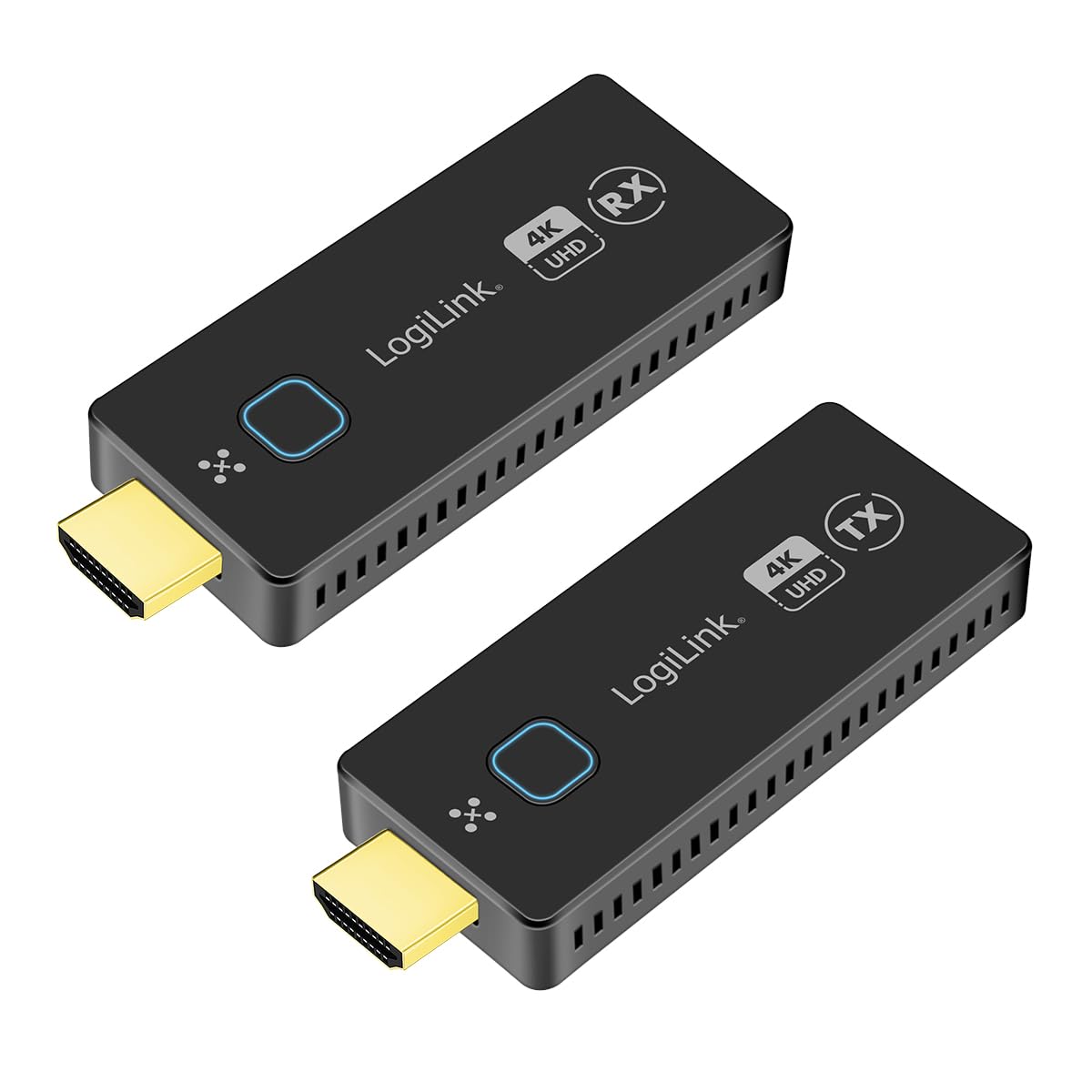
Image: The LogiLink HDW0111 Wireless HDMI Presentation Kit facilitating a meeting presentation.
Vsebina paketa
Prosimo, preverite, ali so v vašem paketu vsi elementi:
- 1x LogiLink HDW0111 Receiver Unit (RX)
- 1x LogiLink HDW0111 Transmitter Unit (TX)
- 2x USB-C to USB-A Power Cables
- 2x HDMI Extension Cables
- 1x uporabniški priročnik

Image: The LogiLink HDW0111 Transmitter (TX) and Receiver (RX) units.
Konec izdelkaview
The LogiLink HDW0111 system consists of two main components: a Transmitter (TX) and a Receiver (RX).
Oddajnik (TX)
The Transmitter unit connects to your source device (e.g., laptop, PC, smartphone, tablet) via an HDMI port. It captures the video and audio signal and transmits it wirelessly to the Receiver.
- Priključek HDMI: Connects to the source device.
- Vrata USB-C: For power supply (DC 5V/0.5A required).
- Funkcijski gumb: Used for pairing and switching between multiple transmitters.
- Indikator stanja: Prikazuje stanje povezave.
Sprejemnik (RX)
The Receiver unit connects to your display device (e.g., TV, projector, monitor) via an HDMI port. It receives the wireless signal from the Transmitter and outputs the video and audio.
- Priključek HDMI: Connects to the display device.
- Vrata USB-C: For power supply (DC 5V/0.5A required).
- Funkcijski gumb: Used for pairing and managing connections.
- Indikator stanja: Prikazuje stanje povezave.

Slika: Bližnji posnetek view of the LogiLink HDW0111 Transmitter and Receiver units, showing ports and indicators.
Navodila za namestitev
- Priključite sprejemnik (RX):
- Plug the LogiLink HDW0111 Receiver (RX) into an available HDMI input port on your display device (TV, projector, monitor). Use an HDMI extension cable if needed for better fit or signal path.
- Connect one of the provided USB-C to USB-A power cables to the USB-C port on the Receiver. Plug the USB-A end into a USB power source (e.g., a USB port on your display device, a USB wall adapter, or a power bank). Ensure the power source provides at least 5V/0.5A.
- Vklopite prikazovalnik in izberite pravilen vhodni vir HDMI.
- Priključite oddajnik (TX):
- Plug the LogiLink HDW0111 Transmitter (TX) into an available HDMI output port on your source device (e.g., laptop, PC). Use an HDMI extension cable if needed.
- Connect the second USB-C to USB-A power cable to the USB-C port on the Transmitter. Plug the USB-A end into a USB power source (e.g., a USB port on your laptop, a USB wall adapter, or a power bank). Ensure the power source provides at least 5V/0.5A.
- Začetno seznanjanje (če je potrebno):
- The Transmitter and Receiver units are usually pre-paired from the factory. If they do not connect automatically, press the function button on both the Transmitter and Receiver simultaneously for a few seconds until their status indicators show a successful connection (e.g., solid blue light).
Navodila za uporabo
- Začetek prenosa:
- Once both the Transmitter and Receiver are powered on and connected, the status indicators should show a stable connection.
- Your source device's screen content should automatically appear on the connected display.
- Switching Transmitters (for multiple TX units):
- The system supports up to 16 Transmitter units (additional TX units sold separately, model HDW0111AT).
- To switch between active transmitters, simply press the function button on the desired Transmitter unit. The Receiver will automatically switch to display the content from that Transmitter.
- Mobile Device Sharing:
- For smartphones and tablets, you can share content directly via your device's operating system's casting features (e.g., Miracast, AirPlay, Google Cast). No additional app is required.
- Ensure your mobile device is connected to the same Wi-Fi network as the LogiLink HDW0111 Receiver, or follow your device's specific instructions for screen mirroring to a wireless display.
- Varčevanje z energijo:
- The units can be powered directly from the HDMI port if the source/display provides sufficient power (0.5A). For stable operation, especially with longer cables or high resolutions, using the dedicated USB power cable is recommended.
Vzdrževanje
- Čiščenje: Use a soft, dry cloth to clean the units. Do not use liquid or aerosol cleaners.
- Shranjevanje: Napravo shranjujte na hladnem in suhem mestu, stran od neposredne sončne svetlobe in ekstremnih temperatur.
- Ravnanje: Avoid dropping or subjecting the units to strong impacts. Do not attempt to disassemble or modify the device, as this will void the warranty.
- moč: Always use the provided power cables or compatible 5V/0.5A USB power sources.
Odpravljanje težav
| Težava | Možen vzrok | rešitev |
|---|---|---|
| Na zaslonu ni signala. |
|
|
| Prekinjajoč signal ali utripanje. |
|
|
| Zvok, vendar ne videa, ali obratno. |
|
|
| Cannot connect more than one transmitter. |
|
|
Specifikacije
- Model: HDW0111
- Brezžični standard: 802.11ac
- HDMI Standard: HDMI 2.0
- Pasovna širina: 18 Gbps (6 Gbit/s per line at 600 MHz)
- Največja razdalja prenosa: Do 50 metrov (vidno polje)
- Podprte ločljivosti: Up to 4K (3840x2160) @ 60Hz, Full HD, Full 3D
- Skladnost s HDCP: HDCP 1.4 in 2.2
- Zvočna podpora: Uncompressed LPCM 7.1 (up to 48 kHz), Compressed DTS, Dolby Digital (including DTS-HD Master Audio, Dolby TrueHD)
- Zakasnitev: Near-zero
- Vhodna moč: DC 5V/0.5A (via USB-C)
- Material ohišja: Kovina
- Max Transmitters: Up to 16 (with additional HDW0111AT units)
- Združljive naprave: TVs, Personal Computers, Smartphones, Tablets, Laptops
- Video kodeki: H.264, H.265/HEVC
Garancija in podpora
LogiLink products are designed for reliability and performance. For specific warranty terms and conditions, please refer to the warranty card included with your purchase or visit the official LogiLink webmesto.
Razpoložljivost rezervnih delov: Informacije o razpoložljivosti rezervnih delov niso podane.
Posodobitve programske opreme: Informacije o zagotovljenih posodobitvah programske opreme niso na voljo.
For technical support or further assistance, please contact your local LogiLink distributor or visit the LogiLink support portal.