
ClokoWe T800
ClokoWe Mini Projector T800 User Manual
Model: T800
1. Uvod
This manual provides detailed instructions for the safe and effective use of your ClokoWe Mini Projector T800. Please read this manual thoroughly before operating the device and retain it for future reference.
Varnostne informacije
- Ne glejte neposredno v lečo projektorja, ko jeamp je vklopljen.
- Zagotovite ustrezno prezračevanje okoli projektorja, da preprečite pregrevanje.
- Projektor hranite stran od vode ali drugih tekočin.
- Uporabljajte samo napajalnik, ki je priložen napravi.
- Projektorja ne poskušajte razstavljati ali popravljati sami. Za pomoč se obrnite na podporo strankam.
2. Vsebina paketa
Preverite, ali so v paketu prisotni vsi elementi:
- ClokoWe Mini Projector T800
- HDMI kabel
- Daljinski upravljalnik
- Napajalni kabel
- Uporabniški priročnik (ta dokument)
3. Izdelek je končanview
Familiarize yourself with the projector's components and features.
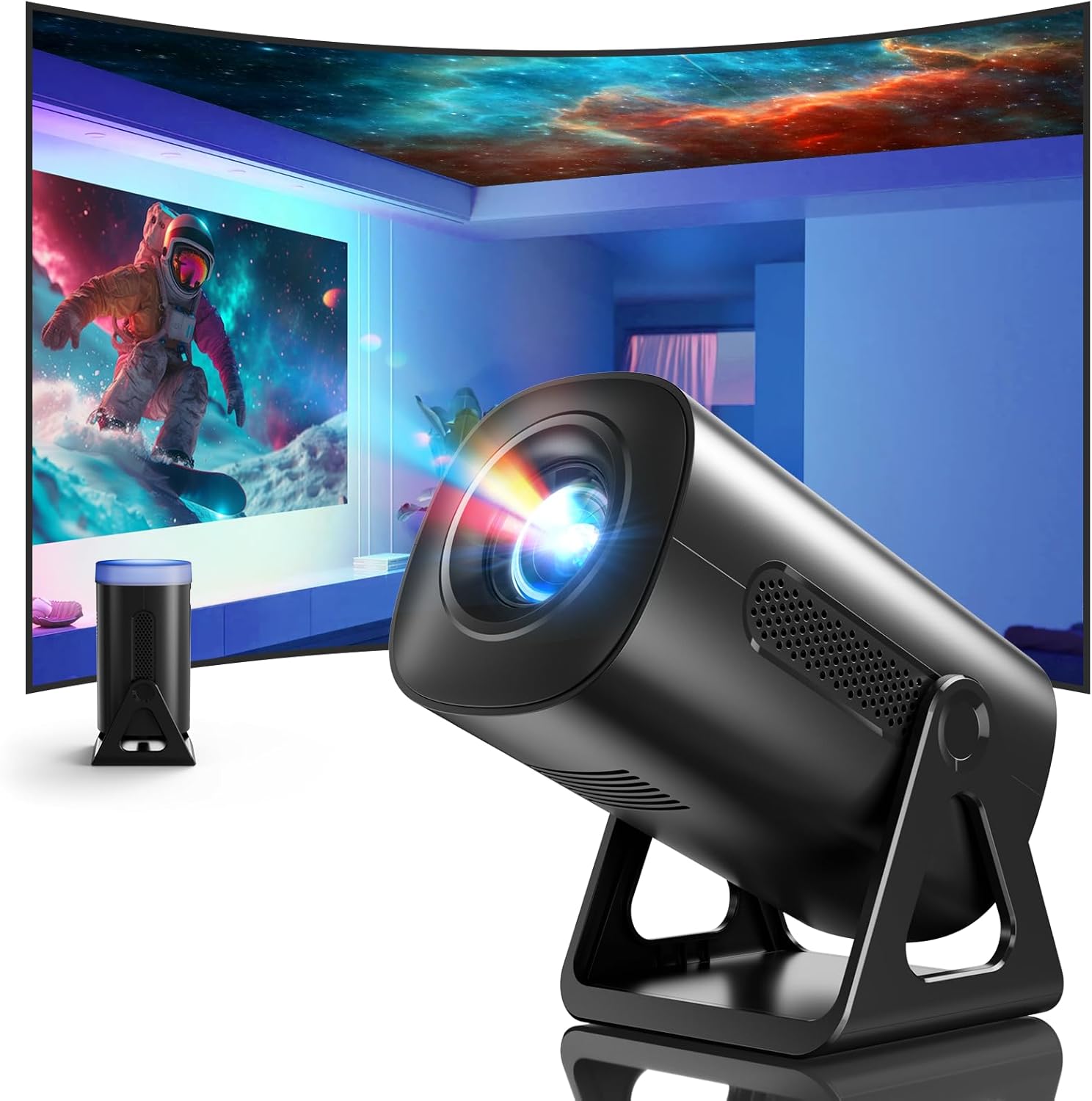
Slika 3.1: Spredaj view of the ClokoWe Mini Projector T800, showcasing its compact design and projection capability.
Ključne značilnosti:
- Native 1080p Resolution with 4K Support
- 270° Rotatable Stand for flexible projection angles
- Integrated Star Projector with 6 Galaxy Projection Modes and 7 Ambient Night Light Colors
- Dual Band WiFi 6 (2.4G/5G) for stable wireless connectivity
- Bluetooth 5.2 HiFi Speaker for enhanced audio
- Automatic Keystone Correction and 50%-100% Zoom function
- Multiple connectivity options: USB, HDMI, AV, Audio

Image 3.2: Dimensions and weight of the projector, highlighting the 270-degree rotatable stand.
4. Nastavitev
4.1 Napajalni priključek
- Priključite napajalni kabel na vhod za napajanje projektorja.
- Drugi konec napajalnega kabla priključite v standardno električno vtičnico.
- Indikatorska lučka napajanja bo zasvetila.
4.2 Namestitev in prilagoditev
The 270° rotatable stand allows for flexible placement and projection.

Image 4.1: The projector's 270-degree rotation feature, enabling projection onto walls, floors, or ceilings.
- Pozicioniranje: Projektor postavite na stabilno, ravno površino.
- Prilagoditev kota: Rotate the projector body on its stand to achieve the desired projection angle (up to 270 degrees).
- Fokus: Use the focus ring on the projector lens to sharpen the image.
- Trapezni popravek: The projector features automatic keystone correction. If the image appears trapezoidal, the device will automatically adjust it to a rectangular shape. Manual adjustments may also be available in the settings menu.

Image 4.2: Demonstration of automatic keystone correction and image zoom capabilities.
5. Navodila za uporabo
5.1 Začetni vklop
- Pritisnite gumb za vklop na projektorju ali daljinskem upravljalniku.
- The projector will start up and display the main interface.
5.2 Povezljivost
The projector supports various input sources and wireless connections.

Slika 5.1: Konecview of supported device connections via HDMI, USB, and Audio interfaces.
5.2.1 WiFi Connection (Dual Band WiFi 6)
- Pojdite v meni »Nastavitve« na projektorju.
- Izberite »Omrežje« ali »Nastavitve Wi-Fi«.
- Choose your desired 2.4G or 5G WiFi network from the list.
- Vnesite geslo in se povežite.

Image 5.2: Demonstrating Dual Band WiFi 6 connectivity and wired screen mirroring with a smartphone.
5.2.2 Bluetooth Connection (Bluetooth 5.2)
- Pojdite v »Nastavitve« in izberite »Bluetooth«.
- Vklopite Bluetooth in poiščite razpoložljive naprave.
- Na seznamu izberite Bluetooth zvočnik ali slušalke za seznanitev.

Image 5.3: The projector's Bluetooth 5.2 capability for connecting to external audio devices.
5.2.3 HDMI/USB/AV Connection
- Connect your device (e.g., laptop, TV stick, game console) to the corresponding HDMI, USB, or AV port on the projector.
- Select the correct input source from the projector's main menu using the remote control.
5.3 Projection Modes (Star Projector & Night Light)
The projector includes integrated ambient lighting features.

Image 5.4: The projector's ability to display 7 night light colors and 6 galaxy projection modes.
- Projekcija galaksije: Access the 'Star Projector' or 'Galaxy Modes' option in the menu to select from 6 different galaxy patterns.
- Nočna svetloba v okolju: With the lens cover on, select from 7 ambient light colors to use the projector as a night light.
5.4 Prilagoditev slike
- Funkcija povečave: Adjust the projection size from 50% to 100% via the projector's menu settings.
- Kakovost slike: The projector supports native 1080p resolution and 4K input. Ensure your source content is of high quality for the best viewizkušnje.
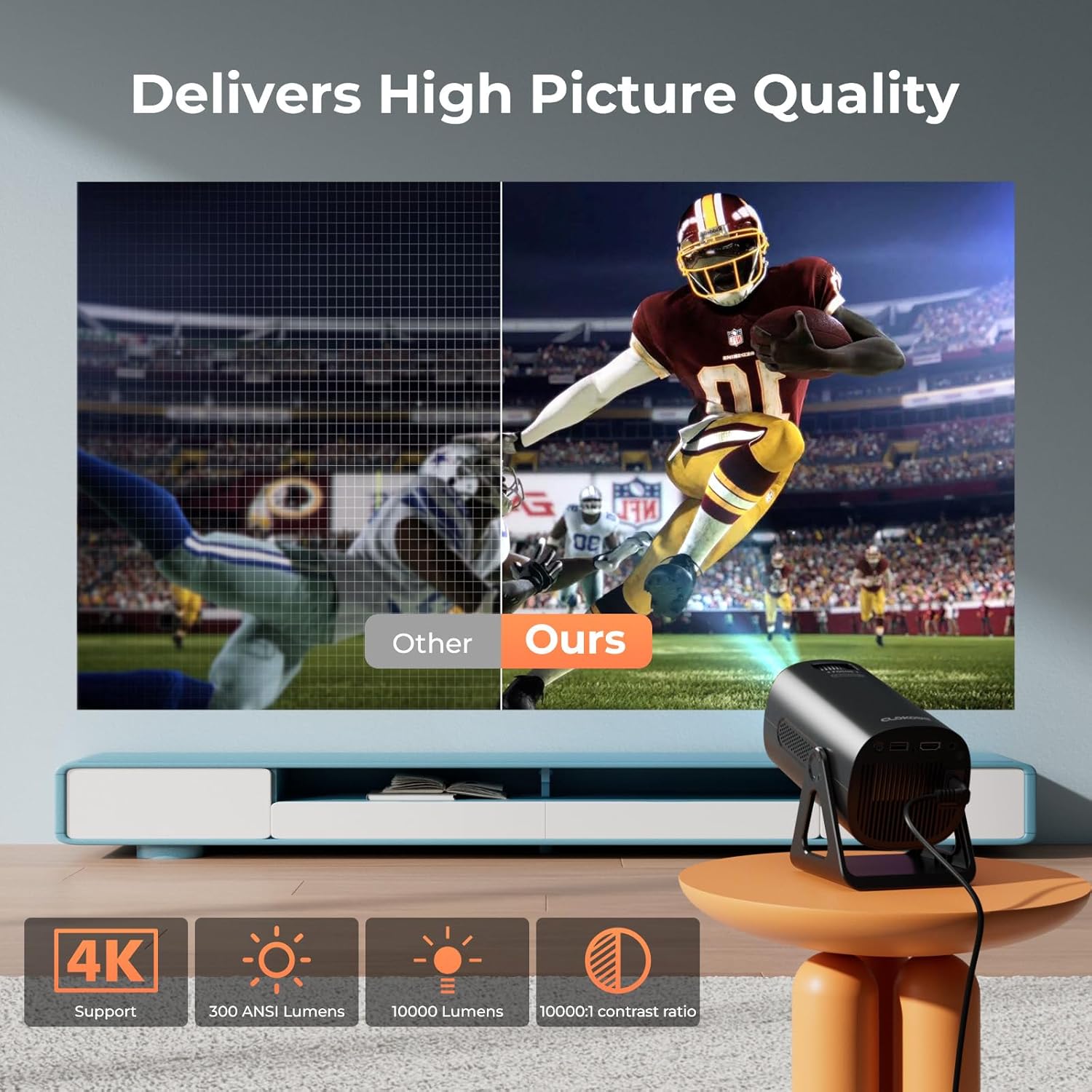
Image 5.5: Visual comparison of picture quality, emphasizing 4K support and brightness specifications.
6. Vzdrževanje
- Čiščenje leč: Za nežno brisanje leče projektorja uporabite mehko krpo, ki ne pušča vlaken in je posebej zasnovana za optične leče. Ne uporabljajte abrazivnih čistil.
- Odstranjevanje prahu: Redno čistite prezračevalne odprtine projektorja z mehko krtačo ali stisnjenim zrakom, da preprečite nabiranje prahu, ki lahko vpliva na delovanje in življenjsko dobo.
- Shranjevanje: Ko projektorja dalj časa ne uporabljate, ga shranite na hladnem in suhem mestu, po možnosti v originalni embalaži ali zaščitnem etuiju.
- Ugasniti: Always power off the projector correctly and allow it to cool down before unplugging or moving it.
7. Odpravljanje težav
Pogoste težave in rešitve:
- Brez napajanja:
• Ensure the power cord is securely connected to both the projector and the power outlet.
• Preverite, ali je električna vtičnica delujoča. - Ni slike/signala:
• Verify that the correct input source (HDMI, USB, AV) is selected in the projector's menu.
• Check the connection cables between the projector and the source device.
• Ensure the source device is powered on and outputting a signal. - Zamegljena slika:
• Adjust the focus ring on the projector lens.
• Ensure the projection surface is flat and the projector is stable.
• Check if the lens is clean. - Slika je trapezoidna:
• The automatic keystone correction should adjust this. If not, check for manual keystone adjustment options in the settings. - Ni zvoka:
• Check the volume settings on both the projector and the source device.
• If using Bluetooth, ensure the external speaker/headphones are properly paired and connected.
• If using HDMI, ensure the audio output is correctly configured on the source device. - Težave s povezavo WiFi/Bluetooth:
• Ensure the projector is within range of the WiFi router or Bluetooth device.
• Restart the projector and the network device.
• Re-enter WiFi passwords carefully.
8. Specifikacije
| Funkcija | Specifikacija |
|---|---|
| Številka modela | T800 |
| Ločljivost zaslona | 1280 x 720 (Native 1080p, 4K Support) |
| Tehnologija povezljivosti | 3.5mm Jack, Bluetooth 5.2, HDMI, USB, Wi-Fi 6 (2.4G/5G) |
| Posebna funkcija | Portable, 270° Rotatable Stand, Star Projector, Ambient Night Light, Auto Keystone Correction, Zoom |
| Priporočene uporabe | Poslovno, Izobraževalno, Igre, Domači kino |
| Teža predmeta | 2.38 funtov |
| Dimenzije paketa | 9.13 x 6.69 x 5.28 palcev |
9. Garancija in podpora
ClokoWe products are designed for reliability and performance. For warranty information, technical support, or service inquiries, please refer to the warranty card included in your package or visit the official ClokoWe website. Please have your model number (T800) and purchase details ready when contacting support.
Ask a question about this manual
Ask about setup, troubleshooting, compatibility, parts, safety, or missing instructions. Manuals+ will review the question and use this page’s manual context to help answer it.