
Konec izdelkaview
The Gravity C28 Rugged Smartwatch is designed for durability and comprehensive health and fitness tracking. It features a 2.02-inch TFT high-resolution display, AI-generated watch faces, and over 100 sports modes. This device also includes Bluetooth calling, smart notifications, and robust water, shock, and dust resistance.

Slika: spredaj view of the Gravity C28 Rugged Smartwatch, showcasinzaradi robustne zasnove in digitalnega zaslona.
Ključne značilnosti
- 2.02" HD Display: Clear visuals with 320x390 resolution and customizable watch faces.
- Celovito spremljanje zdravja: Monitors heart rate, sleep patterns, step count, and calories.
- 100+ športnih načinov: Tracks various activities including running, cycling, and hiking.
- Bluetooth Calling & Smart Alerts: Answer calls and receive notifications directly from the wrist.
- Trpežno in odporno na vremenske vplive: 1 ATM waterproof, shockproof, and dustproof design.
- Dolga življenjska doba baterije: Up to 25 days standby time with a 410mAh battery.
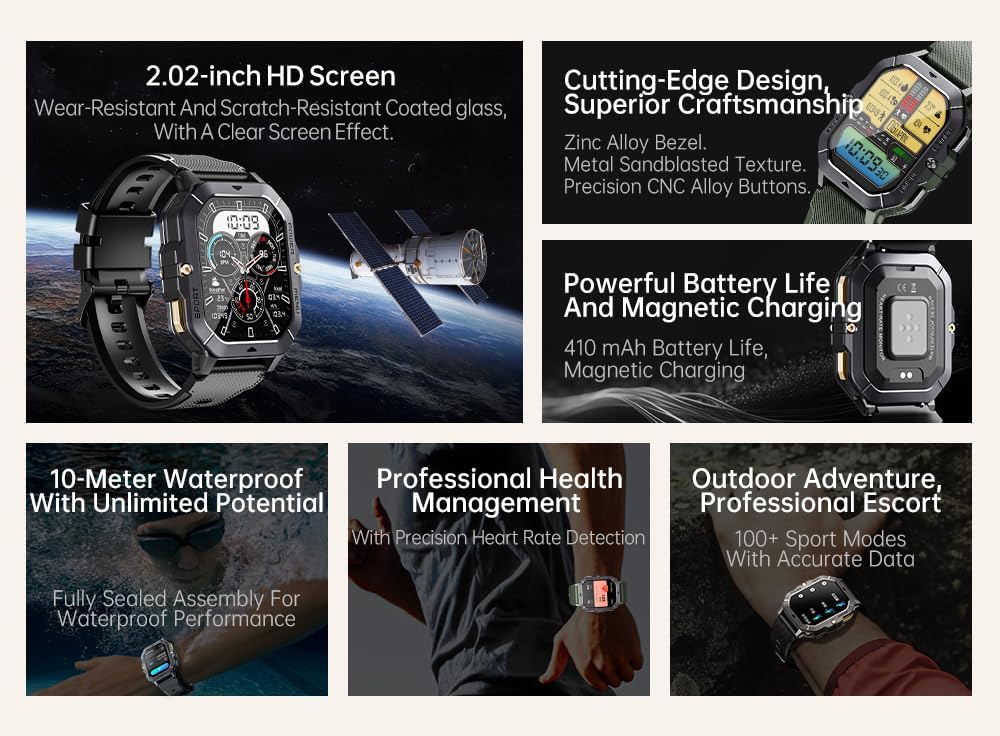
Image: Visual summary of the smartwatch's features, including HD screen, craftsmanship, battery life, waterproofing, health management, and sports modes.
Kaj je v škatli
Upon unboxing your Gravity C28 Smartwatch, please ensure all components are present:
- Pametna ura Gravity C28
- Polnilni kabel
- Uporabniški priročnik (ta dokument)
Nastavitev
1. Polnjenje naprave
Before first use, fully charge your Gravity C28 Smartwatch. Connect the magnetic charging cable to the charging points on the back of the watch and plug the USB end into a compatible power adapter (not included) or a computer USB port.

Image: Close-up of the smartwatch's rear, showing the magnetic charging pins and the charging cable attached.
2. Vklop/izklop
- Vklop: Press and hold the 'POWER' button (typically the top right button) until the screen illuminates.
- Ugasniti: Press and hold the 'POWER' button, then select 'Power Off' on the screen, or continue holding until the device shuts down.
3. Namestitev in seznanjanje aplikacij
The Gravity C28 Smartwatch uses the Da Fit application for full functionality and data synchronization. The app is compatible with both Android and iOS devices.
- Download the 'Da Fit' app from your device's app store (Google Play Store for Android, Apple App Store for iOS).
- Odprite aplikacijo Da Fit in sledite navodilom na zaslonu, da ustvarite račun ali se prijavite.
- Prepričajte se, da je Bluetooth na vašem pametnem telefonu omogočen.
- In the Da Fit app, navigate to 'Add Device' or 'Bind Device'.
- Na seznamu razpoložljivih naprav izberite »C28«.
- Potrdite zahtevo za seznanitev tako na pametnem telefonu kot na pametni uri.
Upravljanje pametne ure
Navigacija
- Zaslon na dotik: Swipe left, right, up, or down to navigate through menus and access different functions. Tap to select.
- 'POWER' Button: Short press to return to the watch face or wake the screen. Long press for power options.
- 'MENU' Button: Short press to access the main menu.
- 'SPORT' Button: Kratek pritisk za hiter dostop do športnih načinov.

Slika: npramples of different menu display modes available on the smartwatch, such as Grid View, Surface, Parallel, and Helm.
Bluetooth Calling and Smart Alerts
Once paired with your smartphone, the Gravity C28 allows you to manage calls and notifications directly from your wrist.
- Odgovarjanje na klice: When an incoming call is received, the watch will display the caller ID. Tap the green phone icon to answer.
- Klicanje: Access the dial pad or contact list through the watch's menu to initiate calls.
- Obvestila: Receive alerts for messages, social media, and other app notifications. Swipe down from the watch face to view nedavna obvestila.

Image: Two Gravity C28 smartwatches displaying an incoming call and a message alert, demonstrating the Bluetooth call and message alert features.
AI Watch Face and DA GPT
The smartwatch supports AI-generated watch faces for personalization and integrates with DA GPT for interactive features.
- Umetna inteligenca: številčnica ure Customize your watch face by providing text prompts to the AI, which will generate unique designs.
- DA GPT: Interact with the DA GPT feature to explore new ideas or learn new things directly from your watch.

Image: Diagram illustrating the DA GPT interaction flow and the AI Watch Face generation process, showing how users can request custom watch face backgrounds.
Športni načini
The Gravity C28 offers over 100 sports modes to accurately track your physical activities. Access these modes via the 'SPORT' button or the main menu.
- Select your desired sport (e.g., running, cycling, swimming).
- The watch will begin tracking relevant metrics such as duration, distance, calories burned, and heart rate.
- End your workout by following the on-screen prompts. Data will sync with the Da Fit app.
Spremljanje zdravja
The smartwatch provides continuous monitoring of various health metrics.
- Srčni utrip: Spremljanje srčnega utripa v realnem času.
- Spremljanje spanja: Analyzes sleep patterns, including deep sleep, light sleep, and awake times.
- Step Counter & Calories: Tracks daily steps and estimated calories burned.
- SpO2, Blood Pressure, Stress: Provides readings for blood oxygen saturation, blood pressure, and stress levels.

Image: Screenshots of the smartwatch display showing various health metrics: Heart Rate, SpO2, Blood Pressure, Stress, Sleep, and Cycle Tracking.
Vzdrževanje
Čiščenje
Regular cleaning helps maintain the smartwatch's appearance and functionality.
- Zaslon in ohišje obrišite z mehko krpo, ki ne pušča vlaken.
- Za trdovratno umazanijo rahlo dampkrpo z vodo. Izogibajte se agresivnim kemikalijam ali abrazivnim materialom.
- Pred polnjenjem se prepričajte, da so polnilni kontakti čisti in suhi.
Vodoodpornost
The Gravity C28 is 1 ATM waterproof, meaning it can withstand splashes, rain, and brief immersion in shallow water. It is suitable for daily cleaning, sweating, and getting wet by rain.

Image: The smartwatch being used underwater, illustrating its 1 ATM waterproof capability for activities like snorkeling, and icons for daily cleaning, sweat, and rain resistance.
Pomembno: While waterproof, avoid prolonged exposure to hot water, steam, or high-pressure water jets. Do not operate buttons underwater.
Shranjevanje
Store the smartwatch in a cool, dry place away from direct sunlight and extreme temperatures when not in use for extended periods.
Odpravljanje težav
- Ura se ne vklopi: Prepričajte se, da je ura popolnoma napolnjena. Priključite jo na polnilnik za vsaj 30 minut.
- Seznanitev s telefonom ni mogoča:
- Prepričajte se, da je Bluetooth omogočen na telefonu in uri.
- Prepričajte se, da je ura v dosegu Bluetooth (približno 10 metrov).
- Znova zaženite uro in telefon.
- Počistite predpomnilnik Bluetooth v telefonu (Android) ali pozabite napravo in jo znova seznanite (iOS).
- Netočni zdravstveni podatki:
- Prepričajte se, da je ura tesno prilegana zapestju, ne preohlapna ali pretesna.
- Očistite senzor na zadnji strani ure.
- Med meritvami se izogibajte pretiranemu gibanju.
- Obvestila se ne prikazujejo:
- Check notification permissions in the Da Fit app and your phone's settings.
- Ensure the Da Fit app is running in the background.
- Preverite, ali je ura povezana prek Bluetootha.
- Kratka življenjska doba baterije:
- Zmanjšajte svetlost zaslona.
- Onemogočite neprekinjeno spremljanje srčnega utripa, če ga ne potrebujete.
- Omejite število aktivnih obvestil.
- Ensure background app refresh for Da Fit is enabled on your phone.
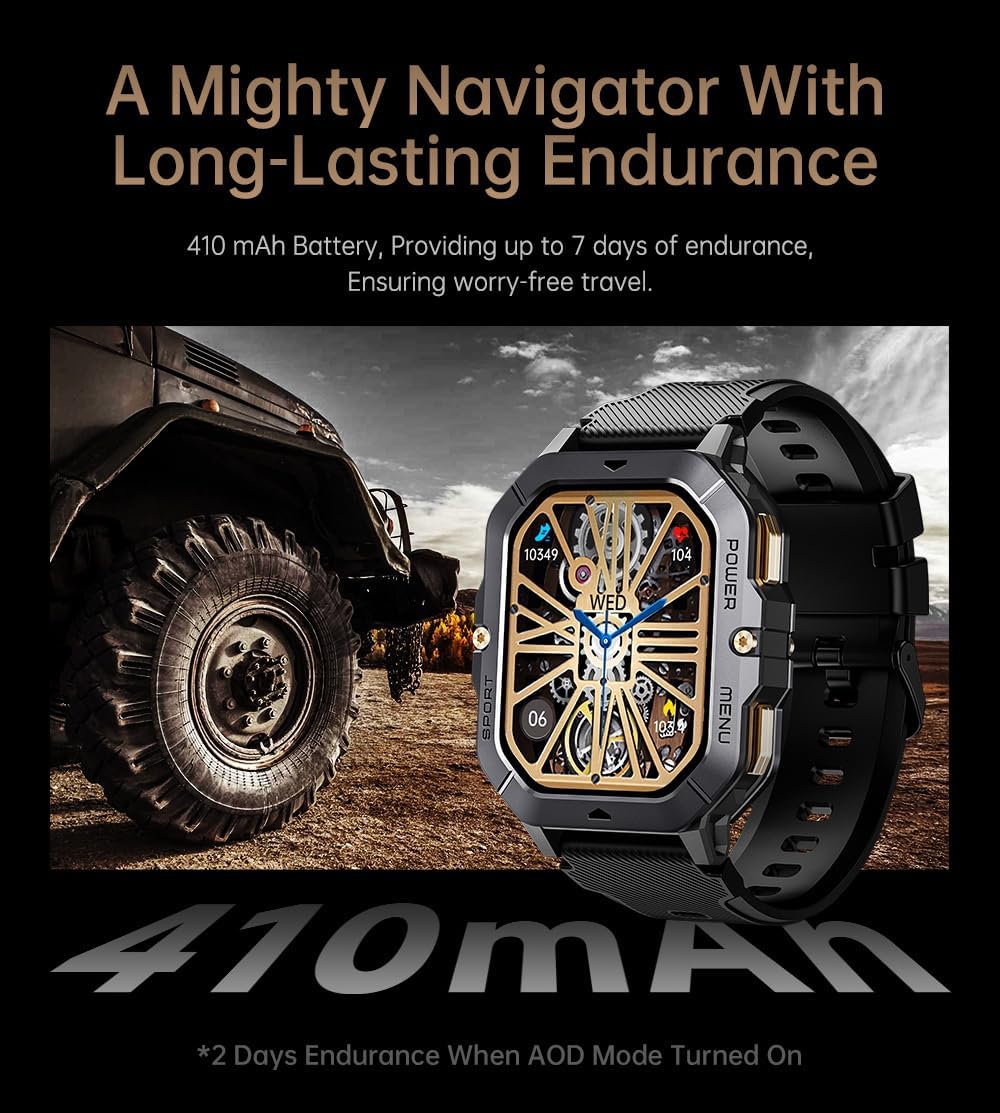
Image: The smartwatch displayed next to a large tire, emphasizing its ruggedness and long-lasting 410 mAh battery, providing up to 7 days of endurance (2 days with AOD mode).
Specifikacije
| Funkcija | Podrobnost |
|---|---|
| Številka modela | W4-C28 |
| Velikost zaslona | 2.02-palčni TFT |
| Kapaciteta baterije | 410 mAh |
| Operacijski sistem | Android OS (compatible with Android & iOS via Da Fit app) |
| Povezljivost | Bluetooth |
| Vodoodpornost | 1 bankomatov |
| Teža predmeta | 1 funta |
| Dimenzije | 9 x 4 x 1 palca (paket) |
| Vrsta baterije | Litijev polimer |
Garancija in podpora
Informacije o garanciji
Warranty details for the Gravity C28 Smartwatch are typically provided with your purchase documentation. Please refer to the warranty card or contact your retailer for specific terms and conditions regarding coverage and duration.
Podpora uporabnikom
For technical assistance, troubleshooting not covered in this manual, or inquiries regarding your device, please contact Gravity customer support through the contact information provided on the product packaging or the official Gravity webmesto.