
Gravity C26
Uporabniški priročnik za pametno uro Gravity C26
Model: C26
Uvod
Welcome to the Gravity C26 Smartwatch user manual. This guide provides detailed instructions on how to set up, operate, and maintain your new smartwatch. The Gravity C26 features a 1.96-inch AMOLED display, Bluetooth calling, over 100 sports modes, comprehensive health monitoring, and an AI voice assistant. Its robust design ensures durability for various environments.
Vsebina paketa
Označite polje za naslednje elemente:
- Pametna ura Gravity C26
- Polnilni kabel
- Uporabniški priročnik (ta dokument)
Konec izdelkaview
Familiarize yourself with the components and key features of your Gravity C26 Smartwatch.

Slika: Spredaj view of the Gravity C26 Smartwatch, showcasing its square AMOLED display, two side buttons labeled "POWER" and "SPORT", and a durable black strap.
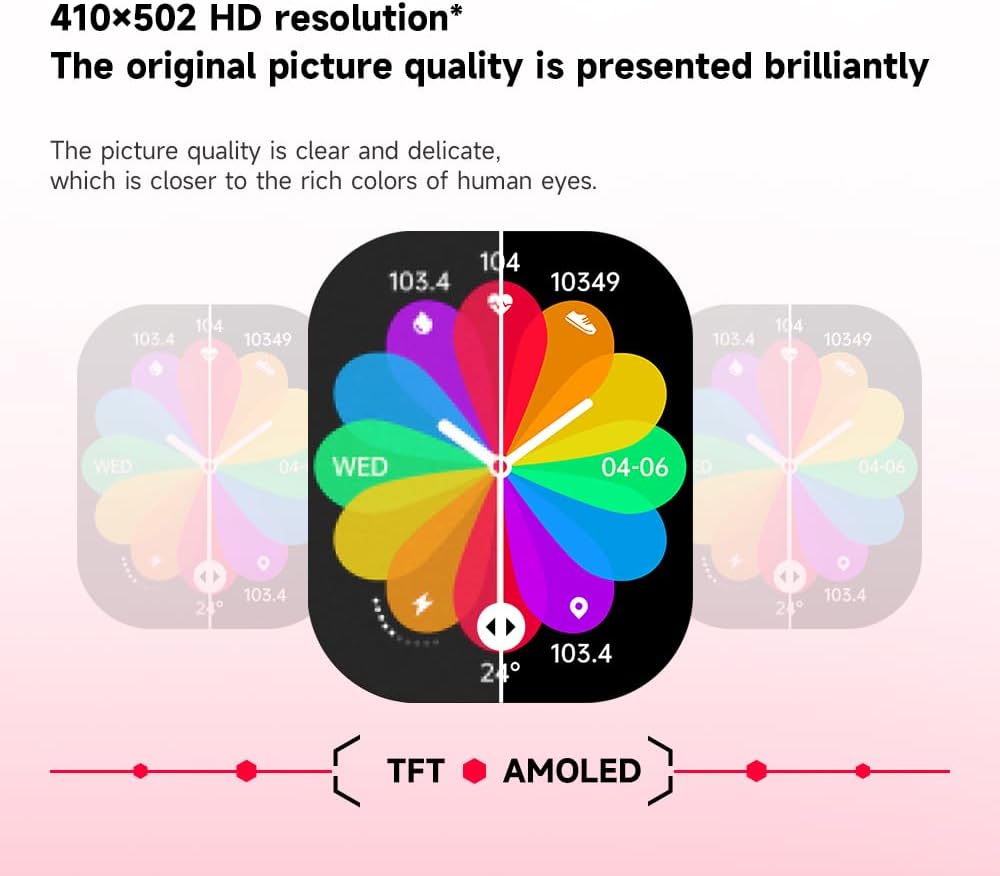
Slika: Illustration demonstrating the superior visual quality of the 410x502 HD AMOLED display compared to a TFT screen, highlighting vibrant colors and clarity.

Slika: Od blizu view of the 1.96-inch AMOLED screen, emphasizing its explosion-proof and drop-proof tempered glass, thermal shock resistance, anti-corrosion, and anti-scratch properties.
Nastavitev
1. Polnjenje pametne ure
Before first use, fully charge your Gravity C26 Smartwatch. Connect the magnetic charging cable to the charging points on the back of the watch and plug the USB end into a power adapter (not included) or a computer's USB port.
- Polno polnjenje običajno traja približno 2 uri.
- The watch features a 350mAh battery, providing up to 25 days of standby time.

Slika: Visual representation of the Gravity C26 Smartwatch's 350mAh battery, highlighting intelligent battery life upgrade, over-temperature protection, overvoltage protection, and intelligent optimization of application scenarios.
2. Pairing with Your Smartphone (FitCloudPro App)
To unlock the full potential of your Gravity C26, download and install the FitCloudPro app on your iOS or Android smartphone.
- Prenesite aplikacijo: Iskanje "FitCloudPro" in the Apple App Store (for iOS) or Google Play Store (for Android), or scan the QR code provided in the watch's quick start guide.
- Ustvari račun: Odprite aplikacijo FitCloudPro in sledite navodilom na zaslonu, da ustvarite račun ali se prijavite.
- Omogoči Bluetooth: Prepričajte se, da je Bluetooth na vašem pametnem telefonu omogočen.
- Dodaj napravo: In the FitCloudPro app, navigate to the "Device" or "Add Device" section. The app will search for nearby smartwatches. Select "Gravity C26" from the list.
- Potrdite seznanjanje: A pairing request will appear on both your phone and the smartwatch. Confirm the pairing on both devices.
- Podeli dovoljenja: Za pravilno delovanje aplikacije dovolite potrebna dovoljenja (npr. obvestila, lokacijo, stike).
Once paired, the watch will synchronize data with your phone, and you can customize settings, view health data, and manage notifications through the app.
Navodila za uporabo
1. Krmarjenje po vmesniku
The Gravity C26 features a touch-sensitive AMOLED display and two physical buttons for navigation.
- Zaslon na dotik: Swipe left/right, up/down to navigate through menus and widgets. Tap to select an option.
- "POWER" Button (Top Right): Press to wake/sleep the screen, return to the watch face, or long-press to access power options.
- "SPORT" Button (Bottom Right): Pritisnite za hiter dostop do menija športnih načinov.

Slika: Display of four different menu styles available on the Gravity C26 Smartwatch, including grid views and list views for accessing various functions like settings, dialer, contacts, call records, and voice assistant.
2. Klicanje in sprejemanje klicev
With Bluetooth calling enabled, you can manage calls directly from your wrist.
- Klicanje: Za začetek klica dostopite do številčnice ali seznama stikov na uri.
- Sprejem klica: Ko prejmete klic, bo ura prikazala ID klicatelja. Dotaknite se zelene ikone za sprejem klica ali rdeče ikone za zavrnitev.

Slika: Depiction of the Gravity C26 Smartwatch's Bluetooth calling feature showing an incoming call screen and message notifications. Also illustrates the AI voice assistant responding to commands like "How is the weather tomorrow?" and "Call my mom."
3. Using AI Voice Assistant
The built-in AI voice assistant allows for hands-free control. Simply raise your hand to activate the voice assistant and speak your commands.
- Aktivacija: Raise your wrist or use a specific gesture/button press (refer to app settings for customization).
- Ukazi: Ask about weather, play music, set alarms, make calls, and more.
4. Tracking Sports Modes
The Gravity C26 supports over 100 sports modes for accurate workout tracking.
- Accessing Modes: Press the "SPORT" button or navigate through the menu to find the sports modes.
- Začetek vadbe: Select your desired activity (e.g., running, cycling, walking) and tap to start. The watch will track duration, heart rate, calories burned, and other relevant metrics.
- Konec vadbe: Swipe or press the appropriate button to pause or end the workout. Data will be synced to the FitCloudPro app.

Slika: Illustration showing the Gravity C26 Smartwatch tracking various sports activities such as walking, running, climbing, and cycling, with real-time data display for duration, heart rate, and calories.
5. Health Monitoring (Heart Rate, Sleep)
The smartwatch continuously monitors your health metrics.
- Srčni utrip: The watch automatically monitors your heart rate throughout the day. You can also initiate a manual measurement from the heart rate widget.
- Sledenje spanju: Za samodejno analizo spanja, vključno s spanjem, nosite uro v posteljo.tages (globok, lahek, REM) in trajanje.
- Opomniki za hidracijo: Set up hydration reminders in the FitCloudPro app to ensure you stay hydrated.
6. Prilagajanje številčnic ure
Personalize your smartwatch with over 200 cool visual watch faces available through the FitCloudPro app.
- Changing Faces: Open the FitCloudPro app, navigate to the watch face section, and select your preferred design. You can also long-press the watch face on the device to quickly switch between pre-loaded faces.
- Obrazi po meri: Some watch faces allow for customization with your own photos.

Slika: A collage of various watch faces available for the Gravity C26 Smartwatch, demonstrating the wide range of visual styles and customization options.
Vzdrževanje
1. Čiščenje
- Zaslon in ohišje ure obrišite z mehko krpo, ki ne pušča vlaken.
- Za trak uporabite oglasamp po potrebi očistite s krpo in blagim milom, nato pa pred nošenjem temeljito sperite in popolnoma posušite.
- Izogibajte se uporabi močnih kemikalij ali abrazivnih materialov.
2. Vodoodpornost
The Gravity C26 is 1 ATM waterproof, meaning it can withstand splashes, rain, and brief immersion in shallow water. It is suitable for daily use and light water activities.
- Do not use the watch for diving, hot showers, or saunas, as steam and hot water can compromise the seals.
- After exposure to water, especially saltwater, rinse the watch with fresh water and dry it thoroughly.
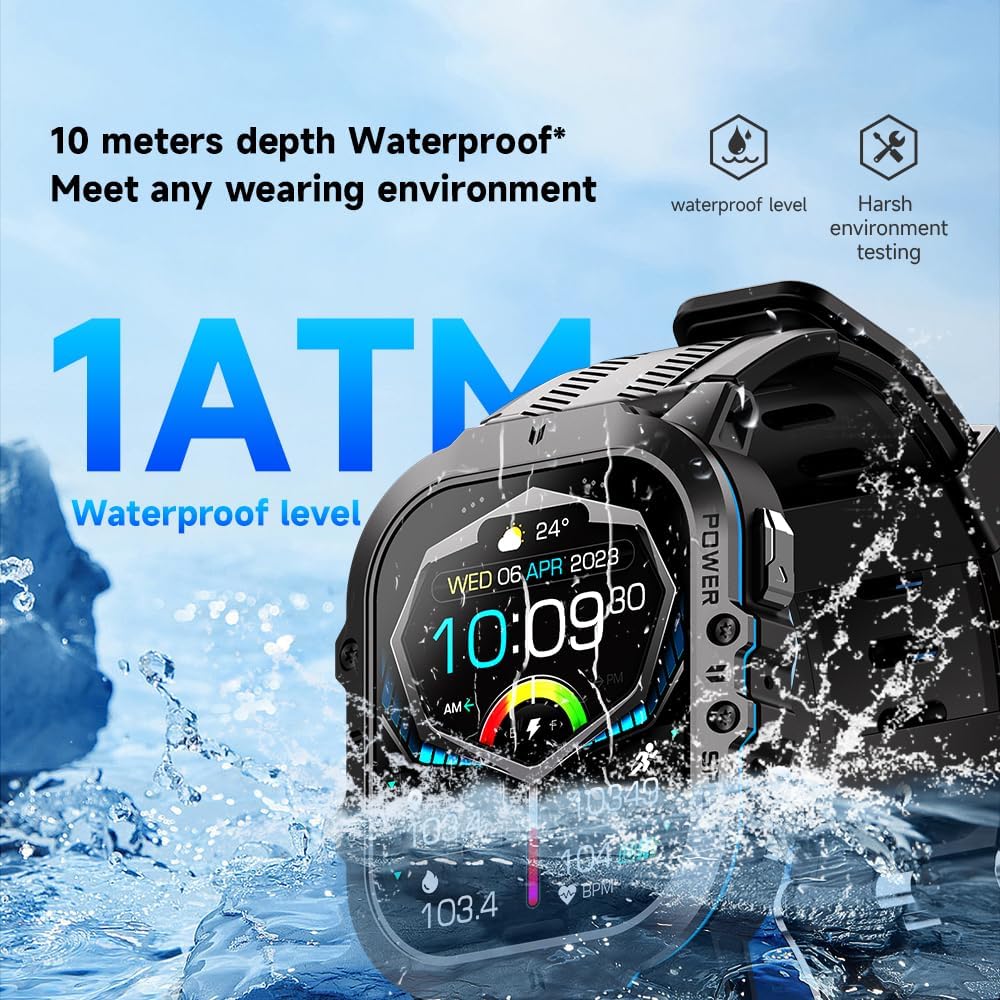
Slika: The Gravity C26 Smartwatch partially submerged in water, illustrating its 1 ATM waterproof rating and ability to meet various wearing environments.
3. Skrb za baterijo
- Avoid extreme temperatures (below -24°C or above 60°C) as they can affect battery life and performance.
- Redno polnite uro, tudi če je ne uporabljate, da ohranite zdravje baterije.
Odpravljanje težav
| Težava | Možna rešitev |
|---|---|
| Ura se ne vklopi | Prepričajte se, da je ura popolnoma napolnjena. Priključite jo na polnilni kabel in vir napajanja za vsaj 30 minut. |
| Ni mogoče združiti s pametnim telefonom |
|
| Obvestila niso prejeta |
|
| Netočni zdravstveni podatki |
|
| Kratka življenjska doba baterije |
|
Specifikacije
| Funkcija | Podrobnost |
|---|---|
| Model | C26 |
| Zaslon | 1.96-palčni AMOLED, ločljivost 410 x 502 |
| Kapaciteta baterije | 350 mAh |
| Čas pripravljenosti | Do 25 dni |
| Vodoodpornost | 1 ATM (suitable for splashes, rain, brief immersion) |
| Povezljivost | Bluetooth |
| Združljivost | iOS and Android (via FitCloudPro app) |
| Delovna temperatura | -24°C do 60°C |
| Teža predmeta | 1 funtov |
| Dimenzije | 9 x 4 x 1 palcev (dimenzije paketa) |
Garancija in podpora
For warranty information and technical support, please refer to the official Gravity webspletno mesto ali se obrnite na prodajalca. Račun shranite kot dokazilo o nakupu.
For further assistance, you may also refer to the FitCloudPro app's help section or frequently asked questions.
Ask a question about this manual
Ask about setup, troubleshooting, compatibility, parts, safety, or missing instructions. Manuals+ will review the question and use this page’s manual context to help answer it.