
Gravity C29
Gravity C29 Rugged Smart Watch User Manual
Model: C29
Uvod
The Gravity C29 Rugged Smart Watch is designed for durability and performance in challenging environments. This manual provides comprehensive instructions for setting up, operating, and maintaining your smartwatch, ensuring you get the most out of its advanced features, including health tracking, sports modes, and smart connectivity.
Kaj je v škatli
- Gravity C29 Smart Watch
- Polnilni kabel
- Uporabniški priročnik (ta dokument)
Konec izdelkaview
The Gravity C29 features a robust design with a 1.52-inch HD TFT display, built to withstand shock, dust, and water. It includes physical buttons for power and sport modes, alongside a responsive touchscreen for navigation.

Slika: spredaj view of the Gravity C29 Rugged Smart Watch, showcasing its robust design, circular display, and side buttons.

Image: The Gravity C29 Smart Watch display, highlighting its 1.52-inch HD screen with clear visibility even in bright conditions.
Nastavitev
1. Polnjenje pametne ure
Before first use, fully charge your Gravity C29 Smart Watch. Connect the magnetic charging cable to the charging points on the back of the watch and plug the USB end into a power adapter (not included) or a computer's USB port. A full charge typically takes approximately 2 hours.
2. Downloading the Da Fit App
To unlock all features and synchronize data, download the "Da Fit" app from your smartphone's app store (App Store for iOS, Google Play Store for Android). The watch is compatible with Android 9.0+ and iOS 9.0+.
3. Seznanjanje s pametnim telefonom
- Prepričajte se, da je Bluetooth na vašem pametnem telefonu omogočen.
- Odprite aplikacijo Da Fit in sledite navodilom na zaslonu, da ustvarite račun ali se prijavite.
- In the app, navigate to the "Device" section and tap "Add Device" or "Bind Device".
- Select "C29" from the list of available devices.
- Potrdite zahtevo za seznanjanje tako na uri kot na pametnem telefonu.
Ko je ura združena, se bo čas in podatki samodejno sinhronizirali z vašim telefonom.
Navodila za uporabo
Osnovna navigacija
- Zaslon na dotik: Za navigacijo po menijih in obvestilih povlecite levo/desno, gor/dol. Dotaknite se za izbiro.
- Gumb za vklop (zgoraj desno): Pritisnite za preklop/spanje zaslona v stanje pripravljenosti, dolgi pritisk za vklop/izklop.
- Sport Mode Button (Bottom Right): Press to quickly access sports modes.
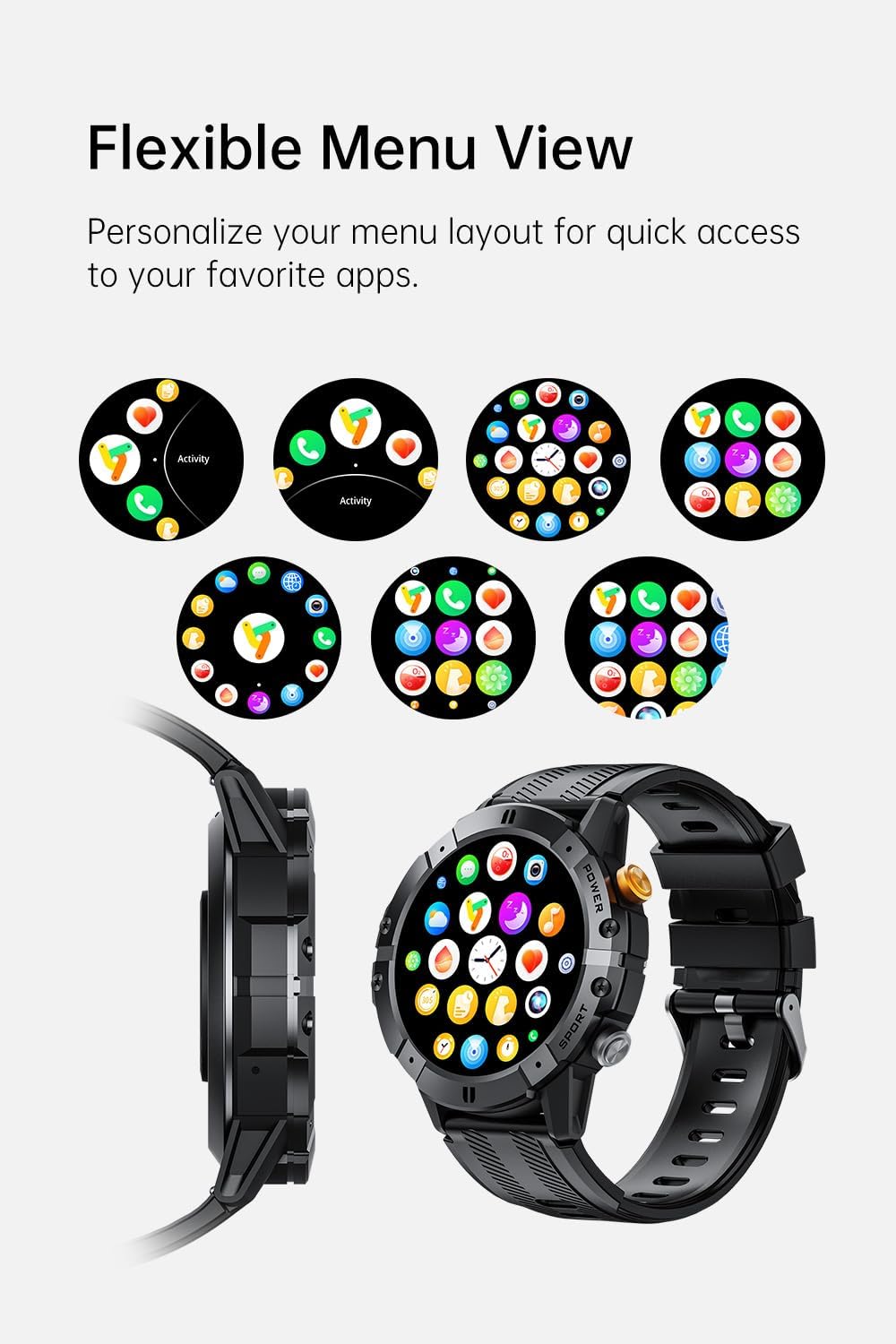
Image: Various menu layouts and app icons displayed on the Gravity C29 Smart Watch screen, demonstrating the flexible menu view.
Klicanje prek Bluetootha in pametna obvestila
Once paired, the C29 allows you to make and receive calls directly from your wrist. You will also receive real-time notifications for calls, messages, and app alerts.

Image: A hand wearing the Gravity C29 Smart Watch, showing an incoming call notification and message alerts on the watch screen.
Glasovni pomočnik AI
Activate the AI Voice Assistant on your watch to perform tasks hands-free, such as setting alarms, checking weather, or controlling music, using simple voice commands.

Image: The Gravity C29 Smart Watch displaying the AI Voice Assistant interface, with examples of voice commands like "Turn on the alarm" and "Call my mom."
Sledenje zdravju
The C29 monitors your heart rate 24/7 and provides detailed sleep analysis. Access these metrics through the watch interface or the Da Fit app for comprehensive health insights.

Image: The Gravity C29 Smart Watch displaying a heart rate graph, illustrating its precision sensors for accurate health monitoring.
Športni načini
With over 100 sports modes, the C29 accurately tracks various activities like running, cycling, hiking, and swimming. Select your desired sport mode before starting an activity for precise data collection.

Image: Icons representing various sports activities such as swimming, cycling, running, and hiking, indicating the Gravity C29 Smart Watch's support for over 120 sports modes.
Druge pametne funkcije
The Gravity C29 offers additional functionalities including weather updates, music control, and camera remote control. Access these features through the watch's menu.

Image: The Gravity C29 Smart Watch displaying a weather forecast, surrounded by icons representing other convenient functions like music control, camera remote, and settings.
Vzdrževanje
Čiščenje
Uro in pašček redno obrišite z mehko krpoamp krpo. Izogibajte se uporabi agresivnih kemikalij ali abrazivnih materialov. Pred polnjenjem se prepričajte, da so polnilni kontakti čisti in suhi.
Vodoodpornost
The Gravity C29 is 1 ATM waterproof, meaning it can withstand splashes, rain, and brief immersion. It is suitable for everyday wear and light water activities. Do not use it for diving, hot showers, or prolonged submersion.

Image: The Gravity C29 Smart Watch being splashed with water, illustrating its 1 ATM waterproof rating suitable for handling splashes and rain.
Skrb za baterijo
To prolong battery life, avoid extreme temperatures. Charge the watch fully before long periods of inactivity. The 410mAh battery provides up to 7-10 days of active use and up to 25 days on standby.
Odpravljanje težav
- Ura se ne vklopi: Ensure the watch is fully charged. Connect it to the charger and wait a few minutes before attempting to power on.
- Seznanitev s telefonom ni mogoča:
- Prepričajte se, da je Bluetooth na vašem telefonu omogočen in da je ura v dosegu.
- Znova zaženite uro in telefon.
- Check if the Da Fit app is updated to the latest version.
- If previously paired, try unpairing from your phone's Bluetooth settings and re-pairing through the app.
- Netočni zdravstveni podatki: Prepričajte se, da je ura tesno nameščena na zapestju, ne pretesno ali preohlapno. Očistite senzor na hrbtni strani ure.
- Obvestila se ne prikazujejo: Check notification permissions for the Da Fit app in your phone's settings. Ensure the app is running in the background.
Specifikacije
| Funkcija | Podrobnost |
|---|---|
| Znamka | Gravitacija |
| Model | C29 |
| Velikost zaslona | 1.52 palcev |
| Vrsta zaslona | HD TFT |
| Resolucija | 360x360 |
| Kapaciteta baterije | 410 mAh |
| Življenjska doba baterije (aktivno) | 7-10 dni |
| Življenjska doba baterije (pripravljenost) | Do 25 dni |
| Vodoodpornost | 1 ATM (Shockproof, Dustproof) |
| Povezljivost | Bluetooth 5.2 |
| Združljivost | Android 9.0+ / iOS 9.0+ |
| Športni načini | 100+ |
| Delovna temperatura | -24°C do 60°C |
| Teža predmeta | 4.6 unč |
Garancija in podpora
For product support, troubleshooting assistance, or warranty inquiries, please refer to the contact information provided with your purchase or visit the official Gravity webspletnega mesta. Shranite dokazilo o nakupu za uveljavljanje garancije.
Protection plans are available for extended coverage. Please check your purchase details for more information on available protection plans.
Ask a question about this manual
Ask about setup, troubleshooting, compatibility, parts, safety, or missing instructions. Manuals+ will review the question and use this page’s manual context to help answer it.