
Uvod

Image: The MAMAMOO Official Light Stick Ver.2.6, featuring its design and branding.
This manual provides detailed instructions for the proper use and care of your MAMAMOO Official Light Stick Ver.2.6. Please read this manual thoroughly before use to ensure optimal performance and longevity of your product.
The outer case is designed to protect the inclusions inside. Minor damages to the outer box are not considered a reason for return or exchange. For accurate verification of product defects or omissions, please record an unboxing video immediately upon delivery.
Vsebina paketa
Preverite, ali so v vašem paketu priloženi vsi spodaj navedeni elementi:
- Out Box
- MAMAMOO Official Light Stick Ver.2.6
- Trak
- Deco Sticker Set
- Navodila za uporabo (ta dokument)

Slika: Konecview of the MAMAMOO Official Light Stick Ver.2.6 package contents, showing the light stick, strap, decorative stickers, and the instruction manual.
Namestitev: Namestitev baterije
The light stick requires three AAA batteries for operation. Follow these steps for correct battery installation:
- Locate the battery compartment cover at the bottom of the light stick handle.
- Odprite predal za baterije.
- Insert three AAA batteries, ensuring the correct polarity (⊖ in ⊕) as indicated inside the compartment. Incorrect insertion can damage the device.
- Trdno zaprite pokrov prostora za baterije.

Slika: Spredaj in zadaj view of the MAMAMOO Official Light Stick Ver.2.6, highlighting the battery compartment location on the handle.
Precautions for Battery Insertion and Replacement:
- Add the correct order from ⊖ to ⊕ pole. Pri vzvratnem vbrizgavanju obstaja nevarnost razpok in puščanja zaradi toplote.
- Remove the battery part immediately when the battery part suddenly heats up. (Do not hold it with your hands as there is a risk of burns.)
- Please use genuine alkaline AAA batteries. If not genuine, there may be damage to the product.
- Ne polnite, razstavljajte, kratkega stika, segrevanja. Nevarnost poškodb zaradi eksplozije ali puščanja.
- Takoj po uporabi odstranite baterijo iz stroja, saj lahko povzroči puščanje.
- Za vsako izvedbo uporabite novo baterijo.
- Ne mešajte novih baterij z rabljenimi baterijami in drugimi baterijami.
- Ne shranjujte baterij v žepu ali torbi z nepakirano baterijo.
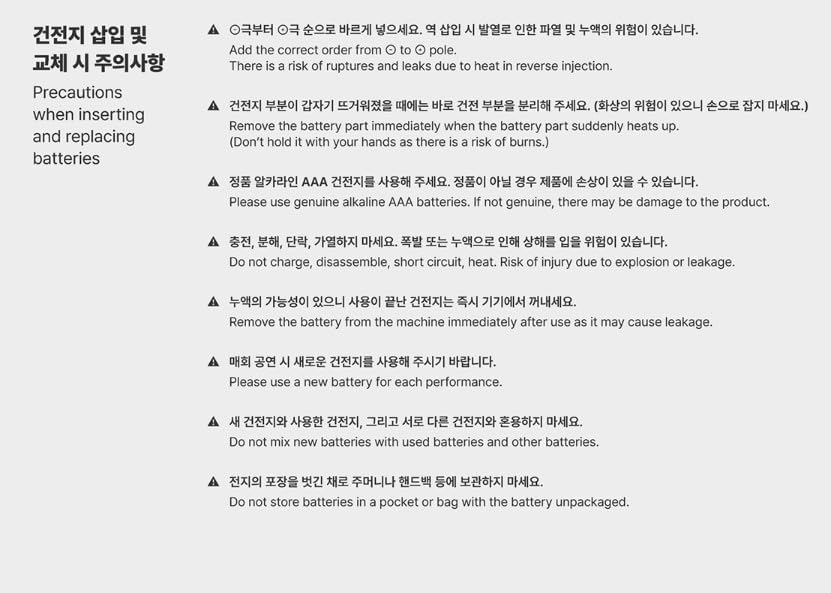
Image: Detailed instructions and warnings regarding the safe insertion and replacement of batteries for the light stick.
Operating Instructions: Light Modes
The light stick can be controlled wirelessly in normal mode. Make sure to change to normal mode before watching a concert.
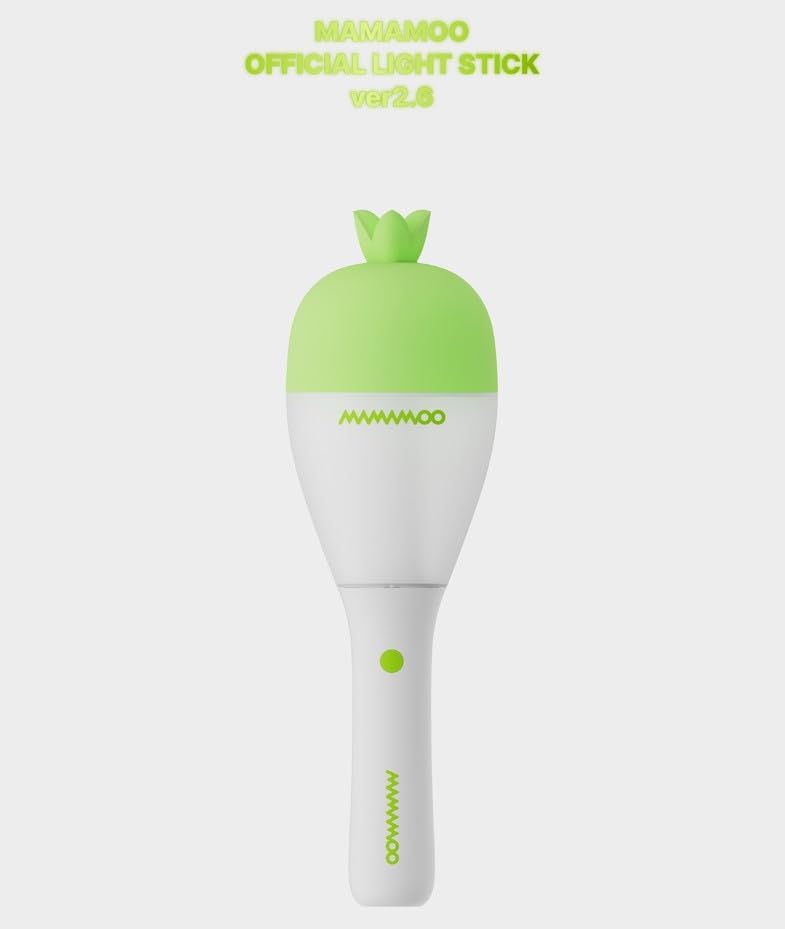
Slika: Jasna sprednja stran view of the MAMAMOO Official Light Stick Ver.2.6, showing its design and the main button.
1. Power ON/OFF (Button Long Click)
- Press and hold the button for about 3 seconds to turn the power on or off.
2. Normal Mode (Button One Click)
- Ko je napajanje vklopljeno, na kratko pritisnite gumb, da spremenite različne barvne načine.
- Normal mode switching sequence: COLOR ► BLINK ► MOOD LIGHT (followed by various color options).
3. Application Mode (Button Double Click)
- The light stick connects to MAMAMOO applications to enjoy a variety of content.
- Double click the button to switch to Application mode (blue blinking).
- Double click the button again to return to color change mode.
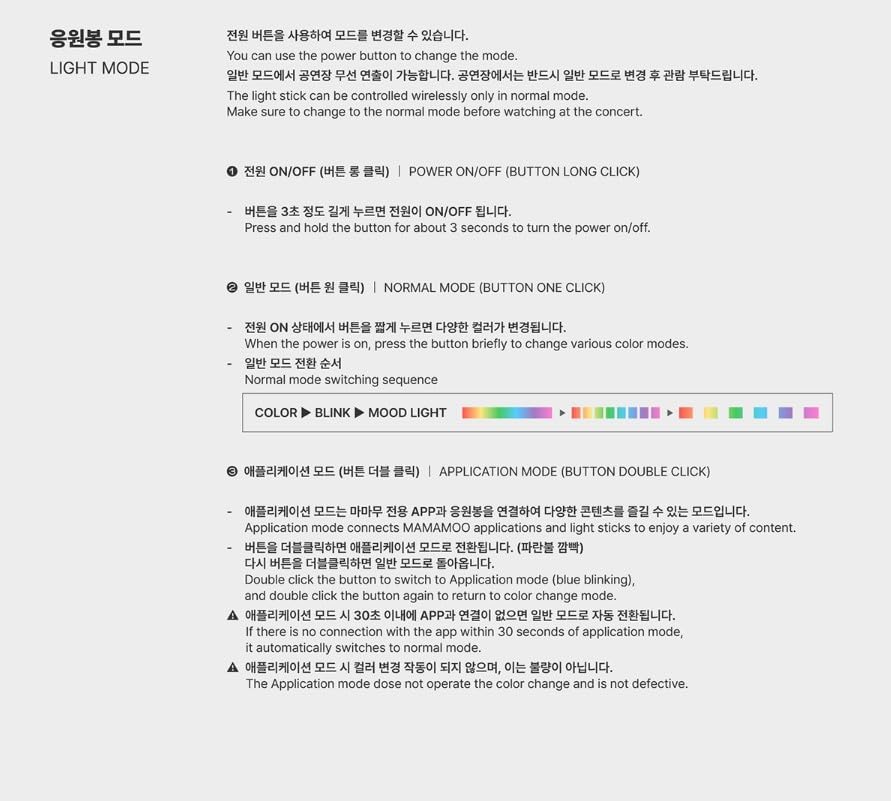
Image: Visual guide detailing how to operate the light stick, including power control, switching between normal light modes, and activating application mode.
Vzdrževanje
To ensure the longevity and proper functioning of your light stick, follow these maintenance guidelines:
- Clean the light stick with a soft, dry cloth. Do not use abrasive cleaners or solvents.
- Avoid exposing the light stick to extreme temperatures, direct sunlight, or high humidity.
- If the light stick will not be used for an extended period, remove the batteries to prevent leakage and potential damage.
- Store the light stick in its original packaging or a protective case to prevent scratches and damage.
Odpravljanje težav
- Light stick does not turn on:
- Ensure batteries are inserted correctly with the right polarity.
- Replace with new, genuine AAA alkaline batteries.
- Pritisnite in držite gumb za vklop vsaj 3 sekund.
- Application mode issues:
- If there is no connection with the app within 30 seconds of entering application mode, it automatically switches to normal mode.
- If the application mode does not operate the color change and is not defective, ensure the app is properly installed and the light stick is within range.
- Light stick heats up:
- Immediately remove batteries if the battery compartment becomes hot. This indicates a potential issue with batteries or incorrect insertion.
Specifikacije
| Ime izdelka | MAMAMOO Official Light Stick Ver.2.6 |
| Material | ABS, PC (Acrylic, Plastic) |
| Teža | 170 g (9.6 unč) |
| Čas delovanja | 4 ur |
| Država izvora | Kitajska |
| Dimenzije (D x Š x V) | 86.7 × 86.7 × 282 mm (3.41"L x 3.41"W x 11.1"H) |
| Baterije | AAA BATTERIES 3 ea (Battery Powered) |
| Proizvajalec | BIZENT.MALL |
| Številka modela | MAMAMOO_LIGHTSTICK (MAMAMOO425) |
| Vir svetlobe | Svetleča dioda (LED) |
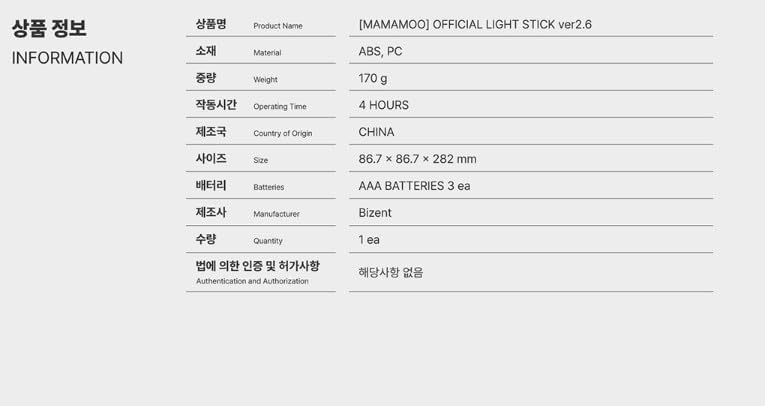
Image: A table presenting the key product information and specifications for the light stick, including material, weight, operating time, and dimensions.
Informacije o garanciji
The product comes with a limited warranty. The warranty description is "FANLIGHT". For specific details regarding warranty coverage, terms, and conditions, please refer to the documentation provided by the manufacturer or contact the seller directly.
Podpora uporabnikom
If you encounter any issues or have questions not covered in this manual, please contact the seller or the manufacturer for assistance. Ensure you have your product model number (MAMAMOO_LIGHTSTICK) and purchase details available when seeking support.