
1. Uvod
Hvala za nakupasing the ELECOM LBT-ECOWS01MBK Open-Ear Bluetooth 5.4 Wireless Headphones. These headphones are designed to allow you to enjoy audio content while remaining aware of your surroundings. This manual provides essential information for the safe and effective use of your new device.

Image: The ELECOM LBT-ECOWS01MBK open-ear wireless headphones and their transparent charging case.
2. Vsebina paketa
- ELECOM LBT-ECOWS01MBK Open-Ear Wireless Headphones (Left and Right)
- etui za polnjenje
- USB Charging Cable (USB-A to USB Type-C™)
- Vodnik za hiter začetek
3. Značilnosti izdelka
- Zasnova z odprtim ušesom: Listen to music or videos while simultaneously hearing ambient sounds, ensuring awareness of your surroundings.
- Lahkotno udobje: Each earbud weighs approximately 9.8g, providing a comfortable fit for extended wear without pressure or stuffiness.
- Visokokakovosten zvok: Equipped with a large 16mm diameter driver for clear sound and supports AAC codec for high-quality audio on compatible devices like iPhones.
- Glasovni način: Optimizes audio frequencies to make human voices clearer, ideal for radio, audiobooks, and conversations.
- Način nizke zakasnitve: Reduces audio-visual delay, enhancing the experience for videos and games.
- Razširjeno predvajanje: Up to 10 hours of continuous playback on a single charge, and up to 25 hours with the charging case.
- Nadzor senzorja na dotik: Conveniently manage music playback, volume, and calls directly from the earbuds.
- Podpora za glasovnega pomočnika: Compatible with Siri and Google Assistant for hands-free control.
- Uporaba ene slušalke: Vsak ušesni čep se lahko uporablja neodvisno.
- USB Type-C™ Charging: The charging case features a USB Type-C™ port for convenient charging.

Image: A man wearing the open-ear headphones, demonstrating the ability to hear ambient sounds while enjoying media.
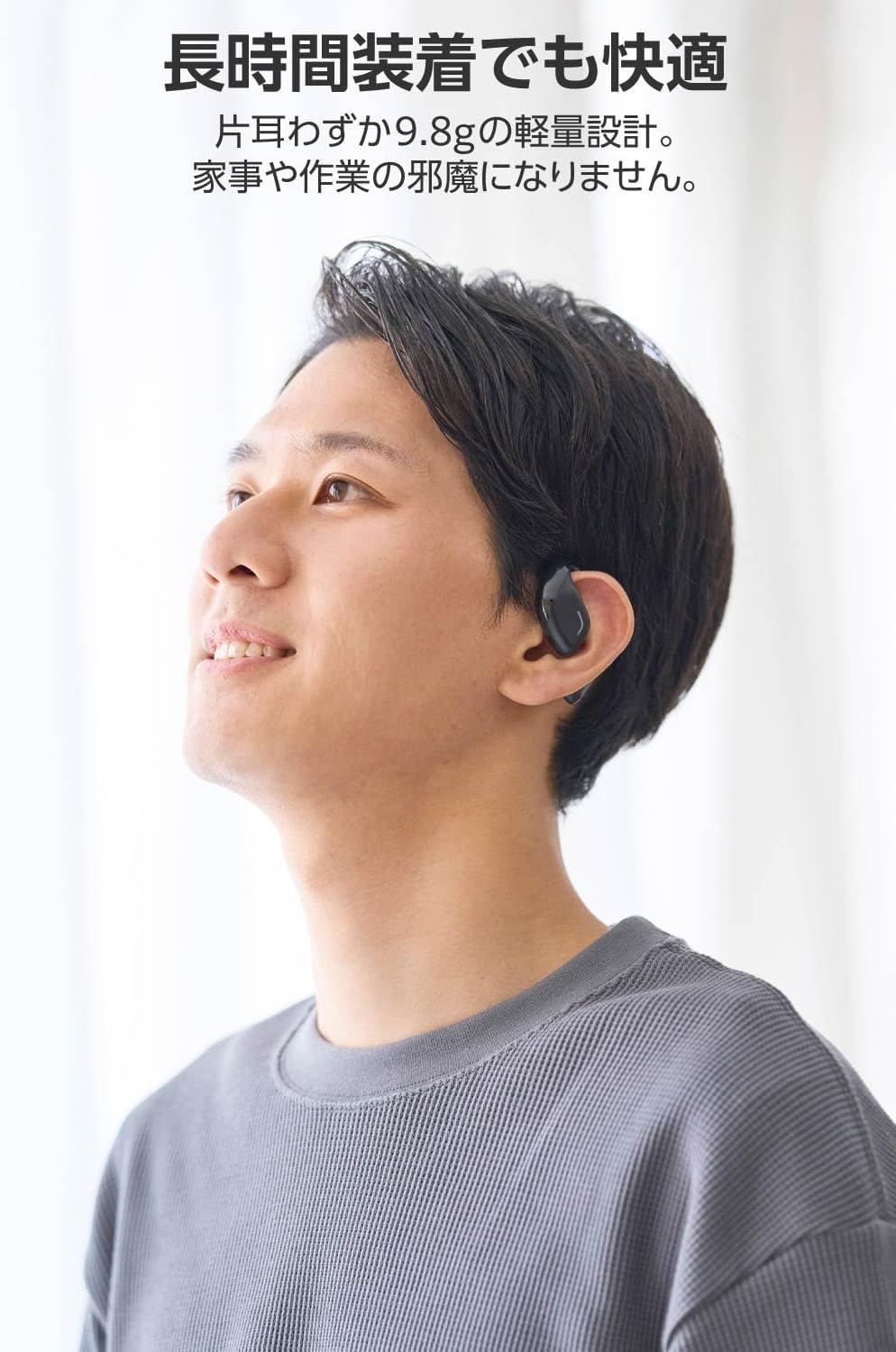
Image: A man wearing the lightweight open-ear headphones, highlighting their comfortable design for long-term use.
4. Nastavitev
4.1. Polnjenje slušalk in etuija
Pred prvo uporabo popolnoma napolnite slušalke in polnilno ohišje.
- Obe slušalki vstavite v ohišje za polnjenje.
- Connect the supplied USB Type-C™ cable to the charging port on the case and a USB power adapter (not included).
- LED indikator na polnilnem ohišju bo prikazoval stanje polnjenja.
Čas polnjenja:
- Headphones: Approximately 1.5 hours
- Polnilna škatlica: približno 1.5 ure

Image: Illustration of the charging process for the headphones and case, showing the USB-C port and LED indicators.
4.2. Seznanjanje z napravo Bluetooth
- Prepričajte se, da so slušalke napolnjene.
- Open the charging case. The headphones will automatically enter pairing mode. The LED indicator on the earbuds will flash.
- V napravi (pametnem telefonu, računalniku, tablici) omogočite Bluetooth in poiščite razpoložljive naprave.
- Select "LBT-ECOWS01MBK" from the list of found devices.
- Ko so slušalke povezane, LED indikator na njih preneha utripati.
- After initial pairing, the headphones will automatically connect to the last paired device when removed from the case.
4.3. Nošenje slušalk
The headphones are designed to hook over your ears.
- Prepoznajte levi (L) in desni (R) ušesni čepki.
- With the LED facing outwards, hook the earbud over the top of your ear.
- Adjust the earbud for a comfortable and secure fit.

Image: Step-by-step guide on correctly wearing the open-ear headphones.
5. Navodila za uporabo
5.1. Touch Sensor Controls
The headphones feature touch sensors on each earbud for various functions.
| funkcija | Akcija | Slušalka |
|---|---|---|
| Predvajaj/Premor | Enkratni dotik | L ali R. |
| Naslednja skladba | Dvakrat tapnite | R |
| Prejšnja skladba | Dvakrat tapnite | L |
| Glasnost | Dolg pritisk (približno 2 sekund) | R |
| Zmanjšanje glasnosti | Dolg pritisk (približno 2 sekund) | L |
| Sprejmi/končaj klic | Enkratni dotik | L ali R. |
| Zavrni klic | Dolg pritisk | L ali R. |
| Aktivirajte glasovnega pomočnika | Trojna pipa | L ali R. |

Image: Visual representation of the touch sensor areas and corresponding music and volume controls.
5.2. Switching Audio Modes
The headphones offer three distinct audio modes:
- Normalni način: Standardno predvajanje zvoka.
- Način nizke zakasnitve: Reduces audio-visual delay, suitable for watching videos or playing games.
- Glasovni način: Enhances human voice frequencies for clearer dialogue, ideal for audiobooks, podcasts, or calls.
To switch between modes, refer to the quick start guide or the official product page for specific touch gestures, as these can sometimes be customized.

Slika: Prekoview of the three available audio modes and their recommended uses.
5.3. Single Earbud Use
You can use either the left or right earbud independently. When using only one earbud, ensure the other earbud is powered off or stored in the charging case.
6. Vzdrževanje
Za zagotovitev dolge življenjske dobe in optimalne zmogljivosti vaših slušalk:
- Slušalke in polnilno ohišje redno čistite z mehko, suho krpo.
- Ne uporabljajte abrazivnih čistil ali topil.
- Slušalk ne izpostavljajte ekstremnim temperaturam, vlagi ali neposredni sončni svetlobi.
- Polnilne kontakte na slušalkah in v ohišju vzdržujte čiste in brez umazanije.
- Ko slušalk ne uporabljate, jih shranite v polnilno škatlico, da jih zaščitite in ohranite napolnjene.
7. Odpravljanje težav
Če imate težave s slušalkami, si oglejte naslednje pogoste rešitve:
- Ni zvoka:
- Prepričajte se, da so slušalke napolnjene.
- Preverite, ali so slušalke pravilno seznanjene in povezane z vašo napravo.
- Prilagodite glasnost tako na slušalkah kot na priključeni napravi.
- Ni mogoče seznaniti:
- Prepričajte se, da so slušalke v načinu seznanjanja (LED utripa).
- Turn off Bluetooth on other nearby devices that may have previously connected.
- Znova zaženite napravo in znova poskusite seznaniti.
- Prekinjena povezava:
- Prepričajte se, da med slušalkami in napravo ni ovir.
- Move closer to your device (maximum communication distance is approximately 10m).
- Izogibajte se okoljem z močnimi elektromagnetnimi motnjami.
- Kontrole na dotik se ne odzivajo:
- Poskrbite, da bodo vaši prsti čisti in suhi.
- Try restarting the headphones by placing them in the case and then taking them out again.
- Low Battery Voice Prompt: If you hear a repeated "Low Battery, please charge" prompt, place the earbuds in the charging case immediately.
If the issue persists, please refer to the official ELECOM support webstran za nadaljnjo pomoč.
8. Specifikacije
| Funkcija | Specifikacija |
|---|---|
| Ime modela | LBT-ECOWS01MBK |
| Tehnologija povezljivosti | Wireless (Bluetooth® Version 5.4) |
| Bluetooth Profiles | A2DP, AVRCP, HFP |
| Podprti kodeki | AAC, SBC |
| Max Communication Distance | Približno 10 m (brez ovir) |
| Frequency Response (A2DP) | 20-20,000Hz |
| Čas neprekinjenega predvajanja | Approx. 10 hours (Approx. 25 hours with charging case) |
| Čas polnjenja (slušalke) | Pribl. 1.5 ur |
| Čas polnjenja (kovček) | Pribl. 1.5 ur |
| Vrsta mikrofona | Vrsta MEMS |
| Pogonska enota | φ16mm Full Range |
| Teža (na slušalko) | Pribl. 9.8 g |
| Teža (polnilna torbica) | Pribl. 59.0 g |
| barva | Mat črna |
| Vodoodpornost | Nevodoodporen |
| Delovna temperatura | 5 ℃ do 35 ℃ |
| Delovna vlažnost | 20 % do 80 % (brez kondenzacije) |
9. Garancija in podpora
9.1. Informacije o garanciji
Ta izdelek je opremljen z 1-letna garancija from the date of purchase. Please retain your proof of purchase for warranty claims. The warranty covers manufacturing defects but does not cover damage caused by misuse, accidents, unauthorized modifications, or normal wear and tear.
9.2. Podpora strankam
For further assistance, technical support, or detailed product information, please visit the official ELECOM webspletno mesto:
You may also find additional FAQs and troubleshooting tips on the product support pages.