
1. Uvod
This manual provides detailed instructions for the installation, operation, and maintenance of your Olvy 10.26-inch Wireless CarPlay & Android Auto Display. Please read this manual thoroughly before using the device to ensure proper functionality and safety. This device is designed to enhance your driving experience with seamless smartphone integration, navigation, and entertainment features.
2. Značilnosti izdelka
- Brezžična povezljivost: Supports Wireless Apple CarPlay and Android Auto for hands-free operation.
- Large Touchscreen: 10.26-inch Full HD display for clear visibility and responsive interaction.
- Zadaj View Podpora za kamero: Integrates with a rear view kamera za večjo varnost pri parkiranju.
- Funkcionalnost zrcalne povezave: Allows mirroring of smartphone content (Android Cast & AirPlay iOS) to the display.
- Glasovni nadzor: Compatible with Siri and Google Assistant for voice-activated commands.
- Več možnosti zvočnega izhoda: Connects via Bluetooth, AUX, FM Transmitter, or built-in speakers.
- GPS navigacija: Integrated GPS for reliable navigation.
- Predvajanje multimedije: Supports online and offline music/video playback.
- USB polnjenje: Extra USB port for phone charging during CarPlay use.
- Obsežna združljivost: Works with various car brands.
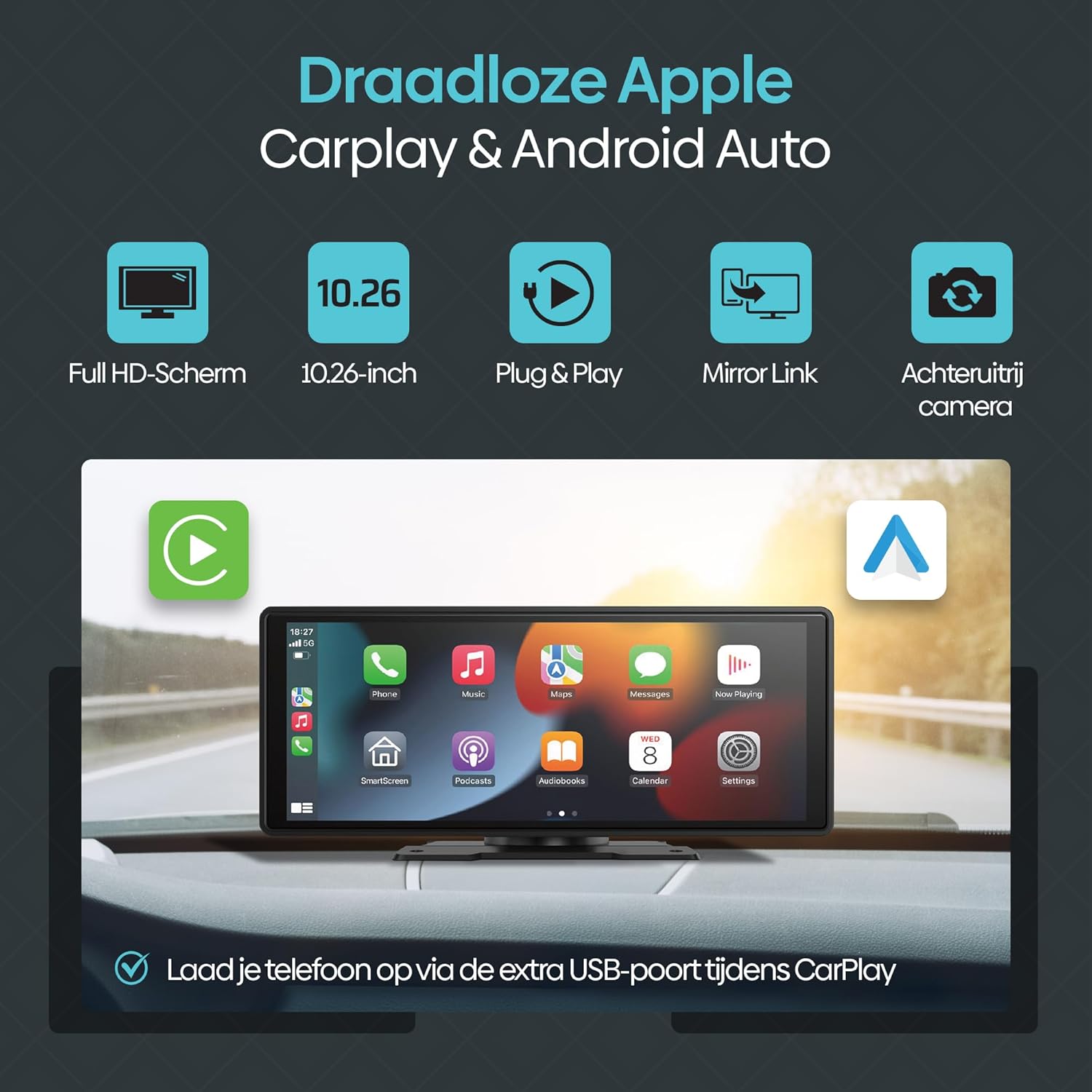
Slika 2.1: Konecview of Olvy CarPlay Display key features including Full HD screen, 10.26-inch size, plug & play functionality, mirror link, rear view camera support, and USB charging.

Figure 2.2: The display supports voice control and GPS navigation, showing common app icons for a safer driving experience.

Figure 2.3: Key benefits of the Olvy CarPlay Display, highlighting its full touchscreen, screen projection capabilities, easy installation, media playback, integrated navigation and entertainment, included 64GB SD card and rear camera, and combined CarPlay with charging functionality.
3. Kaj je v škatli
The Olvy CarPlay Display package includes the following components:
- Olvy 10.26-inch Touchscreen Display
- Zadaj View Kamera
- Power Cord (for cigarette lighter connection)
- Sesalni nosilec
- 64 GB SD kartica
- 3m AUX Cable
- Self-adhesive Mount
- Uporabniški priročnik
- Luxe Packaging Box

Figure 3.1: All components included in the Olvy CarPlay Display package.
4. Nastavitev in namestitev
The Olvy CarPlay Display offers flexible installation options to suit your vehicle's interior.
4.1 Namestitev zaslona
You can choose between a suction cup mount or a self-adhesive mount. Ensure the mounting surface is clean and dry for optimal adhesion. Position the display to ensure clear visibility without obstructing your view ceste.

Figure 4.1: Various ways to install the Olvy CarPlay Display in a vehicle.
4.2 Napajalni priključek
Connect the provided power cord to the display and plug the other end into your vehicle's cigarette lighter socket. The device is designed for easy plug-and-play operation.
4.3 zadaj View Namestitev kamere (neobvezno)
If using the rear view camera, connect it to the designated input on the display. For automatic activation, the camera typically needs to be wired to your vehicle's reverse lights. Refer to the camera's specific instructions for detailed wiring.
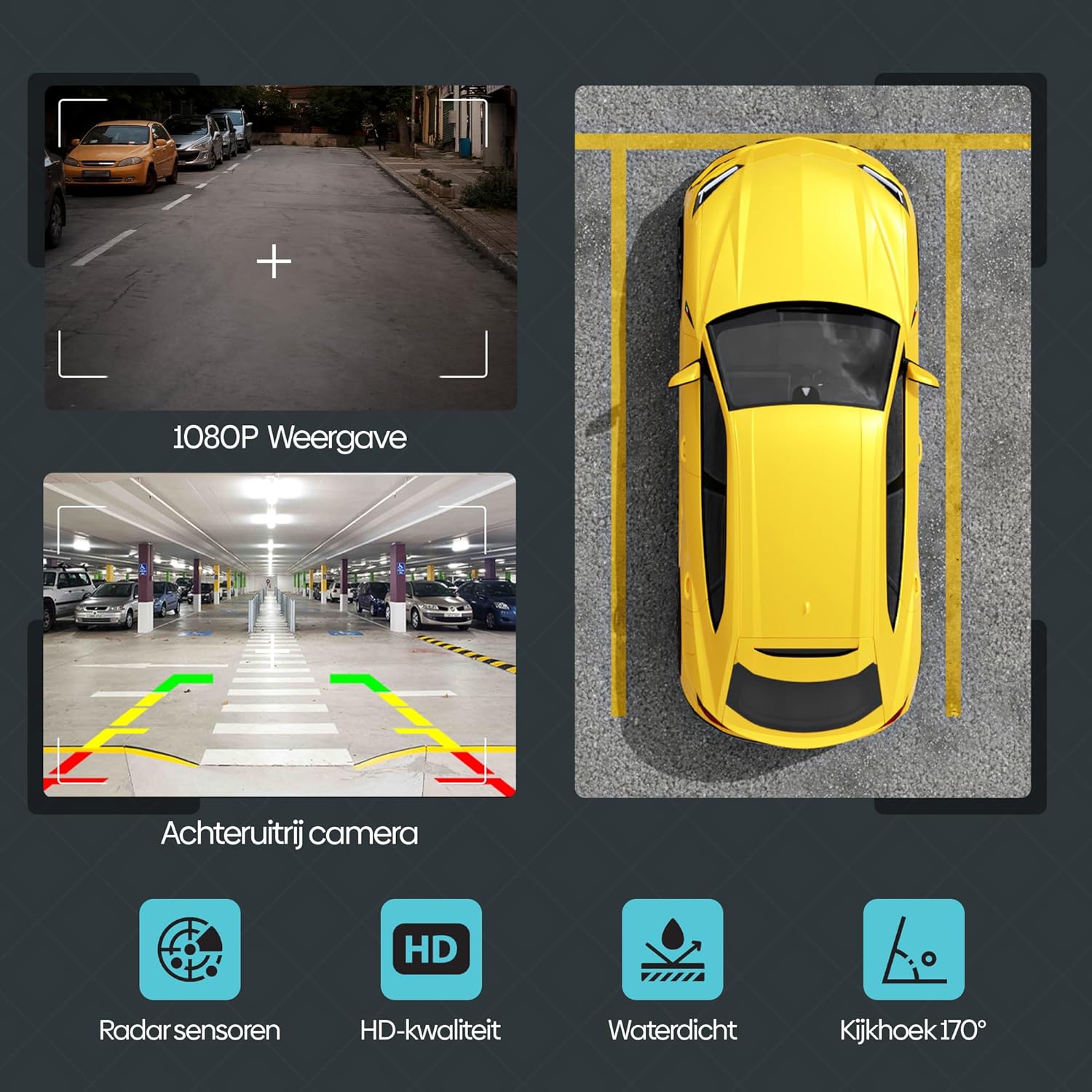
Slika 4.2: Zadaj view camera features, including 1080P display, radar sensors, HD quality, waterproofing, and a 170-degree viewvhodni kot.
5. Navodila za uporabo
5.1 Brezžični CarPlay in Android Auto
Za brezžično povezavo pametnega telefona:
- Prepričajte se, da sta Bluetooth in Wi-Fi omogočena na vašem pametnem telefonu.
- On the Olvy display, navigate to the CarPlay or Android Auto option.
- Iskanje the display's Bluetooth name (e.g., "SML-BT") on your phone and pair.
- Confirm the pairing on both devices. The display will automatically connect to CarPlay or Android Auto.
5.2 Pametni glasovni nadzor
Utilize voice commands for navigation, calls, and music playback. Activate your phone's voice assistant (Siri for iOS, Google Assistant for Android) and speak your commands. This feature promotes hands-free and safe driving.
5.3 Wireless Mirror Link (Android Cast & AirPlay iOS)
This feature allows you to mirror your smartphone's screen directly onto the Olvy display. This is ideal for passengers to view videos or other content from a connected phone.

Figure 5.1: Streaming content from a smartphone to the Olvy display using Android Cast or AirPlay iOS.
5.4 Možnosti zvočnega izhoda
The display supports four methods for audio output:
- Vgrajeni zvočniki: Audio plays directly from the display's integrated speakers.
- Bluetooth: Connect to your car's Bluetooth system for audio output.
- FM oddajnik: Zvok lahko prenesete na FM-radio v avtomobilu tako, da obe napravi nastavite na isto frekvenco.
- AUX povezava: Use the provided 3m AUX cable to connect the display to your car's AUX input.
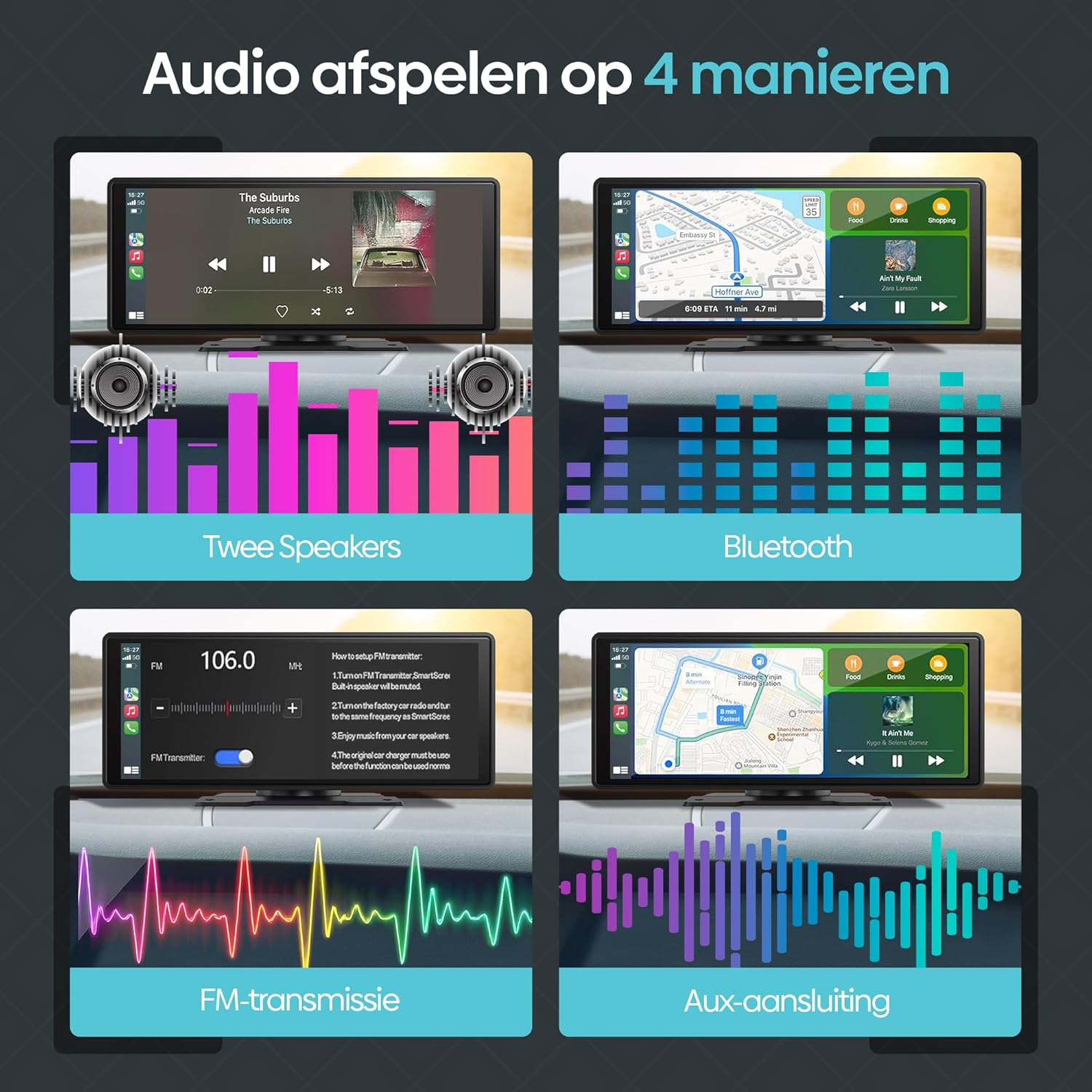
Figure 5.2: Illustration of the four available audio output methods.
5.5 Settings and Customization
The settings menu allows you to personalize your display experience:
- zvok: Adjust equalizer settings (Jazz, Classic, Rock, Pop, Flat) and loudness.
- Nastavitve zaslona: Control brightness, contrast, and saturation.
- Ozadje: Choose from various pre-installed wallpapers.
- Ohranjanje zaslona: Configure screen saver parameters.
- Osnovna nastavitev: Access options like built-in speaker control, reverse mute, touch calibration, and factory reset.
- Ura: Prilagodite nastavitve časa in datuma.
- jezik: Izberite želeni jezik.
6. Odpravljanje težav
If you encounter issues with your Olvy CarPlay Display, refer to the following common solutions:
- Brez napajanja: Ensure the power cord is securely connected to both the display and the car's cigarette lighter. Check the car's fuse for the cigarette lighter socket.
- Težave s povezavo Bluetooth/Wi-Fi: Restart both the display and your smartphone. Ensure no other devices are interfering with the connection. Forget and re-pair the device in your phone's Bluetooth settings.
- Brez zvoka: Verify your selected audio output method (Bluetooth, AUX, FM Transmitter, or built-in speakers) is correctly configured. If using FM Transmitter, ensure the frequency matches your car radio. Check volume levels on both the display and your car stereo.
- Neodziven zaslon na dotik: Try restarting the device. If the issue persists, perform a touch calibration from the 'Basic Setup' menu.
- Zadaj View Kamera ne prikazuje: Check all camera connections. Ensure the camera is receiving power and is correctly wired to the reverse lights if automatic activation is desired.
- CarPlay/Android Auto se ne zažene: Ensure your smartphone's operating system is up to date and compatible. Try connecting with a different USB cable if using a wired connection (though this device primarily supports wireless).
If problems persist, contact Olvy customer support for further assistance.
7. Specifikacije
- Mere izdelka (D x Š x V): 24 x 9 x 9 cm; 1.19 kilograma
- Proizvajalec: Olvy
- Ime modela: CarPlay Scherm Draadloze (Wireless CarPlay Screen)
- Vrsta servisa vozila: avto
- Velikost zaslona: 10.26 palcev
- Posebne lastnosti: Smart Multimedia, GPS Navigation, Multi-brand Compatibility, Android Auto, Apple CarPlay, Wireless Connectivity, Integrated Bluetooth and Wi-Fi
- Tehnologija povezljivosti: Bluetooth
- Vrsta zemljevida: Evropi
- Vključene komponente: CarPlay (main unit)
- Način avdio izhoda: Stereo
- Vrsta zaslona na dotik: Kapacitivni
- Združljiv tip vozila: avto
- Human Input: Zaslon na dotik
- Združljive naprave: Smartphone, Television, Game Consoles, Personal Computer
- Nadzorna metoda: Dotik
- Priložene baterije: št
- Supported Satellite Navigation System: GPS
- Število enot: 1 Skupaj
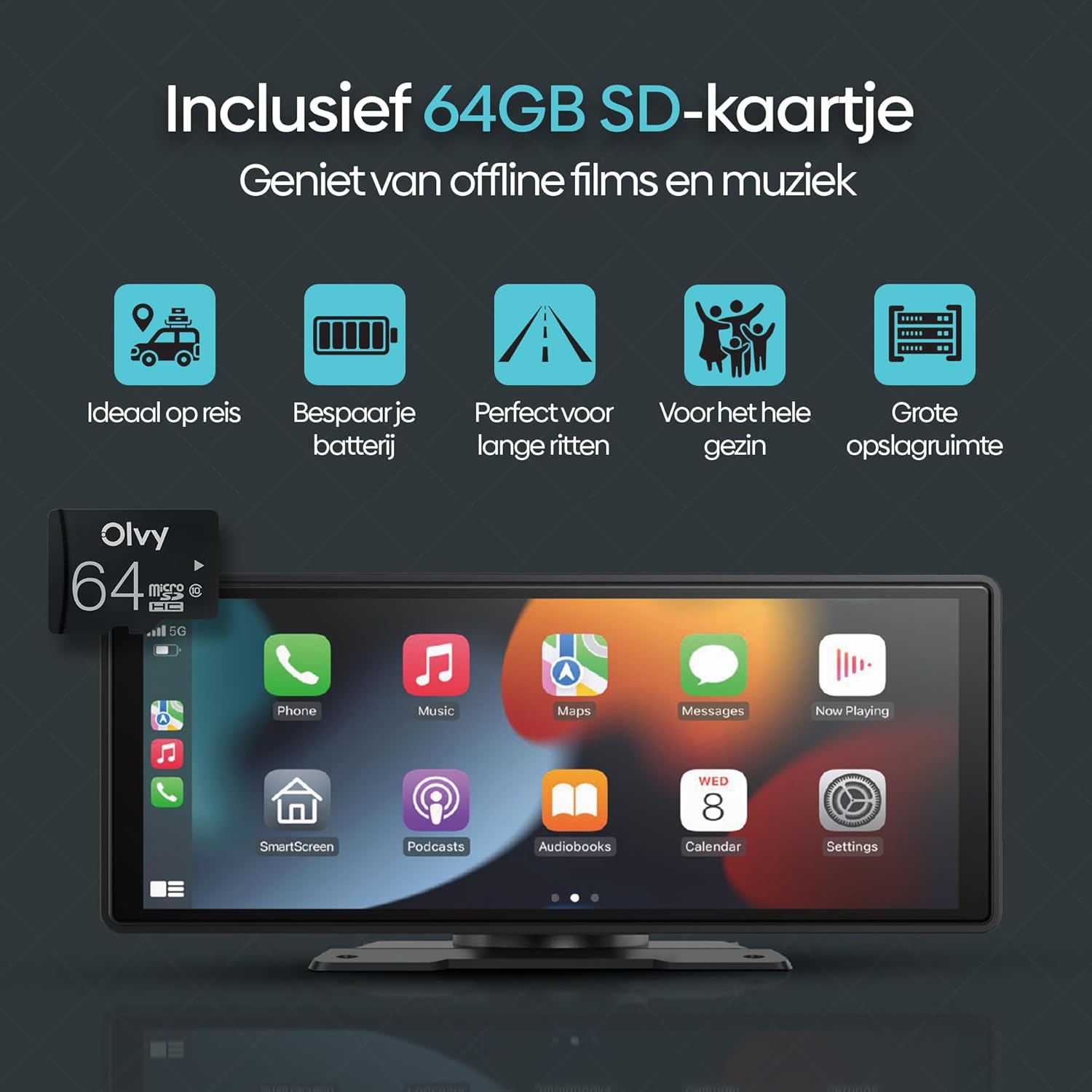
Figure 7.1: Screen size comparison, illustrating the optimal 10.26-inch format for an improved driving experience.
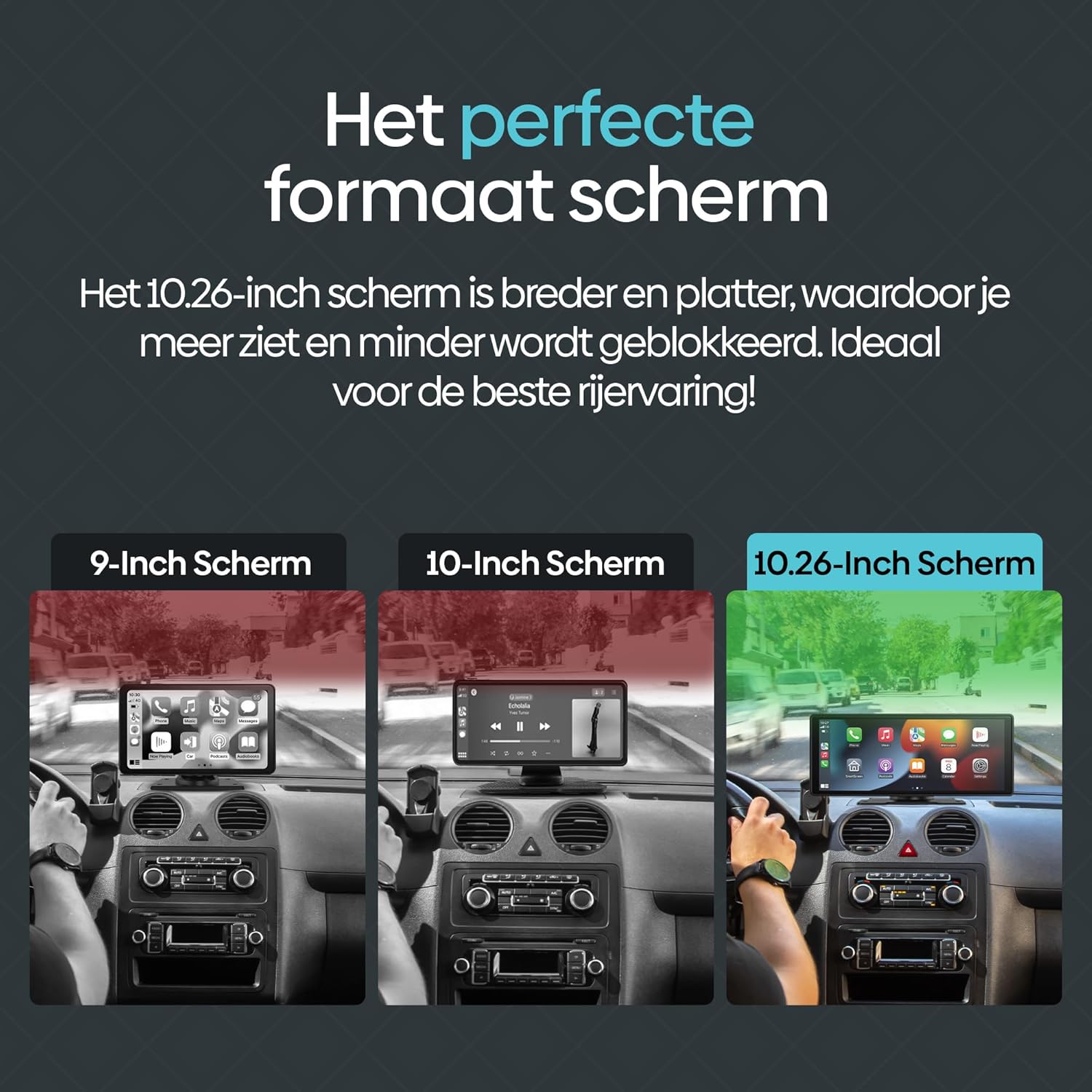
Figure 7.2: The included 64GB SD card allows for offline media playback, enhancing convenience during travel.
8. Vzdrževanje
To ensure the longevity and optimal performance of your Olvy CarPlay Display, follow these maintenance guidelines:
- Čiščenje: Use a soft, dry cloth to clean the screen and exterior. Avoid abrasive cleaners or solvents that could damage the display.
- Temperatura: Avoid exposing the device to extreme temperatures, both hot and cold, as this can affect its performance and lifespan.
- Upravljanje kablov: Ensure all cables are neatly routed and secured to prevent damage or interference with driving controls.
- Posodobitve programske opreme: Periodically check for any available software updates from Olvy to ensure you have the latest features and bug fixes.
9. Garancija in podpora
The Olvy CarPlay Display comes with a manufacturer's warranty. Please refer to the warranty information provided in your product packaging for details on coverage and duration. For technical support, troubleshooting assistance, or warranty claims, please contact Olvy customer service through their official webspletnega mesta ali kontaktnih podatkov, navedenih v dokumentaciji izdelka.
Opis garancije: 1 (This typically refers to a 1-year warranty, but please confirm with the manufacturer's official documentation).