
1. Uvod
This manual provides detailed instructions for the operation and maintenance of your XTOOL IP900BT Wireless OBD2 Diagnostic Scanner. The IP900BT is a professional automotive diagnostic tool designed for comprehensive vehicle system analysis, offering advanced functions such as full-system diagnostics, bi-directional control, ECU coding, and various reset services. Please read this manual thoroughly before using the device to ensure proper and safe operation.
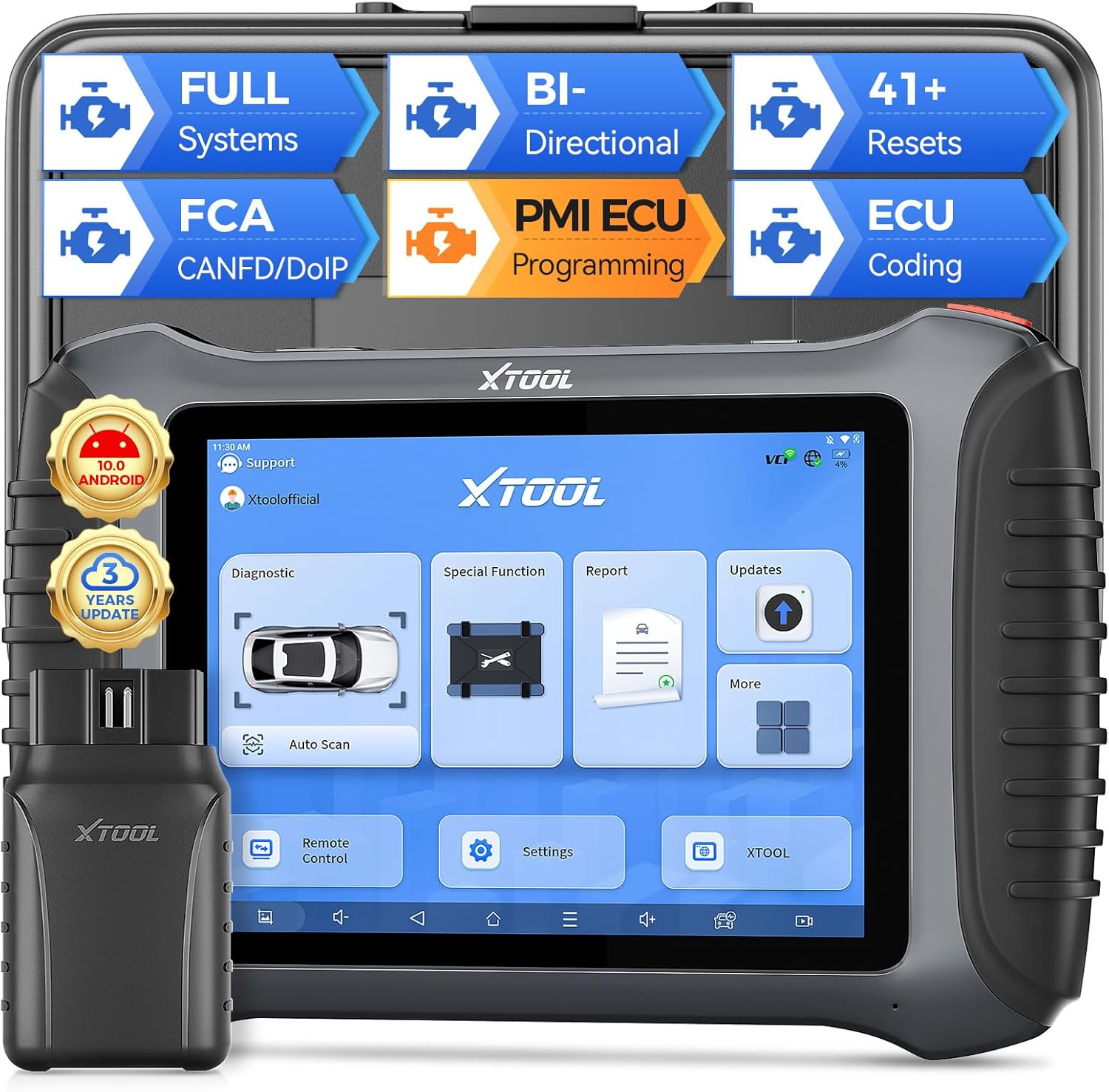
Image 1.1: XTOOL IP900BT Diagnostic Scanner with its Wireless VCI module.
2. Kaj je vključeno
Preverite, ali so v paketu vsi elementi:
- IP900BT Diagnostic Scan Tool (Tablet)
- Wireless VCI Box (OBD II -16 Connector)
- Charger Adapter (US, UK, EU)
- Type-C to Type-C Charger Cable
- Type-C to Type-A Adapter
- Ohišje orodja
- QuickStart Guide & Packing List
- Various OBD Adapters: for Honda-3, for Hyundai/for KIA-10, for KIA-20, for BMW-20, for Toyota -17, for Mazda-17, for Nissan-14, for GM/for Daewoo-12, for SUZUKI-3, for FIAT-3, for MITSUBISHI-12+16, for BENZ-38, for Audi-4, for UNIVERSAL-3, for BD15 M to VAG

Image 2.1: Visual representation of the items included in the XTOOL IP900BT package.
3. Začetna namestitev in povezava
3.1 Vklop in polnjenje
- Connect the provided charger to the Type-C port on the IP900BT tablet.
- Plug the charger into a power outlet. The device will begin charging.
- Pritisnite in držite gumb za vklop, da vklopite tablico.
3.2 VCI Module Connection
- Poiščite priključek OBD2 v vozilu, običajno pod armaturno ploščo na voznikovi strani.
- Plug the Wireless VCI Box (OBD II -16 Connector) firmly into the vehicle's OBD2 port. The VCI indicator lights will illuminate.
- On the IP900BT tablet, ensure Wi-Fi is enabled and connected to a stable network for updates and certain online functions. The VCI module communicates wirelessly with the tablet.
3.3 Posodobitve programske opreme
It is recommended to update the software upon initial setup to ensure access to the latest vehicle models and diagnostic functions. The IP900BT includes 3 years of free software updates.
- Connect the tablet to a stable Wi-Fi network.
- Navigate to the 'Updates' section on the tablet's main menu.
- Select and download available updates for your vehicle makes.
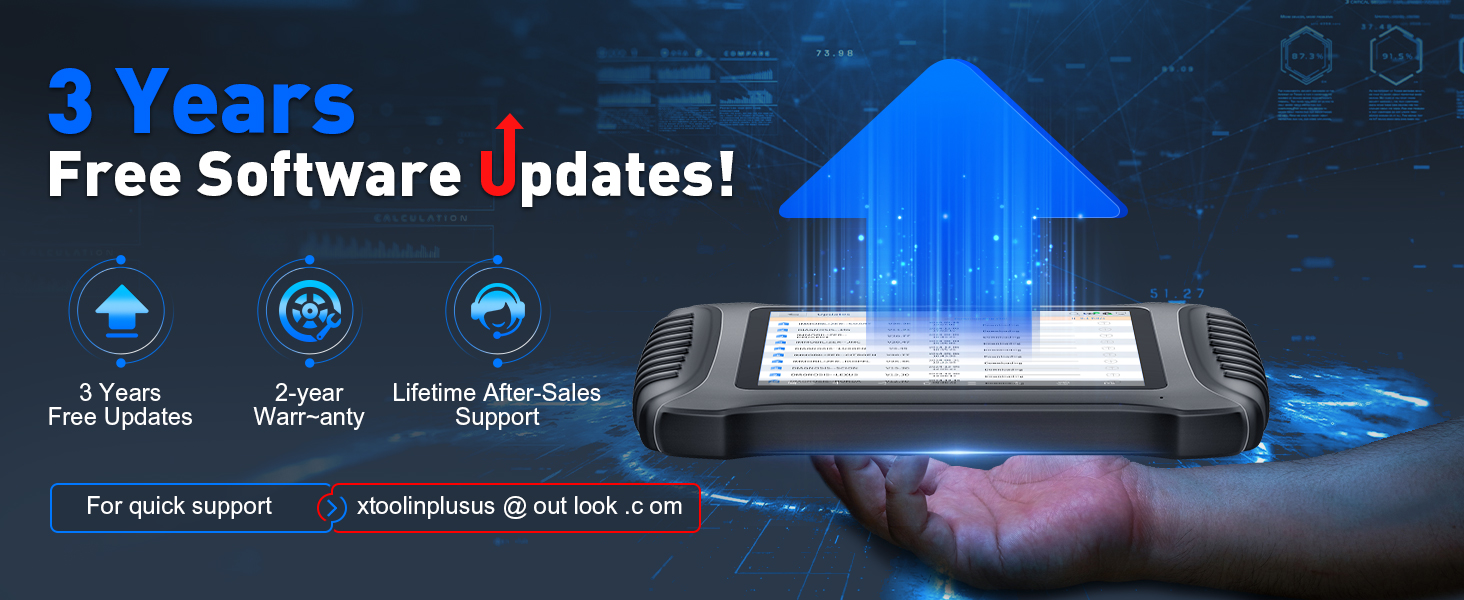
Image 3.1: The XTOOL IP900BT displaying the software update interface.
4. Operating the Device: Key Features and Functions
4.1 Popolna diagnostika sistema
The IP900BT performs OE-level diagnostics across all available vehicle systems, including Engine, Transmission, ABS, SRS, EPB, BMS, TPMS, and more. It supports CAN fast scan for quick fault detection.
- Branje/brisanje diagnostičnih kod DTC: Retrieve and erase diagnostic trouble codes.
- Auto Scan VIN: Automatically identify vehicle information for faster diagnostics.
- Podatki v živo: View podatki senzorjev v realnem času.

Image 4.1: The IP900BT interface showing full system diagnostic capabilities.
4.2 Dvosmerno krmiljenje (aktivni test)
This function allows you to send commands to vehicle subsystems and components to perform active tests, verifying their functionality without using the vehicle's controls. This is useful for quickly pinpointing issues.
- Test components such as fuel injectors, cooling fans, windshield wipers, power mirrors, and electronic throttle body.

Image 4.2: Illustration of bi-directional control functionality, sending commands to vehicle components.
4.3 41+ Special Functions (Resets)
The IP900BT provides over 41 essential maintenance and reset services, covering common repair jobs.
- Ponastavitev olja
- Ponastavitev elektronske parkirne zavore (EPB)
- Kalibracija senzorja kota krmiljenja (SAS).
- Ponastavitev sistema za upravljanje baterij (BMS)
- ABS krvavitev
- Znova se naučite plina
- Kodiranje injektorja
- Prilagoditev menjalnika
- Ponastavitev velikosti pnevmatik
- Ponastavitev zračne blazine
- In še veliko več.

Image 4.3: Screen showing a selection of the 41+ special functions available on the device.
4.4 Kodiranje ECU-ja
ECU Coding adapts the vehicle to different operating conditions after maintenance or component replacement. It provides component matching and adaptive data reset for various vehicle brands.
- Spletno kodiranje: For BMW.
- Kodiranje brez povezave: For VW, Audi, Skoda, BENZ, Mitsubishi.

Image 4.4: Diagram explaining the online and offline ECU coding capabilities.
4.5 PMI Function (Programmable Module Installation)
The PMI function supports Ford, Mazda, and Lincoln vehicles. It allows for adjusting parameters like engine power output, fuel injection, and shift logic. It also enables coding new hardware components to ensure compatibility with the vehicle's existing systems.

Image 4.5: Visual representation of the PMI (Programmable Module Installation) function.
4.6 ECU Configuration
This feature allows users to customize vehicle functions by activating or deactivating certain features that may be hidden or redundant. Note that this function is only compatible with specific vehicle models.
- Unfold desired functions.
- Izklopite neželene funkcije.

Image 4.6: The ECU Configuration interface on the IP900BT tablet.
4.7 CANFD/DoIP/FCA Autoauth Support
The IP900BT supports advanced communication protocols for a wider range of modern vehicles.
- CANFD: Improves on the original CAN protocol with faster transmission speeds (up to 8x faster).
- DoIP: Enables high-speed data transmission via Ethernet/IP networks for diagnostic tools.
- Samodejna avtorizacija FCA: Provides OE vehicle-approved Security Gateway access for FCA SGW-equipped vehicles (2018+ Chrysler, Dodge, Jeep, Fiat). Note: FCA account registration and subscription plan selection are required, administered by FCA. An XTOOL 12+8 cable can be used as an alternative.
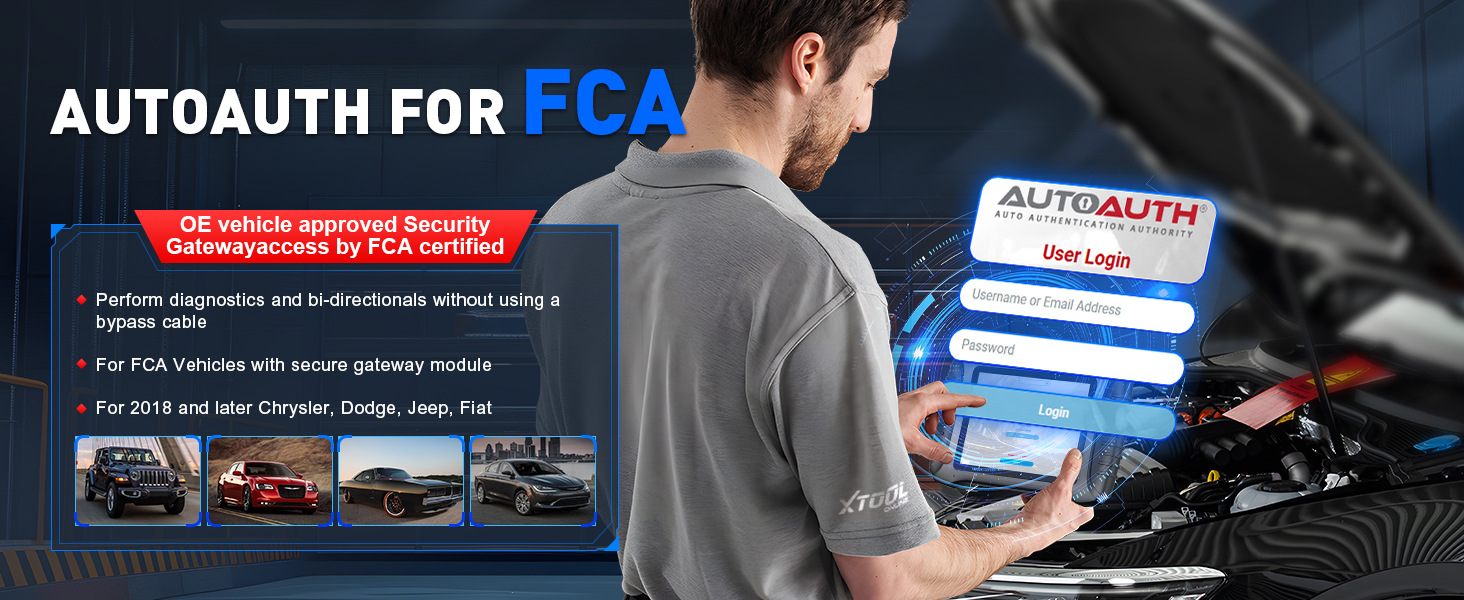
Image 4.7: The FCA AutoAuth login screen on the IP900BT.
4.8 Live Data Visualization & Export
The device allows for detailed analysis of live sensor data.
- Graph up to 8 live data PIDs (Parameter IDs) into one chart.
- Display up to 8 individual graphs on one screen.
- Zapis in view podatke.
- Export data as a CSV file za nadaljnjo analizo.

Image 4.8: The IP900BT showing multiple live data streams graphically.
4.9 Predhodno/naknadno skeniranje
This feature allows you to document the vehicle's condition before and after repairs.
- Generate reports to track repair progress.
- Create comprehensive analysis reports for clients or colleagues.

Image 4.9: The Pre/Post Scan function displaying diagnostic reports.
4.10 Kalibracija ADAS
The IP900BT supports ADAS (Advanced Driver-Assistance Systems) calibration, which is crucial for maintaining the proper functionality of safety features after repairs or component replacements. This function may require additional calibration tools.
5. Kritje vozila
The XTOOL IP900BT is designed to work on most OBD2-compliant vehicles from 1996 onwards, covering over 10,000 OBDII/EOBD vehicle models. It supports diagnostics of CAN-FD and DoIP compliant models without requiring specialized adapters, facilitating faster diagnostic speeds.

Image 5.1: Illustration of the extensive vehicle coverage provided by the IP900BT.
6. Specifikacije
| Funkcija | Specifikacija |
|---|---|
| Model | XTOOL-IP900 BT |
| Operacijski sistem | Android 10.0 |
| Procesor | Štirijedrni 1.5 GHz |
| Spomin | 4 GB RAM + 64 GB prostora za shranjevanje |
| Zaslon | 8-palčni zaslon na dotik (ločljivost 1024 x 768) |
| Baterija | 5000mAh 7.3V Lithium Ion (included) |
| Povezljivost | Wireless (Wi-Fi), Type-C |
| Podprti protokoli | CANFD, DoIP, FCA AutoAuth |
| Teža predmeta | 1.65 funtov |
| Dimenzije paketa | 15.5 x 12 x 5 palcev |
7. Vzdrževanje
7.1 Nega naprave
- Napravo vzdržujte čisto in brez prahu ter vlage.
- Naprave ne izpostavljajte ekstremnim temperaturam ali pazite, da vam ne pade.
- Uporabljajte samo priloženi polnilnik in kable.
7.2 Posodobitve programske opreme
Regularly check for and install software updates to ensure optimal performance and compatibility with the latest vehicle models. Updates are provided free for 3 years from the date of purchase.
8. Odpravljanje težav
If you encounter issues with your XTOOL IP900BT, consider the following general troubleshooting steps:
- Naprava se ne vklopi: Prepričajte se, da je baterija napolnjena. Priključite polnilnik in poskusite znova.
- VCI se ne povezuje: Verify the VCI module is securely plugged into the vehicle's OBD2 port and that the vehicle's ignition is on. Check the tablet's wireless connection.
- Komunikacijske napake: Ensure the vehicle's ignition is in the ON position (engine off). Check for loose connections. Try another vehicle to rule out a vehicle-specific issue.
- Zamrzovanje/zakasnitev programske opreme: Close unnecessary applications. Restart the device. Ensure sufficient storage space.
- Težave s posodobitvami: Ensure a stable and strong Wi-Fi connection. Try updating at a different time.
Za vztrajne težave glejte spodnji razdelek za podporo.
9. Varnostne informacije
- Napravo vedno uporabljajte v dobro prezračevanem prostoru.
- Do not wear loose clothing or jewelry when working near moving engine parts.
- Napravo hranite stran od vode, olja in drugih tekočin.
- Ensure the vehicle is in Park (P) or Neutral (N) with the parking brake engaged before performing any diagnostic tests.
- Never attempt to disassemble or modify the device.
10. Garancija in podpora
The XTOOL IP900BT comes with a 2-year warranty and lifetime after-sales support. For technical assistance, troubleshooting, or warranty claims, please contact XTOOL customer support.
- Posodobitve programske opreme: 3 years of free software updates are included.
- Obrnite se na podporo: For quick support, you may reach out via email at xtoolinplusus@outlook.com.