
1. Uvod
Welcome to the Valerion StreamMaster Plus 4K Projector user manual. This guide provides essential information for setting up, operating, and maintaining your new projector. Please read it thoroughly before use to ensure safe and optimal performance of your device.
2. Varnostne informacije
Always follow these basic safety precautions when using your projector:
- Ne blokirajte prezračevalnih odprtin. Zagotovite dovolj prostora okoli projektorja za pravilen pretok zraka.
- Projektorja ne izpostavljajte dežju ali vlagi, da preprečite požar ali električni udar.
- Izogibajte se gledanju neposredno v objektiv projektorja, ko je lamp je vklopljen, saj lahko povzroči poškodbe oči.
- Uporabljajte samo napajalnik, ki je priložen projektorju.
- Projektor hranite stran od virov toplote in neposredne sončne svetlobe.
- Ne poskušajte razstavljati ali spreminjati projektorja. Vsa servisna dela prepustite usposobljenemu osebju.
3. Vsebina paketa
Preverite, ali so v paketu vsi elementi:
- Valerion StreamMaster Plus 4K Projector
- Napajalni kabel
- Daljinski upravljalnik
- Uporabniški priročnik (ta dokument)
4. Izdelek je končanview
The Valerion StreamMaster Plus is a high-performance 4K projector designed for versatile indoor and outdoor use. It features a native 3840 x 2160 resolution, 3D-ready capabilities, built-in speakers, and extensive connectivity options.
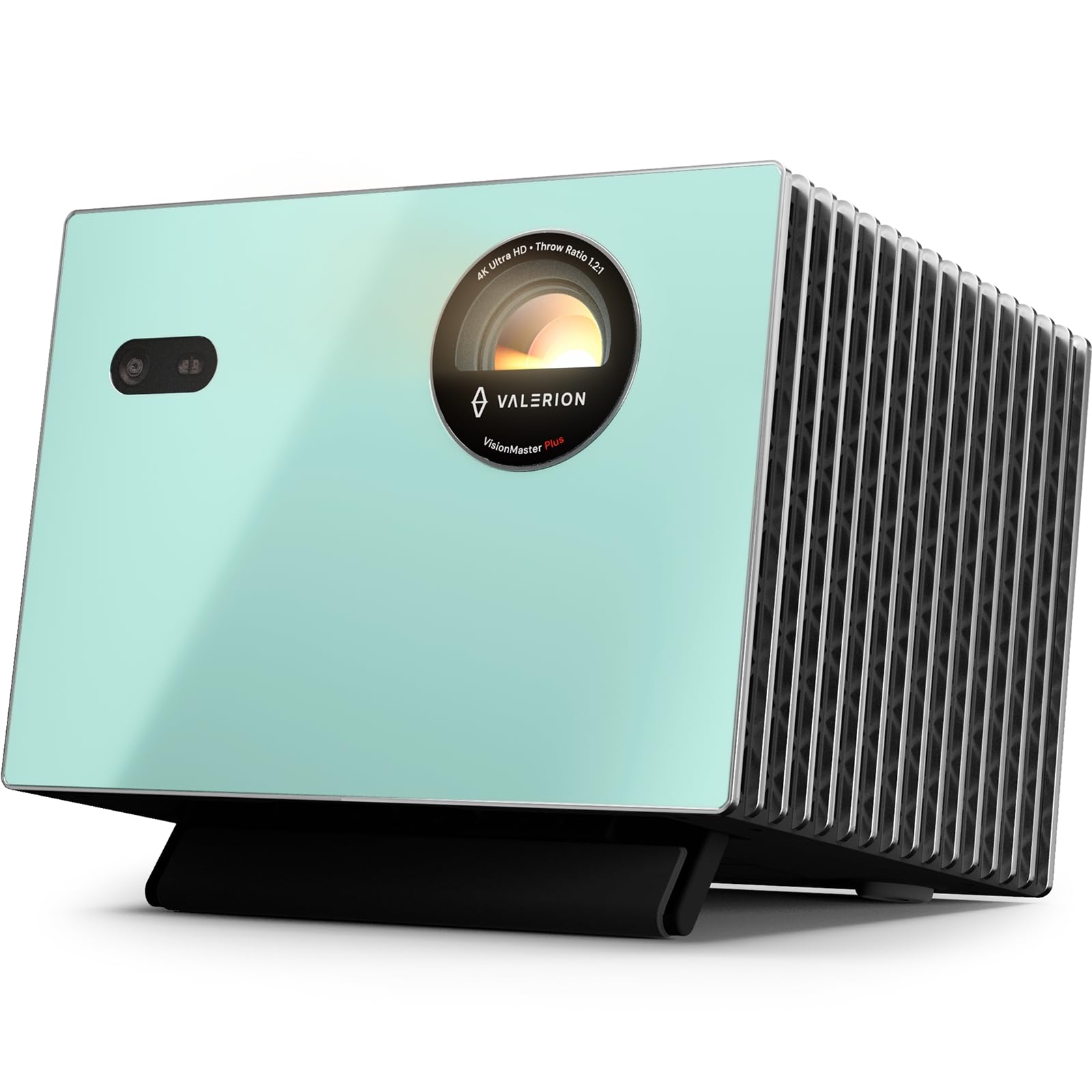
Slika 4.1: Spredaj view of the Valerion StreamMaster Plus 4K Projector. This image highlights the projector's lens and compact design, showcasing njegov eleganten videz.
Ključne značilnosti:
- Ločljivost zaslona: 3840 x 2160 (4K UHD)
- Vrsta zaslona: DLP
- Posebne lastnosti: 3D-Ready, Built-In 3D, Internet Ready, Integrated Speakers
- Povezljivost: HDMI, S/PDIF, USB 3.0, Ethernet
- Priporočena uporaba: Notranji/zunanji
5. Nastavitev
5.1 Namestitev
The StreamMaster Plus is suitable for both indoor and outdoor environments. For optimal viewupoštevajte naslednje:
- Velikost slike: The projector can produce an image size ranging from 40 inches to a maximum of 300 inches diagonally. Adjust the distance from the projection surface to achieve your desired screen size.
- Montaža: The projector supports wall mounting. Ensure the mounting surface is sturdy and capable of supporting the projector's weight (7 Kilograms).
- Okolje: Place the projector on a stable, level surface or mount it securely. Ensure proper ventilation and avoid placing it near heat sources or in direct sunlight.
5.2 Napajalni priključek
- Priključite napajalni kabel na vhod za napajanje projektorja.
- Drugi konec napajalnega kabla priključite v ozemljeno električno vtičnico.
5.3 Povezovanje naprav
The StreamMaster Plus offers multiple connectivity options:
- HDMI: Connect your video sources (e.g., Blu-ray player, gaming console, laptop) using an HDMI cable to the HDMI input ports.
- USB 3.0: Use the USB 3.0 port for connecting external storage devices to play media directly.
- S/PDIF: For digital audio output to an external sound system.
- Ethernet: Connect an Ethernet cable for wired internet access, enabling smart features and streaming.
6. Delovanje
6.1 Vklop/izklop
- Vklop: Press the power button on the projector or the remote control. The indicator light will illuminate.
- Ugasniti: Ponovno pritisnite gumb za vklop. Po potrebi potrdite izklop. Preden projektor izključite iz električnega omrežja, ga pustite, da se ohladi.
6.2 Izbira vhodnega vira
Use the 'Source' button on the remote control or projector to cycle through available input sources (HDMI 1, HDMI 2, USB, etc.) until your desired source is displayed.
6.3 Prilagajanje nastavitev zaslona
Access the projector's on-screen menu to adjust settings such as:
- Resolucija: The native resolution is 3840 x 2160. Ensure your source device is set to output at this resolution for the best picture quality.
- Razmerje stranic: Adjust to match your content (e.g., 16:9, 4:3).
- Način slike: Select from various presets (e.g., Standard, Dynamic, Cinema) or customize brightness, contrast, and color settings.
6.4 3D funkcionalnost
The StreamMaster Plus is 3D-ready and features built-in 3D capabilities. To enjoy 3D content:
- Ensure your 3D source content and player are compatible.
- Wear compatible active 3D glasses (sold separately).
- Activate 3D mode through the projector's menu if it doesn't automatically detect 3D content.
6.5 Avdio izhod
The projector includes integrated speakers for direct audio playback. For enhanced audio, connect external speakers or a sound system via the S/PDIF port.
6.6 Internetna povezljivost
With its Internet Ready feature and Ethernet connectivity, you can access online streaming services and updates directly through the projector. Navigate the smart interface using the remote control.
7. Vzdrževanje
7.1 Čiščenje leče
Lečo projektorja nežno obrišite z mehko krpo, ki ne pušča vlaken in je posebej zasnovana za optične površine. Ne uporabljajte abrazivnih čistil ali prekomerne sile.
7.2 Čiščenje ohišja projektorja
Za čiščenje zunanjosti projektorja uporabite mehko, suho krpo. Za trdovratne madeže rahlo obrišiteamp cloth can be used, followed by a dry cloth. Avoid using harsh chemicals.
7.3 Prezračevanje
Redno preverjajte, ali so prezračevalne odprtine brez prahu in umazanije, da preprečite pregrevanje. Za nežno čiščenje prezračevalnih odprtin uporabite mehko krtačo ali stisnjen zrak.
7.4 Shranjevanje
When not in use for extended periods, store the projector in a cool, dry place, protected from dust and extreme temperatures. Use the original packaging if available.
8. Odpravljanje težav
Če imate težave s projektorjem, si oglejte naslednje pogoste težave in rešitve:
| Težava | Možen vzrok | rešitev |
|---|---|---|
| Nobena slika ni prikazana | Incorrect input source selected; Loose cable connection; Projector not powered on. | Select the correct input source. Check all cable connections. Ensure the projector is powered on. |
| Slika je zamegljena | Focus ring not adjusted; Projector too close/far from screen. | Adjust the focus ring on the lens. Reposition the projector to achieve optimal image size and clarity. |
| Brez zvoka | Glasnost je prenizka; Izklopljen zvok; Izbran je napačen zvočni izhod. | Increase volume. Unmute the projector. Check audio settings and external speaker connections. |
| Daljinski upravljalnik ne deluje | Prazne baterije; Ovira med daljinskim upravljalnikom in projektorjem. | Replace batteries. Ensure a clear line of sight to the projector's IR receiver. |
If the problem persists after trying these solutions, please contact Valerion customer support.
9. Specifikacije
| Funkcija | Specifikacija |
|---|---|
| Znamka | Valerion |
| Številka modela | StreamMaster Plus |
| Ločljivost zaslona | 3840 x 2160 (4K UHD) |
| Izvorna ločljivost | 3840 x 2160 |
| Vrsta zaslona | DLP |
| Tehnologija povezljivosti | Ethernet |
| Strojna povezljivost | HDMI, S/PDIF, USB 3.0 |
| Posebne lastnosti | 3D-Ready, Built-In 3D, Internet Ready, Speakers |
| Priporočene uporabe | Notranji/zunanji |
| Vrsta namestitve | Stenski nosilec |
| Najmanjša velikost slike | 40 palcev |
| Največja velikost slike | 300 palcev |
| Mere predmeta (D x Š x V) | 18 cm D x 23 cm Š x 26 cm V |
| Teža predmeta | 7 kilogramov |
| Proizvajalec | VALERION TECHNOLOGY USA CO., LTD |
| UPC | 850067089872 |
10. Garancija in podpora
Valerion products are manufactured to the highest quality standards. For warranty information, please refer to the warranty card included with your purchase or visit the official Valerion website. For technical support or service inquiries, please contact Valerion customer service through the contact information provided on our webmesto.
Spletna podpora: Valerion Official Store