
1. Uvod
Hvala za nakupasing the Promate Beamer-A250 4K UHD LCD Projector. This manual provides essential information for setting up, operating, and maintaining your device. Please read it thoroughly before use to ensure optimal performance and safety.
2. Značilnosti izdelka
- Ločljivost 4K UHD: Experience stunning visuals with 3840 x 2160 resolution, powered by advanced LCD technology for vibrant colors and sharp clarity.
- Svetlost 250 ANSI lumnov: Enjoy clear and vivid images even in well-lit environments, ideal for daytime presentations or movie nights.
- Integrated Telescopic Monopod Stand: The built-in adjustable stand allows for effortless setup and perfect alignment with any screen or wall.
- Automatic Keystone Correction & Manual Focus: Achieve a perfectly aligned and sharp image every time with automatic angle adjustment and precise manual focus.
- Operacijski sistem Android 11: Access your favorite streaming platforms like Netflix, YouTube, and Prime Video directly from the projector without additional devices.
- Povezljivost HDMI: Connect laptops, gaming consoles, or Blu-ray players via the HDMI port, supporting up to 4K resolution at 30Hz for smooth visuals.
- USB & HDD Storage Support: Play content directly from external storage devices, supporting USB flash drives up to 64GB and hard drives up to 512GB.
- Built-in Speaker & Bluetooth Audio: Enjoy clear and immersive sound from the integrated speaker or connect Bluetooth speakers/headphones for a personalized audio experience.
- Mini and Portable Design: Compact and lightweight, featuring a lens cover that doubles as a comfortable carrying handle, making it ideal for on-the-go use.
3. Vsebina paketa
Prepričajte se, da so v paketu prisotni vsi elementi:
- Promate Beamer-A250 Projector
- Daljinski upravljalnik
- Napajalni adapter
- Uporabniški priročnik
Če kateri koli predmet manjka ali je poškodovan, se obrnite na podporo strankam.
4. Nastavitev
4.1. Vklop
- Priključite napajalnik na vhod za napajanje projektorja.
- Priključite napajalnik v stensko vtičnico.
- Pritisnite gumb za vklop na projektorju ali daljinskem upravljalniku, da vklopite napravo.
4.2. Prilagajanje stojala
The Beamer-A250 features an integrated telescopic monopod stand. Gently pull the stand to extend it to your desired height for optimal projection angle. Ensure the projector is stable on a flat surface.
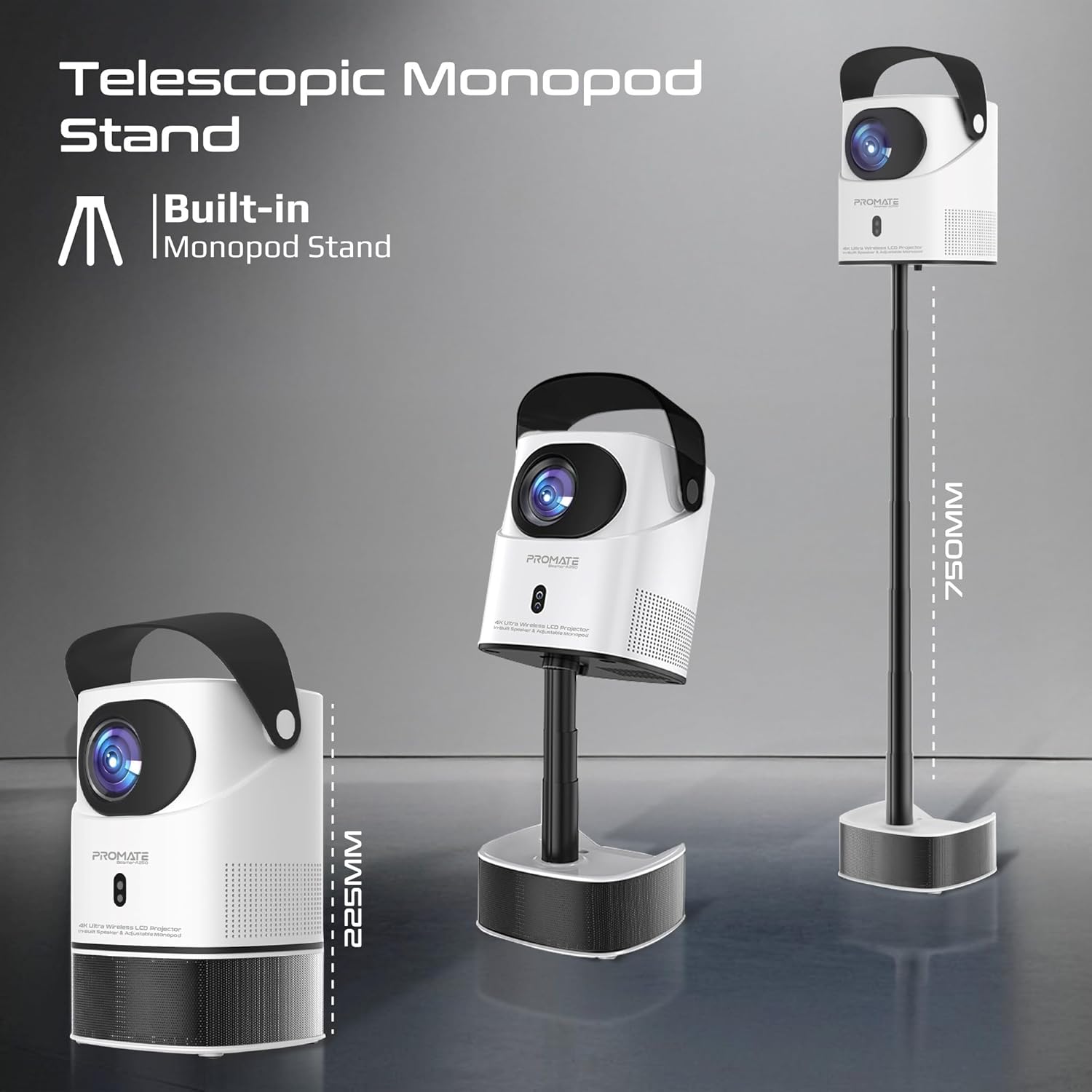
Image: The Promate Beamer-A250 projector demonstrating its adjustable telescopic monopod stand.
5. Navodila za uporabo
5.1. Začetna namestitev (Android 11)
Ob prvem vklopu sledite navodilom na zaslonu:
- Izberite svoj jezik.
- Povežite se z omrežjem Wi-Fi.
- Log in with your Google account (optional, for app access).
- Prilagodite nastavitve datuma in časa.

Image: The projector's interface showing the Android 11 home screen with streaming applications.
5.2. Ostrenje in korekcija trapezne slike
The projector features automatic keystone correction and manual focus for a clear, rectangular image.
- Samodejna korekcija Keystone: The projector will automatically adjust the image angle to correct for distortion when placed at an angle.
- Ročno ostrenje: Use the focus ring on the projector lens or the remote control to fine-tune the image sharpness until it is perfectly clear.

Image: Visual representation of auto keystone correction and manual focus adjustment.
5.3. Možnosti povezovanja
The Beamer-A250 offers multiple ways to connect your devices:
- HDMI: Connect external devices like laptops, gaming consoles, or Blu-ray players using an HDMI cable. The projector supports 4K@30Hz input.
- USB: Insert a USB flash drive (up to 64GB) or an external hard drive (up to 512GB) into the USB port to play media files neposredno.
- Bluetooth: Pair Bluetooth speakers or headphones for enhanced audio. Navigate to Settings > Bluetooth to connect.
- Wi-Fi: Connect to your home Wi-Fi network to access online streaming services and apps.

Slika: Zadaj view of the projector showing USB and HDMI ports.
5.4. Zvočni izhod
The projector has a built-in speaker. For external audio, use the Bluetooth connectivity feature to pair with your preferred audio devices.
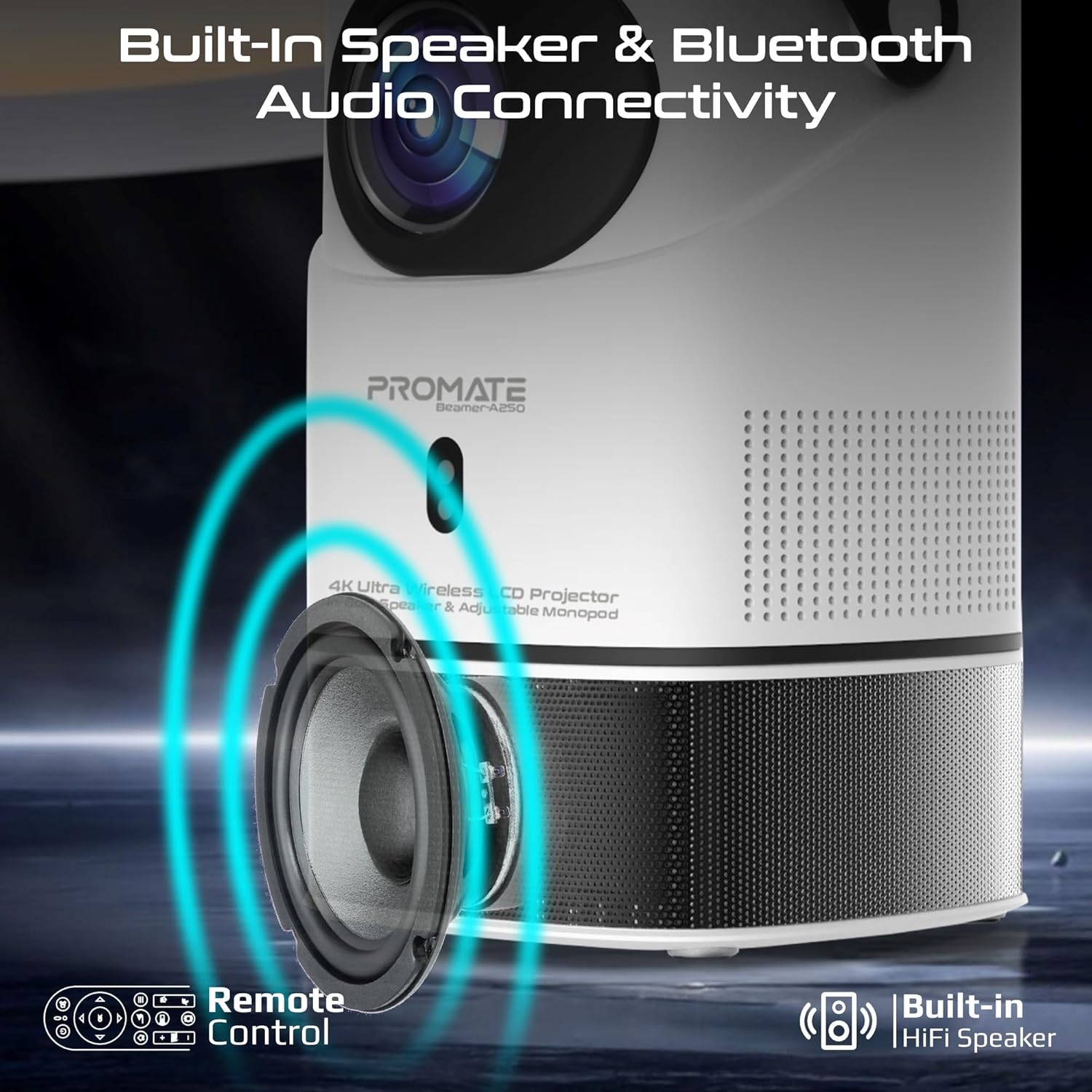
Image: Illustration of the projector's built-in speaker and Bluetooth audio capabilities.
6. Vzdrževanje
6.1. Čiščenje leče
Use a soft, lint-free cloth specifically designed for optical lenses to gently wipe the projector lens. Avoid using abrasive cleaners or cloths that could scratch the lens.
6.2. Generalno čiščenje
Zunanjost projektorja obrišite z mehko, suho krpo. Ne uporabljajte tekočih čistil ali topil.
6.3. Shranjevanje
When not in use, store the projector in a cool, dry place away from direct sunlight and extreme temperatures. Use the integrated lens cover/handle for protection and easy transport.

Image: The projector's lens cover doubles as a handle for portability.
7. Odpravljanje težav
| Težava | Možen vzrok | rešitev |
|---|---|---|
| Ni projicirane slike | Power not connected; Input source incorrect; Lens cap on | Check power connection; Select correct input source (HDMI, USB); Remove lens cap |
| Slika je zamegljena | Focus not adjusted; Projector too close/far from screen | Adjust manual focus; Reposition projector within throw distance |
| Slika je popačena (trapezoidna oblika) | Keystone not corrected | Ensure auto keystone correction is enabled or manually adjust in settings |
| Brez zvoka | Volume too low; External audio device not connected/paired | Increase volume; Connect/pair Bluetooth audio device |
| Ni mogoče vzpostaviti povezave z omrežjem Wi-Fi/Bluetooth | Incorrect password; Device out of range; Interference | Verify password; Move closer to router/device; Reduce interference |
8. Specifikacije
| Funkcija | Podrobnost |
|---|---|
| Znamka | Obljubi |
| Ime modela | Beamer-A250 |
| Tehnologija zaslona | LCD |
| Izvorna ločljivost | 3840 x 2160 (4K UHD) |
| Svetlost | 250 ANSI lumnov |
| Kontrastno razmerje | 2000:1 |
| Operacijski sistem | Android 11 |
| Povezljivost | Wi-Fi, Bluetooth 4.0, HDMI (4K@30Hz input), USB |
| USB Storage Support | Up to 64GB (Flash Drive), Up to 512GB (Hard Drive) |
| Velikost slike | 2 to 10 meters (throw distance), Up to 150 inches (image size) |
| Dimenzije | 18D x 18Š x 31V cm |
| Teža | 2.34 kg |
| Vključene komponente | User Manual, Power Adapter |
9. Garancija in podpora
The Promate Beamer-A250 projector comes with a two-year manufacturer's warranty. For warranty claims, technical support, or any inquiries, please contact Promate customer service through their official webspletno mesto ali prodajalec, kjer je bil izdelek kupljen.
10. Videoposnetki izdelkov
10.1. Projektor nadview
Video: Prekoračitevview of a 4K Android projector, showcasing features like auto-focus, keystone correction, and screen mirroring. This video provides a general demonstration of similar projector functionalities.