
Uvod
This manual provides essential information for the setup, operation, maintenance, and troubleshooting of your Onn 22 inch 1080P 100 Hz FHD LED Monitor. Please read this guide thoroughly before using the product to ensure optimal performance and safety.
The Onn 22 inch FHD LED Monitor is designed for a variety of applications, offering a vivid 1920x1080 resolution, a 100Hz refresh rate, and a 6.5ms response time for efficient performance. Its slim profile and T-shaped base are ideal for saving desk space.
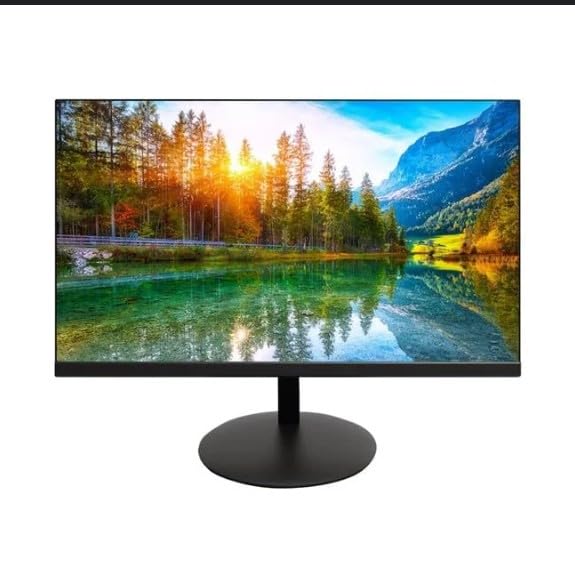
The image shows the Onn 22 inch FHD LED Monitor, highlighting its 100Hz refresh rate and 1080p resolution. The monitor features a slim design and a T-shaped base.
Navodila za namestitev
- Razpakiranje: Carefully remove the monitor and all accessories from the packaging. Ensure all components are present: monitor, T-shaped base, HDMI cable, and power adapter.
- Sestavljanje stojala: Attach the T-shaped base to the monitor. The design is screw-less for easy assembly. Ensure it is securely fastened.
- Povezovanje z napravo:
The monitor supports both HDMI and VGA inputs. Connect the provided HDMI cable from your computer's HDMI output to the HDMI IN port on the monitor. Alternatively, use a VGA cable for VGA input.

This image displays the rear panel of the Onn monitor, illustrating the available input ports: HDMI IN, VGA IN, and the DC 12V power input. These ports are essential for connecting the monitor to a computer or other devices.
- Napajalni priključek: Connect the power adapter to the DC 12V input port on the monitor, then plug the adapter into a power outlet.
- Prilagajanje monitorja: The monitor is capable of swivel, tilt, rotation, and height adjustment. Adjust the screen to your preferred viewkot za ergonomsko udobje.
- Nastavitev dvojnega monitorja: This monitor is suitable for a fully functioning dual monitor setup. Connect a second monitor using the appropriate cables and configure your operating system's display settings.
Navodila za uporabo
- Vklop/izklop: Press the power button, usually located on the bottom or back of the monitor, to turn it on or off.
- Izbira vnosa: If the monitor does not automatically detect the input source, use the On-Screen Display (OSD) menu buttons to manually select between HDMI and VGA inputs.
- Krmarjenje po zaslonskem meniju: Use the physical buttons on the monitor (typically on the back or bottom edge) to navigate the OSD menu. This allows you to adjust settings such as brightness, contrast, color temperature, and input source.
- Ločljivost in hitrost osveževanja: The monitor supports a native resolution of 1920x1080 at a 100Hz refresh rate. Ensure your computer's display settings are configured to these specifications for the best visual experience.
- Prilagodljiva sinhronizacija: The monitor features Adaptive Sync for gaming, which helps to reduce screen tearing and stuttering. Ensure this feature is enabled in your graphics card settings if supported.
Vzdrževanje
- Čiščenje zaslona: Zaslon nežno obrišite z mehko krpo, ki ne pušča vlaken. Za trdovratne madeže rahlo obrišiteampen the cloth with water or a non-abrasive, monitor-specific cleaning solution. Avoid spraying liquids directly onto the screen.
- Čiščenje C-jaasing: Za čiščenje monitorja uporabite mehko, suho krpo casing. Do not use strong detergents or solvents, as they may damage the finish.
- Prezračevanje: Prepričajte se, da prezračevalne odprtine monitorja niso blokirane, da preprečite pregrevanje.
- Shranjevanje: Ko monitorja dalj časa ne uporabljate, ga shranite na hladnem in suhem mestu, stran od neposredne sončne svetlobe in ekstremnih temperatur.
Odpravljanje težav
- Brez napajanja:
- Preverite, ali je napajalni kabel varno priključen na monitor in električno vtičnico.
- Preverite, ali vtičnica deluje pravilno.
- Brez signala:
- Ensure the video cable (HDMI or VGA) is firmly connected to both the monitor and the computer.
- V zaslonskem meniju monitorja izberite pravilen vhodni vir.
- Preverite, ali je računalnik vklopljen in ali ni v načinu spanja.
- Flickering Screen or Poor Image Quality:
- Preverite video kabel za poškodbe ali ohlapne povezave.
- Adjust the resolution and refresh rate settings on your computer to match the monitor's specifications (1920x1080, 100Hz).
- Ponastavite nastavitve monitorja na tovarniške privzete vrednosti prek zaslonskega menija.
- Gumbi se ne odzivajo:
- Unplug the monitor from the power outlet, wait for 30 seconds, and then plug it back in.
If problems persist, please refer to the support information provided in the "Support and Warranty" section.
Specifikacije
| Znamka | Onn |
| Številka modela | 100140681 |
| Ime modela | OTTO |
| Velikost zaslona | 21.5 palcev |
| Vrsta zaslona | LED, LCD |
| Resolucija | 1920 x 1080 (FHD 1080p) |
| Hitrost osveževanja | 100 Hz |
| Odzivni čas | 6.5 milisekund |
| Strojni vmesnik | HDMI, VGA |
| Posebne lastnosti | Nastavitev višine |
| Viewkota | 160 stopinj |
| Razmerje stranic | 16:9 |
| Dimenzije izdelka | 49.2 x 20 x 37.2 cm; 3.24 kg |
Podpora in garancija
For technical support, product inquiries, or warranty information, please visit the official Onn support webspletno mesto ali se obrnite na njihovo službo za stranke.
- Uradna podpora Webspletno mesto: onnsupport.ca
- Garancija: Specific warranty details may vary by region and purchase date. Please refer to the documentation included with your product or visit the support webza najnovejše informacije o garanciji.